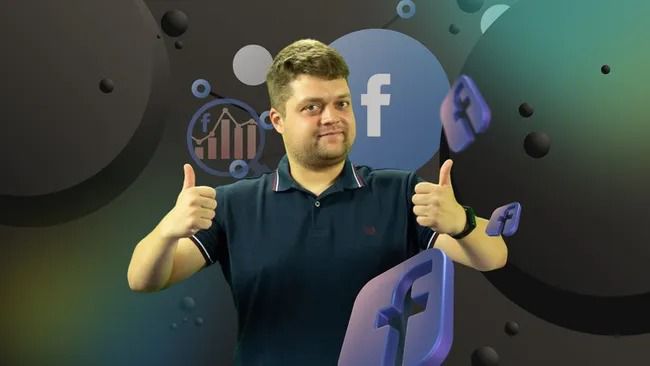
Facebook Marketing 2025 – Promote Your Business on Facebook!
Course Overview
This comprehensive, video‑driven program walks you through every step needed to turn Facebook into a powerful, profit‑driving channel for your business. From setting up the perfect Page to mastering advanced ad‑targeting, the course combines more than 50 minutes of high‑quality video lessons with practical worksheets, so you can start creating, launching, and optimizing Facebook campaigns right away.
---
Who Should Enroll
| Ideal Learner | Why This Course Fits |
|--------------|--------------------|
| Small‑business owners | Build a professional Business Page, run ads, and track ROI without hiring an agency. |
| Entrepreneurs & solopreneurs | Generate leads, traffic, and sales directly from Facebook. |
| Marketing managers & freelancers | Scale client campaigns with a proven, step‑by‑step workflow. |
| E‑commerce store owners | Connect Facebook and Instagram to drive product sales. |
| New to Facebook advertising | Start from basics and progress to advanced retargeting and AB‑testing. |
---
What You’ll Learn
| Module | Key Topics (video titles) |
|-------|------------------------|
| 1 Foundations | “What is Facebook Marketing”, “Facebook Pages Types – Personal vs Business”, “Facebook Business Page – Setup & Optimization”, “Facebook Business Page Settings”. |
| 2 Community & Content | “Facebook Groups”, “Facebook Algorithms – Engaging Content”, “Content Types”, “Facebook Instant Articles”, “Facebook Verified Badge”, “Facebook Plugins”. |
| 3 Compliance & Moderation | “Moderation Assist – How to Avoid Forbidden Words”. |
| 4 Analytics & Insights | “Facebook Insights Tool”, “How to Analyze Facebook Data”, “Analytics in the Ads Manager”, “Facebook Attributions”. |
| 5 Advertising Basics | “Algorithm for Launching Advertising on Facebook & Instagram”, “Personal Profile vs Business Page”, “Target Audience Analysis”, “Competitor Analysis”, “Advertising Budget Planning”. |
| 6 Account & Business Manager | “Linking Facebook & Instagram Accounts”, “Meta Business Manager – Basic Settings”, “Launching Ads from a Phone”, “Ads Manager – Full Setup”. |
| 7 Campaign Creation | “Promoting an Existing Post”, “Traffic‑Generation Campaign”, “Step‑by‑Step Setup for Ads”, “Creating Audiences”, “Look‑alike Audiences”, “Placements & Formats”. |
| 8 Creative Production | “Which Images Will Definitely Sell”, “Photo Content”, “Video Ads”, “Advertising in Stories”, “How to Create Eye‑Catching Visuals”, “Video Ad Production”. |
| 9 Advanced Targeting | “Audience from Facebook & Instagram”, “Lookalike Audiences”, “Offline & Custom Audiences”, “Actions in the App”, “Audience from Facebook & Instagram”. |
| 10 Optimization & Testing | “AB Testing”, “Retargeting on Social Networks”, “Product Feed”, “Texts & Images for Remarketing”, “Assessment of Advertising Effectiveness”. |
| 11 Advanced Strategies | “Facebook Ads Library”, “Group Promotion in Ads Manager”, “Sending Traffic to Instagram”, “Advertising Settings & Basic Rules”, “Recommendations & Advice”. |
| Bonus | “$1M+ Premium Courses.pdf” (additional reference material). |
All videos are short (5‑20 minutes) and organized in a clear folder hierarchy for easy navigation.
---
Key Benefits
- Fast‑track setup – Launch a fully optimized Business Page in under an hour.
- Data‑driven decisions – Use Insights, Ads Manager analytics, and AB‑testing to optimize spend.
- Full‑funnel mastery – From audience research to creative production, ad launch, and performance analysis.
- Cross‑platform power – Seamlessly link Facebook and Instagram for unified campaigns.
- Scalable advertising – Build look‑alike and retargeting audiences that grow with your business.
- Hands‑on resources – Prompt templates, checklist PDFs, and a downloadable “$1M+ Premium Courses” guide for deeper learning.
---
Course Format
- Self‑paced video lessons (over 50 minutes total)
- Downloadable worksheets & checklists for each module
- Step‑by‑step guides (PDF and slide decks)
- Live‑demo snippets showing real‑time ad creation in Ads Manager
- Community forum for peer feedback and Q&A
---
How to Get Started
1. Enroll in the course.
2. Follow the modules in the order that matches your current skill level.
3. Use the provided templates and worksheets to set up your Page, create ads, and launch campaigns.
4. Track performance with the Insights and Analytics modules, then iterate for better results.
---
🧠 Facebook Marketing 2025 – Promote Your Business on Facebook!
Turn Facebook into a reliable revenue channel. Learn the platform inside‑out, launch high‑performing ads, and grow your business with confidence.