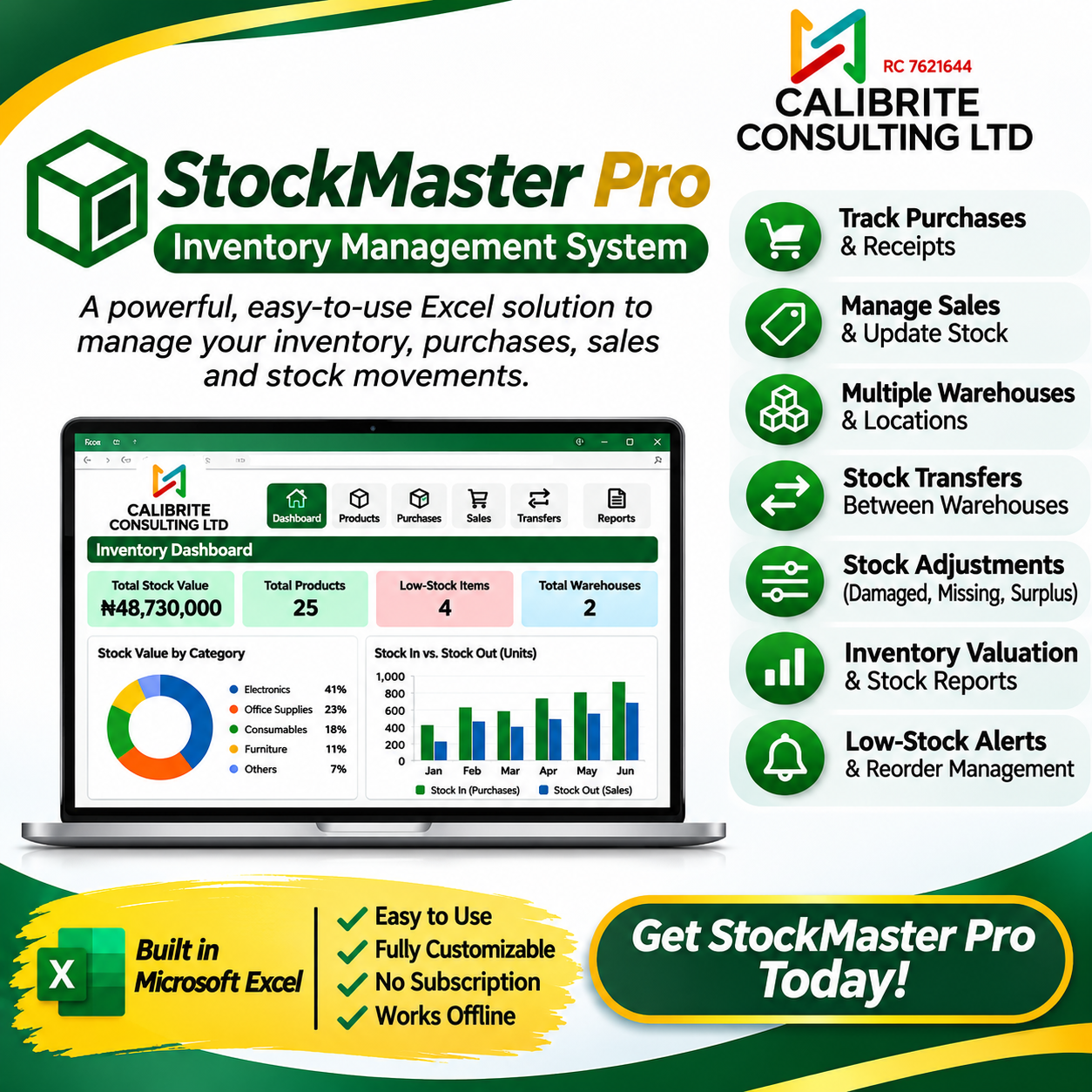
STOCKMASTER PRO – INVENTORY MANAGEMENT SYSTEM

STOCKMASTER PRO – INVENTORY MANAGEMENT SYSTEM
Take Full Control of Your Inventory, Purchases, Sales & Stock Movements with Microsoft Excel!
Are you tired of struggling with stock discrepancies, missing inventory, manual stock calculations, and poor inventory records?
Managing inventory shouldn't be complicated or expensive.
Introducing StockMaster Pro Inventory Management System — a powerful, easy-to-use, Excel-based inventory management solution designed to help businesses organize, monitor, and control their stock efficiently.
Whether you run a retail store, wholesale business, distribution company, warehouse, or small business, StockMaster Pro provides the essential tools you need to manage inventory confidently.
🚀 WHAT CAN STOCKMASTER PRO DO FOR YOUR BUSINESS?
📊 1. Interactive Inventory Dashboard
Get a clear overview of your inventory performance in one place.
- Total inventory value
- Total products in stock
- Low-stock items
- Number of warehouses
- Inventory performance charts
- Stock movement summaries
📦 2. Product Management
Maintain a centralized database of all your products.
- Product names and unique SKUs
- Product categories
- Cost and selling prices
- Units of measurement
- Reorder levels
- Product information
🛒 3. Purchase & Stock Receipt Management
Keep accurate records of products purchased and received from suppliers.
- Record purchase transactions
- Track quantities received
- Monitor purchase costs
- Update inventory balances through linked calculations
💰 4. Sales & Stock Issue Management
Track products sold and issued from inventory.
- Record sales transactions
- Monitor quantities sold
- Calculate sales values
- Update stock balances automatically
🏬 5. Multiple Warehouse Management
Manage inventory across different warehouse locations.
- Maintain warehouse records
- Track stock quantities by location
- Monitor stock balances
- Improve warehouse visibility
🔄 6. Stock Transfers
Keep records of products transferred between warehouses.
- Track stock movement between locations
- Monitor transferred quantities
- Maintain stock movement history
⚠️ 7. Low-Stock Alerts & Reorder Management
Avoid unexpected stock shortages.
- Identify products running low
- Set minimum stock levels
- Generate suggested reorder quantities
- Improve inventory replenishment planning
📈 8. Inventory Valuation & Business Reports
Make informed inventory decisions with useful reports.
- Inventory balance reports
- Stock movement reports
- Inventory valuation using standard unit costs
- Reorder reports
- Inventory management insights
⭐ WHY CHOOSE STOCKMASTER PRO?
✅ Built with Microsoft Excel
✅ No expensive inventory software subscription required
✅ Easy-to-use and customizable worksheets
✅ Formula-driven inventory calculations
✅ Supports multiple warehouse locations
✅ Helps reduce manual stock calculation errors
✅ Improves stock visibility and inventory control
✅ Works offline with a compatible desktop version of Microsoft Excel
✅ Suitable for small and growing businesses
🎯 WHO IS THIS SYSTEM FOR?
StockMaster Pro is suitable for:
- Retail and wholesale businesses
- Supermarkets and provision stores
- Pharmaceutical and medical supply businesses
- Electronics and accessories dealers
- Fashion and clothing businesses
- Building materials suppliers
- Distribution and logistics businesses
- Warehouse managers and storekeepers
- Accountants, bookkeepers, and business owners
📥 WHAT WILL YOU RECEIVE?
Upon successful purchase, you will receive:
StockMaster Pro Inventory Management System – Microsoft Excel Workbook (.xlsx)
The workbook includes:
- Inventory dashboard
- Product master records
- Purchase and sales records
- Warehouse management
- Stock transfer records
- Stock adjustment records
- Inventory balance calculations
- Reorder management reports
- Sample data for practice
- Instructions for using the system
Important: This is an Excel-based inventory management template, not a standalone desktop application or cloud-based ERP. It requires a compatible version of Microsoft Excel. Users are responsible for entering accurate transactions and maintaining backups.
💡 STOP GUESSING. START MANAGING YOUR INVENTORY PROFESSIONALLY!
Don't allow poor inventory records, unexpected stock shortages, or manual calculation errors to slow down your business.
With StockMaster Pro, you can organize your stock records, monitor inventory movements, and make better purchasing decisions — all within Microsoft Excel.
🛍️ GET STOCKMASTER PRO TODAY!
Take the first step towards smarter, more organized inventory management.
Developed by:
CALIBRITE CONSULTING LTD
Accounting Technology | Business Automation | Financial Solutions