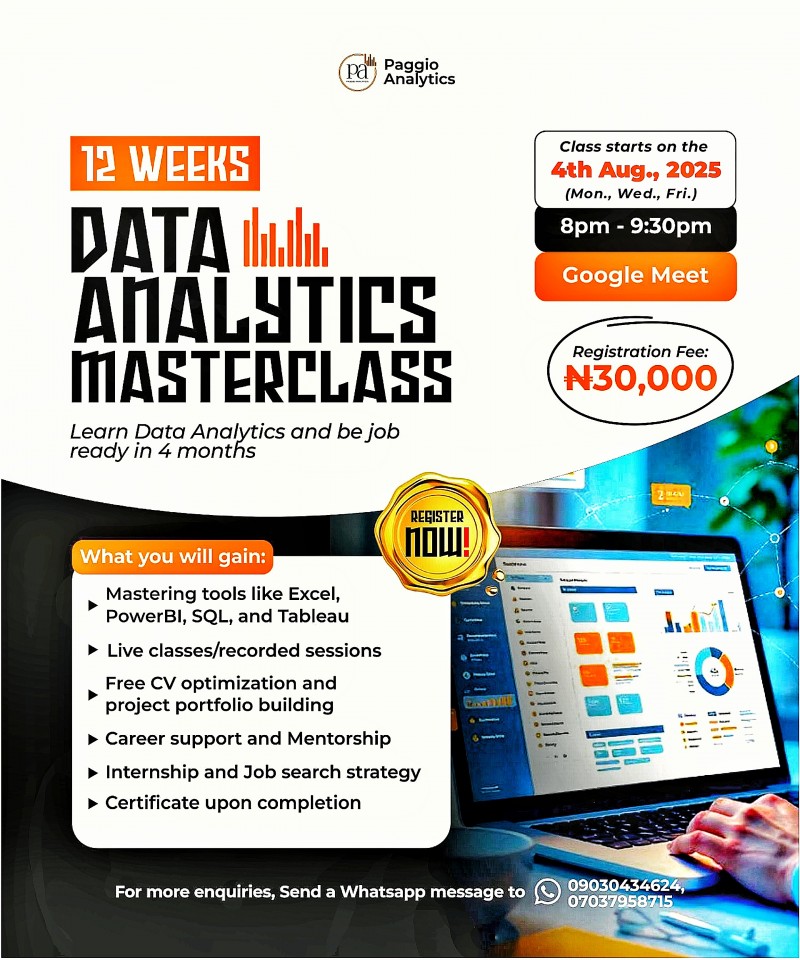
Data Analytics Masterclass

Get Tickets
Total Admissions: 0You will learn and master Excel, PoweBI, Tableau, and SQL in this masterclass. Other things you will gain include: Projects portfolio building CV Optimization Certification Job search strategy Internship opportunity
Get hands-on training with in-demand skills in Excel, SQL, Power BI, Python, and Tableau, build real-world projects to showcase in your professional portfolio, receive expert guidance on CV optimization, and benefit from personalized career mentorship.
Data Analytics Masterclass Curriculum
Introduction to Data Analytics
MS–Excel (Basic to Advance)
• Referencing, Named ranges,Uses,Arithemetic Functions
• Logical functions
• VLookup, Hlookup, Index, Match
• Advanced functions
• Date and Text Functions
• Data cleaning, Data type identification, Remove Duplicates, Formatting and Filtering
• Data Visualization: Conditional Formatting, Charts
• Data Summarization: Pivot Report and Charts
• Data Summarization: Dashboard Creation, Tips and Tricks
• Connecting to Data: Power Query, Pivot, Power Pivot within Excel
MYSQL
Introduction to Mysql
• Introduction to Databases
• Introduction to RDBMS
• Different types of RDBMS
• Software Installation(MySQL Workbench)
SQL Commands and Data Types
• Types of SQL Commands (DDL,DML,DQL,DCL,TCL) and their applications
• Data Types in SQL (Numeric, Char, Datetime)
DQL, Operators & Subqueries
• SELECT, LIMIT, DISTINCT, WHERE, AND, OR, IN, NOT IN, BETWEEN, EXIST, ISNULL, IS NOT NULL, ORDER BY
Group Operations & Aggregate Functions
• Group By, Having Clause, COUNT, SUM, AVG, MIN, MAX
• String Functions
• Date & Time Function
Joins
• INNER, LEFT, RIGHT, CROSS
• Self Joins
• Full outer join with UNION and UNION ALL
Window Functions & Advanced Queries
• RANK, DENSE_RANK, ROW_NUMBER, LAG, LEAD, PARTITION BY
• Common Table Expressions (CTEs)
• CASE WHEN
• Views
• Functions
• Stored Procedures
DDL
• Create, Drop, Alter, Rename, Truncate
DML
• Insert, Update, Delete
TABLEAU
Introduction to Tableau
• Tableau File Extensions
• Data Types, Dimensions, Measures, Aggregation concept
• Tableau Desktop Installation
• Data Source Overview
• Live Vs Extract
Basic Charts & Formatting
• Overview of worksheet sections
• Bar Chart, Stacked Bar Chart
• Text Table, Highlight Table
• Formatting: Remove grid lines, hiding the axes, conversion of numbers to thousands, millions, Shading, Row divider, Column divider
Filters
• Types of Filters
• Extract, Data Source, Context, Dimension, Measure, Quick Filters
• Order of operation of filters
Calculations
• Examples of Basic Calculations: Aggregate functions
• Level of Detail
• Table Calculations
Data Combining Techniques
• Combining
• Joins, Relationships, Blending & Union
Charts
• Different type of charts
• Combined Axis
Calculated Fields & Parameters
• Creating Calculated Fields
• What are Parameters ? Purpose and examples
Analytics & Dashboard
• Overview of Dashboard: Tiled Vs Floating
• Dashboard creation with formatting
• Publishing your Dashboard on Tableau Public
POWER BI
Power BI Introduction and Installation
• Understanding Power BI Background
• Installation of Power BI and check list for installation
Data Type and Load
• Loading data from multiple sources
• Data type and the type of default chart on drag drop.
Power BI Visualization
• Understanding Column Chart
• Understanding Line Chart
• Conditional formatting
Power Query Editor
• Loading data from folder
• Understanding Power Query in detail
• Promote header, Split to limiter, Add columns, append, merge queries etc.
Modelling with Power BI
• Loading multiple data from different format
• Understanding modelling (How to create relationship)
• Connection type, Data cardinality, Filter direction
• Making dashboard using new loaded data
Power Query Editor Filter Data
• Power Query Custom Column & Conditional Column
• Manage Parameter
• Introduction to Filter and types of filter
• Trend analysis, Future forecast
Customize the data in Power BI
• Understanding Tool tip with information
• Use and understanding of Drill Down
• Visual interaction and customisation of visual interaction
• Drill through function and usage
• Button triggers
• Bookmark and different use and implementation
• Navigation buttons
Dax Expressions
• Introduction to DAX
• Table Dax, Calculated column, DAX measure and difference
• Calculated Column
• Related, Lookup value, switch, Datedif, Rankx, Date functions
• Dax Measure and Quick Measure
Publishing Your Dashboards
• Introduction to Power BI Service
• Collaboration using Power BI
• Creating Dashboards using Power BI Cloud/Service
• Publishing Your Dashboard