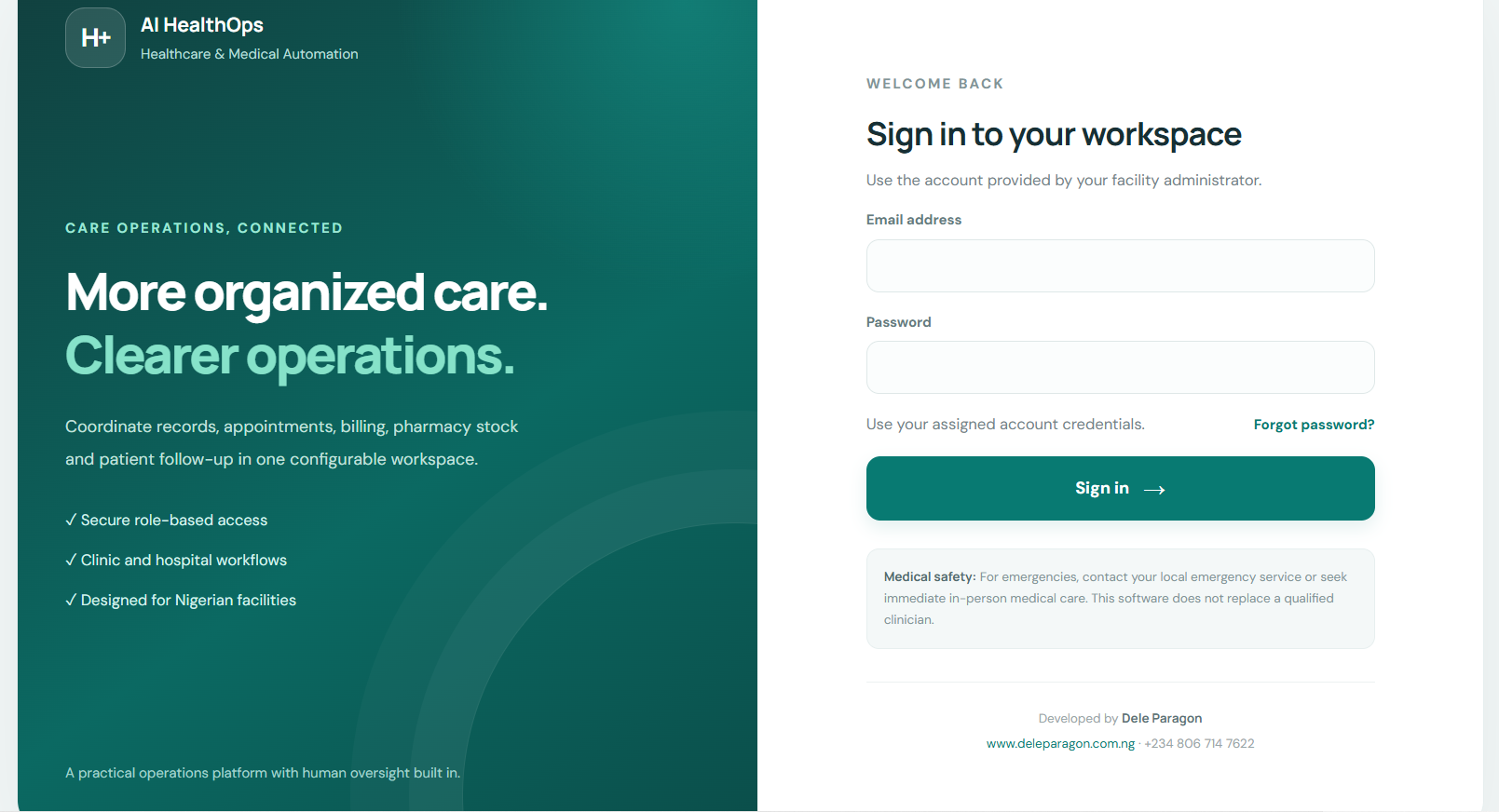
AI HealthOps – Healthcare & Medical Automation PHP Script

AI HealthOps is a customizable, mobile-friendly healthcare management web application designed for clinics, hospitals, diagnostic laboratories, pharmacies, maternity centres and other healthcare facilities.
Built with PHP and MySQL for cPanel hosting, it brings essential healthcare administration and operational workflows together in one platform. Manage patient records, appointments, clinical documentation, laboratory requests, pharmacy inventory, point-of-sale transactions, billing, payments and reports through a centralized dashboard.
The application includes role-based access control, patient-document management, batch imports, transaction exports, receipt printing, encrypted database backups and an administrative help assistant supporting English, Yoruba and Nigerian Pidgin.
Configure facility details, service fees, user permissions, currency, receipt branding and operational settings to suit your organization. Optional integrations include Paystack online payments and configurable AI assistance, subject to the required credentials and setup.
AI HealthOps is designed to help organize administrative work, improve information management and support day-to-day healthcare operations. It is not a certified medical device and does not replace professional medical judgment.
Complete feature list
A. Dashboard and facility settings
- Centralized healthcare operations dashboard.
- Configurable facility name and business details.
- Customizable currency and service fees.
- Facility logo and receipt-footer settings.
- Mobile-responsive interface.
- Configurable healthcare workflows and operational settings.
- Operational summaries and available reports.
B. Patient management and electronic records
- Patient registration and unique patient records.
- Patient search and profile management.
- Medical history and clinical documentation fields.
- Allergy and vital-sign recording.
- Consultation and encounter notes.
- Patient-document uploads and protected document access.
- Patient-record management and authorized retrieval.
- Patient CSV import using the supplied template.
C. Appointments and clinical workflows
- Appointment scheduling and status tracking.
- Patient follow-up workflows.
- Clinician encounter documentation.
- Clinical task coordination.
- Laboratory request and result workflows.
- Admission tracking.
- Access to patient information according to assigned permissions.
D. Laboratory management
- Laboratory order recording.
- Diagnostic workflow status tracking.
- Laboratory result entry and review workflows.
- Report and document uploads.
- Patient and laboratory record association.
- Authorized access to diagnostic information.
Integrations with laboratory instruments or external laboratory information systems require separate configuration and testing.
E. Pharmacy and medical inventory
- Medicine and medical-supply inventory.
- Stock addition and removal.
- Stock adjustments and movement records.
- Batch and expiry-date tracking where recorded.
- Inventory monitoring and transaction history.
- Pharmacy point-of-sale interface.
- Sales recording and receipt generation.
- Sales and inventory reporting.
- Authorized stock-override functionality for Super Admin.
- Sales recording with low or negative stock when permitted by the configured override controls.
F. Billing, payments and financial management
- Itemized invoices and healthcare bills.
- Editable bills according to assigned permissions.
- Configurable service fees.
- Payment recording and receipt generation.
- Outstanding balances and debt tracking.
- Transaction records and financial summaries.
- Receipt branding with the facility logo.
- Printable receipt layouts.
- Exportable payment and debt records.
- Optional Paystack online payment integration.
Payment integration limitation: Paystack is the implemented gateway in this release. Flutterwave, Monnify, Remita and other gateways require additional integration work. Live payment processing must be tested with valid provider credentials.
G. Receipt printing
- Print-ready receipt layouts.
- Facility logo support.
- Billing and payment receipts.
- Pharmacy POS receipts.
- Layouts intended for 80mm thermal printers.
- Browser-based printing through compatible USB or Bluetooth printer configurations.
Actual Bluetooth or USB printing depends on the device, operating system, printer drivers and browser compatibility. Test the intended printer before deployment.
H. User management and security
- Super Admin-controlled account creation, editing and deactivation.
- Role-based permissions for different staff categories.
- Dedicated user accounts.
- Login and session controls.
- CSRF protections for supported application actions.
- Password-reset workflow.
- Audit logging of important application activities.
- Protected patient-document access.
- Encrypted database backup files.
- Security-conscious storage of application configuration and integration secrets.
Password recovery by email requires functional email delivery on the hosting account. Access controls and security features should be independently tested before real patient data is entered.
I. User roles
The application provides role categories for the following operational responsibilities:
- Super Admin: User management, facility settings, integrations, backup and restore, and privileged operations.
- Admin: Authorized operational administration and reporting.
- Doctor: Patient records, appointments, encounters and relevant clinical workflows.
- Nurse: Authorized patient, encounter, admission and related workflows.
- Pharmacist: Pharmacy inventory, stock management and POS operations.
- Laboratory Technician: Authorized patient lookup and laboratory workflows.
- Cashier: Assigned billing, payment and receipt operations.
- Records Officer: Patient registration, scheduling and authorized records workflows.
- Manager: Permitted operational monitoring and reporting.
The permissions assigned to each role should be verified during setup against the facility's actual responsibilities and policies.
J. Reports, exports and data imports
- Operational and financial reports.
- Sales and POS reporting.
- Payment and outstanding-balance exports.
- CSV exports.
- Excel-compatible
.xlsexports. - Word-compatible
.docexports. - Printable HTML tables.
- Patient batch import using a sample CSV template.
- User batch import using a sample CSV template.
- Import validation and review of skipped or duplicate records.
- Reports and exports controlled by application permissions.
The .xls and .doc outputs are compatibility-oriented formats, not native modern .xlsx and .docx workbooks/documents.
K. Backup and restoration
- Encrypted database snapshots.
- AES-256-GCM encryption for generated database backups.
- Backup integrity checks using SHA-256 checksums.
- Downloadable database backup files.
- Database restoration workflow.
- Optional upload to a compatible HTTPS backup endpoint.
Cloud backup requires a compatible endpoint to be configured. Direct, ready-made integrations with AWS S3, Google Drive and Dropbox are not included. Uploaded documents and facility logos must also be backed up separately.
L. WhatsApp notifications
- Prepared appointment-reminder messages.
- Prepared payment-receipt notifications.
- Prepared debt-reminder messages.
- User-entered recipient numbers.
- Click-to-chat links with prefilled message text.
The no-API workflow opens WhatsApp for the authorized user to review and send the message. Unattended automated messaging requires a separately configured and authorized messaging integration.
M. AI help assistant
- English-language assistance.
- Yoruba-language assistance.
- Nigerian Pidgin assistance.
- Application guidance and frequently asked questions.
- Knowledge-base retrieval.
- Optional synchronization of readable content from configured public website pages.
- Optional connection to an OpenAI-compatible AI endpoint.
External AI functionality requires the appropriate endpoint, credentials and configuration. The assistant is intended for software guidance and administrative information, not autonomous diagnosis, treatment recommendations or prescribing.
N. Administration and optional customization
- Facility-specific configuration.
- User-access management.
- Configurable service fees.
- Configurable facility branding.
- Optional payment integration.
- Optional external AI configuration.
- Optional configurable and dismissible workspace promotional elements, disabled by default.
- Extensible architecture for additional integrations, subject to development and testing.