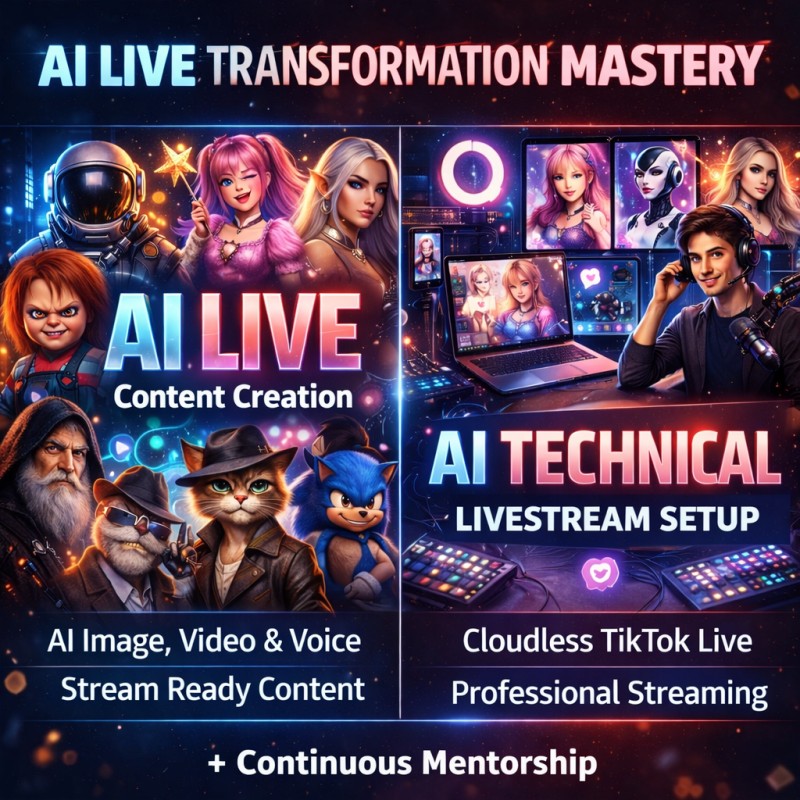
AI Live Transformation/ Content Creation Mastery (FEB 16th, 2026) & TECHNICAL SETUP FOR AI TIKTOK LIVESTREAMING (FEB 19th, 2026)

AI Live Transformation/ Content Creation Mastery (FEB 16th, 2026)
MODULE 1: Foundations of AI Live Content Creation
- What AI Live Transformation actually is
- How AI Live content differs from normal AI videos
- Understanding real-time vs pre-generated AI content
- How viral AI Live content works psychologically
- TikTok audience behavior during AI Live sessions
- Types of AI Live creators (Entertainment, Education, Prayer, Fashion, Gaming, Talking Avatars)
MODULE 2: AI Image Generation for Live Content
- Understanding prompts (structure, style, control)
- Creating consistent characters for livestreams
- Realistic vs stylized characters
- Lighting, mood, grading consistency
- Facial accuracy & emotion control
- Clothing, age, ethnicity, realism control
- Creating multiple scenes from one character
- Prompt libraries for Live content reuse
- Avoiding common AI image mistakes that break realism
MODULE 3: AI Video Generation for Live Transformation
- Turning still images into motion
- Creating smooth transformations
- Controlling motion, gestures, and facial movement
- Camera movement styles (static, cinematic, handheld feel)
- Loopable videos for livestreams
- Avoiding uncanny movement issues
- Making AI videos look “live-ready”
- Vertical video optimization for TikTok
- Scene transitions for long Live sessions
MODULE 4: AI Voice Cloning & Voice Generation
- Understanding AI voices vs cloned voices
- Creating natural-sounding AI speech
- Emotion control (calm, excited, prayerful, dramatic)
- Matching voice tone to character
- Live-safe voice pacing and clarity
- Avoiding robotic delivery
- Multi-language voice usage
- Ethical and safe voice usage
- Using voice to increase viewer retention
MODULE 5: AI Editing for Live & Short-Form Content
- Editing AI content for realism
- Timing edits for livestream flow
- Removing visual glitches
- Syncing voice and visuals
- Enhancing quality without over-editing
- Preparing AI content loops for live streaming
- Creating short clips from Live content for reposting
- Maintaining quality across different devices
MODULE 6: AI Live Character & Persona Building
- Creating a strong AI persona
- Backstory creation for characters
- Consistent personality across Lives
- Visual branding for AI characters
- Viewer emotional connection strategies
- Naming, identity, and lore for AI characters
- Trust-building with AI personas
- Scaling one character into multiple content styles
👥 WHO THIS COURSE IS FOR
This course is designed for complete beginners and intermediate creators who want to create AI-powered Live content/AI Content without feeling overwhelmed or technical.
✅ This course is for you if:
- You are new to AI and don’t know where to start
- You want to create AI Live transformation content for TikTok
- You want to go LIVE using AI characters, voices, or visuals
- You want to create content using just your phone or a laptop
- You want to build engaging AI content without showing your face
- You are a content creator, streamer, or influencer
- You want to monetize AI Live content through gifts and engagement
- You want a clear system, not random tutorials
❌ This course is NOT for you if:
- You’re looking for shortcuts or instant results
- You don’t want to learn or practice
- You expect everything to be done for you automatically
❓ FREQUENTLY ASKED QUESTIONS (FAQ)
How will the class be conducted?
The class will be held as a live virtual class via Zoom.
This means:
- You attend from anywhere in the world
- You can join using your phone or laptop
- Sessions are interactive and practical, not pre-recorded only
- You can ask questions in real time
Is this a live class or recorded videos?
This is a live, instructor-led class.
- The main training is done live on Zoom
- You will be guided step-by-step
- Recordings may be provided for review (depending on your package)
How long does the class last?
The core training runs for 3 days.
- 3-day intensive, hands-on practical training
- Each day focuses on building real AI Live content
- You will actively create during the sessions, not just watch
What happens during the 3 days?
Each day is structured for maximum results:
- Day 1: Foundations, AI content creation & setup
- Day 2: Advanced AI transformation, voice, video & live workflows
- Day 3: Going live, content strategy, troubleshooting & monetization
By the end of Day 3, you will:
- Understand AI Live content clearly
- Have your AI content ready
- Know exactly how to run AI Lives professionally
Is it beginner-friendly even though it’s intensive?
Yes.
The training is structured for beginners, with clear explanations and step-by-step guidance.
No prior AI or livestreaming experience is required.
Will there be mentorship after the class?
Yes.
After the 3-day intensive training, you get continuous mentorship.
This includes:
- Ongoing guidance and support
- Help when you get stuck
- Feedback on your AI Live content
- Updates as AI tools change
- A community of other AI Live creators
Is the mentorship time-limited?
The mentorship is continuous, meaning:
- You’re not left alone after the class
- You continue learning and improving
- You get support as you start going Live consistently
(Exact mentorship format will be communicated to enrolled students.)
Do I need to prepare anything before the class?
You’ll receive:
- A simple preparation guide
- Any required software instructions
- Clear steps to be ready before Day 1
No complicated setup is required.
What if I can’t attend one of the live sessions?
If you miss a session:
- You’ll be guided on how to catch up
- Videos would be recorded during the class so you can always watch again
Do I need any AI experience before starting?
No. This course is built for beginners. Everything is explained step-by-step, from the basics to advanced workflows.
Can I take this course with just my phone?
Yes.
The AI Live Content Creation course can be done using only a phone.
However, the Technical Setup course requires a laptop for livestreaming.
Is this course only for TikTok?
The focus is TikTok Live, but the AI content creation skills can be used on other platforms as well.
Is this course beginner-friendly or advanced?
Both.
Beginners can start from scratch, while experienced creators can level up their AI Live workflow.
How long do I have access to the course?
You get full mentorship access after purchase, and classes would be recorded so you can learn at your own pace.
Can I use this knowledge for clients or business?
Yes.
You can use everything you learn for personal content, brand pages, or client work.
TECHNICAL SETUP FOR AI TIKTOK LIVESTREAMING (FEB 19th, 2026)
MODULE 1: Understanding TikTok Live from a Technical Perspective
- How TikTok Live actually works
- Live requirements & access
- Stream stability basics
- Resolution & frame consistency
- Vertical live optimization
- Common TikTok Live issues & causes
MODULE 2: Software Setup for AI Livestreaming
- Streaming software fundamentals
- Scene creation and management
- Switching scenes smoothly during Live
- Layering AI visuals correctly
- Audio routing basics
- Managing multiple AI sources
- Optimizing software performance
MODULE 3: AI Content Integration into Live Streams
- Bringing AI images into Live
- Playing AI videos during Live
- Looping content seamlessly
- Live voice integration
- Syncing AI visuals and voice in real time
- Managing delays and sync issues
- Switching AI characters during Live
MODULE 4: TikTok Live Configuration & Optimization
- Live stream key setup
- Proper TikTok Live settings
- Avoiding Live interruptions
- Understanding TikTok Live moderation systems
- Safe streaming practices
- Preventing Live bans or restrictions
MODULE 5: Best Practices for Professional AI Livestreaming
- Keeping streams smooth and stable
- Reducing lag and crashes
- Managing long Live sessions
- Viewer experience optimization
- Comment visibility and interaction
- Maintaining quality over time
MODULE 6: AI Live Workflow & Automation
- Pre-Live preparation workflow
- Live session structure
- Scene automation strategies
- Managing content without stress
- Efficient switching during Live
- Post-Live shutdown & reset workflow
MODULE 7: Troubleshooting & Problem Solving
- No audio issues
- Visual glitches
- Desync problems
- TikTok connection issues
- Software crashes
- Backup workflows
- Emergency fixes during Live
❓ FREQUENTLY ASKED QUESTIONS (FAQ) – TIKTOK AI TECHNICAL LIVESTREAM COURSE
Is this course beginner-friendly even though it’s technical?
Yes.
This course is built specifically for beginners. No prior livestream or technical experience is required.
Do I need to be good with computers to take this course?
No.
If you can use a laptop and follow instructions, you’ll be fine. The training is explained in simple, practical terms.
Can I do this course with just my phone?
No.
This technical livestream course requires a laptop because TikTok Live streaming with AI needs proper software control.
Will this course teach me how to go Live on TikTok with AI?
Yes.
You’ll learn how to properly set up and run AI-powered TikTok Lives, including scenes, audio, visuals, and stability.
Does this course teach AI content creation?
No.
This course focuses on the technical livestream setup.
AI content creation is covered in the AI Live Content Creation course.
Will I learn how to avoid TikTok Live issues and bans?
Yes.
The course covers best practices, safe streaming, and common mistakes that cause interruptions or restrictions.
Is this a live class or recorded?
This is taught as a live virtual class via Zoom, with hands-on guidance.
How long does the training last?
The main training is part of a 3-day intensive hands-on program, followed by continuous mentorship.
What happens after the training ends?
You receive ongoing mentorship, support, and guidance as you start going Live consistently.
Will I be able to reuse the setup after the class?
Yes.
You’ll learn how to create a reusable livestream setup that you can use daily without starting from scratch.
What makes this technical course different from YouTube tutorials?
This course gives you:
- A clear system
- Live guidance
- Real troubleshooting
- Practical TikTok-specific workflows