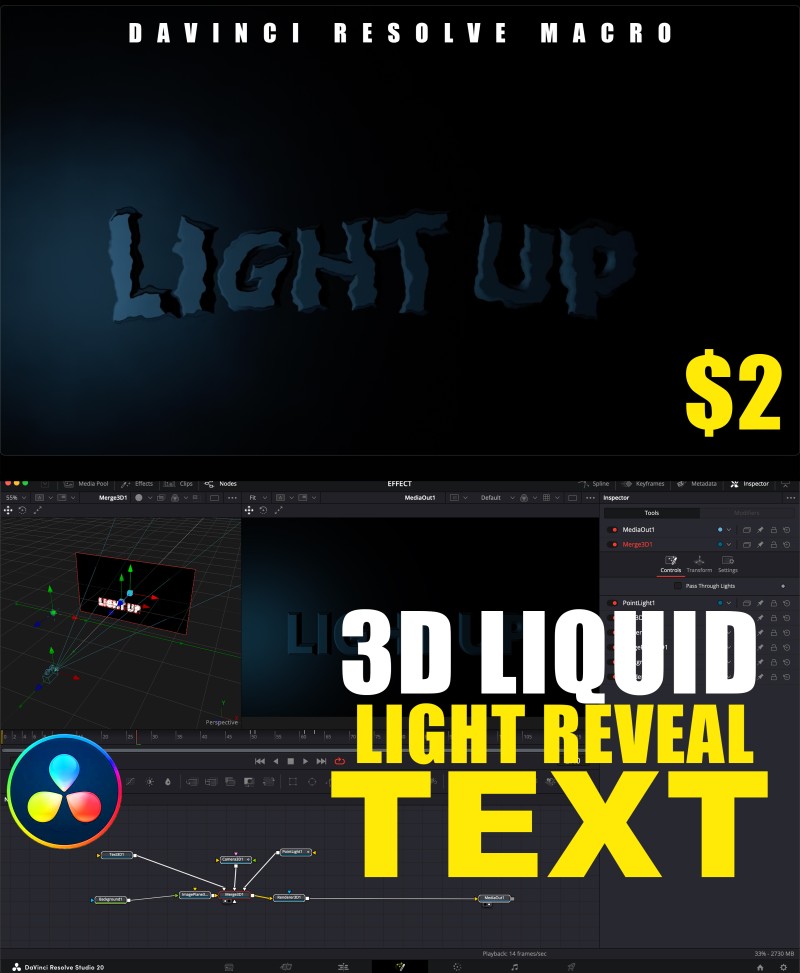
💧 3D LIQUID LIGHT REVEAL TEXT | Fusion Macro for DaVinci Resolve

💧 3D LIQUID LIGHT REVEAL TEXT | Fusion Macro for DaVinci Resolve
Transform your titles with this cinematic 3D Liquid Light Reveal effect — designed exclusively for the Fusion Pagein DaVinci Resolve.
This fully customizable macro creates a stunning liquid-style light animation that reveals your text in a smooth, glowing motion.
Perfect for cinematic intros, logo animations, and stylish openers — no complex nodes or plugins required!
✨ Features
✅ Fusion-Only — built for maximum control and precision in the Fusion workspace.
✅ Fully Customizable — edit text, color, glow, animation speed, lighting depth, and reflection.
✅ 3D Liquid Motion — smooth, realistic light flow animation.
✅ Professional & Fast — optimized for both Free and Studio versions of DaVinci Resolve.
✅ Drag & Drop Ready — just apply and tweak to match your project style.
⚙️ How to Install
- Copy the downloaded
.settingfile. - Paste it into your Fusion Macros folder:
- Windows:
C:\ProgramData\Blackmagic Design\DaVinci Resolve\Fusion\Templates\Edit\Titles- macOS:
/Library/Application Support/Blackmagic Design/DaVinci Resolve/Fusion/Templates/Edit/Titles
- Restart DaVinci Resolve.
- Find your macro under Fusion → Templates → Macros → 3D Liquid Light Reveal Text.
🎨 Perfect For
- Film intros & trailers
- YouTube logo/text reveals
- Cinematic openers
- Title sequences and promo visuals