Downloadable
CORELDRAW BIRTHDAY TEMPLATE (Volume 2)

(0 Ratings)
1
$7.00
Ready to unlock your creativity and save hours of work?
Spice up your Flyer game and designs using my Premium hand-made Corel templates.
For only $5, you will receive:
- Premium Stocks & Assets I've used while making each project;
- Color Corrections / Presets I made myself from scratch;
- Different Effects, Layer-styles, Fonts, and much more!
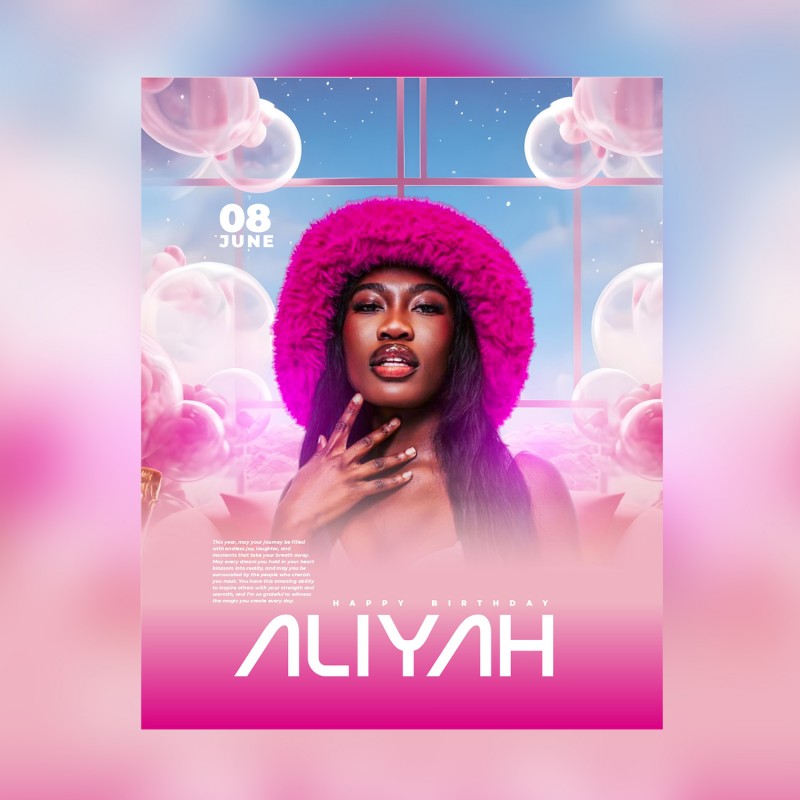
These flyers were created to capture attention with colors, bold typography, and modern design elements.
7 stylish and modern CDR flyers, perfect for celebrating birthdays in style! All elements are
organized, and every text element is fully editable for easy customization. Ideal for creating
eye-catching birthday invitations or announcements!
All the elements are modifiable and customizable.
The texts can be modified with the CorelDRAW text tool.
How to Use This Template
- Install the Fonts
- Locate the font files included with your template download.
- Double-click each font file and click "Install" to add them to your system.
- Restart CorelDRAW if it was open during installation to ensure fonts are recognized.
- Open the Template in CorelDRAW
- Make sure you are using CorelDRAW version 24 or higher for full compatibility.
- Open the template file (.cdr) in CorelDRAW.
- Edit Text
- Select any text element you want to change.
- Replace the placeholder names and details with your text.
- The installed fonts will automatically apply to the text.
- Replace Pictures
- Select the picture frame or image placeholder.
- Right-click and choose "Replace Image" or use the "PowerClip" feature.
- Browse and select your desired image from your files.
- Adjust the image position and size within the frame as needed.
- Customize Colors and Elements (Optional)
- Use CorelDRAW’s tools to adjust colors, effects, or add new design elements.
- Keep your design consistent with the original style or personalize it.
- Save and Export
- Save your edited file.
- Export your design in the desired format (JPEG, PNG, PDF) for sharing or printing.