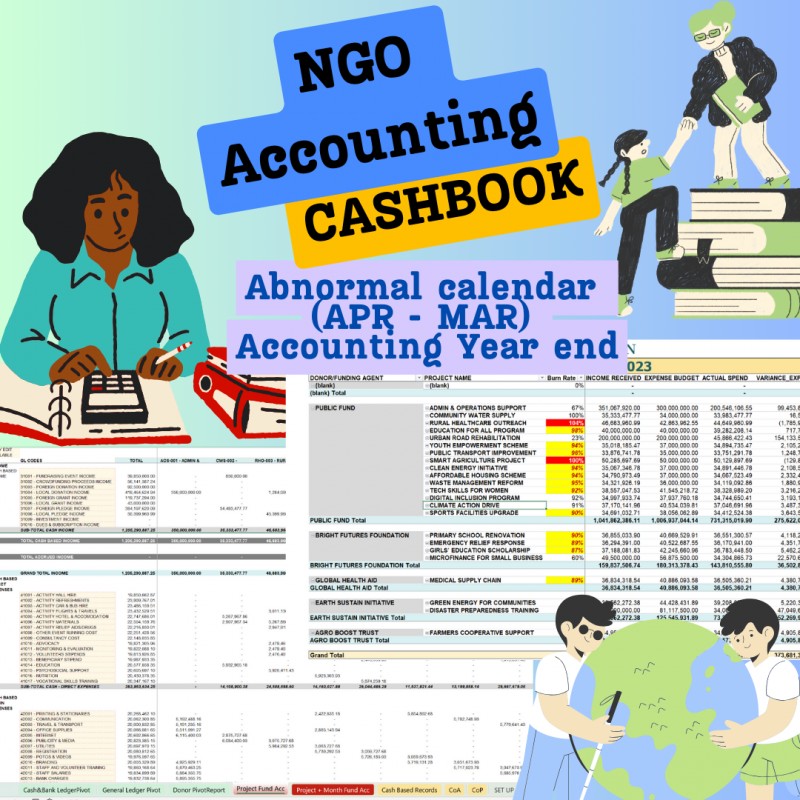
Downloadable
Accounting System (Cash Book) for NGOs - Track Income & Expenses based on Projects V2

(0 Ratings)
1
$18.76$22.51
CHART OF ACCOUNTS | NOT A JAN-DEC CALENDER YEAR | CASHBOOK | ONE OFF PAYMENT |
Accounting System (Cash Book) for NGOs - Track Income & Expenses based on Projects V1 - Already Set up CHART OF ACCOUNTS. You can edit the GL Descriptions but CANNOT edit the GL Codes and Posting Codes. This version is for Organizations who do not use the Normal Calendar (January to December) as Accounting Year. You can use Accounting Year like March to April, July to June or October to September in this version.
This Excel Template is the best thing that has happened to small and medium sized NGOs looking for simple dynamic spreadsheet to keep their records.
#NGO #accounting #excel #bookkeeping #accountingsoftware
This Excel Template brings life to bookkeeping with spreadsheets for Organizations in the NGO space.
With this template, you will be able to do the following:
1. Set up different Projects and define the names of the Donors up to 30 Projects
2. Set up a detailed Chart of Accounts (General Ledger descriptions & Account Codes) . Up to 130 GL Codes. These are already set up. However, you can change the Account (GL) descriptions only.
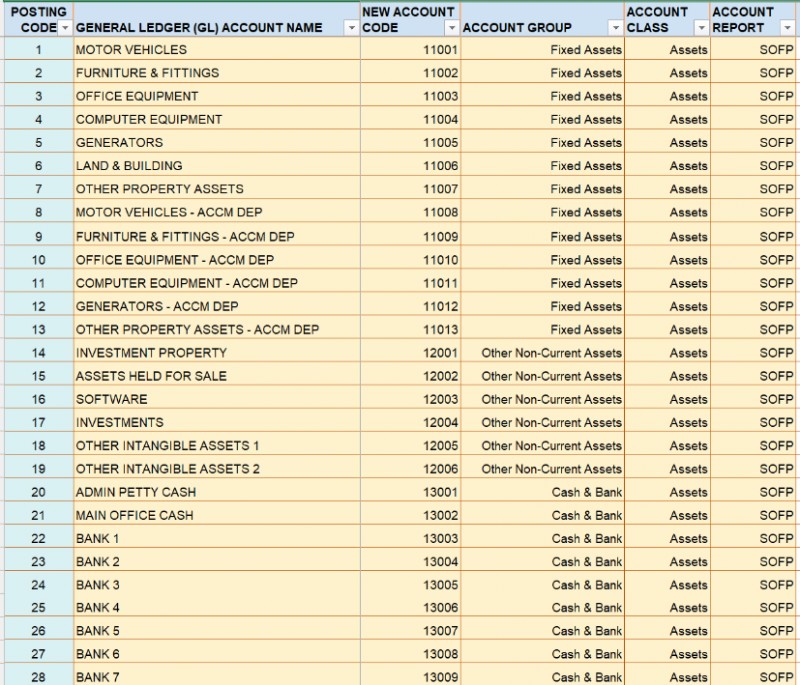
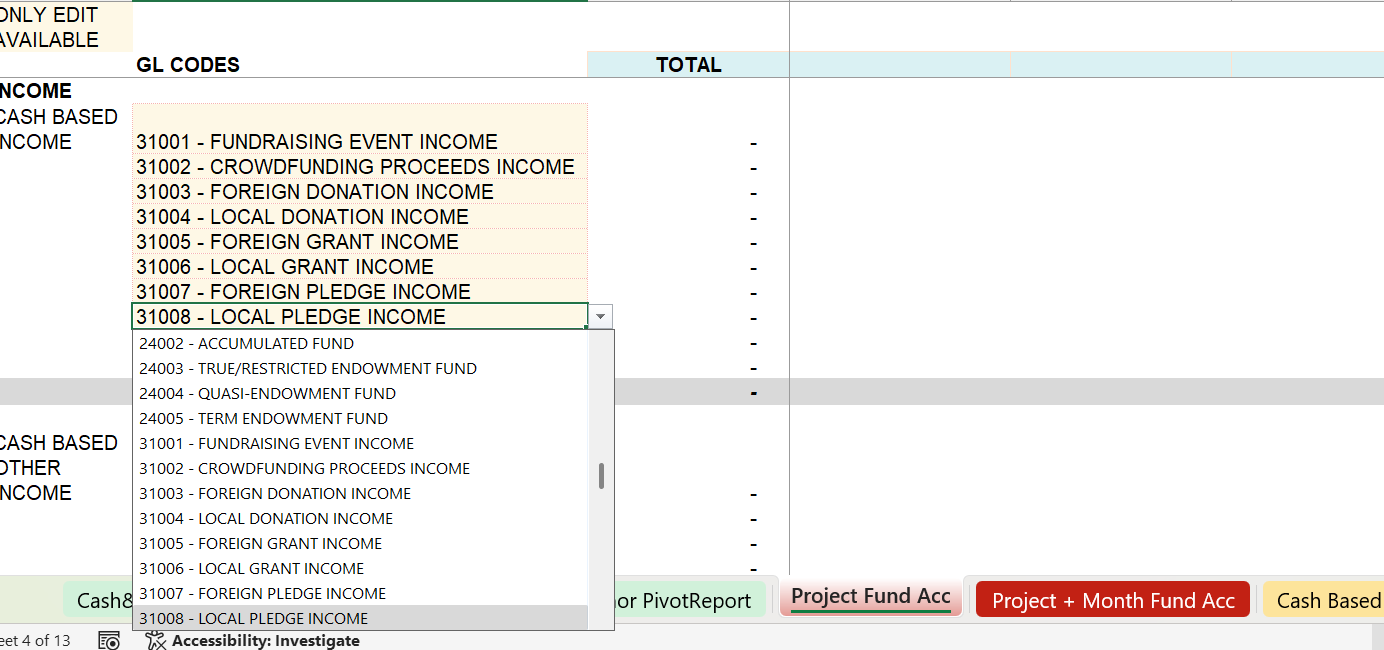
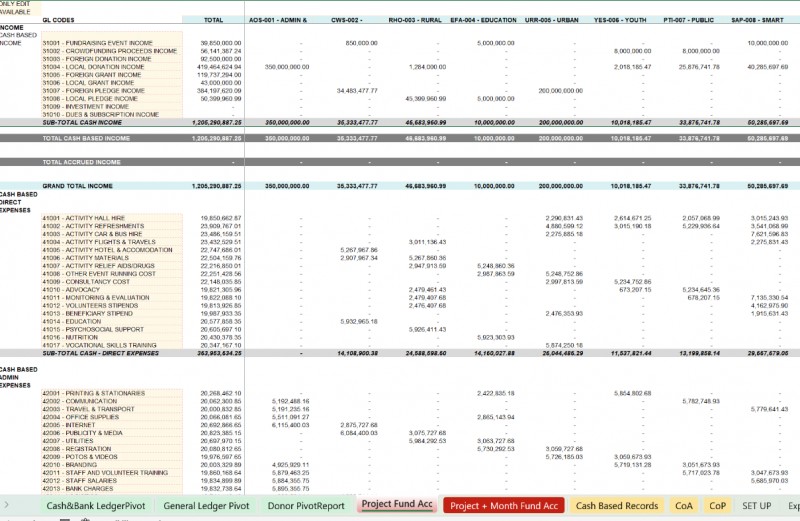
Kindly note that if you change the Account Name and Account Codes, you have to go to the "PROJECT FUND ACC" Sheet and update the GL Codes on Column B for all Income and Expenditure items. See Sample below:
3. Set up a Yearly Budget for the General Ledger codes
4. Set up Budgets for up to 30 Projects
5. Record transactions for up to 10 Cash & Bank account heads
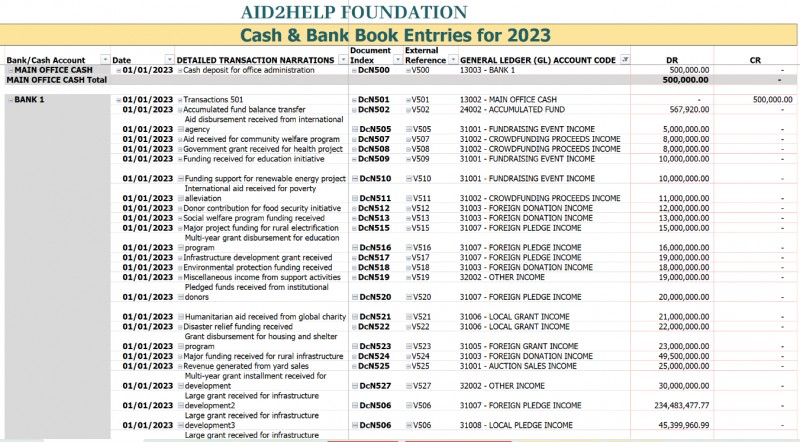
6. Generate Cash/Bank book Ledgers showing daily transactions by General ledger codes. See picture sample below.
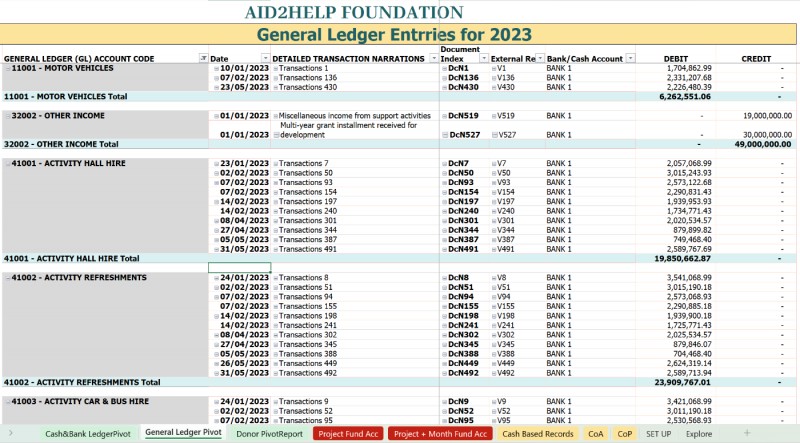
7. Generate General Ledger transactions showing every detail of the recorded transactions and the bank accounts and references associated with every transaction. See picture sample below.
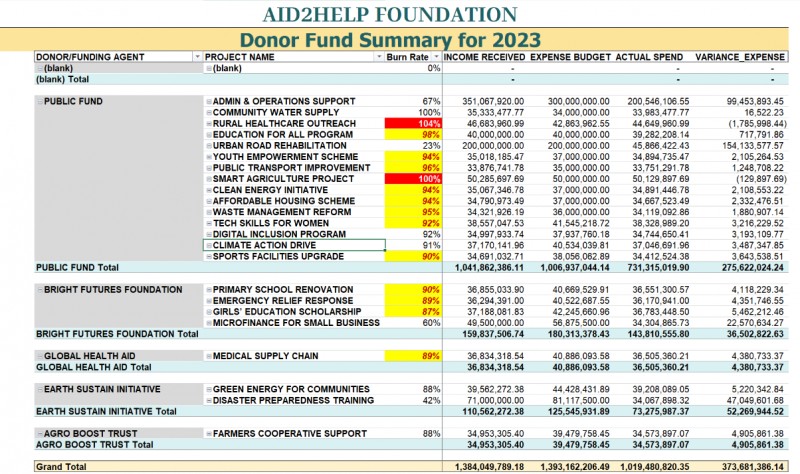
8. Get Reports for every Project including Budget Performances and Burn rates. See picture sample below.
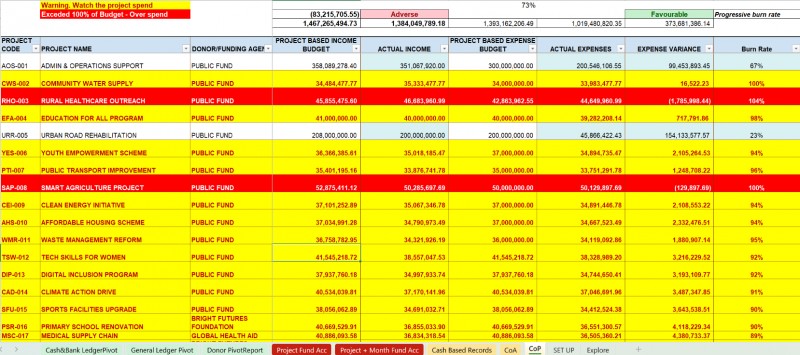
9. Get Budget Analysis for every Project. See picture sample below.
10. Get monthly Income & Expenditure Reports by Projects and by GL Accounts. See picture sample below.
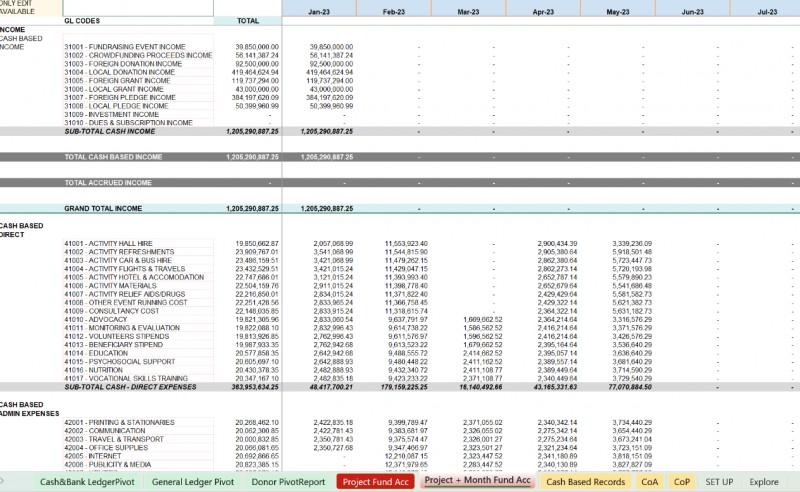
11. Get monthly Income & Expenditure Reports by Months and by GL Accounts. See picture sample below.
IMPORTANT INFORMATION:
- This Excel Template is one off payment and usage for life.
- This is an Excel Template and a digital product. And so, there is no return of item purchased. Kindly go through the Video Tutorials before Purchase.
- You will be able to download the file after you have completed your purchase
- This Version should be used only for Organization that uses Abnormal Calendar Year like April to March, July to June, October to September, etc. as their Accounting year end (not the Normal Calendar - January to December).
- This version should be used by those who do not wish to make changes to the default Chart of Account Codes. However, you can change the Account (GL) Descriptions).
- You can always reach out to us if you need further customization.
- Some Sheet have been protected for Data Integrity! You cannot unluck these sheets and we cannot give you the password.
See steps on how to purchase and pay through selar.com
https://drive.google.com/file/d/1fyz6riamJcTGA8SWPYanWYtbY8b6alER/view?usp=sharing
Alternative payment methods:
If you had paid for this Template via our Bank Account or are having any challenges making payments kindly send us a message on WhatsApp and we shall assist.
- Copy this link and Chat with us: https://wa.me/message/WRRNM5SYOHIXH1
- Send us a WhatsApp (Only) Message on +234 908 364 9810
- Send an email to [email protected]