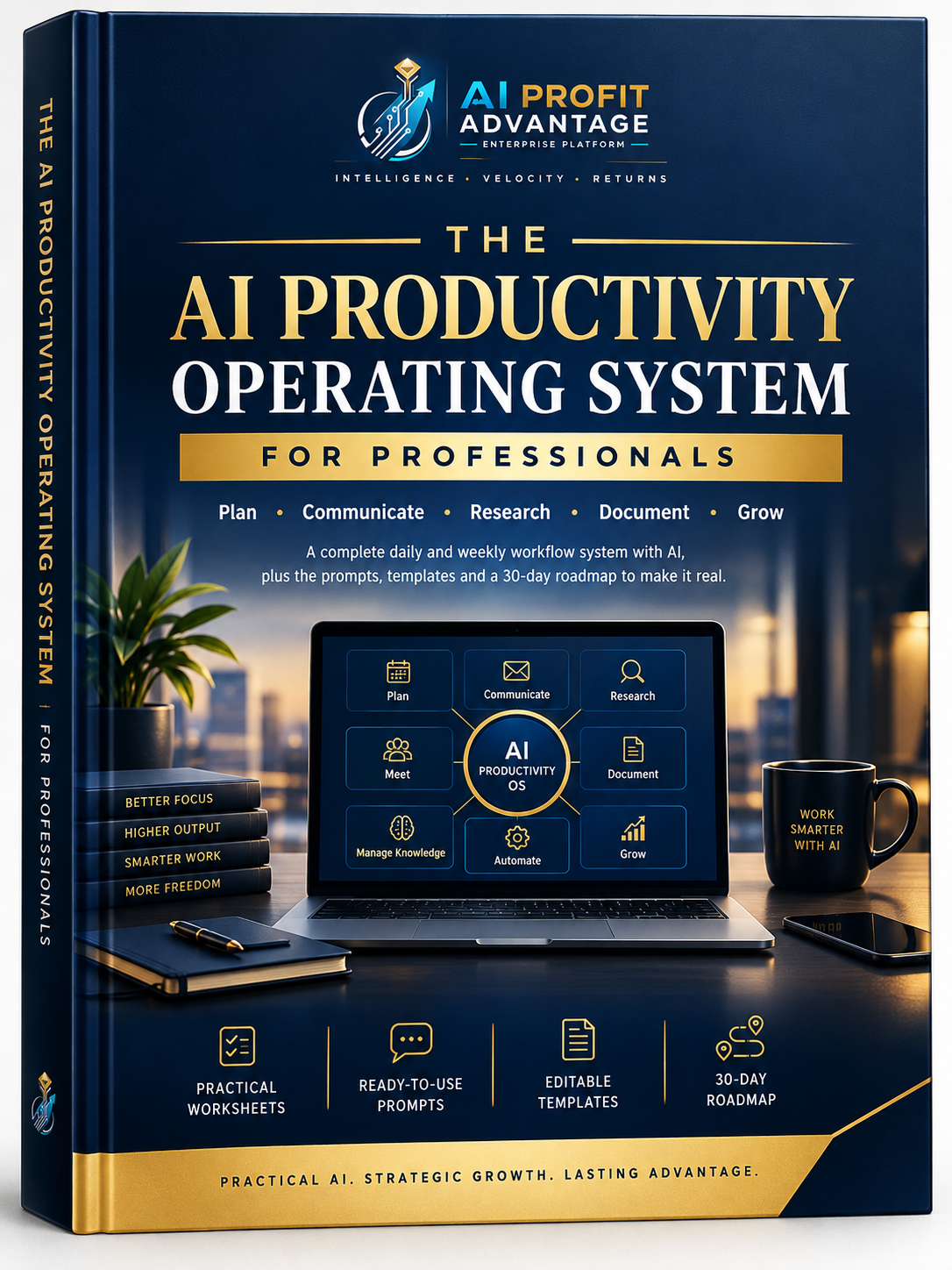
The AI Productivity Operating System For Professionals

Stop Reinventing Your AI Workflow Every Morning
You already use AI.
Maybe you use it to draft emails, prepare for meetings, research a topic, organize notes, work through documents or get a first draft moving. The problem is that you can still end up starting from scratch every time.
You know AI can help. You just don't always have a clear way to bring it into the work you already do.
That's where this product comes in.
This is not another giant prompt library you'll forget about next week. It's not a complicated productivity framework that takes more time to maintain than it saves. It's a practical system for making AI a more consistent part of your working day.
THE PROBLEM
You can know how to use AI and still waste a surprising amount of time figuring out how to use it again.
One task gets a carefully written prompt. Another starts with a blank chat. A useful piece of research disappears into an old conversation. A prompt that worked well gets used once and is never found again.
The bigger issue is deciding where AI actually belongs.
What should AI handle? What still needs your judgement? Where should you work together?
Without a clear approach, AI becomes something you occasionally reach for rather than something that supports the way you work.
THE SHIFT
Stop Prompting. Start Operating.
The AI Productivity Operating System gives you a practical framework for bringing AI into recurring professional workflows.
It brings together:
Workflows + Prompts + Templates + Review Routines + A 30-Day Roadmap
The idea is simple: stop reinventing the process every time a similar task comes up.
You still make the decisions. You still review the work. You still bring your experience to the table.
AI simply has a clearer place in the process.
WHAT'S INSIDE
01 — PLAN
Turn scattered tasks into a more structured AI-assisted workday.
Use a weekly and daily planning framework to identify tasks that are:
AI-led → Human-led → Hybrid
You get a practical way to decide where AI belongs before you start working.
02 — COMMUNICATE
Make recurring email work easier to manage.
Use an inbox-triage framework and a three-step drafting workflow so you don't have to approach every message from scratch.
03 — MEET
Prepare better. Capture what matters. Follow up clearly.
The Before → During → After meeting workflow gives you a simple structure for:
- Meeting preparation
- Capturing key information
- Identifying decisions and actions
- Creating follow-up communication
04 — RESEARCH
Use AI for research without treating confidence as proof.
The Research Brief framework includes fact-verification checkpoints so information can be reviewed before you rely on it.
Useful when research feeds into:
- Business decisions
- Reports
- Proposals
- Content
- Planning
05 — DOCUMENT
Turn ideas into finished documents through a repeatable process.
Use the four-stage drafting loop:
OUTLINE → DRAFT → EDIT → FINALIZE
Apply it to proposals, reports, business documents and other professional content.
06 — MANAGE KNOWLEDGE
Stop losing useful work.
The five-folder knowledge-management framework gives you a simple structure for organizing:
- Prompts
- Decisions
- Research
- Verified information
- Reusable knowledge
The goal is not to build another complicated filing system. It's to make useful information easier to find when you need it.
07 — AUTOMATE
Know when prompting is no longer enough.
Not every task needs automation. The automation-readiness test helps you look at recurring tasks and decide when a workflow may be ready for a more structured automation approach.
08 — GROW
Install the system over 30 days.
You don't need to change everything on day one. The implementation roadmap takes you through the system week by week, with a Quick-Start Plan for getting moving sooner.
WHAT YOU GET
Practical Worksheets
Use the included worksheets to look at your current working habits and spot opportunities for better AI integration.
Includes:
- Self-assessment
- Time audit
- Task-classification matrix
- Supporting workflow worksheets
10+ Ready-to-Use Prompts
A practical collection of prompts covering the core workflows in the system.
Use them as starting points instead of building every prompt from a blank page.
Editable Templates
Structured templates for recurring professional activities, including:
- Daily planning
- Weekly planning
- Meeting preparation
- Document development
- Workflow organization
30-Day Implementation Roadmap
A practical four-week path for putting the system into your everyday work.
Learn → Configure → Apply → Refine
WHO IS THIS FOR?
This is for professionals who already use AI but want a more consistent way to work with it.
It can be particularly useful for:
- Freelancers managing multiple clients and recurring tasks
- Consultants handling research, meetings, proposals and client communication
- Entrepreneurs balancing planning, communication and business development
- Business owners looking for practical ways to structure AI-assisted work
- Working professionals who want a repeatable system instead of another collection of AI tips
You don't need to be an AI expert.
The focus is practical application, not technical theory.
WHAT THIS IS NOT
This isn't another massive prompt library.
It isn't a collection of random AI tricks.
It isn't a promise that AI can replace professional judgement.
And it isn't built around chasing every new AI tool that appears.
It's a workflow system.
The emphasis is on building useful, repeatable habits around the AI tools you already use.
THE CORE IDEA
AI should fit into your workflow — not create another workflow to manage.
The system helps you create a repeatable approach to:
PLAN your work
↓
COMMUNICATE efficiently
↓
MEET with structure
↓
RESEARCH with verification
↓
DOCUMENT systematically
↓
MANAGE KNOWLEDGE consistently
↓
AUTOMATE when appropriate
↓
IMPROVE over time
START WITH THE SYSTEM
You don't need another morning spent wondering which prompt to write.
You need a practical way to decide:
What should AI handle?
What should you handle?
Where should you work together?
And how can you make the process repeatable?
That's what this system is designed to help you do.
YOUR COMPLETE PACKAGE
✓ AI Productivity Operating System
✓ 10+ ready-to-use prompts
✓ Practical self-assessment worksheets
✓ Time-audit worksheet
✓ Task-classification matrix
✓ Daily planning template
✓ Weekly planning template
✓ Meeting workflow
✓ Document drafting loop
✓ Knowledge-management framework
✓ Automation-readiness test
✓ 30-day implementation roadmap
✓ Quick-Start Plan
Get the complete AI Productivity Operating System and start building a more consistent way to work with AI.
GET INSTANT ACCESS →
Practical AI. Strategic Growth. Lasting Advantage.