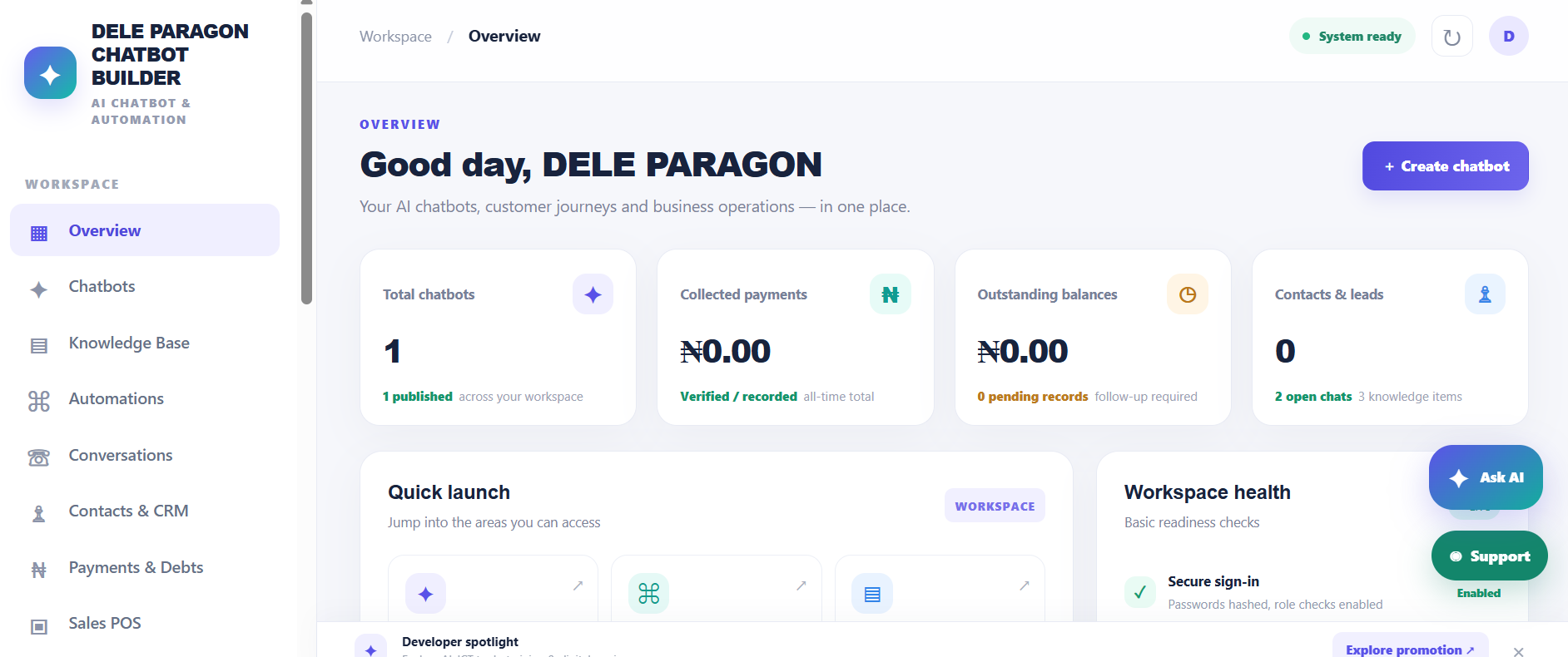
OmniBot AI — Chatbot Builder & Business Automation PHP Script

OmniBot AI is a PHP/MySQL web application designed for developers and businesses looking to configure website chatbots, manage conversations, organise business records, and access essential business-management tools from a web-based dashboard.
The application includes a chatbot builder, editable knowledge base, embeddable website chat widget, workflow definitions, contact management, transactions, billing, POS and inventory tools, reports, data imports and exports, and optional third-party integrations.
Key benefits
- Configure and publish website chatbots.
- Add and maintain knowledge-base entries and frequently asked questions.
- Embed a chatbot on compatible websites.
- Manage conversations, contacts, and business records.
- Access sales, inventory, transactions, billing, and reporting tools.
- Configure optional AI providers and supported payment gateways.
- Manage staff accounts using role-based permissions.
- Install on compatible cPanel hosting with PHP and MySQL.
What is included?
The downloadable package includes the PHP application files, database installation script, configuration files, website chat widget, integration handlers, and installation and administration documentation.
Technical information
This is a self-hosted source-code application, not a hosted subscription service. Compatible web hosting, initial configuration, and testing are required. Some features need external provider credentials or additional setup.
Database-backed installation and live integration tests have not been completed in the supplied build. Installation on a staging environment and verification of the relevant features are recommended before production use.
Full feature list
The following list distinguishes features included in the supplied package from features that require further configuration or development.
A. Chatbot management
- Create and edit chatbot configurations.
- Configure chatbot greetings and instructions.
- Manage chatbot publication status.
- Maintain chatbot knowledge entries.
- Configure website support assistants.
- Generate website chatbot embed snippets.
- Embed chat widgets on websites that permit custom JavaScript.
- Manage conversation records and responses.
B. Knowledge base and AI assistant
- Add, edit, and maintain knowledge-base entries.
- Store FAQs, service information, prices, and other approved information.
- Associate knowledge entries with source information.
- Use the built-in local assistant functionality.
- Configure an optional OpenAI-compatible AI model endpoint.
- Configure the model identifier and API credentials.
- Provide basic English, Nigerian Pidgin, and Yoruba response options.
- Support optional browser-based speech reading, subject to browser and device capabilities.
Important: A hosted AI model requires valid provider credentials and may incur usage charges. The seeded knowledge is starter content, not an automatic website crawler or continuously synchronised knowledge source.
C. Website chat widget
- Generate an embed snippet for a published chatbot.
- Display a chat interface on compatible websites.
- Submit visitor messages to the chatbot endpoint.
- Use the supplied widget JavaScript and frame files.
- Test the widget independently from the administration dashboard.
Widget operation depends on correct installation, bot configuration, website permissions, and any applicable browser security restrictions.
D. Conversations and customer relationship management
- View and manage conversation records.
- Review incoming messages.
- Reply to visitors through the conversation-management interface.
- Close conversations.
- Manage contact records.
- Store customer names, email addresses, phone numbers, companies, tags, notes, and sources.
- Import contact records in CSV format.
- Support role-based access to operational records.
E. Workflow management
- Store and manage workflow definitions.
- Create and edit available workflow records.
- Organise workflow configurations within the application.
The presence of workflow management does not establish that every possible workflow runs automatically; test each intended workflow before relying on it.
F. Business transactions, billing, and payments
- Record transaction information.
- Manage bills and fees.
- Track relevant payment and debt records.
- Create payment checkouts through the included supported adapters.
- Verify supported online payments on the server.
- Review transaction records.
- Export supported transaction data.
- Generate transaction receipts.
Supported payment adapters in this build:
- Paystack
- Flutterwave
- Monnify
Each gateway requires the appropriate merchant credentials and configuration. Remita is not an active payment adapter in this release.
G. POS and inventory
- Record sales through the available POS functionality.
- Manage inventory records.
- Record permitted stock additions and removals.
- Associate relevant sales with transaction records.
- Generate printable transaction receipts.
- Display the configured business identity and logo on receipts.
- Use the browser print dialog with compatible thermal printers.
Printing depends on the connected printer, operating system, browser, and printer configuration.
H. Messaging and external integrations
- Configure a Telegram bot connection.
- Receive supported incoming Telegram text messages through a webhook.
- Send supported text replies.
- View Telegram-related messages in Conversations.
- Generate WhatsApp click-to-chat links with prefilled messages.
- Configure optional AI-provider credentials.
- Configure supported payment gateways.
- Configure an optional signed HTTPS cloud-backup receiver.
Messaging limitations: WhatsApp click-to-chat does not send messages unattended; the user must review and press Send. Telegram functionality in this build covers basic text messaging rather than every Telegram feature. Social integrations displayed in the connector catalogue are not universally implemented and should not be advertised as fully operational.
I. Reports, imports, exports, and backup
- Export supported transaction records.
- Export contacts.
- Export knowledge-base records.
- Export inventory records.
- Export bills.
- Export chatbots and workflows.
- Generate supported CSV and JSON exports.
- Produce compatible report formats and printable reports where supported.
- Import contacts from CSV files.
- Import user records from CSV files, subject to Super Admin permissions.
- Download a manual JSON backup.
- Send backup data to a separately configured HTTPS receiver.
Cloud backup requires a compatible receiving endpoint, which is not included as a ready-made hosted service in the package.
J. Accounts, permissions, and security features
- Initial Super Admin creation during installation.
- Role-based user management.
- Administrator account management.
- Manager permissions.
- Support Agent access.
- Cashier access.
- Read Only account role.
- Profile and password changes.
- Password-reset functionality, subject to working email delivery.
- CSRF protection code paths.
- Server-side credential encryption code paths.
- Telegram webhook secret verification.
- Upload-directory restrictions intended to block PHP execution.
- Audit-log functionality for supported administrative actions.
- Installation locking to prevent the installer from running again after successful setup.
These implemented code paths do not constitute an independent security audit or a guarantee against every vulnerability.
K. Configuration and administration
- Configure application details and business settings.
- Set business currency and identity.
- Upload a business logo.
- Configure optional AI settings.
- Configure supported payment integrations.
- Configure Telegram connectivity.
- Configure backup settings.
- Manage user permissions.
- Review operational records and available reports.