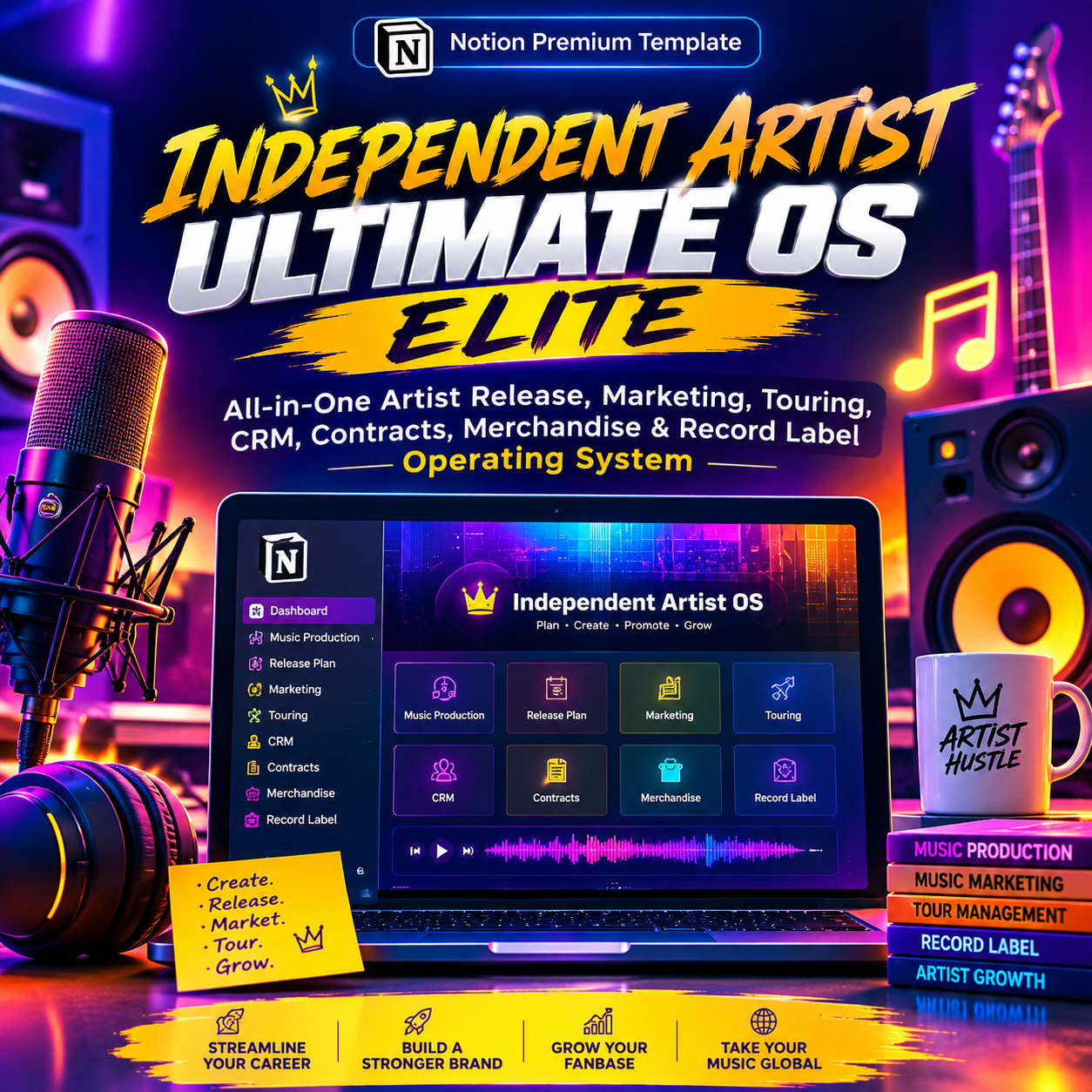
Independent Artist Ultimate OS Elite | All-In-One Notion Template for Musicians, Managers & Indie Labels

Stop running your music career out of 12 different apps.
Spreadsheets for expenses. Notes app for lyrics and ideas. A separate calendar for content. A group chat for the tour. Email threads for contracts. A shared folder for artwork. And somewhere in the middle of all that, you're supposed to actually make music.
SYSTEM G — Independent Artist Ultimate OS Elite replaces all of it with one connected system inside Notion — built specifically for how an independent music career actually runs: release → market → tour → sell → track → analyze → grow.
This isn't a "release planner" template. It's a full Artist Business Operating System — the same operational depth a label or management company would build internally, packaged for independent artists, artist managers, small artist teams, and indie labels who are serious about treating their career like a business.
Who this is for
- 🎤 Independent artists managing their own career end-to-end
- 👔 Artist managers coordinating multiple artists, releases and shows
- 🧑🤝🧑 Artist teams — manager, publicist, social lead, booking agent, tour manager, producer, engineer, designer
- 🏷️ Independent labels running several artists and release schedules at once
What makes it different
Most music/creator planners give you a calendar and a to-do list. SYSTEM G gives you a relational business system — every part of your career is connected to every other part, so nothing lives in isolation:
- Every release connects to its songs, campaign, content calendar, and budget
- Every show connects to its venue, settlement, expenses, and merch sales
- Every contract connects to its deadlines, obligations, and the contact who signed it
- Every song connects to its credits, splits, rights, and royalty history
- Every expense ties back to the release or show that generated it
- Every campaign reports back into performance data you can actually act on
The result: one command center that tells you exactly what needs attention today, what's coming this week, and where your money is actually going — without opening a second app.
🎛️ ARTIST COMMAND CENTER
Your homepage. One glance tells you:
- Current release + days until launch
- Content due today/this week
- Next show, unpaid invoices, active campaigns
- Monthly revenue, expenses, and net profit
- Overdue tasks, expiring contracts, low merch stock
- Missing release assets or metadata before it's too late
Includes a full Quick Action bar (New Song, New Release, New Show, New Contract, Log Royalty, Log Merch Sale, and more) so you can update your business in seconds, not minutes.
📦 16 CONNECTED MODULES
MODULE 01 — Artist HQ Career command center, KPI dashboard, today/this-week/attention views, and a full Artist Brand Bible (positioning, voice, visual identity, story).
MODULE 02 — Music Catalog A master database for every song you've ever made — status pipeline from Idea → Writing → Recording → Mixing → Mastering → Released, plus ISRC/ISWC, credits, splits, and file links. Each song opens into its own page tracking story, credits, rights, marketing, and post-release performance.
MODULE 03 — Release OS Full release planner and checklist system (Single, EP, Mixtape, Album, Deluxe, Remix and more), with distribution, metadata, credits and rights status tracked against a release-readiness pipeline.
MODULE 04 — Music Marketing OS Campaigns, PR, playlist pitching, and influencer/creator outreach — all linked directly to the release they're supporting.
MODULE 05 — Social Content OS Content calendar, platform-by-platform views, and performance tracking so you know which content is actually driving your career forward.
MODULE 06 — Fan CRM Fan database, mailing list, superfan tracking, community management, and fan campaigns — because your audience is the one asset no algorithm can take from you.
MODULE 07 — Live & Tour OS Gigs, tours, venues, offers, settlements, travel and hospitality — with expenses and merch sales tied directly back to each show for real profitability tracking.
MODULE 08 — Merch OS Products, inventory, suppliers, orders and sales — with low-stock alerts and merch performance linked to specific shows and drops.
MODULE 09 — Finance OS Income, expenses, budgets, and profitability broken down by release and by show — so you always know if a tour or a rollout actually made money.
MODULE 10 — Contract OS Contracts, agreements, deliverables, deadlines and renewal dates — nothing expires or gets missed silently again.
MODULE 11 — Record Label OS For labels and artist rosters: label releases, artist roster, distribution, royalty statements, catalog and label expenses in one place.
MODULE 12 — Rights OS Master rights, publishing, splits, registrations and royalty tracking — the unglamorous part of the business that actually pays you for years.
MODULE 13 — CRM & Opportunities Industry contacts, media, playlists, venues and partners — tracked as relationships and opportunities, not just names in your phone.
MODULE 14 — Asset Library Centralized home for press photos, videos, artwork and brand assets — so you're never digging through your camera roll before a deadline.
MODULE 15 — AI Artist Command Center Built-in prompts and workflows for strategy, content, release and business decisions.
MODULE 16 — SOP Vault Ready-to-use professional workflows so you (or anyone on your team) always knows the right next step.
🧪 Comes pre-loaded, not empty
You don't start from a blank workspace. SYSTEM G ships with a fully populated demo artist ("NOVA") — a complete example running through a real release, 30-day content calendar, press campaign, playlist pitch, tour, merch drop, and full financial breakdown — so you see exactly how the system works before you touch your own data. Your real workspace stays completely separate from the demo.
📱 Built to run from your phone
Add content, log an expense, check today's tasks, confirm a show, or log a merch sale from your phone between soundcheck and stage. SYSTEM G is designed mobile-first for artists who live on the road, not just at a desk.
🔒 Privacy-aware by design
Contracts, private financials, royalty statements and personal contact details stay inside restricted, non-public areas of the workspace — separate from anything fan- or client-facing.
Why this is a premium system, not another $9 template
SYSTEM G isn't priced like a checklist because it isn't one. You're getting the operational depth of an artist management company — career management, release management, marketing, social, fan CRM, touring, merch, finance, contracts, label operations, and rights/royalties — fully interconnected inside one workspace you own for life. Think of it as hiring a manager, a tour coordinator, a bookkeeper and a rights administrator — except it's a Notion system you set up once and run forever.
What you get
- ✅ Full SYSTEM G — Independent Artist Ultimate OS Elite Notion template (instant digital download / duplicate link)
- ✅ All 16 modules, fully relational and pre-built
- ✅ Populated demo workspace ("NOVA") + a clean workspace for your real data
- ✅ Mobile-optimized layouts
- ✅ AI Command Center prompt library
- ✅ SOP Vault of ready-to-use workflows
- ✅ Setup guide
Requirements: A free or paid Notion account (desktop, web, or mobile).
FAQ
Do I need the paid version of Notion? No — SYSTEM G works on Notion's free plan for individual use. A paid Notion plan is only needed if you want to add unlimited collaborators (e.g., a full team workspace).
Can I use this for a label with multiple artists? Yes — Module 11 (Record Label OS) is built specifically for managing a roster of artists, releases and royalty statements from one workspace.
Is this a one-time purchase? Yes. One payment, lifetime access to your duplicate — including all future template updates.
I'm not techy — is this hard to set up? No. The system ships pre-built and pre-populated with a demo. You duplicate it into your own Notion, follow the setup guide, and start replacing the demo data with your own.