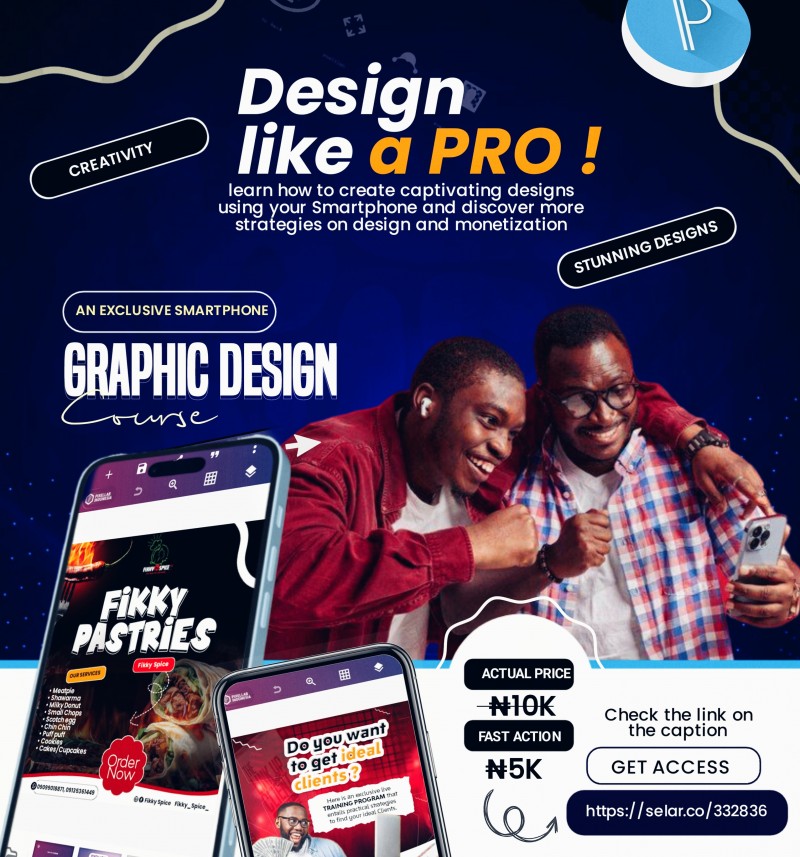
SMARTPHONE GRAPHIC DESIGN COURSE

Get Ready to change your design game by creating captivating designs that attract and convert more just by using your Smartphone as you will be getting to know and learn more from the SMARTPHONE GRAPHIC DESIGN COURSE OUTLINE
👇👇👇👇
1️⃣INTRODUCTION
• You will learn the fundamental of graphic designs ( the principle and elements)
• You will get the design Software - PIXELLAB
• You will get to understand the Pixellab interface and to apply the tools effectively
• You will learn more on Typography and how to select your font typeface
• You will get to know and understand the Laws guiding graphic design ( The don't and do)
• You will learn the Process of graphic design (Part 1&2)
2️⃣PIXELLAB MASTERY
* How to blend your picture with background
* How to change cloth colour
* How to create custom shapes in Pixellab
* How to create text background
* How to colour grade your design & make them easily pop out
* How to create the torn paper/picture effect/image clip
* How to add or install font into your Pixellab
* How to create video graphic design
* How to enhance your design with different software
* How to insert image and screenshot into smartphone frame
* How to manipulate splash effect
* How to save and re-open PLP file
* How to pick colour using the Pixellab tool
* How to repair image
* How to use your element on your text
* Background manipulation
* Pixellab tricks episode 1to 10
* How to mask your image into shape
* mask tools in Pixellab
3️⃣ MOCK UP DESIGN MASTERY
* Introduction to Mock up
* Mock up images
* Mock up tutorial 1- 5
* Mock up Resources
* Accessible website for creating Mock up.
4️⃣ TEXT EFFECTS
* Gradient Text effect
* How to texture your text quality
* How to save your text effect in Pixellab
* 3RD text effect
* Multiple Layers text effect
* Text Effect by coach Dare yemi
* Editable text effects template
* Creating Stunning Text Effect by using photopea
* Recommended website to get Mock up psd
5️⃣ PREMIUM BONUS
* How not to run out of idea
* How to blur your image
* How to create get DP Banner
* How to uses the underated tool in Pixellab
* How to get Client by Coach Ajibola
* How to remove background online and with a software
* Picture effect
* What font 🔡
* How to get design size correctly
* Why your design look poor
* Design for Printing Practical video for PC & SMARTPHONE USERS.
6️⃣ DESIGN RESOURCES
* Complete resources ebooks
* How to search for design resources
* Chat GPT made easier
* 3D characters pack
* Stocks photos
* Fonts
* 3D photos
*3D Icon
* Extra icons
* Gold label
* Premium Background
* Social media icon
* Design Samples
7️⃣ GRAPHIC DESIGN LIBRARY
* Creative confident
* Creativity and money
* Mastering the art of graphic design
* 100 things every designer need to know and people
8️⃣ In 1️⃣ FLYER CREATION & SIMPLICITY DESIGN TUTORIAL
* How to create simple and pop church flyer design
* How to create business card design
* How to create certificate
* How to create a webinar, conference design
* How to create business flyer design
* How to create quote design
* How to create sale & Marketing design
* How to create Social media design
* How to create carousel design
✍️9️⃣ IMPLEMENTATION & PROFITABILITY
* Sale, marketing and Money book and audio
* Design Monetization (Sell, client, positioning, offers, Marketing)
↪️ MY ACTIVE LIVE COMMUNITY
My Smartphone graphic design program community
↪️ Click the link below to join my free SMARTPHONE GRAPHIC DESIGNER GATHERING
https://chat.whatsapp.com/DIlXBwlku3KCoXMI5Nl6UD
IF YOU MAKE PAYMENT TODAY, YOU WILL BE GETTING ACCESS TO SMARTPHONE GRAPHIC DESIGN PROGRAM FOR JUST:
Actual Fee:
◼️ $5— (₦8000) ❌
Fast-Action Fee:
◼️ $2 — (₦5000) ✅
••••••••••••
••••••••••••
Congratulations 🎉
You're about to Make a Profitable Decision.
Kindly make a Swift transfer of ₦5000 only into:
PALMPAY - 8136579967 - Timothy Adeniyi Adewale
Kindly send your proof of payment immediately to get instant Access.