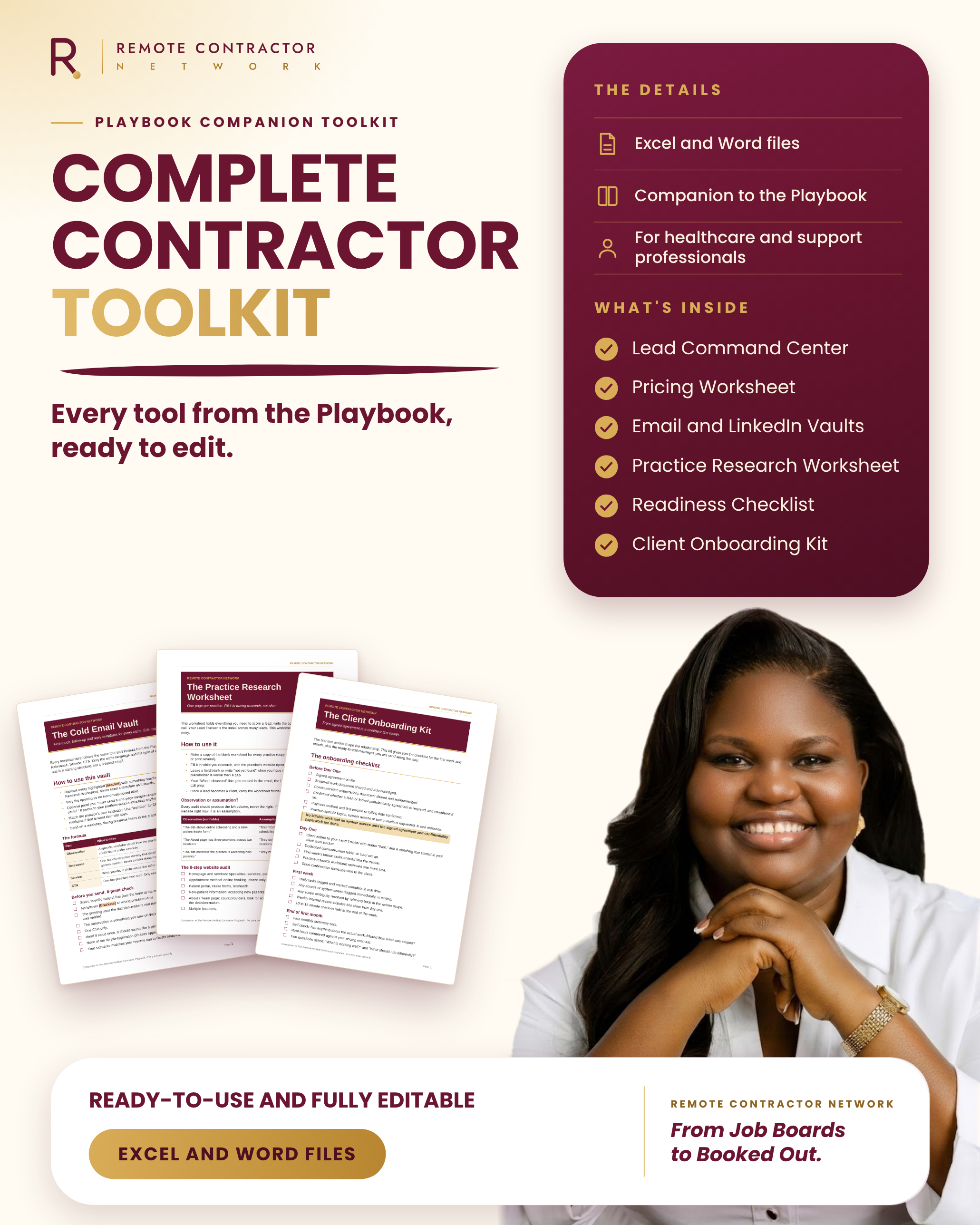
THE COMPLETE REMOTE CONTRACTOR TOOLKIT
Choose a Bundle
Stop tracking leads in your head. Most outreach doesn't fail because of weak emails. It fails because leads get lost, follow-ups get forgotten and you never quite know who to contact first. The Lead Command Center fixes that in one workbook. Add each practice you research, score it on seven factors, and the workbook grades it A, B or C for you. Then it tells you what to do next: send, follow up, wait or revisit. It turns the Lead Tracker, the Lead Qualification Scorecard, the Follow-Up Calendar and the 30-Day Challenge log from the Playbook into one connected tool, so you type each fact once. What's inside • Lead tracker with niche and status dropdowns • Scorecard that adds itself up and grades every lead A, B or C • Follow-up dates counted in business days, with alerts for what is due, overdue or ready to revisit • 30-day challenge log with a weekly check that shows whether you are on target • Scoring guide and a Start Here tab with settings you can change • A pre-filled example copy with eight fictional practices, so you can see it working Perfect for Anyone doing outreach to healthcare practices who wants a clear, simple system and a steady daily rhythm. Format Editable Excel workbook (.xlsx) with built-in formulas, plus the example copy. Good to know Built for Microsoft Excel. Other spreadsheet apps may handle some features, such as dropdowns, differently. Please keep real patient information out of this file. It is for practice and lead details only. Get the Lead Command Center and always know your next move.
Price with confidence, not guesswork. Pricing is where many new contractors freeze. They guess, undercharge, or quote a number they can't say out loud without a hedge. The Pricing Worksheet takes you from the income you want to three clear package prices, step by step. Enter your income goal and realistic hours to find your minimum hourly rate. Check it against what the market pays. Set a target rate, then price three package tiers with built-in checks that catch the common mistakes before you quote. What's inside • Your minimum hourly rate (your floor), worked out from your own goal and hours • A quick market check against rates you research • A target rate with an adjustment for your experience • Three package tiers (Essentials, Standard and Comprehensive) priced from your hours • Sanity checks that confirm every tier clears your floor and that prices rise sensibly • A ready-to-read line of your three quoted prices, in the currency you choose Perfect for Contractors preparing proposals or getting ready for their first discovery call. Format Editable Excel workbook (.xlsx) with built-in formulas. Good to know The numbers you see are fictional placeholders to show how it works. They are not market rates, so replace them with your own research. Built for Microsoft Excel. Get the Pricing Worksheet and quote with confidence.
Emails that sound like a service, not a job application. Most healthcare and support professionals reach out the way they apply for jobs: "I'm writing to see if you have any openings." Practices delete those emails in seconds. The Cold Email Vault gives you a different structure. Every template follows the same four-part formula from the Playbook: a real observation about the practice, a reason it matters, the service you offer, and one low-pressure next step. You change the detail, not the structure, so writing a good email takes minutes, not an afternoon. What's inside • First-touch emails for eight niches, including primary care, pediatrics, direct primary care, dental, mental health, physical therapy and chiropractic, specialty clinics, and wellness and medspa • Lighter versions for when your research is thin • Follow-up emails that stay short, warm and professional • Reply, scheduling and confirmation templates, plus answers to common objections • A subject line bank and a list of phrases that make you sound like an applicant • A pre-send checklist and a plain-language compliance note Perfect for Contractors who are ready to start outreach and want wording that sounds like a service provider. Format Editable Word document (.docx). Copy, personalise and send. Good to know These are starting points, not finished emails. Each one asks you to add a real detail from your research, and that is what makes it work. The compliance note is general information, not legal advice. Get the Cold Email Vault and stop sounding like an applicant.
Get accepted. Then start the conversation. On LinkedIn you get a few lines to make a first impression, and then a second chance once someone accepts. Most people waste both with a generic note and a pitch that reads like an application. The LinkedIn Outreach Vault gives you short connection notes that are written to fit LinkedIn's note limit, and warm first messages to send once they accept. Each one follows the same Observation, Relevance, Service and next-step formula as the Cold Email Vault, so your email and LinkedIn outreach tell one consistent story. What's inside • Connection notes and first messages for eight niches • Lighter versions for when your research is thin • Follow-up messages and an InMail template for strong leads • A simple guide to what to do when a request goes unanswered • Habits that protect your account from LinkedIn's spam filters, plus a guide to free-account limits • A pre-send checklist Perfect for Contractors who want to use LinkedIn as a real outreach channel, one researched lead at a time. Format Editable Word document (.docx). Copy, personalise and send. Good to know LinkedIn changes its limits and rules from time to time, so treat the account-safety guidance as a guide and check LinkedIn's own help pages. Everything is designed to be sent by hand, with no automation tools. Get the LinkedIn Outreach Vault and start better conversations.
Research a practice once. Use it everywhere. Good outreach starts with something real. Not "I help practices grow," but a specific detail you noticed on their own website that you can verify. The Practice Research Worksheet gives you a simple, repeatable way to get there. Walk through eight steps of a practice's website, record what you can actually see, and turn it into a clear outreach angle. It also shows you the difference between an observation you can prove and an assumption you can't, which keeps your outreach honest and credible. One worksheet per practice becomes the file behind every email, LinkedIn note and discovery call. What's inside • An eight-step website audit • An observation versus assumption guide, with examples • The outreach angle formula: Observation, Relevance, Service, CTA • A completed example using a fictional practice • Four blank worksheets, with space to copy as many more as you need Perfect for Contractors who want to personalise outreach quickly, without guessing. Format Editable Word document (.docx). Type into it or print it. Good to know The example practice is fictional and is there only to show you how to fill it in. It pairs naturally with the Lead Command Center, which holds the index of your leads while this worksheet holds the detail. Get the Practice Research Worksheet and never send a generic email again.
Know exactly what to settle, and when. Many new contractors wait until they feel "ready" before sending a single email. Others rush in and get caught out on their first call. The truth sits in between: you don't need everything done before you start, but you do need the right things done at the right time. The Contractor Readiness Checklist splits it into three stages: before your first email, before your first discovery call, and before your first client starts. Only the first group has to be finished before outreach begins. The rest can be completed along the way, just before you need them. What's inside • Stage 1: what to have in place before your first email • Stage 2: what to have ready before your first discovery call, plus a pre-call checklist to use every time • Stage 3: what to settle before your first client starts, including agreements, invoicing and questions for an accountant • A re-run log, so you can review your foundation every few months Perfect for Healthcare and support professionals starting out who want a clear, calm way to know they're ready to begin. Format Editable Word document (.docx). Tick it off on screen or print it. Good to know This is general orientation, not legal, tax or financial advice. Confirm the requirements that apply to you with a qualified professional. Get the Contractor Readiness Checklist and start with clarity.
Start every client relationship well. Winning a client is only half the work. The first two weeks set the tone for the whole relationship, and a messy start leads to confusion, scope creep and awkward conversations later. The Client Onboarding Kit takes you from signed agreement to a confident first month. Follow the checklist, send the ready-made messages, and share clear one-page documents that set expectations on scope and communication from day one. What's inside • An onboarding checklist covering before day one, day one, the first week and the end of the first month • Ready-to-send messages: confirmation, access request, process note, weekly note, week-one check-in and monthly
Every tool from the Playbook, ready to edit and ready to use.
You've learned the method. Now put it to work.
The Complete Remote Contractor Toolkit gives you every working tool from The Remote Medical Contractor Playbook as editable files. Research practices, reach out with confidence, price your services and onboard clients without building anything from scratch.
Instead of scattered notes and half-finished templates, you get one organised set that works together. Score your leads in one workbook, write outreach from ready-made vaults, price from a worksheet, and start every client with a clear process.
What's inside
• Lead Command Center (Excel): track, score and follow up with every lead, plus a pre-filled example copy.
• Pricing Worksheet (Excel): from your income goal to three clear package prices.
• Cold Email Vault (Word): first-touch emails, follow-ups and replies for every niche.
• LinkedIn Outreach Vault (Word): connection notes, first messages and follow-ups.
• Practice Research Worksheet (Word): turn a practice website into an honest outreach angle.
• Contractor Readiness Checklist (Word): know what to settle before your first email, call and client.
• Client Onboarding Kit (Word): checklists and messages for a confident first month.
Perfect for
Healthcare and support professionals building remote contracting work with U.S. practices, especially if you've read the Playbook and want to act on it.
Good to know
The Playbook includes these tools as printed templates. This bundle is the editable, ready-to-use version, so you can type, calculate and copy instead of retyping from a book. The tools work best alongside the Playbook (https://selar.com/090x327333), which explains the thinking behind each one. Templates are starting points to personalise, not finished messages, and no tool guarantees results.
Get the complete toolkit and start working through it today.
Frequently Asked Questions
1. Do I need the Playbook to use these tools?
No. You can use them on their own. The Playbook provides the strategy behind them. Get the Playbook here (https://selar.com/090x327333).
2. Aren’t these tools already in the Playbook?
Yes, as printable templates. This version gives you editable Word and Excel files, so you can fill them in without retyping.
3. What will I receive?
Downloadable digital files. You’ll need a compatible word processor for Word files and Microsoft Excel for the spreadsheets.
4. Will these tools get me clients?
They help you organise your work and approach potential clients, but they don't guarantee clients or contracts.
5. Can I share or resell the files?
No. The files are for your personal use only. Sharing or reselling them is not permitted.
6. Are these legal, tax, or compliance advice
No. They are general resources, not professional advice.
7. Can I enter patient information?
No. Do not enter real patient information or sensitive health data into these files.
8. What if I have trouble accessing my files?
Email [email protected] for help.
9. Can I get a refund?
All purchases are final and non-refundable, subject to any refund rights required by applicable law. Please review the product details before purchasing.