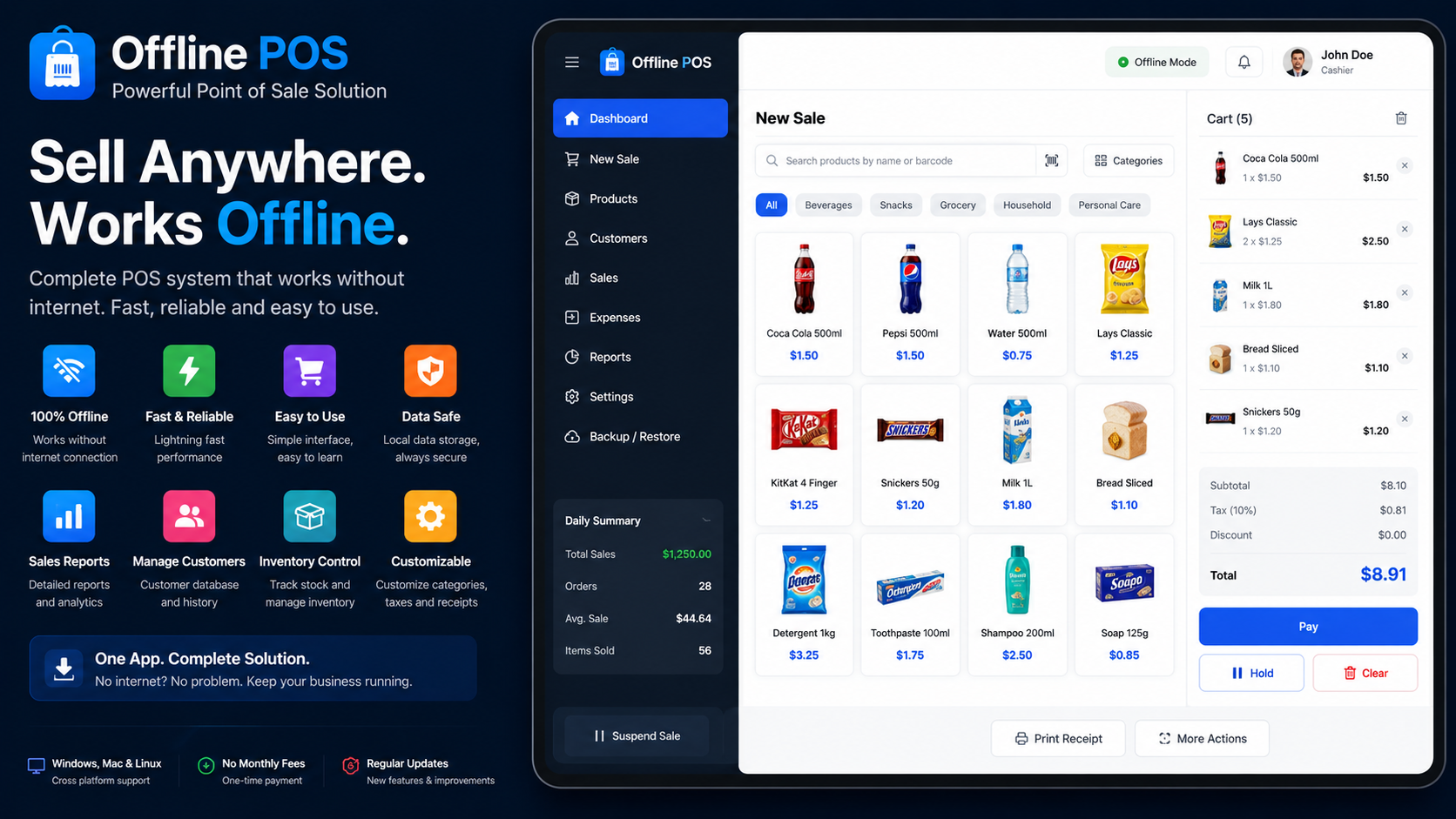
Offline POS — Point of Sale With No Internet Required

Most point-of-sale systems assume you're always online and charge you monthly for the privilege. This one doesn't do either.
It's a single HTML file. Open it in any browser and it runs — no install, no sign-up, no server. Take it to a market stall, a pop-up, a food truck, or just keep it running as a backup register for the next time your internet drops.
Ring up sales Searchable product grid, or scan/type a SKU and hit enter. Add items, adjust quantities, apply a discount, hold a sale mid-ring and come back to it later.
Take payment Cash, card, or other — with quick-tender buttons and change calculated for you automatically.
Track stock Every sale updates inventory. Low-stock and out-of-stock are flagged right on the product tiles, and you can adjust counts inline whenever new stock comes in.
See your numbers Full sales history, searchable by date range. Reprint any receipt, void a sale (it restocks the items automatically), and check revenue, average sale, and your best sellers from the Reports tab.
Keep your data Everything is saved locally in your browser, so it's there the next time you open the file — even with no connection at all. Export a JSON backup anytime, or bring your data to a new device.
Good for
- Market stalls, craft fairs, and pop-ups
- Food trucks and mobile vendors
- Small shops or cafés that want an offline backup register
- Anyone who wants to run a real register without signing up for a SaaS subscription
What's included
- One HTML file — no build step, no dependencies, nothing to install
- Runs on Mac, Windows, Chromebook, tablet, or phone — anything with a modern browser
- Fully editable — it's plain HTML/CSS/JavaScript, so you can rename your shop, change the tax rate or colors, or dig into the code and extend it
- Yours to keep — one-time purchase, no recurring fees, no per-device limit
Before you buy
A few things worth knowing:
- It doesn't process card payments. Card and "other" are logged for your records — you'll still take the actual payment through your existing card reader or in cash. This is the register, not the payment processor.
- Each device holds its own data. There's no live sync between devices; use the built-in export/import to back up or move things over.
- Data lives in your browser's local storage. It survives closing the tab or restarting the device, but clearing that browser's site data clears it too — so it's worth exporting a backup now and then.
FAQ
Do I need an internet connection to use it? No. Once you've downloaded the file, everything runs offline.
Will it work on my phone or tablet? Yes — the layout adjusts for smaller screens, and there's a one-tap cart view on mobile.
Can I change the name, prices, or tax rate? Yes, all from the in-app Settings tab — no code needed. If you want to go further (colors, layout, adding your own fields), it's all in one readable file.
Is this a subscription? No. One-time purchase.
Can I use it for more than one till/device? Yes, just open the file on each device. They won't sync with each other automatically, but you can export a backup from one and import it into another.