Bank Statement Analysis V23.1

EXCEL TEMPLATE for Analysis the Transactions in the Bank Statements. When you purchase this product, you will get access to download a ZIP FOLDER. The Zip folder contains the Excel Template and a Free Template to enable you clean up your Bank Statements. This Excel Templates will enable you.
- Clean up Bank statements in cases where the value amounts are not in number or accounting format
- The Column for Amount have been separated into a Debit and Credit columns and you want the Amount to be in one column
- The Column for Amount for Debit and Credit is in one column and you need to separate PAY IN and PAY OUT
- Carry out detailed Analysis of the Bank Statements
- Generate GL Reports for each of the Chart of Account Codes
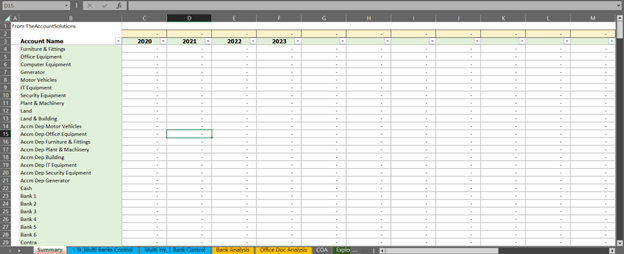
- Present a Logical analysis and Summary of Transactions to your Client or Management
This is a ONE OFF PAYMENT and the Discount of NGN5,000 have been applied. This Discount will expire in December 2026 and the price will return to NGN20,000
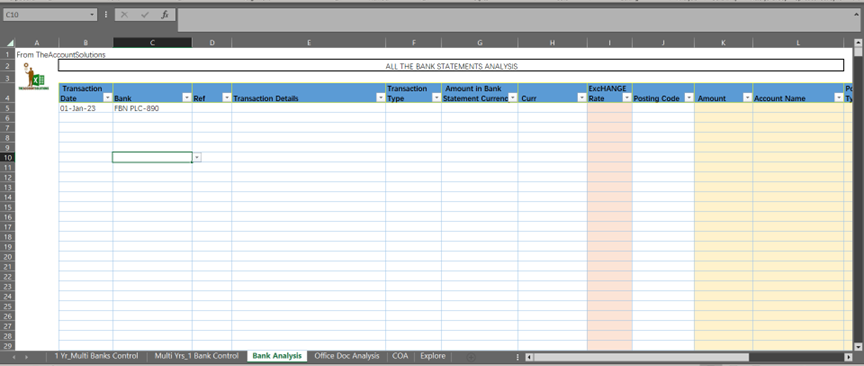
This is an Excel Template for analyzing Bank Transactions in the Bank Statements.
This Template has been designed for the following persons:
1. Accountants in Audit/Accounting Firms
2. Bookkeepers
3. Freelancers support SMEs
4. Data Entry Professionals
5. Business Owners who do not have Bookkeepers or Accountants
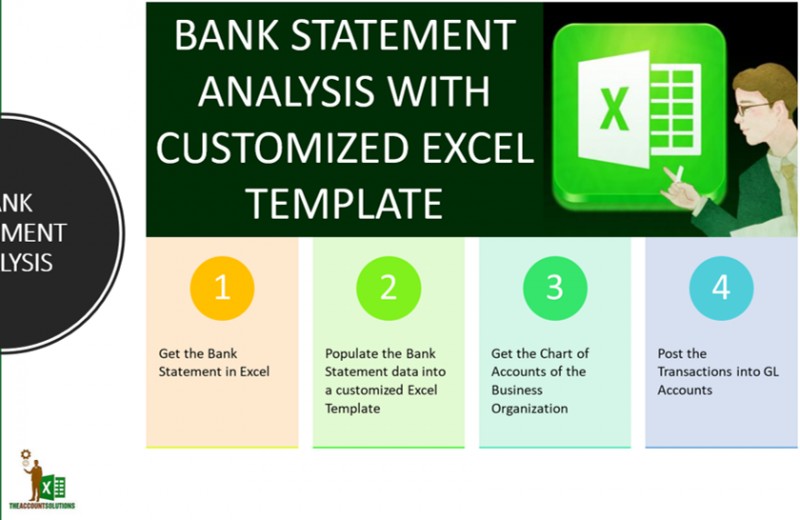
The Process of using these Templates entails:
1. Get the Bank Statements in an Excel Format (Spreadsheet).
2. Understand the structure (Defined Column Headers) of the Excel Template you have purchased.
See the FULL Video tutorial.
3. Copy the relevant Columns of the Bank Statements into the Excel Template you have purchased.
4. Get your Business Chart of Accounts or use the sample chart of accounts in the Excel Template you have purchased. You can change them.
5. Understand the nature of the transactions in the Bank Statements
6. Use the Posting Codes/GL Codes in the Chart of Accounts (COA) to post the transactions in the bank statements to various General Ledger (GL) Codes
The Template is easy to use. If you have any challenges Populating the Bank Statements into the Excel template (especially for the Amount and Transactions Type), you can reach out to us via email on [email protected] and we can support you.
However, by purchasing this Excel Template, you have a free copy of our BANK STATEMENT DATA CLEAN UP FILE. This is a TWO-SHEET Workbook that can enable you present the bank statement in the format that can fit into our Excel Template.
1. Sheet 1 of the CLEAN UP FILE - 2 Columns Bank Statement: This is used to clean up the bank Statements that has presented DEBIT AMOUNT and CREDIT AMOUNT in two separate COLUMNS of the Bank Statement. The Excel Template you have purchased only uses ONE COLUMN for both DEBIT and CREDIT Amounts in the Bank Statement and also needs a column for TRANSACTION TYPE which can be PAY IN or PAY OUT. Below is the sample of the clean up file. Copy your bank Statement into the sheet. Please, take NOTE of the Field (Column) Header and ensure that your transactions fit into the format below.
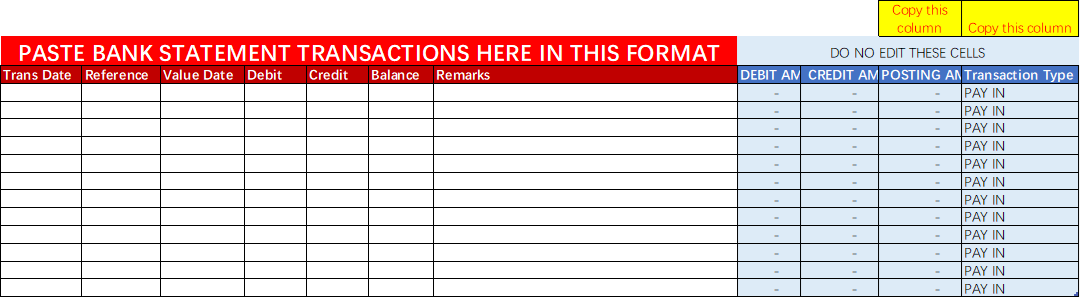
2.Sheet 2 of the CLEAN UP FILE: 1 Column Bank Statement: This is used to clean up the bank Statements that has presented DEBIT AMOUNT and CREDIT AMOUNT in ONE COLUMN of the Bank Statement. This bank statement format is what the Excel Template you have purchased uses. However, the Excel Template needs a column for TRANSACTION TYPE which can be PAY IN or PAY OUT. Below is the sample of the clean up file. Copy your bank Statement into the sheet. Please, take NOTE of the Field (Column) Header and ensure that your transactions fit into the format below.
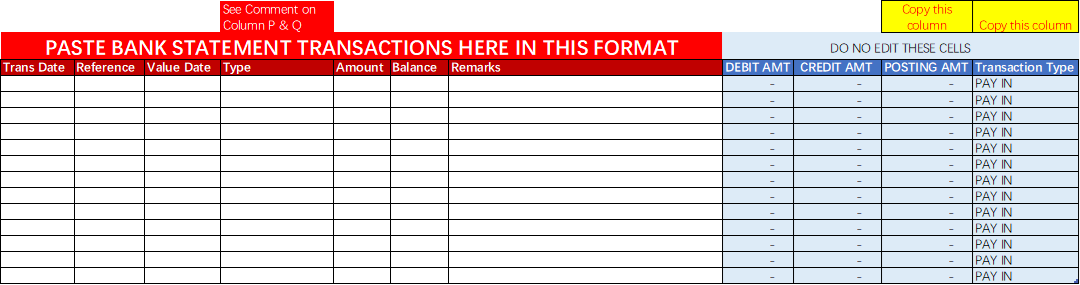
HOW TO USE THE BANK ANALYSIS TEMPLATE (Click to see File for Instructions)
1. Clean up the Bank Statement Transactions with the Free Templates shown above.
2. Set up the Chart of Accounts
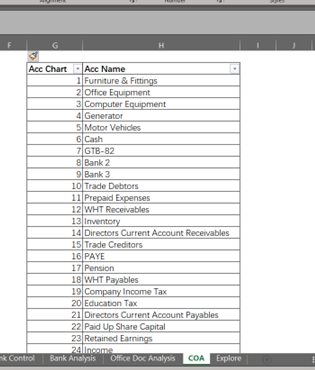
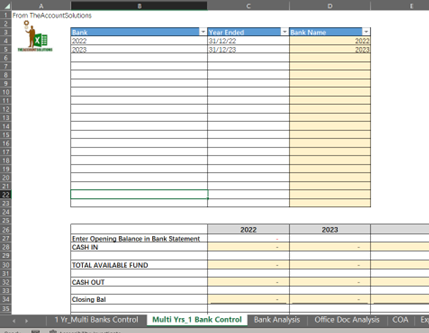
3.Set up the Accounting Period in Years (2025, 2026, 2027)
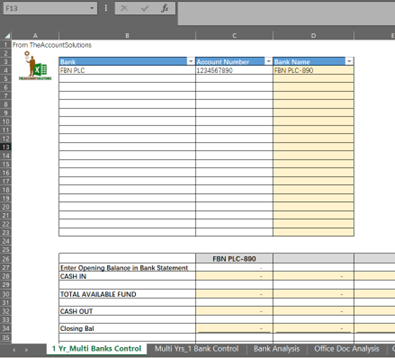
4.Set up the Bank Accounts
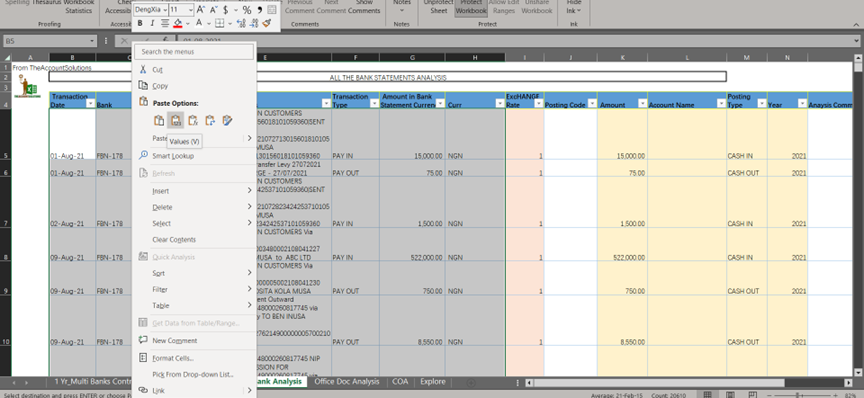
5.COPY THE BANK STATEMENT THAT HAS BEEN CLEANED UP INTO THE EXCEL TEMPLATE. PLEASE USE THE "PASTE SPECIAL - VALUES ONLY"
See a short video overview of how to use the Bank Statement Analysis Template
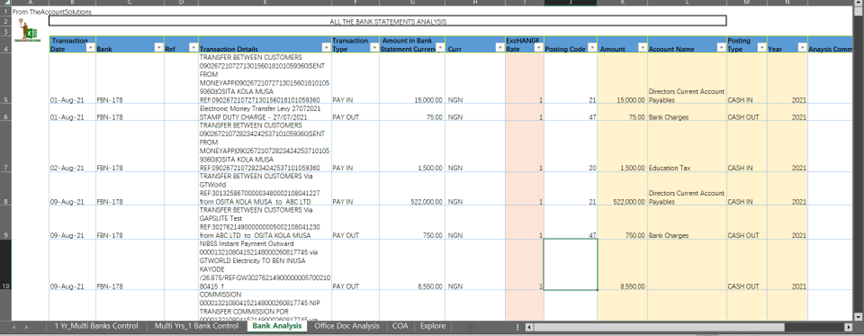
6.Starting posting the Transactions using the GL (Posting) Codes on the Cells in COLUMN J - POSTING CODES
7.Bank Transactions Summary: Finally, there is a Sheet for the SUMMARY of the Bank Transactions showing you the summary of all General Ledger Codes for all the Years covered in the Bank Statements.