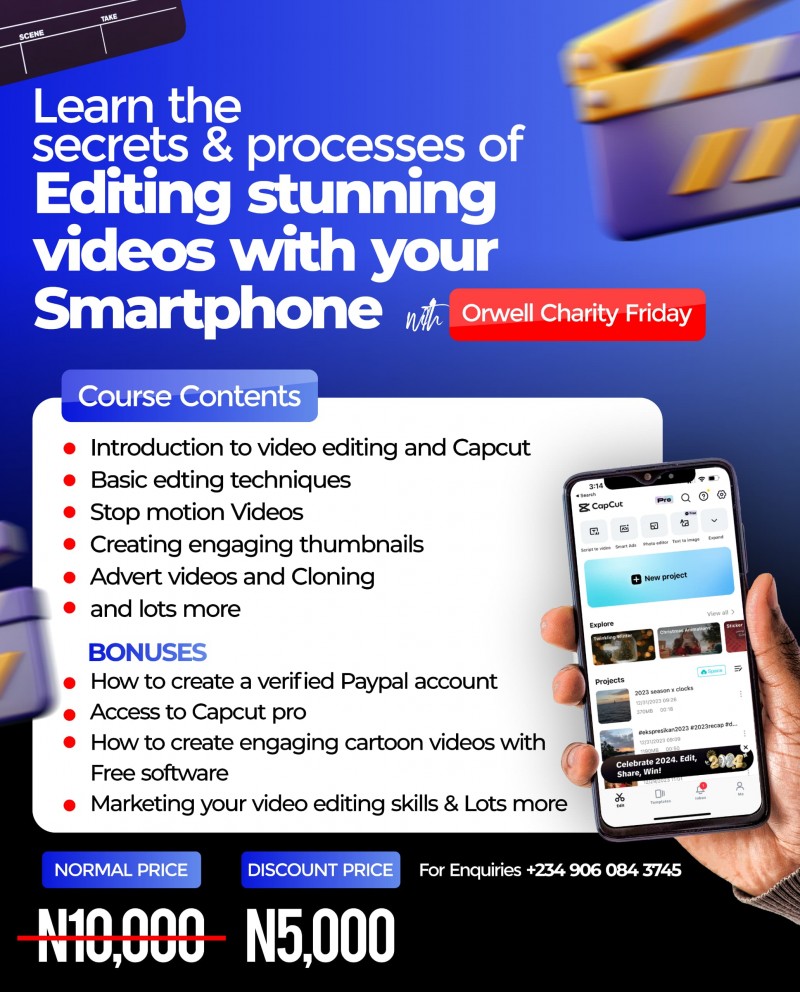
Smartphone Video Editing(edit like a Pro)

Video Editing Course Content Using CapCut.
Objective: Equip social media managers and other individuals with the skills necessary to create engaging video content using CapCut, enabling them to offer video editing services professionally.
Pre-recorded Videos with a question and answer time. Every Section has assignments and each assignment is a must for every Student to do and Submit.
INTRODUCTION AND BASICS
SESSION 1: Introduction to Video Editing and CapCut.
- Importance of video content in social media marketing.
- Overview of CapCut: Features and interface.
- Navigating the workspace: Timeline, media library, and tools.
SESSION 2: Getting Started with CapCut.
- Importing media: Videos, images, and audio.
- Basic editing tools: Trim, split, and merge clips.
- Understanding the timeline: Layers and tracks.
ASSIGNMENT.
SESSION 3: Basic Editing Techniques.
- Working with transitions: Adding and adjusting transitions
- Basic effects: Applying filters and effects.
- Text and titles: Adding and customizing text overlays.
INTERMEDIATE EDITING TECHNIQUES
SESSION 4: Advanced Editing Tools.
- Keyframe animation: Creating movement and effects.
- Speed adjustments: Slow motion and fast forward.
- Reverse and mirror effects.
ASSIGNMENT.
SESSION 5: Audio Editing.
- Adding background music and sound effects.
- Syncing audio with video.
- Audio adjustments: Volume, fade in/out, and equalizer.
ASSIGNMENT.
SESSION 6: Enhancing Visuals.
- Color correction and grading.
- Using overlays and masks forfor creative effects.
ASSIGNMENT.
ADVANCED TECHNIQUES AND EFFECTS.
SESSION 7: Advanced Transitions and Effects.
- Custom transitions.
- Using green screen (chroma key) for background replacement.
- Motion graphics: Basic animations.
ASSIGNMENT.
SESSION 8: Working with Templates and stickers.
- Utilizing CapCut templates for quick edits.
- Customizing templates to fit your brand.
- Adding Stickers to your video.
ASSIGNMENT.
SESSION 9: Storytelling through Editing.
- Crafting a narrative: Beginning, middle, and end
- Using B-roll effectively
- Pacing and rhythm in video editing
ASSIGNMENT.
SOCIAL MEDIA SPECIFIC EDITING
SESSION 10: Editing for Different Platforms.
- Platform specifications: Aspect ratios and resolutions (Instagram, TikTok, YouTube, Facebook)
- Creating vertical and square videos.
- Best practices for each platform.
ASSIGNMENTS.
SESSION 11: Creating Engaging Thumbnails.
- Importance of thumbnails in video marketing.
- Designing clickable thumbnails in CapCut.
- Adding text and graphics to thumbnails.
SESSION 12: Subtitles and Captions.
- Importance of subtitles for engagement.
- Adding and editing subtitles in CapCut.
- Exporting subtitles for different platforms.
ASSIGNMENT:
SESSION 13: Instagram Reel Tricks & cloning.
ASSIGNMENT.
SESSION 14: Video Recording Setup and Light set-ups.
ASSIGNMENT.
FINAL ASSIGNMENTS AND REVIEW
SESSION 14: Real-World Projects
- Create a social media campaign video.
- Create a video for a personal brand or client.(Abstract video)
-Record a video and edit it.
SESSION 15: Review and Feedback.
- Reviewing individual projects
- Constructive feedback and improvements
- Q&A session for any lingering questions
BONUS 1:
How to create talking Image videos, free sites to get AI Voices.
BONUS 2:
How to create engaging Cartoon videos with free software.
BONUS 3:
Offering Video Editing as a Service.
- Pricing your services.
- Marketing your video editing skills.
- Building a portfolio and client base.
FINAL PROJECT:
Each participant will create a comprehensive video project incorporating all the techniques learned. This project will be reviewed and critiqued in the final session to ensure readiness for professional work.
MATERIALS NEEDED:
- CapCut installed on devices
- Sample media files (videos, images, audio)
- Access to social media platforms for testing and sharing.
ADDITIONAL RESOURCES:
- CapCut tutorials and resources (official and third-party)
- Online communities and forums for video editors.
By the end of this Course, participants should be proficient in using CapCut to create high-quality video content tailored for various social media platforms and be equipped to offer their video editing services professionally.