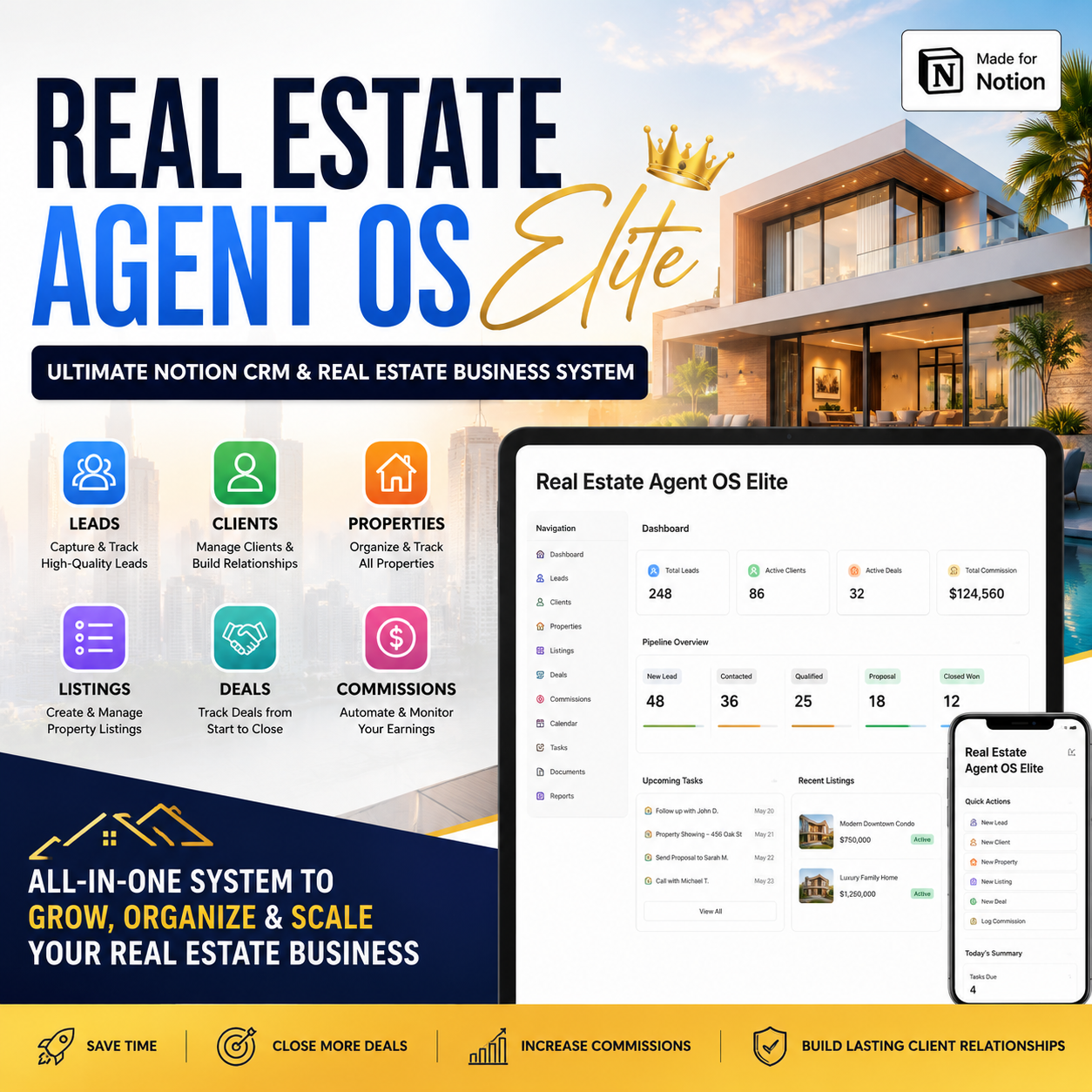
Real Estate Agent OS Elite — The Complete Notion Operating System for Real Estate Agents (CRM, Buyers, Sellers, Listings, Transactions & Referrals)

Stop running your real estate business across ten tools.
Spreadsheets for your pipeline. Sticky notes for showing feedback. A separate app for transaction deadlines. Texts for referral follow-ups. A notebook for open house leads. Somewhere in the middle of all that, an inspection contingency quietly expires and you find out from the buyer's lender instead of your own system.
Real Estate Agent OS Elite is not "a Notion CRM." It's a complete real estate business operating system — one connected Notion workspace covering the entire client and transaction lifecycle, from the first lead to the referral they send you three years after closing.
Capture leads. Convert clients. Manage listings and buyers. Close transactions. Nurture relationships. Generate referrals. Measure your business.
Who this is for
- 🏠 Solo & independent agents
- 🔑 Buyer agents and listing agents
- 🏡 Residential and luxury agents
- 🌱 New agents building their first pipeline
- 📈 Experienced agents trying to finally get organized
- 📋 Agents juggling multiple active transactions at once
- 🧑🤝🧑 Small real estate teams, assistants and transaction coordinators
Built around the real business lifecycle
Real Estate Agent OS Elite isn't a pile of separate databases — it's built around one continuous loop:
Lead → Relationship → Client → Property → Listing/Search → Showing → Offer → Transaction → Closing → Referral → Repeat Business
Every part of the system sits on this loop, so the lead you captured in January is still connected to the transaction that closes in June and the referral it generates the following year.
🎛️ Command Center — "What matters right now?"
The agent shouldn't have to open ten databases every morning. The Command Center answers it in one view: today's appointments, showings and follow-ups due; your live pipeline (new leads, hot leads, active buyers/sellers, offers pending, transactions in progress); your money (pending, expected and closed commissions, expenses, goal progress); and a color-coded alert system (🔴 Urgent, 🟠 Needs Attention, 🟡 Upcoming, 🟢 On Track).
It also surfaces a Next Best Action feed — plain-language prompts like "Lead: Sarah Johnson — follow-up overdue by 2 days" or "Transaction: 42 River Road — inspection contingency expires Friday" — so the dashboard drives action instead of just displaying data.
👥 Lead & CRM Engine
A master Contact & CRM database where every person — lead, buyer, seller, past client, sphere, referral partner, vendor, investor — exists once, tracked through a full lifecycle (New → Nurture → Appointment → Active Client → Under Contract → Closed → Past Client), with dedicated views for Hot Leads, Follow-Up Today, Follow-Up Overdue, and Sphere of Influence.
Paired with a dedicated Lead Pipeline (New Lead → Contacted → Qualifying → Appointment Set → Nurture → Client → Active Transaction → Closed) and a built-in Lead Scoring Engine — scoring every lead on intent, timeline, readiness and engagement to produce a clear priority: 🔥 Hot / 🟠 Warm / 🔵 Nurture / ⚪ Cold — so you always know who to call first.
🏘️ Buyer & Seller Client Hub
Dedicated operating systems for each side of the business:
- Buyer Clients — budget, financing, pre-approval, must-haves and deal-breakers, tracked through a full buyer journey from Discovery to Post-Closing, plus a Property Matching engine with a weighted match score (budget fit, location fit, property type, amenities, commute, must-haves) so you can rank a shortlist instead of guessing
- Seller Clients — motivation, target price, CMA status, staging, repairs and marketing plan, tracked through Consultation → Pricing Strategy → Listing Prep → Marketing Launch → Offers → Closing
📍 Listings & Property Intelligence
A master Property Database (address, specs, pricing, owner, related showings/offers/transactions) feeding a dedicated Listings database tracked through a full 13-stage status pipeline (Prospect → Coming Soon → Active → Under Contract → Sold), with a built-in Listing Launch Checklist covering preparation, marketing and launch QA so every listing goes live the same professional way, every time. Showings are tracked with dedicated views for Today's Showings, Feedback Outstanding, and High-Interest Properties.
📝 Transaction & Closing Hub
Offers tracked from Draft through Accepted/Rejected/Countered with financing, contingencies and deposit details, flowing into a full Transactions database — the operational heart of the closing process — with purchase price, commission (gross, brokerage split, net), and every closing-team contact (lender, inspector, appraiser, attorney, title/escrow, transaction coordinator) in one place.
The standout: a Transaction Deadline Engine that flags inspection, financing, appraisal and contingency deadlines with a live status (🔴 Overdue / 🟠 Within 48 Hours / 🟡 Upcoming / 🟢 Complete) — because a missed contingency deadline is one of the most expensive mistakes an agent can make, and this system is built specifically to prevent it.
📣 Marketing & Lead Generation Hub
A Content Engine organized by proven content pillars (Education, Local Authority, Listing Marketing, Personal Brand, Conversion), a Campaigns database tracking cost-per-lead, cost-per-appointment and ROI across every channel, and a full Open House System with a before/during/after checklist and lead capture built in — because open houses generate leads, not just foot traffic.
🤝 Relationship & Referral Engine
Real estate is a relationship business, and the system treats it that way: a full Sphere & Referral Engine tracking your contact lifecycle from Prospect all the way to Referral Source, a Referrals database tracking both directions (given and received, with commission attached), and a Referral Partners database for your lender, inspector, attorney, title and contractor network — the people who send you business and the people you send business to.
💰 Business & Financial Intelligence
A Financial Engine tracking gross and net commission by transaction, an Expenses database by category (marketing, MLS, brokerage, education, client gifts and more), and a Business Profitability Dashboard showing monthly and yearly gross commission, net income, and lead-to-client and client-to-close conversion rates. Paired with Goals (annual → quarterly → monthly) and a full Business Scorecard across lead, sales, financial, relationship and marketing metrics — so you know exactly what's driving revenue and what isn't.
📘 SOP & Agent Knowledge Vault
A preloaded SOP Library covering lead response, buyer and seller workflows, transaction management and marketing, plus a Script & Template Vault — new inquiry scripts, showing feedback scripts, price adjustment conversations, post-close review and referral requests — genuinely one of the highest-value parts of the system for any agent who's ever gone blank on a phone call.
🖥️ Client Portal
Optional client-facing pages for both sides of the business: a Buyer Portal (search criteria, saved properties, upcoming showings, offer status, transaction progress) and a Seller Portal (listing status, marketing activity, showing activity) — the kind of professional, transparent client experience that gets you the review and the referral afterward.
✅ The operational glue
A universal Task Management system linking every task to its contact, property, listing or transaction; a Communication Log for every meaningful client touchpoint; a Document & Resource Library organized by client, listing, transaction and compliance; and a Vendors & Service Providers database for your full network of photographers, stagers, inspectors and contractors.
Comes pre-loaded, not empty
The system ships with realistic demo data — sample contacts, 12 active leads across every temperature, 3 active transactions (one closing this week), and 2 active listings — so you understand exactly how everything connects before you enter your own business.
🎁 10 premium bonuses included
100+ Real Estate Scripts · 50+ SOPs & Checklists · Buyer Consultation Kit · Seller Consultation Kit · Listing Launch Kit · Open House Kit · Transaction Checklist · 12-Month Past Client Nurture System · Real Estate Content Prompt Vault · AI Real Estate Agent Prompt Pack
📱 Built for agents on the move
Mobile-first priority on the actions agents actually need away from a desk: Add Lead, Add Contact, Log Call, Schedule Follow-Up, View Showing, Check Transaction Deadline, Complete Task — the analytical dashboard stays on desktop, the daily actions stay in your pocket.
What you get
- ✅ Full Real Estate Agent OS Elite Notion template (instant digital download)
- ✅ All 9 operating hubs: Command Center, Lead & CRM Engine, Buyer & Seller Client Hub, Listings & Property Intelligence, Transaction & Closing Hub, Marketing & Lead Generation, Relationship & Referral Engine, Business & Financial Intelligence, SOP & Agent Knowledge Vault
- ✅ Client Portal framework (Buyer + Seller)
- ✅ Pre-loaded, realistic demo data across every module
- ✅ 10 premium bonus resources
- ✅ Onboarding walkthrough ("Read This First," 5-minute setup, first-week checklist)
- ✅ Mobile-optimized layouts
Requirements: A free or paid Notion account (desktop, web, or mobile).
Dates, contract terms and legal requirements should always be adapted to your local jurisdiction, contract and brokerage rules — this is an organizational system, not legal advice.
FAQ
I'm brand new and don't have a pipeline yet — is this too advanced? No. Start with the Command Center and Lead & CRM Engine; the transaction and referral systems are there and ready the moment your pipeline grows, so you never have to rebuild your setup later.
Does it handle both buyer-side and seller-side work? Yes — dedicated Buyer Client and Seller Client hubs with their own workflows, plus property matching for buyers and a full listing launch system for sellers.
Can I use this to track transaction deadlines so nothing slips? Yes — the Transaction Deadline Engine flags inspection, financing, appraisal and contingency deadlines with a live overdue/upcoming status.
Is this a one-time purchase? Yes. One payment, lifetime access to your duplicate, including future template updates.
Do I need the paid version of Notion? No — it runs on Notion's free plan for individual use.