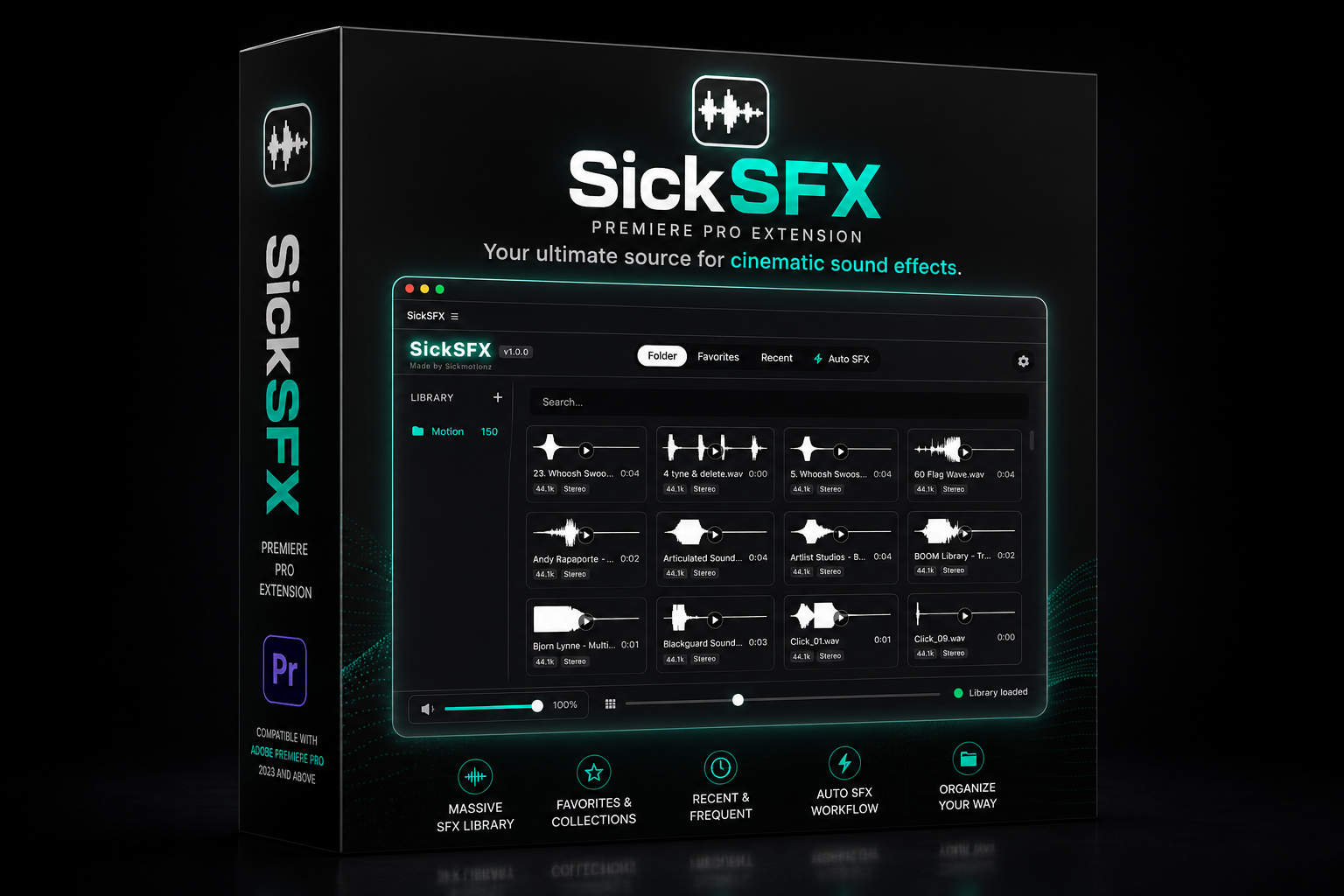
SickSFX: The Ultimate Sound Design Engine for Premiere Pro
Whether you want to manually drop sounds exactly at your playhead with a single click, or instantly batch-fill your timeline markers with audio from your custom library, SickSFX is the ultimate workflow cheat code.
⚡️ Game-Changing Features:
🎯 Continuous Replace Mode
Never manually delete and replace an audio clip again. Turn on Replace Mode, highlight a bad clip on your timeline, and click a new sound in your panel. SickSFX instantly deletes the old sound and snaps the new one perfectly in its place. Keep clicking to swap endlessly until it sounds perfect.
⏭️ Rapid Mapping
The fastest way to do manual sound design. Drop markers where you want hits and whooshes. Rapid Map mode physically jumps your timeline playhead to your first marker. Click a sound—it places it, and instantly jumps to the next marker.
🎲 1-Click Random Fill
Don't know where to start? Let SickSFX do the heavy lifting. It scans your markers and instantly populates your timeline with perfectly timed, random short sounds (under 5 seconds) from your massive library.
✂️ Placement Review Queue & Inspector
Never accidentally drop a 3-minute ambience track onto your timeline again. SickSFX catches long audio files before they place, opens a sleek Inspector window, and lets you trim the exact part you want before sending it to the timeline.
🚀 Blazing Fast & Beautiful
- Lazy-Loading Engine: Got a massive folder with 5,000+ sounds? SickSFX handles it flawlessly without freezing Premiere Pro.
- Customizable UI: Drag and drop your workflow cards into the order you like. Resize the panel, shrink it into "Compact Mode," and switch between 5 gorgeous glowing themes (Purple, Blue, Green, Red, Silver).
- Mac & PC Compatible: Fully optimized for Windows, Intel Macs, and Apple Silicon.
Who is this for?
Motion Designers, YouTubers, Trailer Editors, and anyone who wants their videos to sound incredible in a fraction of the time.
Work smarter. Sound sicker. Get SickSFX today.
Important Disclaimer: What SickSFX Is (And Isn't)
Please note that SickSFX is a powerful workflow automation tool, not a generative AI. It does not "watch" your video to guess where sound effects should go. You are still the creative director!
Instead, you simply place markers on your timeline where action happens, and SickSFX automates all the tedious manual labor. It instantly routes, trims, swaps, and snaps sounds exactly to your markers. It doesn't replace your creativity—it just turns hours of manual dragging-and-dropping into minutes!