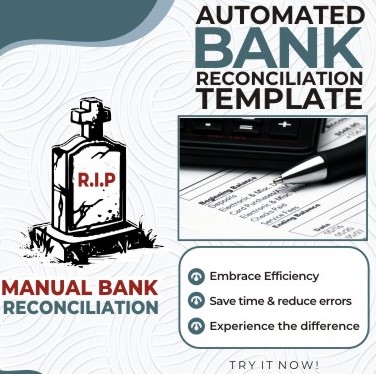
AUTOMATED BANK RECONCILIATION TEMPLATE (Advanced)

Automated Bank Reconciliation Template!
{R.I.P Manual Bank Reconciliation}
Are you tired of spending hours on tedious bank reconciliations?
Do you wish there is a faster, efficient, and easier way to match your bank statements and cash books, and generate accurate reconciliation reports?
If you answered yes, then you need Automated Bank Reconciliation VBA template, the ultimate solution that does the heavy lifting for you.
Reconcile a million transactions with just one click! YES! A click on “Reconcile command button”.
That's right! No more manual matching, no more formulas, no more headaches, no more navigation between Cash book and Bank statement worksheet, no more printing of bank statements for reconciliation!
Just copy your bank statement and cash book transactions into the template and let our VBA code perform the MAGIC!
Here's how it works:
- Purchase the solution.
- Download the template and copy it to your preferred location.
- Save it as “Excel Macro-Enabled Workbook” (*.xlsm). Already in the format though.
- Copy and paste your Cash Book and Bank Statement transactions into the Cash book (CB) and Bank Statement (BS) worksheets respectively.
- Click the "Reconcile Single " or “Reconcile-Double” button on the Bank Reconciliation Worksheet.
- Sit back and relax.
- In few SECONDS, you'll have a fully reconciled CB and bank statement, complete with:
o Clearly remarked "Reconciled" for same values and same reference number in both CB and BS for double match.
o For single match, the same points above apply but the reconciliation matches the same amount, occurring at the same number of times in the CB and BS.
o The choice is yours!
o Clearly remarked "Not_REC" (Not Reconciled) for values that do not reconcile.
- A detailed automatically prepared bank reconciliation statement.
- Move the reconciliation statement into your MS Excel file, print and sign-off.
Features:
- Bank worksheet (copy and paste your bank transactions here) Cashbook Worksheet (copy and paste your bank transactions here)
- Bank Reconciliation Worksheet -CB (starting with balance as per cash book) Input ONLY your closing balance as per cash book here. It features “Reconciliation Command Button”.
- Bank Reconciliation Worksheet-BS (starting with balance as Bank Statement format) Input ONLY your closing bank balance here. It features “Reconciliation Command Button”.
- Unreconciled-CB Worksheet (Automatically displays list of unreconciled transactions on the Cash Book. This works for Microsoft Office 2021/Microsoft 365 users only.
- Unreconciled-BS Worksheet (Automatically displays list of unreconciled transactions on the Bank Statement). This works for Microsoft Office 2021/Microsoft 365 users only.
The Unreconciled worksheets display detailed unreconciled transactions and in addition, it has a drop down option where you can select “Reconciled” to see the list of Reconciled transactions……..the power of flexibility.
HANDLING SYSTEM COMPATIBILITY ERROR
Probable Compatibility Error Message 1.
Security Warning. ““Some Active Content Has Been Disabled” or “Macros Have Been Disabled”. Enable Content.””
Solution:
• Click on "Macros have been disabled". (Do not click on Enable Content )
• Then, click enable content.
• Then save and use.
Probable Compatibility Error Message 2.
Security Risk: Microsoft Has blocked Macro from running because the source is not trusted.
Solution:
• Copy and paste the Excel File from the downloaded Zip folder to your preferred location.
• Right Click on the file.
• Select property from the menu.
• At the bottom of the property page, select or check the box “Unblock”, click on apply, then click on Okay.
• Save.
• Open the file for your use.
But that's not all.
- Automated Bank Reconciliation can also be used to reconcile customer statements with your company's records.
- So, whether you're an accountant, analyst, a consultant, a bookkeeper, or a business owner, this template is for you!
- Don't waste another minute on manual reconciliations.
- Order your copy of Automated Bank Reconciliation today!
Still not convinced?
Here are just a few of the benefits you'll enjoy:
- As a consultant/accountant, you can reconcile a year transaction in a few minutes.
- Save hours of time every month.
- Improves internal operations and compliance.
- Reduce the risk of errors.
- Work smart
- Get peace of mind knowing your accounts are always accurate.
- Focus on strategic areas while the VBA solution handles your repetitive tasks!
What are you waiting for?
- Buy Now from Selar and receive the download link immediately! Or
- Transfer to Crystal Skill-Hub Account No 6351135759 Moniepoint and share your payment advice on my WhatsApp: https://chat.whatsapp.com/EllqHHApqpyGQQefmyYgFA
- Order now and see for yourself why Automated Bank Reconciliation is the essential tool for every accountant and consultant.
We plan that before the end of Q1 2024, the solution will be migrated into a web-based portal with annual subscription hence, ACT fast!
Don't miss out on this limited time offer!
For more details about how it works, watch accompanying videos, and decide………
BONUS!
Have Access to my 24 FREE MS Excel Videos!
1. Extract data from text
2. Generate Excel Formula from AI Chatbots
3. Data Grouping in MS Excel
4. Working on multiple sheets at the same time
5. Printing of Headings on All Pages in MS Excel
6. Dynamic Filter in Excel
7. MS EXCEL Date Picker
8. Data and formula protection in MS Excel
9. Extract Text & Number from the Same Column
10. Paste special.
11. IFS function
12. ChatGPT for Accounting
13. Financial Statement Preparation with SUMIF
14. SUMIF for trial balance audit adjustment
15. PIVOT TABLE_1
16. PIVOT_TABLE_2
17. SUM IF
18. SUM IFS
19. Dynamic Serial Numbering
20. VLOOKUP
21. Transpose
22. Data Extraction from JPEG file
23. Text Split
24. Date Split
Join my WhatsApp group for any further enquiries and other free resources.
https://chat.whatsapp.com/EllqHHApqpyGQQefmyYgFA
Moruf Kazeem HND BSc MBA FCA
+234 909 165 2618