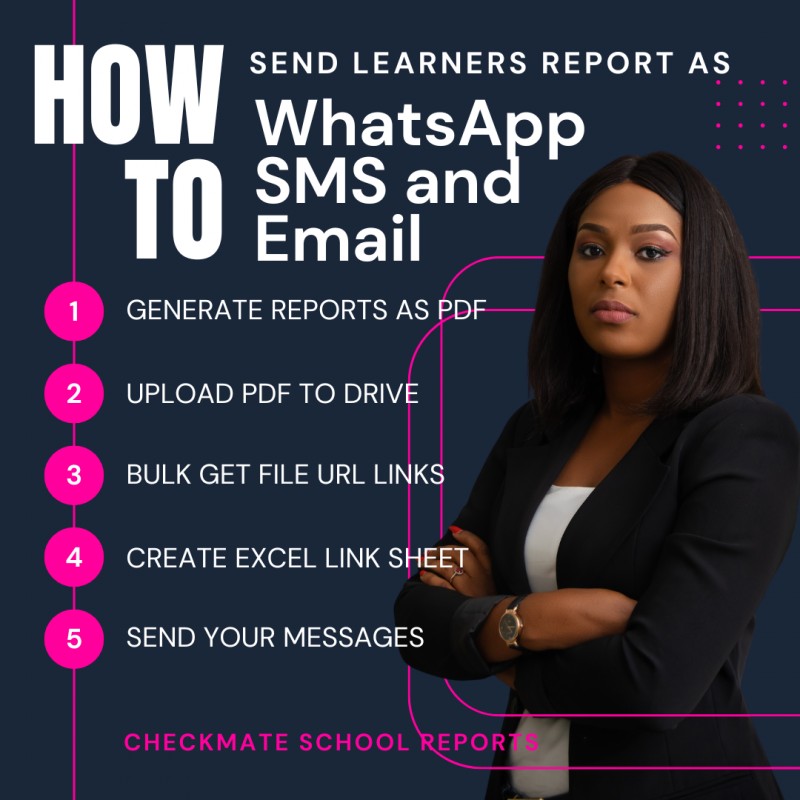
How to Send Pupils/Students Reports via WhatsApp, SMS, and Email

How to Send Pupils/Students Reports via WhatsApp, SMS, and Email
Dear Educator,
Are you tired of printing school terminal reports on paper?
Would you like to send learners' reports directly to their parents or guardians electronically?
In this report, I will show you how to achieve this easily and effectively. We will explore four different methods and break down the costs associated with each.
Methods Covered:
- WhatsApp Messaging
- Email Messaging
- SMS Messaging
- Online Result Checking Portal
Step 1: Generating Reports in PDF Format
Before proceeding, ensure that you can generate terminal reports in PDF format.
Any PDF report will work, whether it is from an MS Excel-based template or any other report-generating software.
If you don’t have a report generator, we will provide one at the end of this report.
Step 2: Uploading Reports to Google Drive
Once you have your reports in PDF format, the next step is to upload them to Google Drive for cloud storage.
As long as you have a Gmail account, you have access to Google Drive.
Step 3: Extracting Report Links
Instead of manually copying each report link (which is time-consuming), we use a free online tool that extracts all uploaded PDF links at once.
This step is crucial because these links will be shared with parents to access their child's report.
Here’s an example of a report link: Sample Report
A detailed explanation of this step will be available at the end of this report.
Step 4: Organizing Report Links in Excel
Once we have all the report links, we need to map each link to the corresponding student and their parent's contact details in an Excel sheet.
This ensures that each parent receives the correct report.
Example of a Contact/Link Sheet: Download Sample Excel Sheet
With this in place, we can now send out messages efficiently.
Method 1: Sending Reports via SMS
We use a bulk SMS tool that supports personalized messaging. Not all bulk SMS tools offer this feature.
Steps:
- Upload your Excel Link Sheet to the SMS tool.
- Compose your message (keep it short and concise):
Example SMS:
Dear Parent, 2nd Term result for your ward has been published. Click below to access it: {{Link}}. Mgt.
({{Link}} will automatically insert the correct report link for each recipient.)
Cost: Each SMS costs approximately N4.00 per page.
Method 2: Sending Reports via WhatsApp
WhatsApp allows for longer messages and free bulk messaging using Google Chrome and a WhatsApp bulk messaging extension.
Steps:
- Upload your Excel Link Sheet to the WhatsApp bulk messaging tool.
- Type your message and personalize where necessary.
Example WhatsApp Message:
Dear Parent,
2ND TERM REPORT FOR 2022/2023 ACADEMIC SESSION
Report for your ward ADEGBITE, SURAJU ADEYEMI Admission NO: 03/161 Class: JSS 2A
Click here to access the report: Sample Report
MRS ABAKPA
PRINCIPAL, KINGS ACADEMY LAGOS
(Elements like the student's name and admission number will be personalized for each recipient.)
Cost: Free.
Method 3: Sending Reports via Email
Email allows for longer messages and supports attachments.
Steps:
- Use a bulk email tool (e.g., Gmail, Mailchimp, or an autoresponder).
- Upload your Excel Link Sheet and personalize the email.
- Send the messages.
Cost: Gmail allows 100 free emails per day, while other bulk email tools offer both free and paid options.
Method 4: Online Result Checking Portal
An online result checking portal provides parents with a secure login to access their child's report.
Options:
- Free and paid portals are available.
- Requires login credentials (username/password or PIN).
- Can be hosted on the school website or externally.
This method offers better control but may involve additional costs.
Bonus Method 5: Online Excel/Google Sheets
This experimental method involves hosting reports on Google Sheets or MS Excel Online.
Features:
- Password-protected access.
- Free cloud storage.
- Easy distribution without SMS or email costs.
More details will be shared with interested educators.
Conclusion
In this report, we discussed five effective methods for delivering learners' reports: ✔ SMS ✔ WhatsApp ✔ Email ✔ Online Result Checker ✔ Google Sheets (Bonus Method)
Each method has its own advantages, cost implications, and ease of implementation.
Want to Learn More? If you’d like an in-depth guide, including video demonstrations and access to essential tools, order the Full Report now.
Bonus for the First 20 People!
The first 20 educators to place an order will receive these exclusive templates absolutely free!
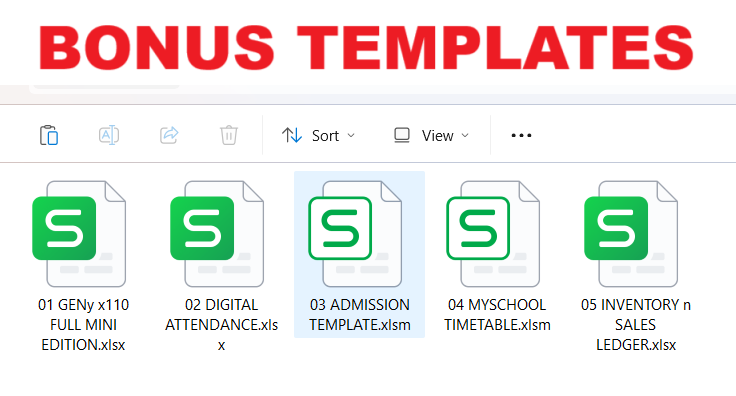
✔ Mini Report Generator
✔ Digital Attendance Register
✔ Admission Records Template
✔ Timetable Planner
✔ Sales and Inventory Record Manager
Order Here the Full Report..
After 20 orders, the bonus will be removed, and the price will increase.
Over 1,000 educators will see this message—act fast before the offer expires!
To Your School’s Success, Mr. Garry
CheckMate Offline School Reports