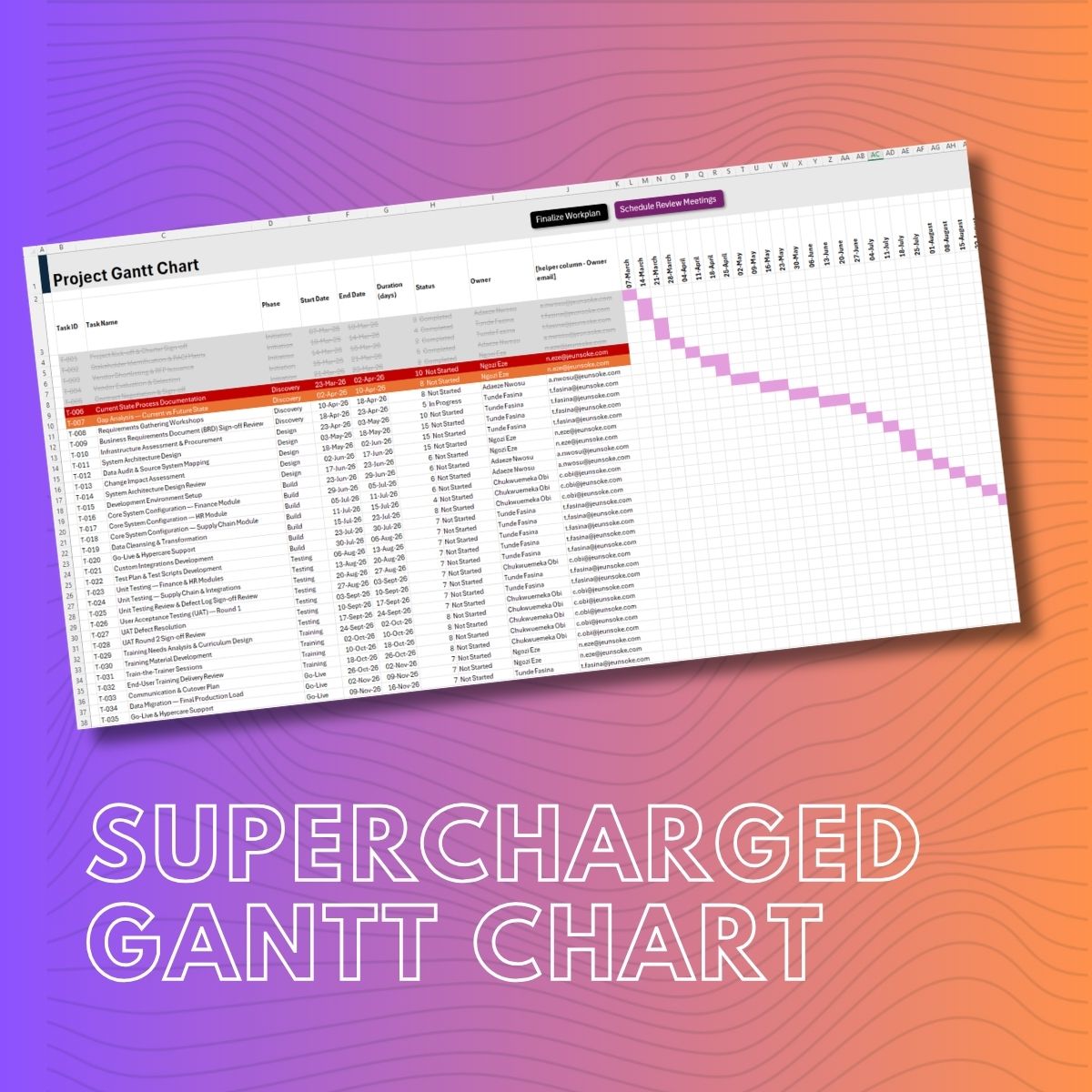
Supercharged Professional Gantt Chart - Starter Edition
Your Excel Gantt chart is already more powerful than you think. Most project managers use it as a static timeline - something you set up at the start and update occasionally. This tool changes that. With a validated resource directory, one-click email notifications, and automated meeting scheduling, your Gantt chart becomes the operational heartbeat of your project, more than just a planning document. Built for project managers who run their projects in Excel and want to do significantly more without switching platforms or paying per-seat license fees.
What's Inside
- Auto-Drawing Gantt Bars: No need to spend 45 minutes formatting your Gantt every time you start a project. Drop in a start and end date - the bars draw themselves.
- Intelligent Overdue Alerts: Your Gantt chart knows when tasks are late - without anyone telling it. Overdue rows turn red automatically. Approaching deadlines turn amber. Completed tasks go grey. Open the file on any morning and the risk landscape is right there, no status meeting required.
- One-Click Task Assignment via Email: When you're ready to go live, click Finalize Plan. Every task owner receives a single, professionally formatted email listing all their assigned tasks, start dates, and due dates - aggregated into one email per person, sent automatically via Outlook.
- Automated Review Meeting Scheduling: The tool detects every task with 'Review', 'Sign-Off', 'Approval' in its name. At finalization, it prompts you to confirm attendees and fires Outlook calendar invitations automatically - with a built-in rule that puts each meeting no later than 3 working days before the deliverable.
What You Get
✓ Excel Gantt Chart Template (.xlsm) with pre-built VBA module
✓ Team Directory and Config sheet included with dummy data - replace with yours
✓ PDF Troubleshooting & Customization Guide
✓ Dummy dataset: 35-task ERP implementation project
Two Audiences. One Tool.
For the Project Manager: You manage projects in Excel because it works, it's flexible, and it doesn't cost a per-seat license for every stakeholder who needs to see the plan. This tool meets you where you are and extends what you already have - conditional formatting that thinks, automation that communicates, and a system that keeps itself honest even when the project gets busy and the manual updates fall behind.
For the Excel Enthusiast: This is a showcase in what Excel VBA can do when it's connected to Outlook, built around structured data, and designed with real workflow logic. Every feature is documented, every macro is commented, and the full code is open for you to read, adapt, and extend. Whether you're building your own tools or learning by example, this is the Art of the Possible in Microsoft Excel.
Requirements
- Microsoft Excel Desktop (Windows) - Excel 2016 or later. Excel 365 recommended.
- Microsoft Outlook Desktop, signed in with an active email account. Required for all email and calendar features.
- VBA Macros Must be enabled on open. Save as .xlsm at all times.
- OS Windows (for full Outlook COM automation).
All macro code is fully visible and editable. This is a learning resource as much as a working tool.