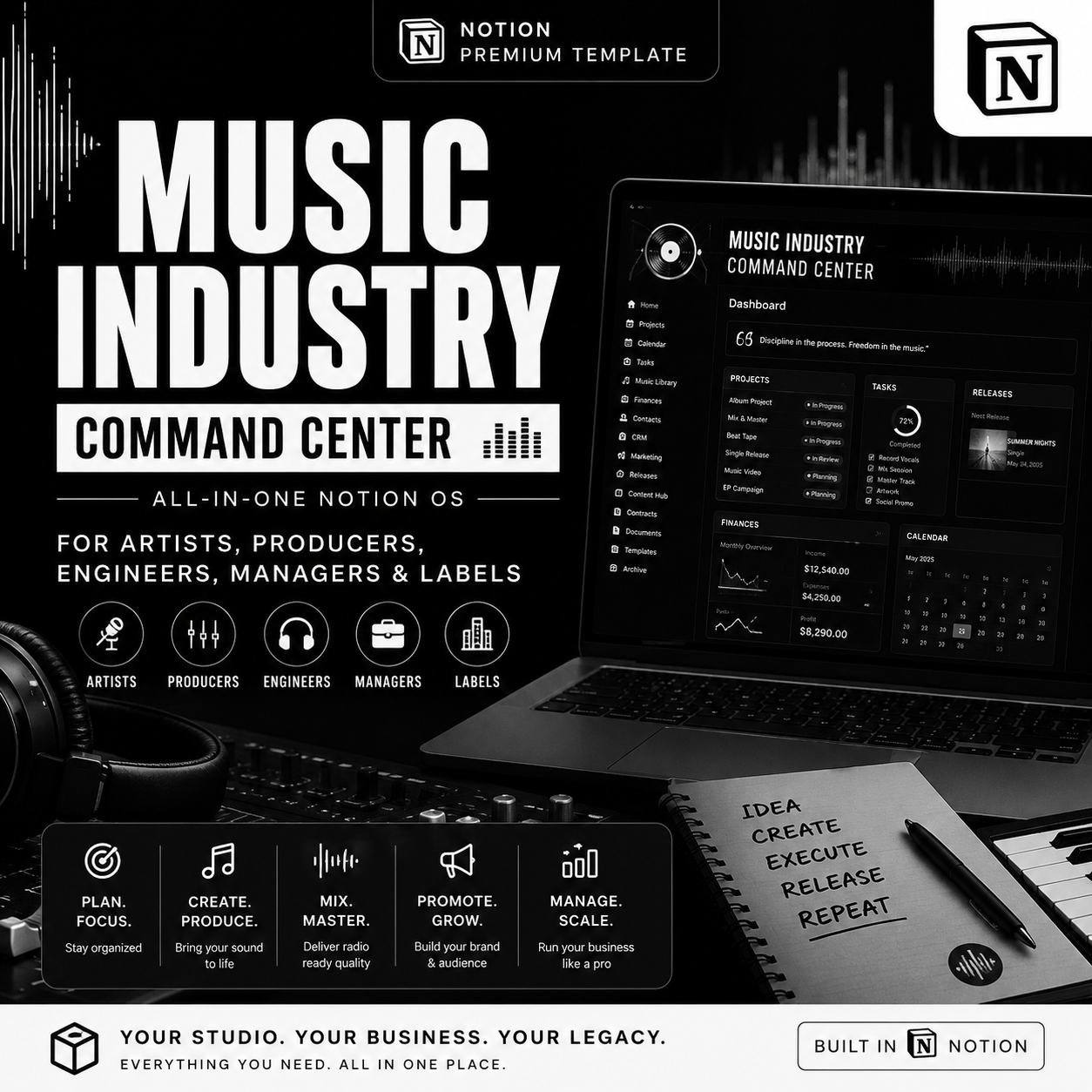
Music Industry Command Center | All-In-One Notion OS for Artists, Producers, Engineers, Managers & Labels

The music business isn't one job. Your system shouldn't be built for just one job.
Most "music Notion templates" are built for one type of person usually just the artist. But a real music business is made of songwriters, producers, mixing and mastering engineers running client work, managers juggling rosters, boutique labels tracking a catalog, and distributors pushing releases live. Everyone touches the same songs, the same releases, the same money from a completely different seat.
Music Industry Command Center is built for that reality. It's not an artist planner with a few extra pages bolted on it's a full Music Industry Operating System: one connected Notion workspace with role-specific dashboards, so whoever opens it artist, producer, engineer, manager, label, or distributor sees exactly what matters to them, pulled from the same live data.
The All-in-One Operating System for the Modern Independent Music Business.
Plan the music. Manage the production. Control the release. Run the marketing. Build the audience. Manage the shows. Track the money. Protect the rights. Grow the career — from one source of truth.
Who this is for
- 🎤 Independent artists & singer-songwriters running their own career
- 🎚️ Producers managing multiple productions and clients
- 🎛️ Mixing & mastering engineers running a freelance service business — deposits, revisions, delivery and payment, all tracked
- 💼 Music freelancers (session players, songwriters-for-hire, consultants) who need real invoicing
- 👔 Artist managers coordinating rosters, releases and shows
- 🏷️ Boutique labels managing a catalog, contracts and royalty statements across artists
- 📦 Distributors tracking releases, metadata, DSP delivery and issues
- 🧑🤝🧑 Artist teams where each role needs a different view of the same business
What makes it different: everyone gets their own dashboard
This is the core of SYSTEM H. Instead of one generic homepage, the system ships with role-specific dashboards built on the same underlying data:
- Artist Dashboard — releases, songs, content, shows, revenue, tasks, goals, analytics
- Producer Dashboard — active productions, sessions, mixing, mastering, clients, payments, deadlines
- Mixing/Mastering Engineer Dashboard — new jobs, active jobs, revisions, approvals, deliveries, outstanding payments
- Manager Dashboard — artists, releases, campaigns, shows, contracts, revenue, opportunities
- Label Dashboard — roster, releases, catalog, contracts, marketing, distribution, royalties, financial performance
- Distributor Dashboard — releases, artists, metadata, delivery, DSPs, statements, issues
Nobody has to dig through irrelevant databases to find their part of the business.
🎛️ Command Center
The executive dashboard, opened first every day: today's priorities, overdue tasks, release countdowns, production deadlines, upcoming gigs and tour dates, contracts needing attention, outstanding invoices, royalty items, merch alerts, active campaigns, content due, career KPIs and a revenue snapshot — plus one-tap Quick Actions (New Song, New Release, New Show, New Contract, New Invoice, Add Royalty, Add Merch Sale, and more).
👥 Artist & Team HQ + CRM
A single People & Organizations database for every contact in your business — artists, managers, producers, engineers, labels, distributors, agents, promoters, PR, lawyers, accountants, venues and brands — tracked by relationship stage (Prospect → Contacted → Active → Collaborator → Partner) and priority, with Follow-Up Today, VIP and Dormant Relationship views so nobody falls through the cracks.
🎵 Songwriting & Catalog OS
A master song database tracking every track through a 13-stage pipeline (Idea → Draft → Writing → Demo → Pre-Production → Recording → Editing → Production → Mixing → Mastering → Approved → Released → Archived), linked to writers, producers, releases, contracts, splits, rights and royalties — with ISRC/ISWC, publisher and PRO fields built in.
✍️ Split Sheet & Rights Management
A dedicated splits database that tracks writer, publisher and master percentages per song — with a built-in validation warning ("SPLIT INCOMPLETE — Ownership must equal 100%") so ownership confusion gets caught before it becomes a legal problem. Covers master, publishing, mechanical, performance, neighboring, sync, digital, physical and international rights.
🎚️ Production, Mixing & Mastering Pipeline
For producers and engineers, this is a full client-service business system: Recording Sessions (studio, engineer, files, backup confirmation, payment), a full Production Pipeline (Pre-Production → Recording → Editing → Mixing → Mastering → Final Approval → Delivery), and a dedicated Mix & Master Projects database with client, price, deposit, balance, revision limit, revisions used, approval status and payment status — everything a freelance engineer needs to run paid client work professionally.
📀 Release Management OS
Every release — Single, EP, Album, Mixtape, Deluxe, Compilation, Remix, Reissue — tracked through a full lifecycle (Concept → Planning → Production → Metadata → Artwork → Rights → Distribution → Marketing → Pre-Save → Release → Post-Release → Analytics), with a live Release Readiness Score calculated across song, master, artwork, metadata, splits, copyright, distribution, pre-save, marketing, content and PR.
🌐 Distribution & DSP Management
Track every release's distributor, submission and delivery dates, UPC/ISRC, territory, and a full DSP checklist (Spotify, Apple Music, Amazon Music, YouTube Music, Deezer, Tidal, TikTok, and regional platforms) alongside editorial pitching and playlist submission status.
📣 Marketing Command Center + Social Content OS
Marketing run as real campaigns, not scattered posts — Release, Pre-Save, Playlist, PR, Radio, Influencer, Paid Ads, Email, Brand Partnership and Tour campaigns tracked with budget, KPI, target vs. actual, and ROI. Paired with a full content system (idea → brief → production → editing → approval → scheduled → published → analytics) covering every major platform and content type.
📰 PR, Playlist & Industry Outreach
A dedicated outreach tracker for playlists, blogs, radio, DJs, journalists, influencers, A&Rs and sync supervisors — pitch sent, follow-up date, response, outcome and resulting coverage, all in one place.
📜 Contract & Legal Vault
Every agreement type an independent music business touches — artist, management, producer, beat license, collaboration, split sheet, work-for-hire, mixing/mastering, distribution, label, booking, venue, merch, brand deal, sync license, NDA and publishing — tracked through Draft → Review → Sent → Negotiation → Signed → Active → Expiring → Renewed/Closed, so nothing expires silently.
💰 Royalties & Rights Collection
Track royalties by revenue source (streaming, publishing, performance, mechanical, neighboring rights, sync, YouTube, radio, physical, licensing) through a full reconciliation workflow: Revenue Generated → Statement Received → Reconciled → Split → Payable → Paid → Archived — with gross, fees, net, artist share and collaborator share all broken out.
🎬 Sync & Licensing + Sample Clearance
A sync opportunities pipeline (Opportunity → Submitted → Shortlisted → Selected → Negotiation → Licensed → Paid) alongside a dedicated sample/interpolation clearance tracker — rights holder, fee, split, agreement and approval status — so sync income and sample risk are never handled off-system.
🚐 Live, Gig & Touring OS
Shows tracked from Lead → Offer → Negotiation → Contract → Deposit → Advance → Travel → Soundcheck → Show → Settlement → Payment, plus full Tour Management (budget, revenue, expenses, profit, crew), Travel and Hotel tracking, and a dedicated Event & Concert Advance system with a 20+ item advance checklist and a Riders database (technical rider, hospitality rider, stage plot, input list, backline) so no show gets under-prepared.
🛍️ Merchandise OS
Products, SKUs, suppliers, unit cost, retail price, inventory, and automatic LOW STOCK alerts when inventory drops below your reorder point — with revenue, fees, shipping, COGS, profit and margin calculated per product.
💵 Finance OS + Freelance Invoicing
Full income/expense tracking by artist, project, release and show, with dashboards for monthly revenue, net profit, cash flow, and profitability by show and by merch line. Includes a dedicated Invoicing database (invoice number, client, service, tax, due date, payment status) built for producers, engineers and freelancers billing clients directly — Draft → Sent → Partially Paid → Paid → Overdue.
✅ Project & Task Management + File/Asset Library
A full task system (priority, status, dependency, recurrence) linked to projects, releases and artists, plus a version-controlled asset library (masters, mixes, stems, artwork, press photos, contracts, riders) so nothing gets overwritten or lost.
📊 Analytics & Career Intelligence
Track streams, listeners, followers, saves, playlist adds, engagement and revenue over time, with built-in scoring: Artist Growth Score, Release Performance Score, Revenue Per Fan, Show Profitability and Merch Profitability — so decisions are based on numbers, not vibes.
🤖 AI Music Business Command Center
Structured AI workflows (not a generic chat page) for release strategy, content generation, marketing campaigns, business outreach (sponsorship pitches, booking emails, follow-ups) and career planning (90-day goals, quarterly plans, growth experiments).
📘 SOP & Playbook Vault
Step-by-step playbooks covering release, production, marketing, live and business operations — how to release a single, run a mix review, advance a show, onboard a producer, reconcile royalties, and more — so the system carries institutional knowledge, not just data.
⚡ Premium Automations & Buttons
One-click actions like Move to Distribution, Send to Mixing, and Advance Show — each one updating status, creating linked records, and generating the next task automatically, so the workflow moves itself forward.
Built to actually get used
- ✅ Mobile-first — add a task, log an expense, check a release countdown, or view an outstanding payment from your phone
- ✅ Onboarding system — a "Read This First" walkthrough covering duplication, setup, and how to create your first song, release and dashboard view
- ✅ Sample data included and clearly labeled — see exactly how the system works before entering your own
- ✅ Private-by-design — contracts, royalty statements and financial data stay separate from any team- or client-facing pages
- ✅ One connected system — every object (song, release, show, contract, expense) is relationally linked, so nothing lives in isolation
Why this system
Music Industry Command Center isn't priced like a planner because it replaces more than a planner would. For an artist, it replaces a manager, a bookkeeper and a rights administrator. For a producer or engineer, it replaces a client-management system and an invoicing tool. For a label or distributor, it replaces a roster tracker and a royalty spreadsheet. You're buying the infrastructure a real music business runs on — set up once, owned for life.
What you get
- ✅ Full — Music Industry Command Center Notion template (instant digital download)
- ✅ All core hubs: Command Center, Artist & Team HQ, Catalog & Rights, Production/Mixing/Mastering, Release & Distribution, Marketing & Content, Contracts & Legal, Royalties & Sync, Live & Touring, Merch, Finance & Invoicing, Analytics, AI Center, SOP Vault
- ✅ Role-specific dashboards for Artist, Producer, Engineer, Manager, Label and Distributor
- ✅ Pre-loaded, clearly labeled sample data + a clean workspace for your real business
- ✅ Mobile-optimized layouts and quick-action buttons
- ✅ Onboarding walkthrough
Requirements: A free or paid Notion account (desktop, web, or mobile).
FAQ
I'm a mixing/mastering engineer, not an artist — is this actually for me? Yes. The Mix & Master Projects database and your dedicated Engineer Dashboard are built specifically for running paid client work — deposits, revision limits, approval status and payment tracking included.
Can a label or distributor use this across multiple artists? Yes — the Label and Distributor dashboards are built for managing a full roster, catalog, and distribution pipeline from one workspace.
Does it handle royalties and splits, or just the creative/marketing side? Both. Split sheets, rights registration, royalty reconciliation, sync licensing and sample clearance are all full modules — not an afterthought.
Is this a one-time purchase? Yes. One payment, lifetime access to your duplicate, including future template updates.
Do I need the paid version of Notion? No — it runs on Notion's free plan for individual use. A paid Notion plan is only needed for unlimited team collaborators.