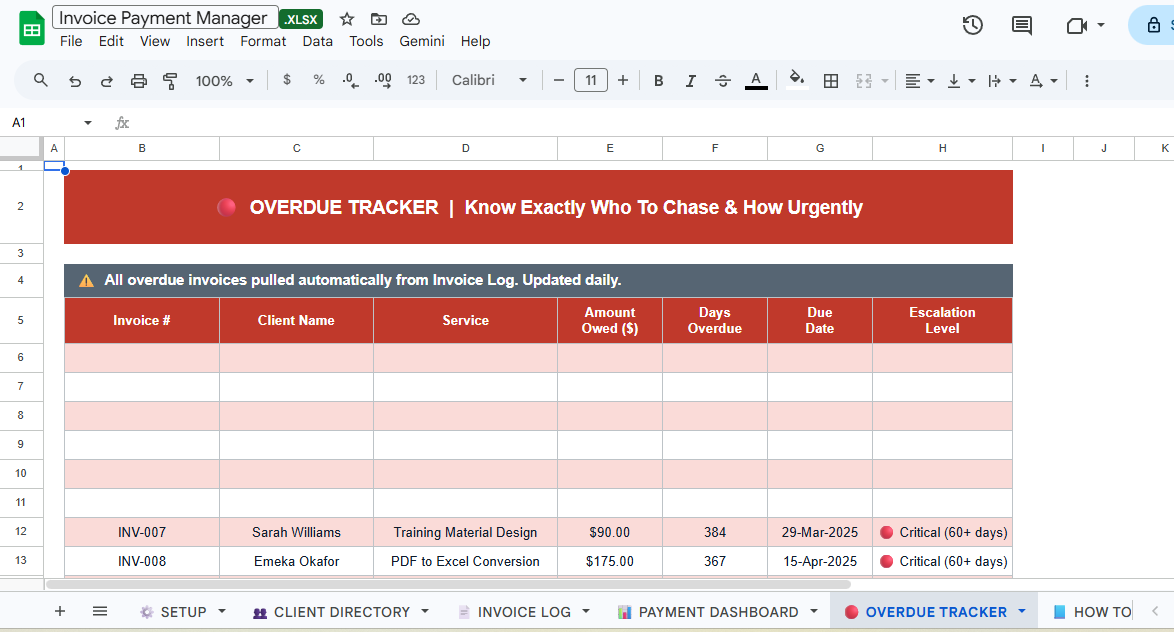
Invoice & Payment Manager — Excel Template

Invoicing chaos ends here.
Most freelancers and small business owners track invoices in a mess of emails, spreadsheets, and sticky notes. They lose track of what's been paid, what's overdue, and how much money is actually coming in. This done-for-you Invoice & Payment Manager solves that completely.
Enter each invoice once. The system automatically tracks payment status, calculates days overdue, flags late payers, and shows you exactly how much money is outstanding.
What's Inside:
✅ Business Setup Sheet — Your business info, payment terms, and defaults. Auto-populates every invoice.
👥 Client Directory — Master list of all your clients. Add once, reference forever.
📄 Invoice Log — Complete invoice history with auto status tracking (Paid, Unpaid, Overdue, Partial Payment). Automatic due date calculation, days overdue, and balance tracking.
🔴 Overdue Tracker — Auto-pulls every overdue invoice with escalation levels (1–30 days, 31–60 days, 60+ days). Know exactly who to chase and how urgently.
📊 Payment Dashboard — 5 KPI cards showing Total Invoiced, Total Collected, Outstanding, Overdue, and Collection Rate. 2 dynamic charts: Revenue Collected vs Invoiced, and Payment Status breakdown.
📈 Full Summary Table — 12-month view of all invoices by status for quick overview.
📘 Step-by-Step Instructions — Complete user guide.
Who Is This For:
→ Freelancers managing multiple client invoices
→ Creative and digital agencies tracking client payments
→ Small business owners needing payment visibility
→ Service-based businesses with irregular income
→ Anyone who's ever forgotten to follow up on an unpaid invoice
How It Works:
- Download the Excel file
- Fill in your business details in Setup (one-time)
- Add all your clients to the Client Directory
- Log each invoice as you send it
- Update payment status when money arrives
- Dashboard auto-shows what's paid, what's overdue, what's outstanding
Color Coding (built-in):
🟢 Green = Paid
🟡 Yellow = Unpaid but not yet due
🔴 Red = Overdue
🟠 Orange = Partially paid
What You Get:
→ 1 fully built Excel file (.xlsx)
→ Works on Microsoft Excel (Windows & Mac)
→ Compatible with Excel 2016, 2019, 2021, and Microsoft 365
→ One-time purchase — yours forever
→ Instant download after payment
Built by a data and dashboard specialist with hands-on experience in financial tracking