
Professional Smartphone Video Editing

GRAB YOUR SHARE OF THE $1,970,000,000,000 VIDEO EDITING INDUSTRY BY HELPING SMALL BUSINESSES GROW ONLINE WITH SMARTPHONE VIDEO EDITS THAT GET ATTENTION, GETS VIEWS, BUILDS TRUST AND GET SALES!!
Because of your new found smartphone video editing mastery, business owners can now can stop producing boring, tasteless social media videos in a world dominated by skit makers, cute dog videos, Aproko Doctor, and Alex Hormozi!!!
Learn everything involved in becoming a pro at using your smartphone to edit videos professionally.
This advanced training combines various modules that teach you the fundamentals of video content creation, all the way to editing viral videos with your smartphone.
It is highly recommended for
✅ ambitious creative newbies who want to tap into a global opportunity by offering a HEAVILY IN DEMAND skillset that will continue to grow in demand year in year out!!
✅ business owners and marketers who are fascinated by the very act of tranforming “okay” or boring videos into visual masterpiecies that gets attention, gets viewed, build trust and brings in sales!!
✅ younger and curious editors who want to level up their smartphone editing skillset by learning from a true video pro.
✅OVER 30 PRACTICAL VIDEO LESSONS
✅INCLUDES ASSIGNMENTS TO PRACTICE
✅ACTIVE SUPPORT GROUP ON WHATSAPP
✅COURSE IS HOSTED ON TELEGRAM
✅FREQUENT UPDATES AND INSPIRATION
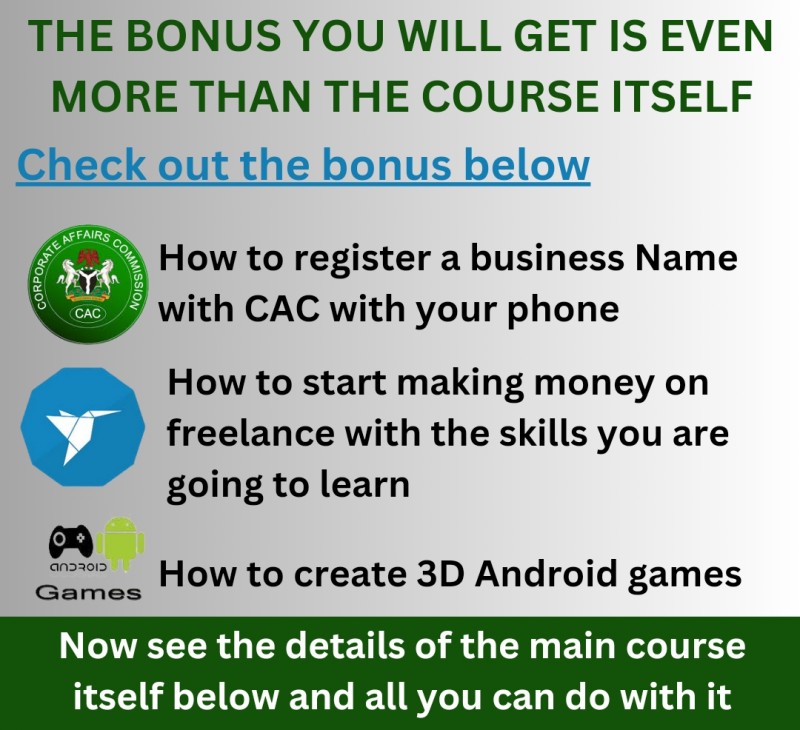

See some of the Lessons in the Course:
EDIT VIDEOS LIKE BRODA DAPO & APROKO DOCTOR
Edit comic / edutaining talking head videos like popular content creators like Aproko Doctor, Kagan, Broda Dapo, etc. Make your videos engaging, increase viewer's retention, and get more views.
CREATE VISUALLY EXCITING MOTION GRAPHICS
Create professional motion graphics video ads like Jumia, Konga, etc.
IMPROVE VISUAL APPEAL WITH PROFESSIONAL COLOR GRADING
Make your subject, and background POP with professional color grades and retouch.
CREATE ENGAGING VOICE OVER VIDEO
Learn unique methods to create super engaging viral voice-over videos without showing your face
DELIVER SMOOTHLY WITH THE TELEPROMPTER FEATURE
Forget your lines while recording is definitely scary!! The teleprompter option in capcut can help you deliver smooth flowing sentences. No need to cram your lines. You'll learn how to use it in this lesson.


Day 01:
- Introduction to the course and rules.
- My Secret Tool for Editing Viral Videos in 1 Minute
- Creating Miming Videos with trending Voiceovers
- Genius ways to Use a Teleprompter and read while Recording Videos
- Generating free A.I. images that can be used for your content.
Day 02:
- Get more views with engaging Auto-Captions.
- Make your subject beautiful and spotless by retouching your videos.
- Create quality product ads with AI-generated backgrounds.
- Familiarize yourself with our editing application.
Day 03:
- Combine several videos in one frame to create an engaging collage.
- Edit your pictures to stand out
- How to create engaging, moving captions like the pros.
Day 04:
- Creating motion graphics Video Ads like Jumia, Konga, etc.
Day 05:
- Editing classic talking head videos like the pro
Day 06:
- Professional ways to color-grade your videos to stand out
- Where to get free assets to make your videos outstanding
- Downloading Videos from various platforms like YouTube, Instagram, and TikTok.
- Syncing audio and video when recorded separately.
- How to edit green screen videos like the pros
- Using A.I tools to boost your audio quality.
Day 07:
- Unique ways to create viral voice-over videos that are super engaging
Day 08:
- Editing comic talking head videos like popular content creators like Aproko Doctor, Kagan, Broda Dapo, etc.
Day 09:
Moving into Short Films and Skits:
- Editing a short VFX film.
- Trimming and cutting a short VFX film.
- Color grading a short VFX film.
- Accessing video assets from YouTube.
Day 10:
- Advanced Techniques in Short Films:
- Working with green screen and VFX.
- Adding sound effects.
- Incorporating transitions and graphics.
Day 11:
- Creating Viral Transition Effects.
Day 12:
- Wrapping up the course.
- My Secret Strategies for acquiring high-paying clients as a video editor