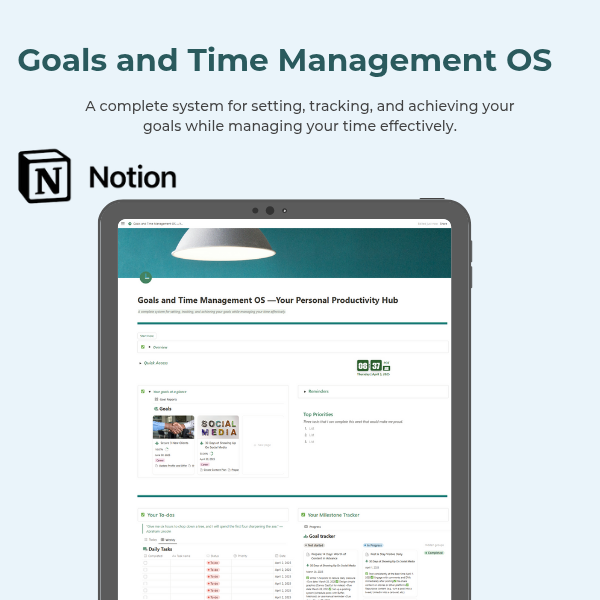
Goals and Time Management OS
The Goals & Time Management OS is your all-in-one Notion system for moving from dreaming to doing.
This isn't just another productivity template. It's a complete goal execution framework — built to help you:
- Define goals that align with your real priorities
- Break those goals down into manageable milestones
- Plan actionable daily tasks that keep you focused
- Build habits and routines that support long-term success
- Reflect weekly, track your time, and stay consistent
Whether you're working on a business, building a new habit, changing careers, or trying to get your life back on track — this system is for you.
Why I Created This OS:
I made the Goals & Time Management OS because I was tired of feeling busy but not productive.
I had goals — big ones — but I was struggling to follow through. I’d start strong, get overwhelmed, and fall off track. I realized I didn’t need more motivation — I needed a system.
This OS became the structure I used to rebuild consistency. To break goals into steps. To reflect weekly. To stop starting over every Monday.
I didn’t build it because I had it all figured out — I built it because I didn’t.
And now, I’m sharing it with you — because I know it can help.
If you’ve been trying to get your life together, your time in order, and your goals off the page and into action — this is for you.
What You Can Do With This System:
1. Set SMART Goals
Start with the Goal-Setting Blueprint to define what you really want and why it matters. This page guides you through prompts and structure using the SMART method (Specific, Measurable, Achievable, Relevant, Time-bound).
2. Track Goals from Vision to Execution
The Goals Database helps you break big goals into smaller milestones. From there, the Goal Tracker allows you to monitor progress — with percentage tracking and milestone status built in.
No more “set it and forget it” goals — now you can see your progress every step of the way.
3. Plan Daily Tasks that Align with Goals
Use the Daily Planner to map out what actually needs to happen today — and align your time with your highest priorities. The Time Block Button helps you visually organize your schedule.
4. Build Habits that Move You Forward
The Habit Tracker helps you build small daily habits that support your big goals — and track your consistency over time.
5. Log Time & Reflect Weekly
Track the time you planned vs. the time you actually spent with the Time Log — so you can improve your time management.
Use the Weekly Review to reflect on wins, identify challenges, and reset your intentions every week.
6. Overcome Roadblocks with Clarity
The Obstacles & Solutions page helps you log what’s not working — and brainstorm how to fix it. This makes you proactive instead of reactive.
What’s Included:
- Notion template with all key pages linked from a clean hub
- A complete system covering goals, habits, time, and reflection
- Setup guide and examples to help you get started
- Coming soon: Full video walkthrough
Who This Is For:
- Goal-getters tired of “winging it”
- Creatives, students, professionals & solopreneurs
- Anyone who needs structure, clarity, and a better system
- You — if you’re ready to stop starting over