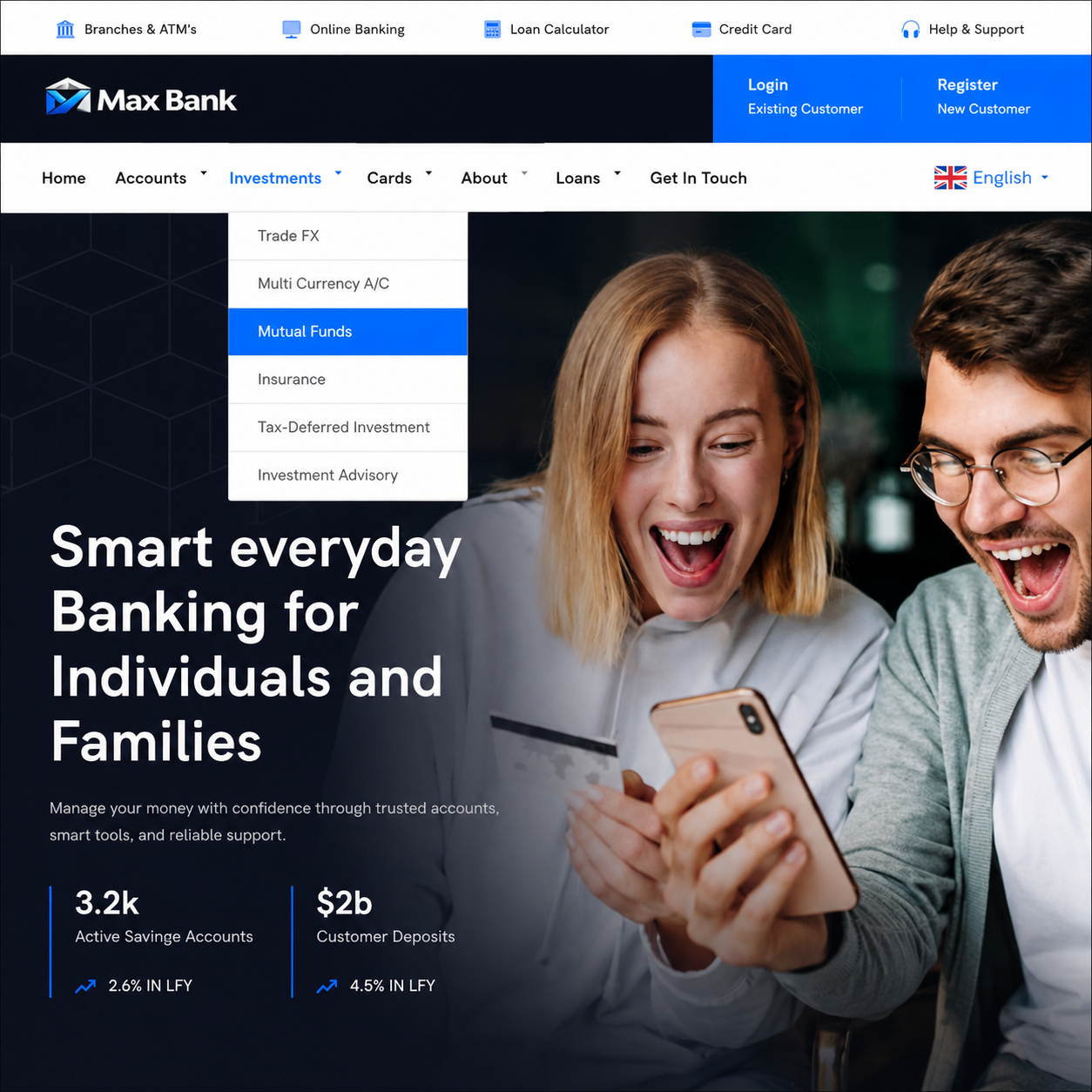
Best Online Banking Script - Max Bank

Max Bank Script functions as a complete CMS-powered application.
Website content, images, text, and other front-end information can be updated directly from the administrative interface.
After installation, the administrator can configure the platform through the admin dashboard.
For developers, the source code can also serve as a foundation for creating a more specialized financial technology solution.
This script also comes with free support; you can chat us on https://digitalwebplus.com/whatsapp if you need our support, script modifications, or want to make enquiries.
Below are a demo video of the script, a list of the script's features, and a live demo link.
Watch Demo on YouTube
Key Features of Max Bank Script
- Responsive Interface: The platform is designed to adapt to different screen sizes, providing a consistent experience across smartphones, tablets, laptops, and desktop computers.
- Secure Customer Login: Customers have access to a protected sign-in system designed to provide a familiar and secure entry point to their accounts.
- Customer Dashboard: Users can access balances, account details, recent activity, and important banking actions from a single dashboard.
- Admin Management Panel: Administrators receive a centralized workspace for managing customers, transactions, settings, content, reports, and other banking operations.
- Money Transfer System: The platform provides structured transfer workflows that guide customers through entering payment details and confirming transactions.
- Transfer Code Management: Administrators can generate transfer codes for customers as required. Codes can be delivered through email or OTP-based processes, or assigned manually depending on the configured workflow.
- Investment Module: When enabled, the investment feature allows customers to allocate funds from eligible savings accounts toward investment products and potentially earn interest according to the configured terms. This can help transform the platform into a broader digital banking and investment solution.
- Front-End Theme Selection: Administrators can switch between the available front-end color schemes to better match their preferred branding.
- Inter-Bank Transfers: The system can support transfers between eligible accounts within the platform, providing a convenient way to move funds between supported accounts.
- External Transfers: Administrators can configure transfer processes for approved external beneficiaries and destinations.
- Local and International Transfers: Depending on the business model and available integrations, the platform can accommodate different domestic and international transfer workflows.
- Beneficiary Management: Customers can add, review, update, and manage recipient information, making recurring transfers easier to handle.
- Transaction History: Users can review their financial activity through organized transaction records, helping them track when and where funds were moved.
- Account Statements: Customers can access account statements for reviewing financial activity and maintaining their transaction records.
- KYC Management: The platform provides support for collecting and reviewing customer verification information as part of the configured KYC process.
- Email Notifications: Automated email notifications can keep customers updated about account activity, transaction events, status changes, and other important actions.
- Loan Management: Loan-related functionality can be used to present applications, statuses, repayment information, and other relevant loan details in an organized manner.
- Fixed Deposit Support: The platform can accommodate fixed-deposit or similar savings products where these services form part of the business offering.
- Bill Payment Workflows: Supported bill-payment processes can be incorporated into the platform, giving customers a convenient way to handle eligible bills and recurring obligations.
- Multi-Currency Support: The system can be configured to support financial services involving multiple currencies, depending on the selected banking model and integrations.
- User Management: Authorized staff can manage customer profiles and review important account-related information from the administration panel.
- Security Controls: Customers can access account-security options relating to passwords, sessions, authentication, and other account-access preferences.
- Two-Factor Authentication: Additional verification can be enabled to provide customers with another layer of protection during the authentication process.
- Profile Management: Customers can update their personal and contact information directly through their account dashboard.
- Flexible Customization: The platform can be adapted with custom logos, colors, content, modules, and workflows, making it easier to create a distinctive financial brand.
- SEO-Friendly Front End: The public-facing website is structured with search visibility in mind, providing a solid foundation for optimizing pages and product content for search engines.
Live Demo Link
https://max.scriptsdemo.website
Available Modification
- Changing the frontend template.
- Changing images (free)
- Adding more features.
- Adding live chat (free, after hosting)
- Adding a language translator (free)
- Upgrading its SEO value (after hosting)
- Building a fresh online banking script based on your specifications.
Developer: https://digitalwebplus.com/product/banking-script
For your Web Development, Mobile App Development, SEO, AI Automation, DevOps projects etc, contact us on WhatsApp with this link https://digitalwebplus.com/whatsapp.
If you purchased the Online Banking Script - Max Bank and you are having challenges with it, also contact us for support.