M-Pesa Sales Tracker Excel – Kenyan Small Business Bookkeeping
The M-Pesa Sales Tracker Excel workbook helps Kenyan small businesses record Till, Paybill, Send Money and cash in one place and see real monthly profit in KSh.
Most traders do not know their true profit because money is split across cash, Till, Paybill and Send Money. This ready-made bookkeeping workbook is built for duka owners, salons, mama mboga, online sellers, freelancers and small service businesses — the way Kenyans actually get paid.
What's inside
Daily Sales – date, item, quantity, price, payment method (Cash / M-Pesa Till / Paybill / Send Money / Bank), M-Pesa code and customer. Totals calculate automatically.
Expenses – dropdown categories: stock, rent, transport, airtime/data, wages, utilities, licences, other.
M-Pesa statement reconciliation – compare your sales book with your statement and see what is missing or wrong. (This is a record-matching sheet, not an official Safaricom file converter.)
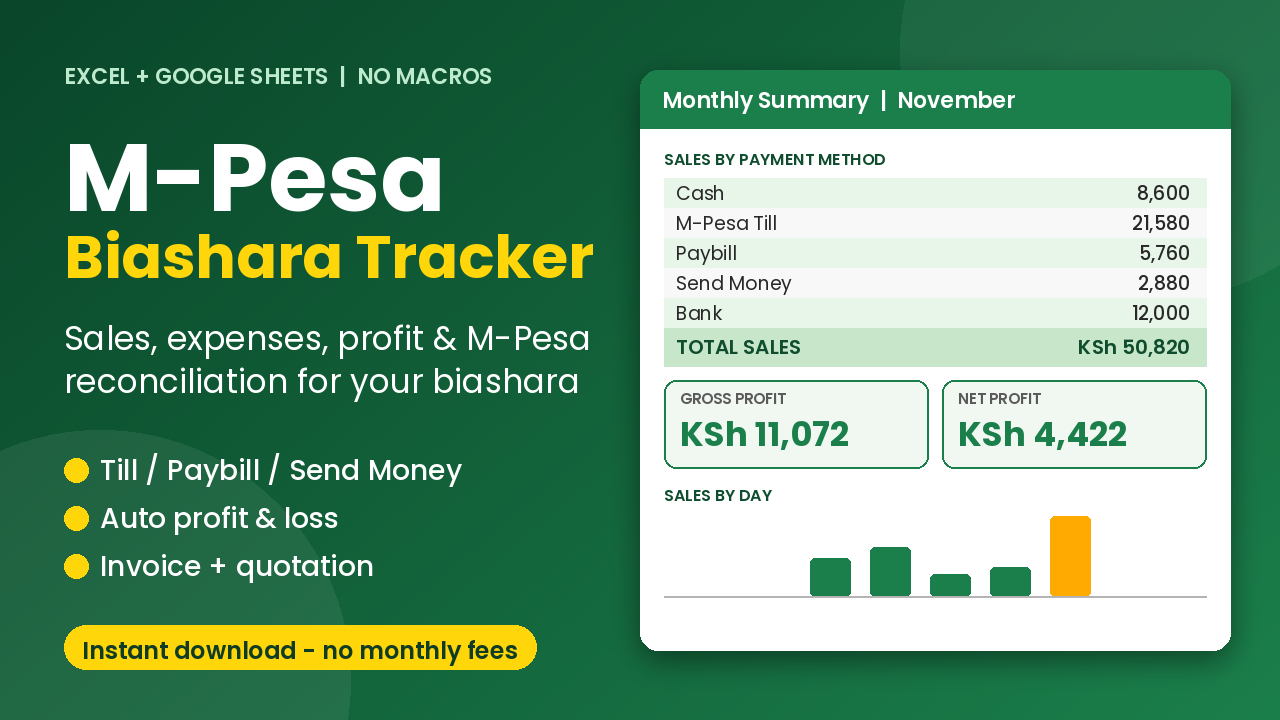
Monthly Summary – sales by payment method, expenses by category, gross profit, net profit, closing balance and a sales-by-day chart.
Invoice & Quotation templates with your KRA PIN, Till and Paybill details.
eTIMS invoice log and a Turnover Tax (TOT) general-information sheet with a rough estimate.
Sample data (marked in yellow) to show how it works – delete it and start.
PDF guide: "How to use with your M-Pesa statement".
Works with: Excel, Google Sheets (free) and LibreOffice. No macros. You can use it on a phone through Google Sheets.
Please note: this is a record-keeping tool, not tax advice and not an eTIMS or TIMS system. A template cannot generate a KRA control-unit number or QR code. Independent product, not affiliated with Safaricom or KRA. Created with AI assistance and reviewed for Kenyan use.
Frequently asked questions
How do I track M-Pesa sales separately from cash?
Record every sale the same day with the date, item, amount, payment method and M-Pesa transaction code. Mark Till, Paybill, Send Money, cash and bank as different methods. Mixing M-Pesa into “cash” makes both balances wrong. This workbook has those payment methods built in.
Is an M-Pesa statement enough as a business record?
No. A statement proves that money moved, but it does not say what you sold. Match each statement line to a sale, invoice or expense, then keep both. The reconciliation sheet is for that comparison.
Should I use a Till, a Paybill or a personal number?
A Lipa na M-Pesa Till or Paybill keeps business money apart from personal money and gives you clearer statements. A personal number mixes the two and makes bookkeeping and tax harder. The workbook supports all of these methods if that is how you are currently paid.
How do I reconcile the workbook with my M-Pesa statement?
Download your statement, then compare each transaction code and amount with your daily sales and expenses. Mark matches, and investigate anything unmatched, reversed or missing. The PDF guide walks through this. Do this often; old gaps are harder to explain.
Does this work in Google Sheets on my phone?
Yes. The file is a normal .xlsx with no macros, so you can open it in Excel, free Google Sheets or LibreOffice, including the Google Sheets app on a phone. Dropdowns may look slightly different on a phone than on a computer.
Is this an eTIMS system or tax advice?
No. It is a record-keeping workbook. It includes invoice and quotation layouts, an eTIMS invoice log, and general turnover-tax information, but it cannot issue a KRA-approved electronic tax invoice. Check current rules on the official KRA channels before you file or pay tax.