BUSINESS STARTER KIT
AI-POWERED BUSINESS STARTER KIT
What's Inside
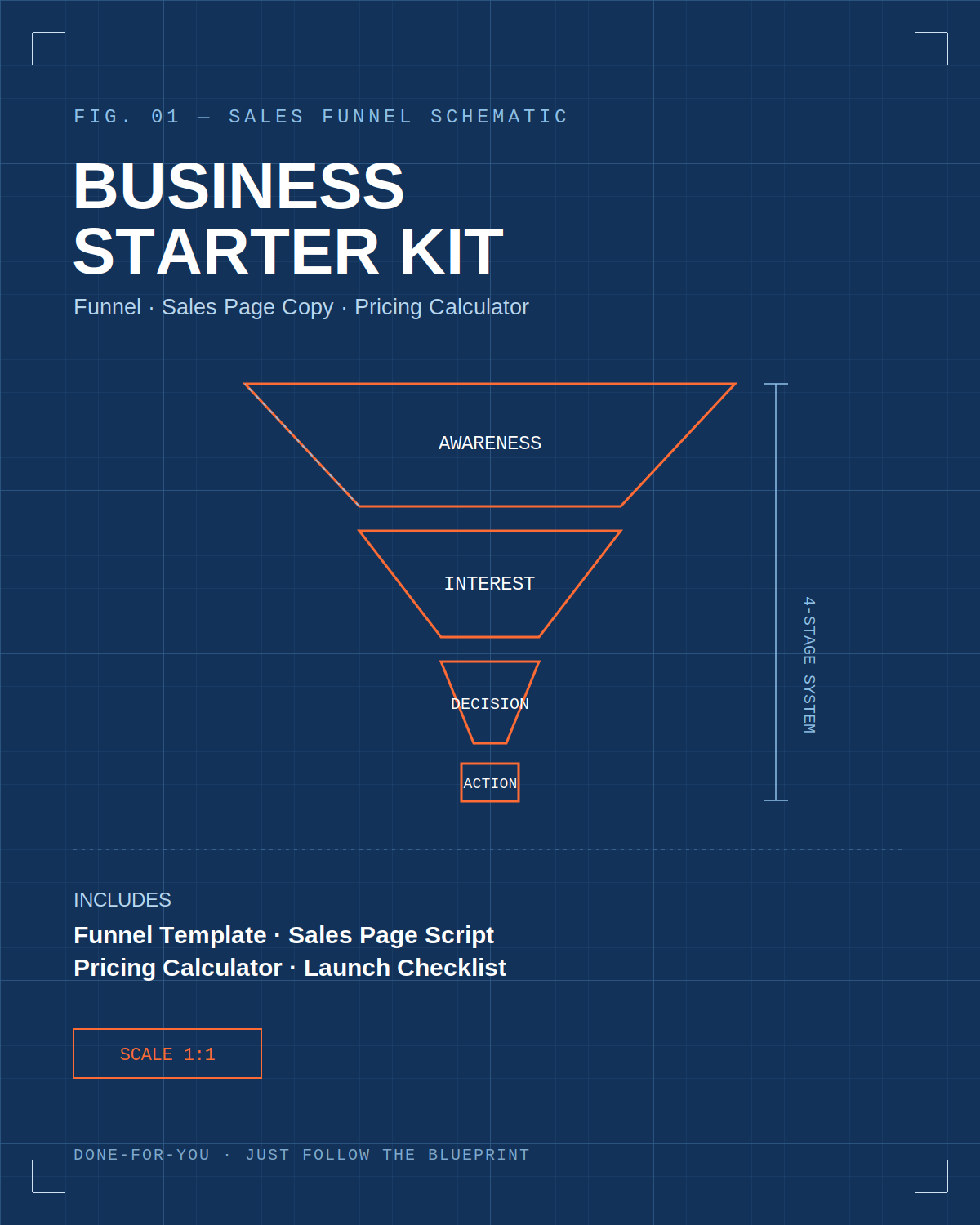
• Part 1 — The Funnel Template (Awareness → Interest → Decision → Action)
• Part 2 — Sales Page Copy Template (fill-in-the-blank, plus a worked example)
• Part 3 — Pricing Strategy Guide (pairs with the companion Pricing Calculator.xlsx)
• Part 4 — Launch Checklist
How to use this kit: Everywhere you see brackets like [YOUR PRODUCT], replace them with your own details. The worked examples use a fictional "AI Prompt Pack" product so you can see the template applied — swap in your own niche, offer, and voice.
Part 1 — The Funnel Template
A funnel is just the path a stranger walks to become a customer. Use this four-stage structure for any digital product, in any niche.
Stage 1: Awareness (Meta Ad)
Goal: stop the scroll and name the problem your audience already feels.
Template
• Hook (first line): Call out the exact person or pain — "If you're a [audience] who's tired of [pain]..."
• Agitation (1–2 lines): Make the cost of the problem concrete — time lost, money left on the table, stress.
• Bridge: "Here's the fix" / "What if you didn't have to..."
• CTA: "Tap to get [PRODUCT NAME]" or "Learn more"
Worked Example
"If you're a small business owner who stares at a blank page every time you need social captions — this fixes that in 10 seconds. The AI Prompt Pack: 100 ready-to-use prompts for e-commerce and marketing content. Tap to grab it."
Stage 2: Interest (Landing / Sales Page)
Goal: the visitor decides "this is for me" within 5 seconds of arriving. Covered in full in Part 2.
Stage 3: Decision (Offer + Objection Handling)
Goal: remove the last reasons not to buy.
• Show exactly what's included (a visual list or mockup beats a paragraph)
• Answer the top 3 objections: "Will this actually work for my niche?" / "What if I'm not techy?" / "What if I don't like it?"
• De-risk with a guarantee or a free preview sample
Stage 4: Action (Checkout + Delivery)
Goal: frictionless purchase and instant gratification.
• Sellar.com handles checkout and auto-delivers the download link — no manual work
• Keep the checkout page to one product, one price, one button
• Send a short welcome/delivery email confirming what they bought and how to use it first
Part 2 — Sales Page Copy Template
Use this section-by-section structure for your Sellar.com product page. Each section has a fill-in template followed by a worked example.
1. Headline
Template: [Specific outcome] for [specific audience] — without [common pain/objection].
Example: "100 Done-For-You AI Prompts That Write Your Marketing Copy in Seconds — No Prompt-Writing Skills Needed."
2. Subheadline
Template: A one-sentence expansion naming the format and the payoff.
Example: "A plug-and-play prompt library for e-commerce and digital marketing — just copy, paste, and customize."
3. Problem / Agitation
Template: Describe the current struggle in the reader's own words (3–4 short lines). Don't solve it yet — just make them nod.
Example: "You know AI tools can save you hours. But every session starts the same way: staring at a blank prompt box, typing something vague, and getting a generic result you have to rewrite anyway."
4. Solution Introduction
Template: Introduce the product as the bridge from problem to outcome, in one paragraph.
Example: "The AI Prompt Pack removes the guesswork. It's 100 tested prompts, organized by use case, so you open the doc, copy the one you need, and get a usable result on the first try."
5. What's Included
Template: A bulleted, visual list — not paragraphs.
• 100 prompts across 4 categories (25 each)
• Formatted PDF + copy-paste text doc
• Editable [ ] fields so you can drop in your own product/brand details
• Lifetime access to updates
6. Social Proof
Template: A short testimonial, a usage stat, or a before/after. If you're pre-launch, use a specific, verifiable claim instead (e.g., "tested across 30+ e-commerce listings") rather than fabricating a quote.
7. The Offer
Template: Restate the product, the price, and what makes it a clear value relative to the price. See Part 3 for how to set the number.
8. Guarantee
Template: "If [PRODUCT] doesn't [core promise] within [timeframe], email us for a full refund — no questions asked."
9. FAQ (Objection Handling)
• "Will this work for my niche?" → explain how prompts are adaptable / list included niches
• "What format do I get it in?" → PDF + doc, instant download
• "Do I need a paid AI tool?" → note which tools it works with (ChatGPT, Claude, etc.)
10. Final CTA
Template: Restate the outcome, restate the price, one button. "Get [PRODUCT] now for [$PRICE] →"
Part 3 — Pricing Strategy Guide
Pair this section with the companion file Pricing_Calculator.xlsx, which turns these inputs into your breakeven and margin automatically.
Three-Tier Structure
Offering three price points increases average order value because most buyers pick the middle option.
Tier
Typical Price
What It Includes
Who It's For
Basic
$9–$19
Core product only
Price-sensitive first-time buyers
Pro (anchor)
$27–$47
Core + templates/bonuses
Most buyers — design your page to push here
Bundle
$67–$97
Everything + 1:1 or done-with-you add-on
High-intent buyers wanting more support
Setting Your Ad Budget Against Price
Rule of thumb for early testing: your Cost Per Purchase (from Meta Ads Manager) needs to stay meaningfully below your price to leave room for profit after ad spend. Use the Pricing_Calculator.xlsx to enter your price, product cost, and target ad spend — it will compute your breakeven conversion rate and required ROAS automatically.
Part 4 — Launch Checklist
Before You Launch
• Product built and delivery file(s) finalized
• Sales page copy written (Part 2) and uploaded to Sellar.com
• Pricing tiers set (Part 3) and Pricing_Calculator.xlsx completed
• Sellar.com storefront live with automated delivery tested (buy your own product once to confirm)
• Meta Pixel installed on your Sellar.com page
Launch Day
• Meta Ads Manager campaign created with objective = Conversions
• Audience targeting set (interests/behaviors relevant to your niche)
• Ad creative + copy uploaded (Stage 1 template above)
• Tracking confirmed: place one test order and verify it shows in the Pixel/Ads Manager
First Week
• Check cost-per-purchase daily against your breakeven number
• Read every piece of buyer feedback and note recurring objections — feed them back into the FAQ section
• Kill or adjust any ad set with cost-per-purchase above breakeven after meaningful spend