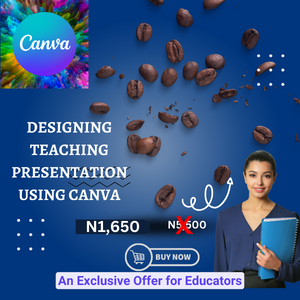
Designing Teaching Presentation Using Canva; An Exclusive Offer for Educators

Course Overview
This course is designed to help educators enhance their teaching delivery using the Canva app. Participants will learn how to create engaging presentations, design educational materials, and collaborate with colleagues and students.
Course Structure
This course provides comprehensive instructions on utilizing the tools mentioned below. It includes video demonstrations to encourage hands-on practice for effective learning. Additionally, online classes will be organized to provide further instruction, complemented by a 24/7 WhatsApp support section for answering questions. Lifetime unrestricted access to the course content is included, with every added modification and improvement available at any required time.
Discount
Take advantage of our limited-time offer! For the next 3 days, our course is available at a discounted price of 79.05%. Secure your spot now!
Alternative Payment Option
If you prefer to make a bank transfer, you can send your payment to:
Account Name: Bamidele Raymond O
Account Number: 0033625834
Bank: Access Bank
To complete your enrollment, please DM us on WhatsApp at +234-802-965-9450 with your payment evidence. Once confirmed, you'll receive access to the course.
100% Money-Back Guarantee:
We stand by the quality of our course. If you're not satisfied for any reason, we offer a 100% money-back guarantee within 24 hours. Simply provide proof of your dissatisfaction.
Course Objectives
- Understand the features and tools available in the Canva app.
- Create visually appealing presentations for classroom use.
- Design educational materials such as worksheets, infographics, and visual aids.
- Collaborate with colleagues and share designs with students.
- Explore creative ways to use Canva to enhance teaching delivery.
Course Outline
Module 1: Introduction to Canva
- Overview of Canva app features and tools.
- Creating a Canva account and exploring templates.
Module 2: Creating Engaging Presentations
- Selecting and customizing presentation templates.
- Adding text, images, and animations to slides.
Module 3: Designing Educational Materials
- Creating worksheets, handouts, and study guides.
- Designing infographics to summarize key concepts.
Module 4: Collaborating and Sharing
- Collaborating with colleagues on Canva designs.
- Sharing Canva designs with students through various platforms.
Module 5: Creative Applications of Canva
- Experimenting with different design styles and layouts.
- Incorporating multimedia elements into designs.
Course Delivery
- The course will be delivered online through a learning management system.
- Participants will have access to video tutorials, interactive activities, and discussion forums.
- Assignments will be given to practice using Canva in educational settings.
Assessment
- Participants will be assessed based on their completion of assignments and a final project.
- The final project will involve creating a comprehensive educational resource using Canva.
Conclusion
By the end of this course, participants will have the skills and knowledge to effectively use the Canva app to enhance their teaching delivery, creating engaging and visually appealing educational materials for their students.