Downloadable
CUSTOM FOOD DOCUMENTARY TEXT ANIMATION MACRO

(0 Ratings)
1
$3.00
CUSTOM FOOD DOCUMENTARY TEXT ANIMATION MACRO
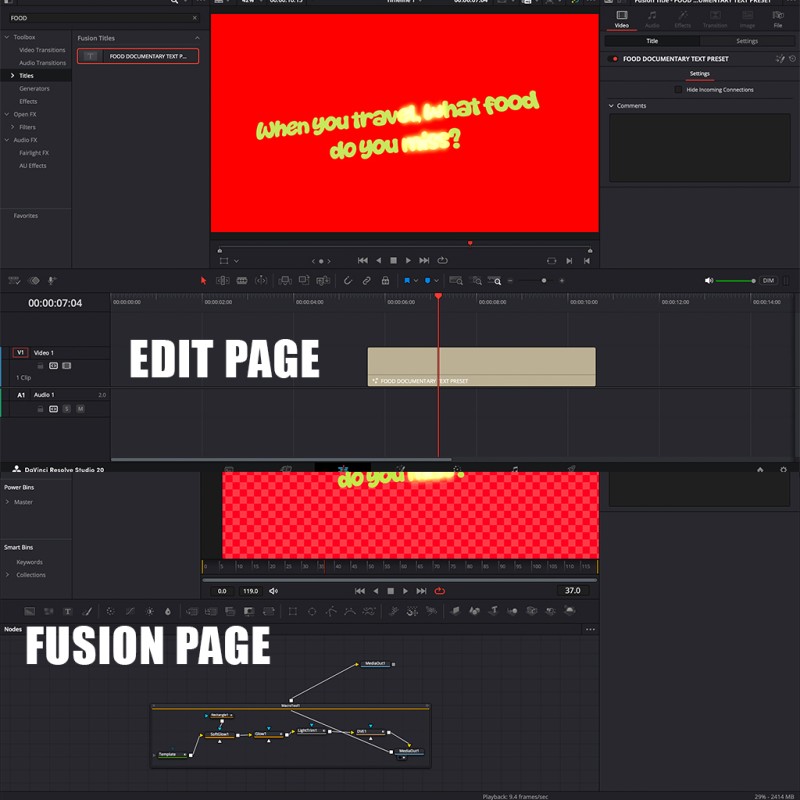
Bring your titles and captions to life with this fully customizable text animation macro for DaVinci Resolve. Designed for both the Edit Page and Fusion Page, this tool makes it easy to create smooth, professional-looking text animations in just a few clicks.
🎨 Features
- 🧩 Works on Both Fusion & Edit Page — total flexibility wherever you like to work.
- 🎛️ Fully Customizable — adjust text, font, color, size, motion, timing, and animation style.
- ⚡ Drag & Drop Simplicity — quick setup with instant results.
- 🎬 Professional Look — smooth animations ideal for intros, lower thirds, or cinematic titles.
- 💡 Lightweight & Fast — optimized for performance in both free and Studio versions of DaVinci Resolve.
⚙️ How to Install
- Copy the downloaded .setting or .setting macro file.
- Paste it into your DaVinci Resolve Titles folder:
- Windows:
C:\ProgramData\Blackmagic Design\DaVinci Resolve\Fusion\Templates\Edit\Titles- macOS:
/Library/Application Support/Blackmagic Design/DaVinci Resolve/Fusion/Templates/Edit/Titles
- Restart DaVinci Resolve.
✅ After restarting, you’ll find your macro inside the Titles section — available on both the Edit and Fusion pages.
💬 Tips
- Customize colors, motion blur, and animation curves for unique styles.
- Save your favorite settings as presets for future projects.
- Combine multiple text macros for layered effects.