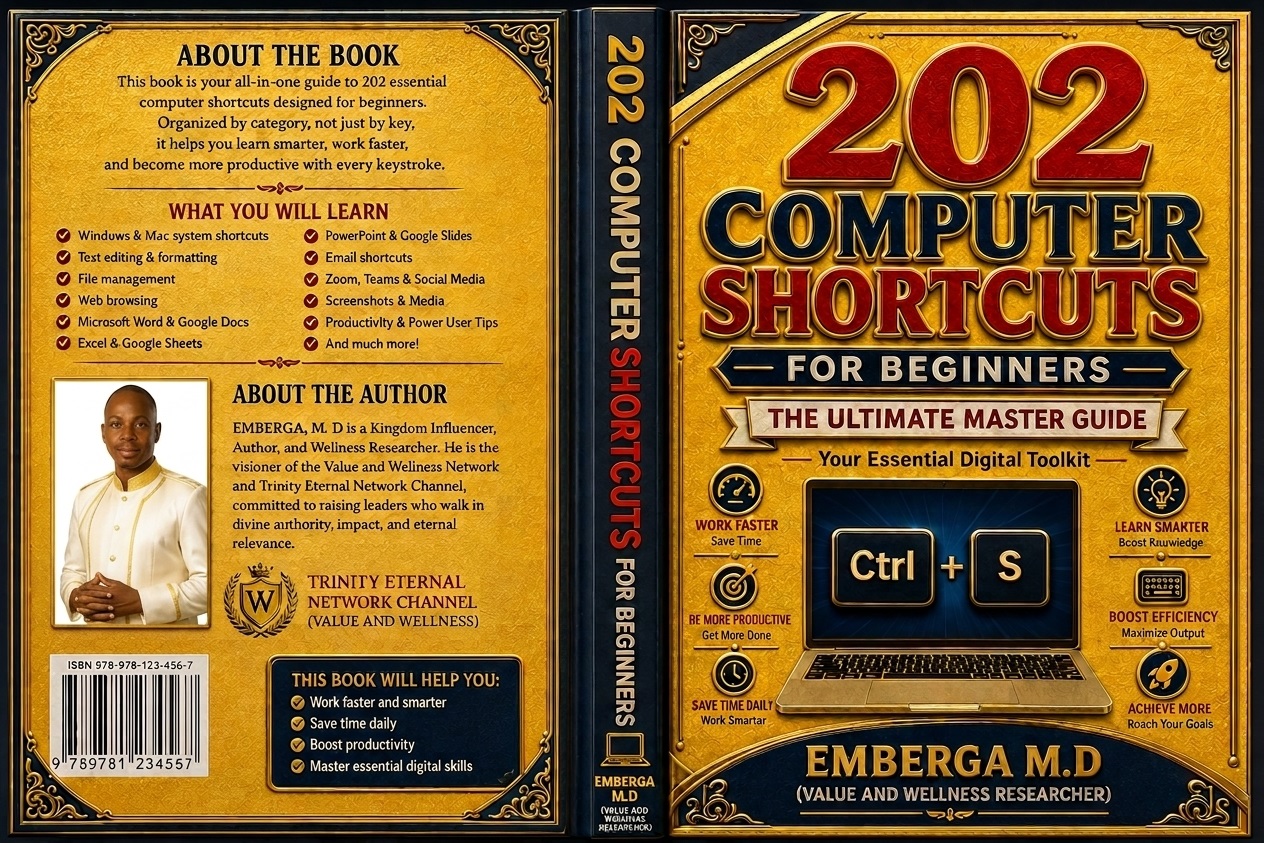
COMPUTER MASTER 202 (202 COMPUTER SHORTCUTS FOR BEGINNERS)

**TIRED OF BEING SLOW ON YOUR COMPUTER?**
Do you still use your mouse for EVERYTHING?
Copy... right-click... paste... right-click... save... click... click... click?
What if you could do it in 2 seconds with just 2 keys?
- **INTRODUCING:
202 COMPUTER SHORTCUTS FOR BEGINNERS (Illustrated Edition)**
* Emberga, M. D.*
This is NOT another boring list of keys to memorize. This book was written for you - all Users who wants to work FASTER, not harder.
Organized by **HOW YOU ACTUALLY USE A COMPUTER**, not A-Z.
**WHAT YOU WILL LEARN INSIDE (With Pictures):**
✅ **CHAPTER 2: Windows System Shortcuts [1-20]** - Hide your screen with Win+D, find any file with Win+E, lock your PC with Win+L, clipboard history Win+V (see your last 25 copies!)
✅ **CHAPTER 4: Universal Text Editing [36-60]** - Copy, Paste, Undo, Find anything with Ctrl+F, Bold Italic in 1 second
✅ **CHAPTER 5: File Management [61-80]** - Rename with F2 (most people don't know this!), create new folder with Ctrl+Shift+N, select multiple files like a pro
✅ **CHAPTER 6: Web Browser Secrets [81-100]** - **Ctrl+Shift+T = Reopen closed tab (LIFESAVER!)**, close/open tabs without mouse, jump to any tab with Ctrl+1-9
✅ **CHAPTER 7: Microsoft Word & Google Docs [101-125]** - Headings, page break Ctrl+Enter, word count, comments
✅ **CHAPTER 8: Excel & Google Sheets [126-150]** - Jump to last cell with Ctrl+Arrow, AutoSum Alt+=, insert date Ctrl+;, filter Ctrl+Shift+L, create chart in 2 secs
✅ **CHAPTER 9: PowerPoint [151-165]** - New slide Ctrl+M, start show F5, black screen with B during presentation
✅ **CHAPTER 10: Gmail & Outlook [166-175]** - Compose with C, send with Ctrl+Enter, search with /
✅ **CHAPTER 11: Zoom, Teams, YouTube [176-185]** - Mute with Alt+A (never be embarrassed again!), share screen, YouTube J/K/L to rewind
✅ **CHAPTER 12: Screenshot & Media [186-195]** - Screenshot any area with Win+Shift+S, record screen
✅ **CHAPTER 13: THE GOLDEN 7 [196-202]** - If you learn NOTHING else, learn these 7. They save 80% of your time!
**PLUS 4 BONUS APPENDICES:**
**BONUS A:** Printable Cheat Sheet of ALL 202 Shortcuts - Tape it to your wall!
**BONUS B:** Windows vs Mac Conversion Chart
**BONUS C:** 30-Day Practice Plan - 3 shortcuts per day
**BONUS D:** Keyboard Symbols Glossary
**WITH PICTORIAL REPRESENTATION - Every chapter has colorful infographics** showing you exactly what the keys do. You SEE, not just read.
**WHO IS THIS BOOK FOR?**
👨🎓 Students - Finish assignments 2x faster
👩💼 Office Workers / Secretaries - Impress your boss
👨🏫 Teachers - Teach your students
👨💻 Business Owners / Cyber Cafe Users - Save time = Save money
👩👧 Complete Beginners - No jargon, simple English
💻 NYSC /Corp Members, Job Seekers - Add "Computer Proficient" to your CV for real!
**WHY THIS BOOK IS DIFFERENT:**
❌ Other books: List 500 shortcuts A-Z. You forget them.
✅ This book: Organized by CATEGORY. You learn by DOING. With PICTURES.
**FROM THE AUTHOR:**
"I have trained over 5,000 beginners in Enugu. The slow user moves the mouse everywhere. The fast user barely touches it. Practice 3 shortcuts a day from one chapter, and in 30 days you will cut your computer time in half." - Emberga, M. D. (Author of Relationship: The Greatest Asset)
**WHAT YOU GET:**
📘 42-Page Illustrated PDF (Instant Download)
🎨 13 Full-Color Infographic Posters
📄 Printable 1-Page Cheat Sheet
📱 Works on Phone, Laptop, Tablet
♾️ Lifetime Access - Free future updates
**PRICE: N3,500 (Launch Price) - Will soon be N5,000**
**100% MONEY-BACK GUARANTEE:** Use this book for 7 days. If you are not faster on your computer, message me and I refund you. No questions.
**Click "BUY NOW" to download instantly and start working like a pro in the next 10 minutes!**
Your computer has been waiting for you to learn its shortcuts.