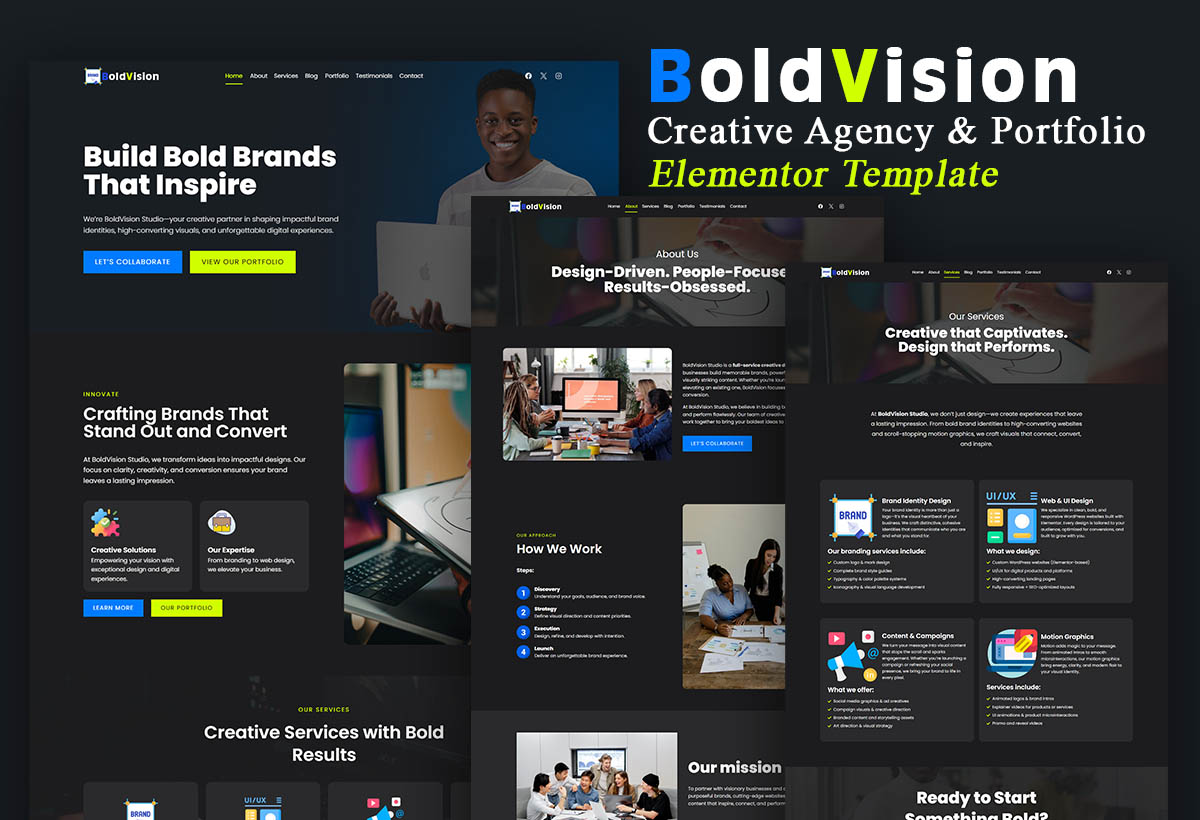
BoldVisio Agency Template

BoldVision is a modern, high-impact Elementor template designed for creative studios, branding agencies, designers, and media firms that want to make a bold first impression. With strong visuals, sleek layouts, and purposeful
storytelling, BoldVision is built to convert curiosity into client inquiries.
This premium template includes 7 professionally designed pages that balance form and function—perfect for showcasing your portfolio, detailing your services, and building trust with potential clients.
What’s Included:
- Homepage – Fullscreen hero with strong messaging, animated services overview, and call-to-action
- About Page – Bold introduction to your team, mission, and creative journey
- Services Page – Well-structured service blocks with icons, details, and benefits
- Portfolio Page – Masonry/grid-style gallery with category filters to showcase your best work
- Testimonials Page – Clean and elegant layout to display client feedback and social proof
- Blog Page – Thoughtfully designed layout to share updates, insights, and industry news
- Contact Page – Contact form, embedded map, and clear details to make it easy for clients to reach you
Design Features:
- Modern, clean, and bold aesthetic
- Built with Elementor – no coding required
- Fully responsive and mobile-optimized
- Uses Kadence theme color palette for easy customization
- Smooth scrolling, animations, and professional typography
- SEO-friendly structure and fast-loading layouts
Perfect For:
- Creative Agencies
- Personal and Freelance Portfolios
- Branding & Marketing Studios
- UI/UX Designers
- Motion Graphic Artists
- Content Creators
Why Choose BoldVision?
BoldVision was crafted for creatives who want their work to speak loud and clear. With flexible layouts, strong visual hierarchy, and a seamless user experience, this template helps you look professional, credible, and ready for business from day one.
To Import any Website template form templateselar.com please follow the procedure below..
1. From your WordPress dashboard, Go to Appearance ==> Themes ==> Add New Theme
2. Search and Install Kadence theme from WordPress theme directory and do not activate it
3. Upload and install the theme
4. Activate it
5. Install Kadence AI Starter template
6. Choose the template you purchased
7. Import the theme
9. That's it you have successfully imported your new website template from Template Selar.
10. Watch the video to learn how to import template from Template Selar https://youtu.be/uaZq1LAHBsE