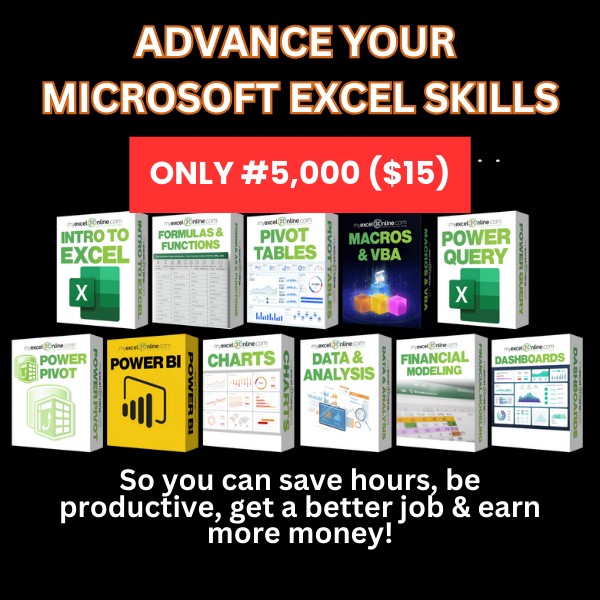
Microsoft Excel Mastery

Advance your Microsoft Excel Skills with the Excel Mastery Course!
...And Dramatically Reduce Repetition, Stress, and Overtime!
...And Exponentially Increase Your Chances of a Promotion, Pay Raise, or New Job!
Learn in as little as 5 minutes a day or on your schedule.
COURSE CURRICULUM
When you join the Excel Mastery Course, you can access all the Excel course levels.
BEGINNER
✔ Introduction
✔ Formulas
✔ Formatting
✔ Charts
✔ Printing
INTERMEDIATE
✔ Formulas
✔ Pivot Tables
✔ Macros & VBA
✔ Data & Analysis
✔ Charts
ADVANCED
✔ Formulas
✔ Pivot Tables
✔ Macros & VBA
✔ Power Query (Get & Transform)
✔ Power Pivot
✔ Data & Analysis
✔ Charts
✔ Microsoft Access
✔ Power BI
✔ Excel Dashboards
✔ Financial Modeling
P.S. With the course you get access to the following when you buy and join today for only:
✔ 20+ Excel Beginners, Intermediate & Advanced Courses covering ALL Excel Features (including...Formulas, Macros, VBA, Pivot Tables, Power Query, Power Pivot, Power BI, Charts, Financial Modeling, Dashboards + MORE!) with 1,000+ Video Tutorials ($9,997 Value)
✔ New Excel Video Tutorials/Courses Added Every Month ($997 Value)
✔ Downloadable Practice Workbooks ($497 Value)
✔ BONUS #1: 3 X Best Selling eBooks on Formulas, Macros & Pivot Tables ($87 Value)
✔ BONUS #2: Excel Time-Saving Resources ($1,497 Value)
✔ BONUS #3: Job Interview Cheat Sheet (PRICELESS)
✔ BONUS #4: Pro-Level Rapid Excel Support ($2,497 Value)
Get All This For ONLY #5,000 ($15)
If any of this strikes a chord, then this course is for you…
✔ You're starting to learn Microsoft Excel late in life or you've been using it for decades, you're a manager, accountant, finance analyst, administrator, CFO or any other corporate professional, and have wondered how to get an advantage over your colleagues or peers.
✔ You're preparing for job interviews, wishing for a quicker way to become confident at Excel, so you’ll have a greater chance of landing a job!
✔ You often search on Google and YouTube to find answers to your Excel problems. Wishing for a more comprehensive, reliable, and up-to-date source of answers with quick support whenever you get stuck.
✔ You spend hours each month running reports and analyzing data. Wondering if there’s a better, more efficient way of doing things, so you can save hours from your busy schedule and go home early to your loved ones.
✔ You’ve been given new data handling, analysis, and reporting responsibilities with little or no Excel training.
Frequently Asked Questions
Who should buy the Course?
Anyone who wants to elevate their Excel knowledge & skills, including…
• New users, beginners, intermediates, and advanced Excel users.
• Professionals working in the corporate world or government sectors who want to leverage Excel for increased productivity, accurate data management, and reporting.
• People who want to change careers and apply for a new job that requires knowledge of Microsoft Excel
It doesn’t matter if you are completely new to Excel. No prior Excel knowledge is necessary to participate in the Course.
What version of Excel do I need?
The tutorials were recorded using Excel 2010, 2013, 2016, 2019, and Office 365.
Most of the concepts taught are compatible with:
• Excel for Windows: 2007, 2010, 2013, 2016, 2019 & Office 365
• Excel for Mac: 2011, 2016, 2019 & Office 365
Are there start and finish dates?
No - this isn’t like school - this is self-paced learning - you decide when you start and when you finish.
You get access to all the training materials.
You can access the course materials from your work computer, home computer, tablet, smartphone, or any other device with an internet connection or download them for offline viewing.
How long does it take to complete the three levels?
The course is broken down into the following levels:
- Excel Beginner - 7 hours
- Excel Intermediate - 10 hours
- Excel Advanced - 29 hours
This depends on how much time you have to spend each day watching the videos. We recommend watching two or four videos a day and then practicing the techniques in your job.
Each person learns at a different pace, so one can finish all the courses within a few weeks or a few months.
Can I download the Excel files used in the course?
Yes! You will be able to download and keep all the exercise files in each of the courses inside the Excel Mastery Course as well as our PDF Cheat Sheets.
This makes it easy to follow along and practice with our data, whether you are online or offline.
Can I watch the videos on my iPad, Tablet, or mobile device?
Yes, the course and all the training materials can be accessed on any tablet or smartphone, and it looks beautiful. You can watch the course on your iPad, Tablet, or mobile phone anywhere and anytime!