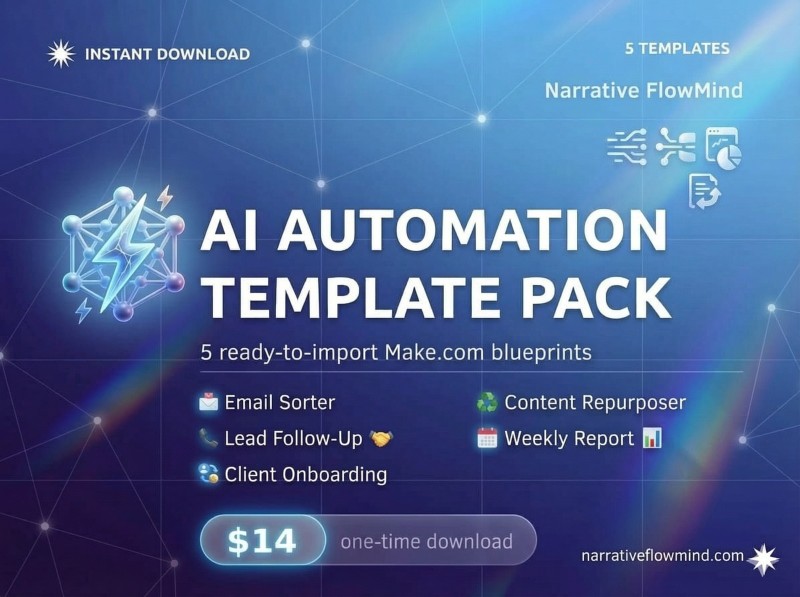
AI Automation Template Pack
You know AI automation can save you hours every week.
But setting it up from scratch takes time you don't have — figuring out the right tools, writing prompts that actually work, connecting all the apps together, debugging when something breaks.
This template pack does all of that for you.
──────────────────────────
5 TEMPLATES INCLUDED
──────────────────────────
⚡ Template 1 — AI Email Sorter & Auto-Responder
Automatically labels every incoming email (URGENT, ENQUIRY, NEWSLETTER, etc.) and sends personalised AI-written replies to new customer enquiries. Setup time: 45 minutes.
⚡ Template 2 — Social Media Content Repurposing Bot
Paste one blog post or newsletter into Google Sheets. The automation generates 8 platform-specific posts — LinkedIn, Twitter/X, Instagram, and WhatsApp — and writes them back instantly. Setup time: 60 minutes.
⚡ Template 3 — Lead Follow-Up Automation
When a new lead fills your contact form, a personalised follow-up email is sent from your Gmail within 60 seconds. Works with Typeform, Google Forms, Tally, and any webhook-enabled form. Setup time: 30 minutes.
⚡ Template 4 — Client Onboarding Workflow
When a new client pays on Stripe: their Google Drive folder is created, they're added to your CRM sheet, a personalised welcome email is sent, a Notion onboarding page is generated, and your Calendly link is delivered — all in under 2 minutes, automatically. Setup time: 90 minutes.
⚡ Template 5 — Weekly Business Report Generator
Every Monday at 8am, this automation pulls your key metrics from Google Sheets, runs them through AI for trend analysis and commentary, and emails you a formatted weekly business report. Setup time: 45 minutes.
──────────────────────────
WHAT'S INCLUDED IN EACH TEMPLATE
──────────────────────────
📋 Step-by-step setup guide (clear enough for beginners)
🤖 -paste AI prompts — tested and optimised for accuracy
⚙️ Full workflow diagram — see exactly how each automation works
🔧 Troubleshooting guide — fix the most common errors fast
💡 Customisation tips — adapt each template for your specific business
──────────────────────────
TOOLS REQUIRED (ALL FREE TO START)
──────────────────────────
Make.com (free tier) · OpenAI API ($5 credit lasts months) · Google Workspace · Notion · Stripe
──────────────────────────
WHO THIS IS FOR
──────────────────────────
→ Freelancers who want automations running without spending weeks learning
→ Small business owners who want results this week, not next month
→ Agency owners who want to save 10+ hours per week on repetitive client work
→ Anyone who bought the AI Automation Mastery Course and wants to fast-track their setup
──────────────────────────
FREQUENTLY ASKED QUESTIONS
──────────────────────────
Do I need to know how to code? No. Everything is copy-paste and click.
Do I need to buy Make.com? No — the free tier covers all 5 templates.
How long does setup take? 30–90 minutes per template. Most people finish all 5 in a weekend.
What if I get stuck? Join the AI Automation Insiders community (see my other products) for direct support.
Stop setting up automations from scratch. Get 5 working ones today.
🔥 If you’re serious about working smarter, not harder — now is the time to act.
LIMITED TIME OFFER!!!