
Master Cashbook V1122F

Manage up to 115 Account (General Ledger) Codes and Descriptions!
In this Version, you can change the ACCOUNT NAMES but cannot change the ACCOUNT CODES! If you desire a template that you can change the Account Codes and Account Names, you may need to consider this link https://selar.co/hv451i
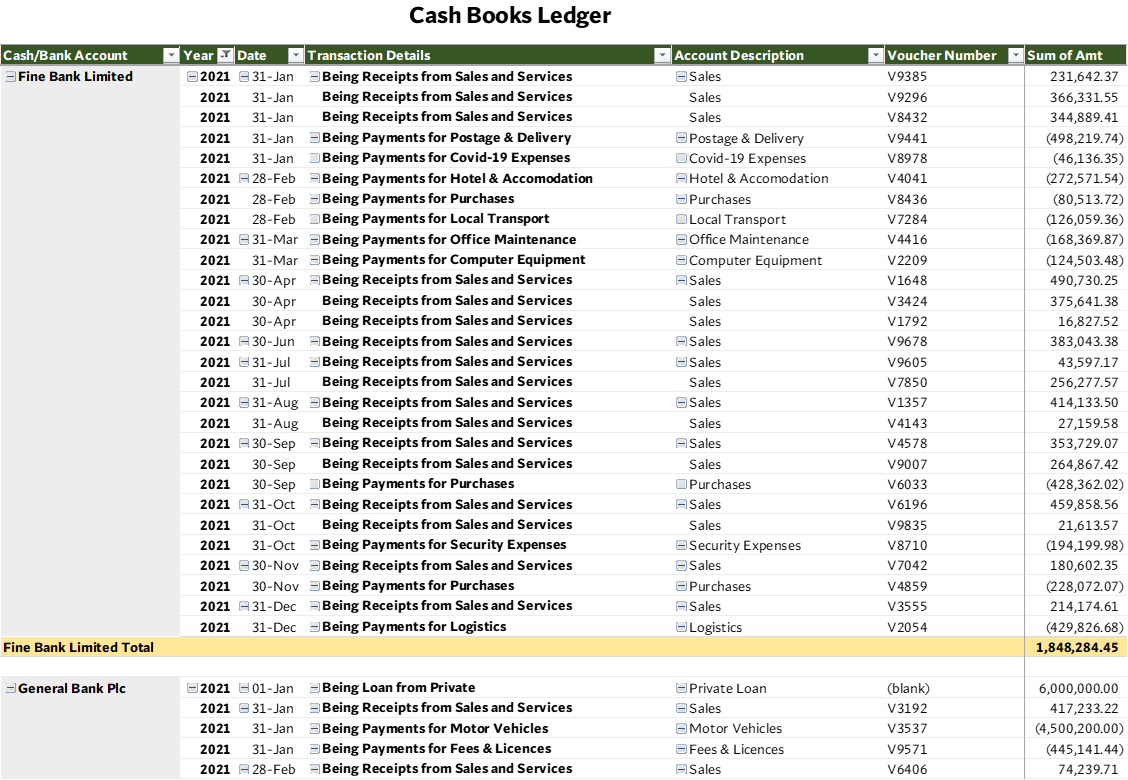
This is a Master Cashbook template designed with Microsoft Excel to Track your monthly cash flow. Cashbook means the Office Petty Cash Books and the Bank Books kept by the Bookkeeper or Account Officer.
Before you consider whether this Excel Template is worth it or not, here is the question you need to answer:
- Why are you still using MANUAL/PHYSICAL ANALYSIS BOOKS to keep cash/bank payments and analyze expenses?
- How long does it take you or your bookkeeper to give you a weekly/monthly cash report?
- Will you like to see a super-fast way of tracking cash receipts and payments in your business/organization?
Yes! We know that not everyone/businesses can afford ACCOUNTING SOFTWARE. But we know that you need to automate your data entry process. It is time to add a computerized data entry process in your system.
If you cannot afford ACCOUNTING SOFTWARE, we have a structured and customized Excel template that will give you quick insights into your CASH FLOWS.
IMAGINE AN EXCEL TEMPLATE THAT GENERATES GENERAL LEDGERS. See a sample of the GL in the video below.
DO YOU KNOW?
- Hard Cover Note Books or Cash Analysis Books are from N2,500 to N20,000 or more depending on the size of book you want to buy.
- Manual/Physical Notebooks and Analysis books cannot give you a quick insight into your cash flow management. They cannot give you instant reports without you performing the extra calculations tasks.
- You will have to scan the books to send to your emails for online backups
WE HAVE TAKEN ALL THE STRESS AND EXTRA CALCULATIONS FROM YOU AND YOUR STAFF!
This is a ONE-OFF Payment
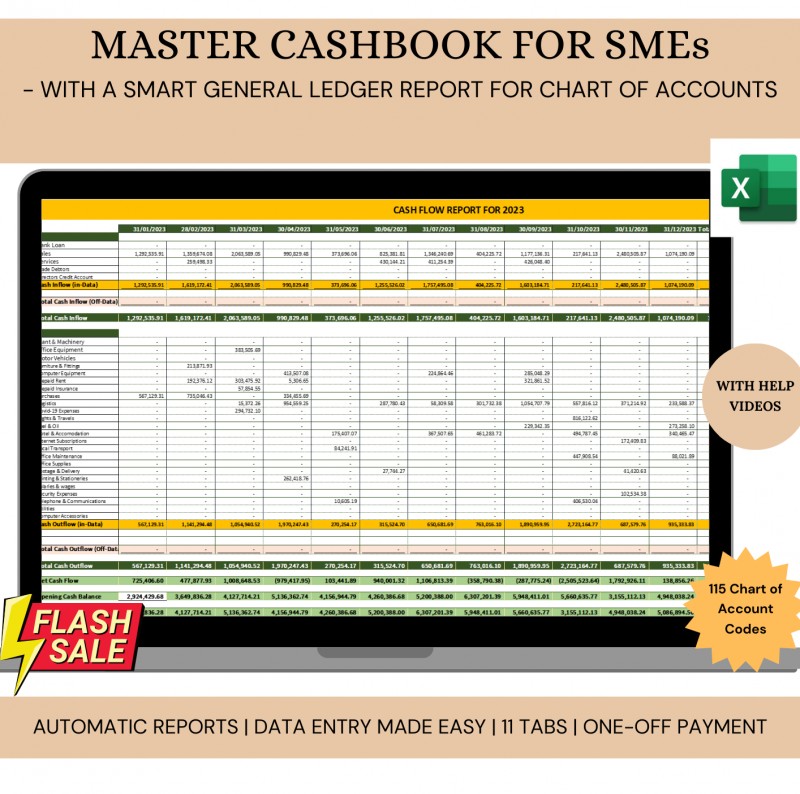
This Excel Template will generate Cashbook Ledgers and Monthly Cashflow Summary for your business! Yes! it works just like proper Accounting Software!
MAYBE YOU ARE ALREADY USING ACCOUNTING OR BOOKKEEPING SOFTWARE BUT YOU STILL HAVE EXCEL SPREADSHEETS ON THE SIDE FOR BACKUP! Yes! We know you do!
- Why use an unstructured Excel Template when you can use a customized and structured template?
- Why do you spend extra days extracting reports from an unorganized excel sheet when you can have everything in your Excel automated?
This is what you need. Invest N25,000 and save time in your work.
Features of the Master Cash & Bank Books include:
- Record all Cash inflow into 10 (ten) Cash and Bank Accounts
- Record all Cash outflows from (10) Cash and Bank Accounts
- Manage All cash balances on the go. You don't have to do anything to get the cash balance. It is an automatic cash balance as you enter cash and bank transactions.
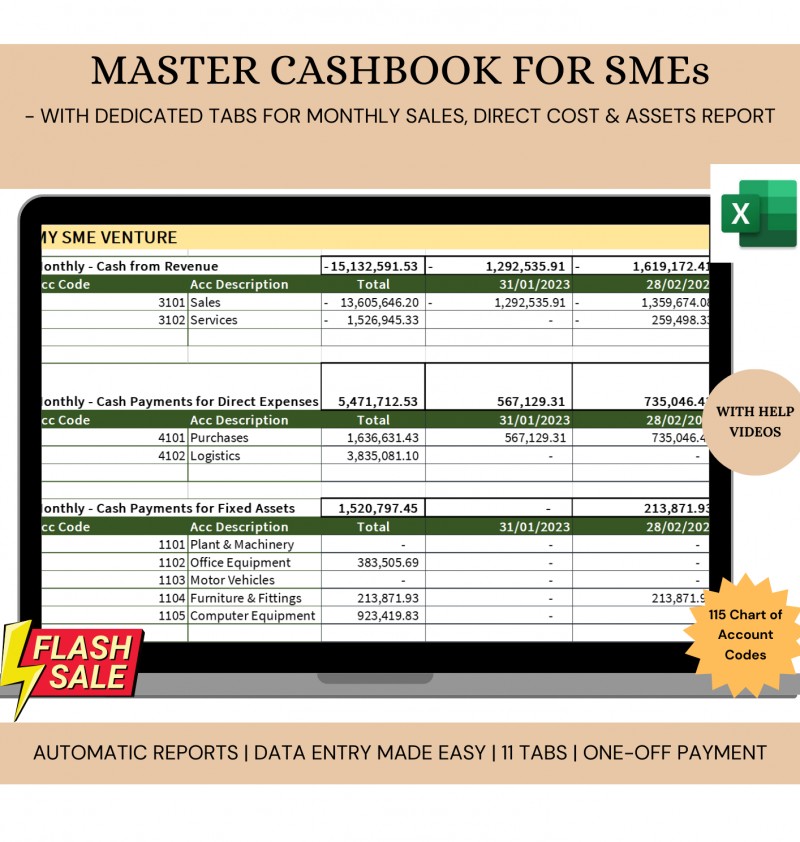
- Automatic Cash Outflows Report. This is a report on a Cash basis. You will get detailed monthly reports on all Cash Payments for Direct Cost, Overhead Cost, and Fixed Assets. This can be used to prepare your monthly statements.
- Generate automatic Cash inflow from all sources
- Automatic Cash Ledgers for each Cash & Bank Account
- Automatic Expense & Asset Ledgers for each account head
- Very little set up needed from your end
- No VBA (coding and Macros). Easy formulas that will work on all versions of Excel (Use of Office 2010 upwards strongly advised)
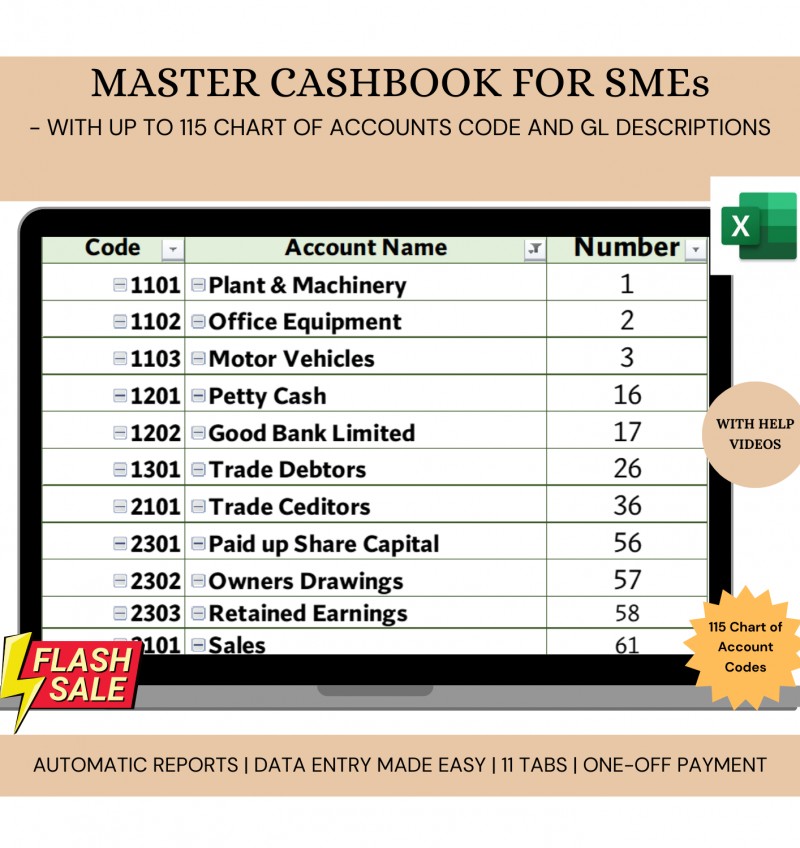
- Full chart of Accounts set up (Account Codes, Account Names, and Account Groups). Up to 115 Account Codes can be set up as follows:
- Ten (10) Account Codes for Cash & Bank
- Ten (10) Account Codes for Long Term Liabilities
- Ten (10) Account Codes for Payables & Accruals
- Ten (10) Account Codes for Receivables & Prepayments
- Ten (10) Account Codes for Revenue
- Fifteen (15) Account Codes for Direct Cost
- Fifteen (15) Account Codes for Fixed Assets
- Thirty (30) Account Codes for Overhead Cost
- Five (5) Account Codes for Equity
SPECIAL NOTE:
There are two versions of this Template. The first has a name extent ion tagged "115_Fixed_CoA_Codes" and the variant is tagged "115_Your_CoA_Codes".
MASTER CASHBOOK VERSIONS:
- Master-Cashbook-V1024f - 115_Fixed_CoA_Codes: This Template is USE AS PURCHASED. You cannot change the Account Codes in this version! However, you can change, edit, and update the Accounts Names/Descriptions in the Chart of Accounts. There are only 115 Account Codes here. The Version is for Non-Accountants who are using this template and do not understand financial system set up.
- Master-Cashbook-V1024f - 115_Your_CoA_Codes: This Template is USE AS PURCHASED WITH MODIFICATION (BASED ON YOUR CHOICE) WITH RESPECT TO THE CHART OF ACCOUNTS (CoA). You change the Account Codes in this version and you can also change, edit, and update the Accounts Names/Descriptions in the Chart of Accounts. This version is for Accountants who understands Financial & Accounting System set up. BUY THIS TEMPLATE INSTEAD AND BE ABLE TO USE THE ACCOUNT CODES FROM YOUR ORGANIZATION'S FINANCIAL SYSTEM.
Bonus:
- Monthly Cashflow outlay. This picks automatically from your records and arranges in a standard format that you can send to the bank. You do not have to make extra efforts in putting together a cash flow from all your records. The Template will do the work for you and present you with a complete cash flow statement.
- Insightful Dashboard. This gives you insights into your cash outflows
- One report Tab each for Monthly Sales, Direct Cost & Fixed Assets Reports
Get this template for only N15,000 and see how your cashflow bookkeeping becomes smooth and you will have time for other things.
SEE THE GENERAL OVERVIEW OF THE TEMPLATE
USEFUL TIPS
- If you purchase the template through your mobile device or tablet, and you did not get any download file, kindly send an email to [email protected] with your Payment Reference and an attached invoice. The template will be sent to you within 24 hours of receiving your email.
- If you need extra support on the template or you have questions to ask regarding the usage, please chat up the team on WhatsApp (only) at +234 908 364 9810
- If you made a payment, and there is no evidence of payment but you were debited, kindly use the link provided by selar.com to make your complaint.
- This Template does not work well on Google Sheets. Microsoft Excel is the best tool to open this template.
By purchasing this template, you agree to read the HOW TO USE TEMPLATE and also have to review the TERMS & CONDITIONS of the Template
If you are still making up your mind on whether to buy the template or not, you can still take your time to go through the various videos that explain all the features of the template.
STEP-BY-STEP ON HOW TO USE THE EXCEL TEMPLATE
1. How to set up the Template
2. How to set up the Chart of Accounts
3. How to activate the Chart of Accounts
4. First steps in data entry
5. How to record cash transfers from one bank account to another bank account
6. How to recording opening cash balances
7. How to record day-to-day cash transactions
8. How to generate Cash inflow reports from Sales and Cash outflow reports for Expenses & Fixed Assets Purchases
9. How to generate a 12-month (month by month) cashflow statement
10. How to generate General Ledgers, Cashbook Ledgers, and Dashboard
See steps on how to purchase and pay through selar.com https://drive.google.com/file/d/1fyz6riamJcTGA8SWPYanWYtbY8b6alER/view?usp=sharing
Alternative payment methods:
If you are having any challenges making payments kindly send us a message on WhatsApp and we shall assist.
Chat with us via this link https://wa.me/message/WRRNM5SYOHIXH1 or +234 908 364 9810