'Computer Proficiency Book' Android app with Activation Key

'Computer Proficiency Book' is an exceptional Android mobile app that contains two self-explanatory books that can help you to improve on your computer proficiency skills.
Main book (463 pages)- "Computer Proficiency for Everyone: An excellent guide with practical lessons on Computer Fundamentals, Microsoft Word, PowerPoint, and Excel".
Bonus book (100 pages)- "Good Practices in Preparing Your Microsoft Word Document".
The app is available for download on Google Play Store.
After successful payment, you will receive your Book Activation Key in your email address in less than 7 hours.
You will need the Book Activation Key for the one-time activation of the 'Computer Proficiency Book' app on your mobile device.
Thank you.
For enquiries, you can contact us through our email- [email protected].
About the "Computer Proficiency for Everyone" Book
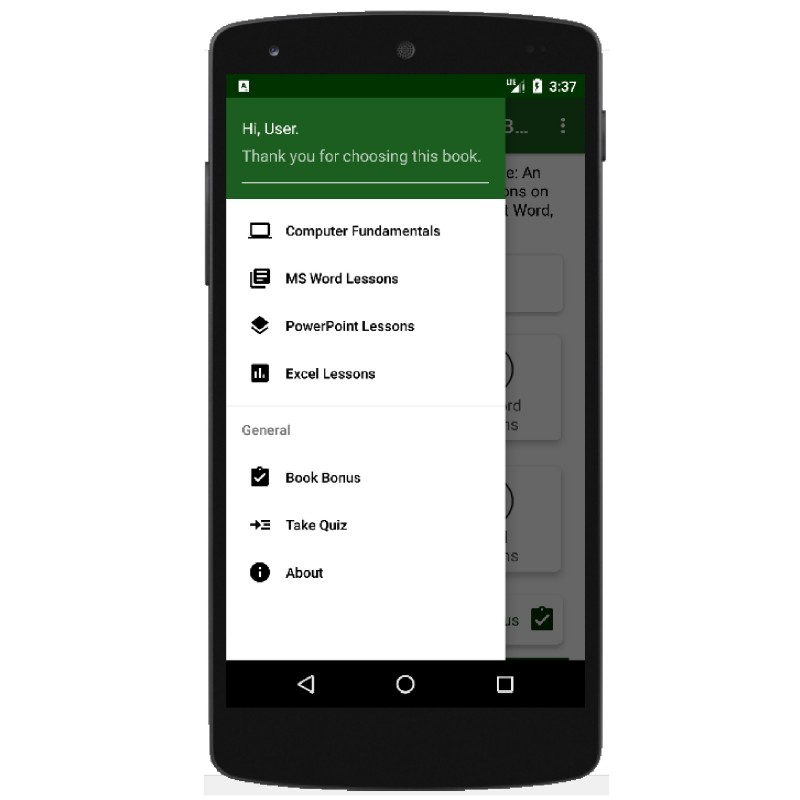
In the app, the book is organized into four key parts, which are:
- Computer Fundamentals
- Microsoft Word
- Microsoft PowerPoint
- Microsoft Excel
Computer Fundamentals (Lesson 1): This first lesson helps to build a solid foundation in Computer usage by providing the general knowledge you need to have about the computer system, its hardware and software components, its key operations, its maintenance, among others.
Microsoft Word (Lessons 2 to 5): This introduces you to Microsoft Word document, and practically demonstrates how to add and format texts, tables, charts, pictures, among others. In the lessons, you will also learn how to make good use of the Review tool in Microsoft Word, how to insert automatic Table of Content, and how to print your documents.
Microsoft PowerPoint (Lessons 6 to 7): In the lessons, you will be introduced to Microsoft PowerPoint presentation; and you will practically learn how to add and format texts, tables, charts, pictures, among others on slides. You will also learn how to run slideshow, design simple graphics, add transitions and animations to your slides and their contents respectively; and how to make nice simple video with PowerPoint.
Microsoft Excel (Lessons 8 to 13): In the parts, you will understand the main Excel features and commands, and how to enter, format, filter and analyze data; how to create, format and design charts of different kinds in Excel; how to use Excel formula and functions to perform calculations, and do some data analysis. You will also learn about Auto Fill, Flash Fill, PivotTable, PivotChart, document printing, and some keyboard shortcut keys in Microsoft Excel.
Happy learning.