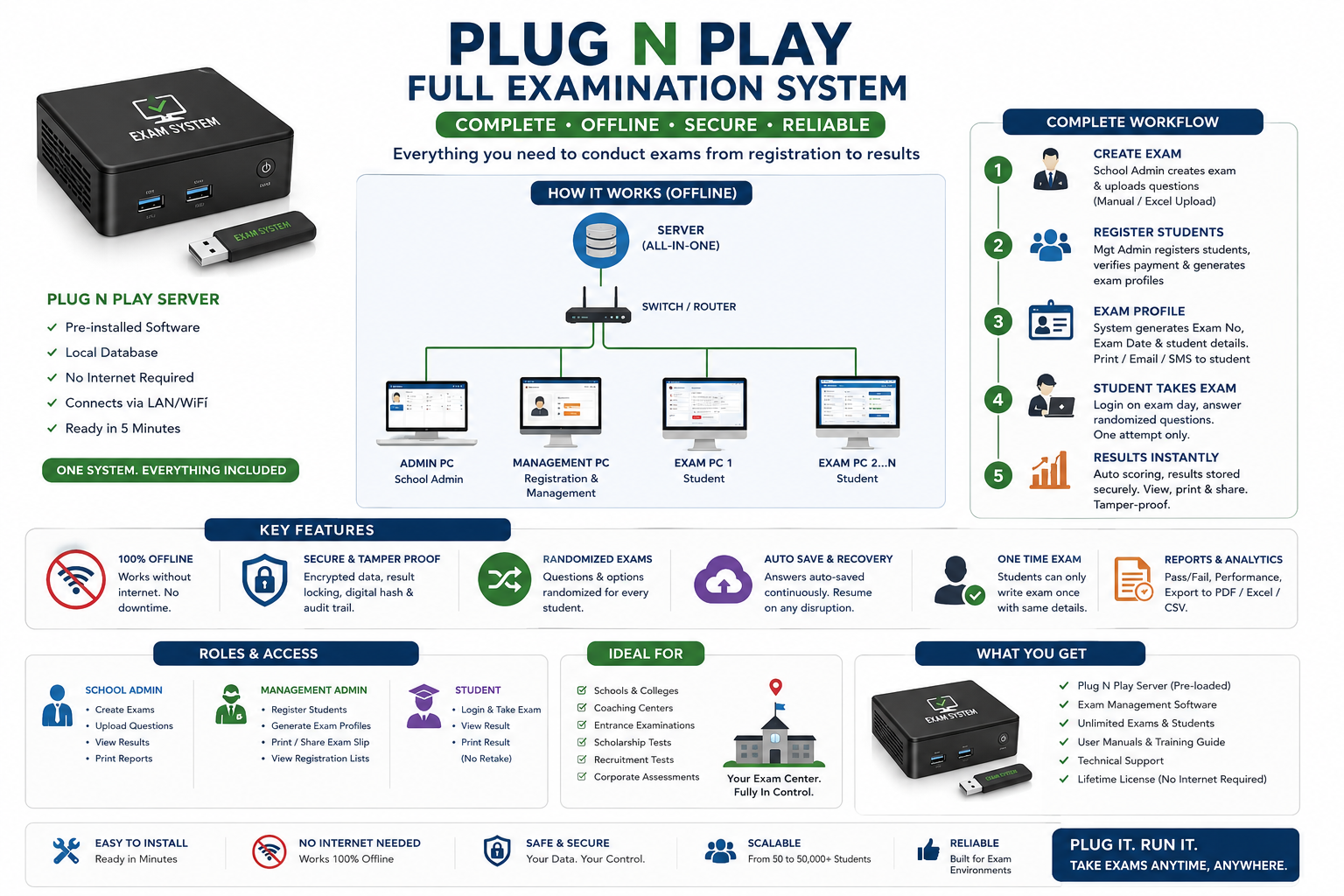
EAMS - Complete Examination Administration System (Single HTML File)

Run professional computer-based exams offline. One file. No server. No installation. Works in any browser.
🎓 Run Real Exams From a Single File - No Techie Required
EAMS (Examination Administration Management System) is a complete, ready-to-use computer-based testing solution packed into one HTML file you download once and open in any browser.
No installation. No monthly subscription. No internet required during exams. No IT department needed.
If you can open a website, you can run a full examination.
🏫 Built For
✅ Secondary schools and universities running entrance or promotional exams
✅ Training centres and coaching institutes
✅ HR departments running recruitment assessments
✅ Professional bodies running certification exams
✅ Churches, mosques and community organisations running scholarship screening
✅ Any individual or organisation that needs a structured, tamper-proof computer-based exam
📦 What You Get
One downloadable HTML file - EAMS_Complete.html - that contains the entire system. Open it in Chrome, Edge or Firefox and your exam portal is live.
Also included:
- 📄 Complete User Guide (Word document, print-ready, kid-friendly)
- 📋 This setup documentation
⚡ What EAMS Does (Full Feature List)
👥 User Management
Create admin accounts with any username and password you choose. Three role levels: Super Admin (full control), School Admin (exams and questions), and Management Admin (candidate registration). Disable or delete accounts anytime.
📚 Multi-Subject Exams
Bundle Mathematics, English, Science, or any subjects into one exam session. Students toggle between subjects using tabs during the exam. Each subject draws its own random question set.
❓ Question Bank
Add questions one by one, or bulk-upload hundreds via CSV paste (compatible with Excel). Each question has four options (A/B/C/D) with the correct answer stored securely.
🎲 Smart Randomisation
Every student receives a unique set of questions drawn randomly from your question pool. Answer options are also shuffled per student — no two papers are identical.
📅 Smart Exam Scheduling
Calendar date picker (independent of device locale — works anywhere in the world). Time dropdown in 30-minute intervals. Separate exam date and expiry date — the exam locks itself automatically after the expiry date.
✍️ Candidate Registration
Register candidates with name, phone, email, date of birth, gender and assigned exam. The system auto-generates unique exam numbers (e.g. 2027-ENT-00001). Built-in duplicate detection flags duplicate phone or email before saving.
🎫 Printable Admission Slips
Instantly generated after registration. Can be sent to printer, saved as PDF, or screenshotted as an image. Shows exam number, date, time, venue, subjects and login instructions.
⏱️ Live Exam Engine
Countdown timer with colour-coded warnings at 5 minutes and 1 minute remaining. Auto-submits when time expires. Scientific calculator built into the exam screen (sin, cos, tan, √, x², π and more).
🔒 Pre-Exam Warning System
Before starting, every candidate sees a mandatory notice: exam duration, one-attempt policy, and instructions not to close the browser. They must click "I Understand" to begin.
📈 Instant Scoring
Results are calculated the moment a candidate submits. Score, percentage, pass/fail status, and per-subject breakdown displayed immediately.
🛡️ Tamper-Locked Results
Each result is sealed with a unique hash code generated from the candidate ID, exam ID, score and timestamp. Any manual change to a result breaks the hash — tampering is detectable.
🕐 Full Audit Log
Every login, registration, question addition, exam activation, and submission is recorded with username, role, date and time. The log cannot be deleted.
💾 Flexible Storage
Choose at startup: save data locally in your browser (fully offline, ideal for closed labs), or point it at a LAN or cloud server URL. Export/import full data backups as JSON files anytime. Export results to CSV for Excel.
✗ What EAMS Does NOT Do (Honest Limits)
- Does NOT support essay, open-ended or fill-in-the-blank questions (MCQ only)
- Does NOT embed images inside question text
- Does NOT send emails or SMS automatically — slips must be printed or shared manually
- Does NOT lock the browser into kiosk mode (use a third-party kiosk tool for that)
- Does NOT store data permanently if you clear your browser cache — always export a backup after each exam
- Does NOT allow retakes — by design, for integrity
🚀 Getting Started in Under 10 Minutes
- Download EAMS_Final.html
- Open it in Chrome or Edge
- Choose storage mode (Local or Cloud)
- Log in: superadmin / Admin@2027
- Change your password in Settings
- Create staff user accounts with your own credentials
- Create subjects → upload questions → create exam → activate
- Register candidates and print their slips
- On exam day: candidates log in with their Exam Number + email and write the exam
That's it. Results appear instantly when they submit.
🔐 Security Model
- Passwords are set by the Super Admin — you choose every credential
- All result data is hash-signed and read-only after submission
- One attempt per candidate, enforced by the system
- Full audit trail of every action
💻 System Requirements
- Any computer with Chrome, Edge or Firefox
- Works on Windows, Mac and Linux
- Works on tablets (Android/iPad) in browser
- No software installation required
- Works 100% offline (Local mode)
💬 Frequently Asked Questions
Can I change the exam questions after activation? Yes - deactivate the exam, make changes, then reactivate. No candidate data is affected.
What happens if the internet cuts out during an exam? In Local mode, nothing happens - the exam continues normally. There is no internet dependency.
Can I run multiple exams at the same time? Yes. Create multiple exams, each assigned to different candidate groups. Each exam has its own activation and expiry.
Can I use this on a school computer lab? Yes. Put the file on a shared drive or local server, open it on each computer, and every machine connects to the same data source.
Is the file safe to open? EAMS is a self-contained HTML file with no external connections in Local mode. It does not phone home, collect data or require any account.
Can I resell or customise this? No. Copyright requires you to only use a purchased version of this tool.
📥 What's Included in This Purchase
EAMS Examination System
UserGuide.docx