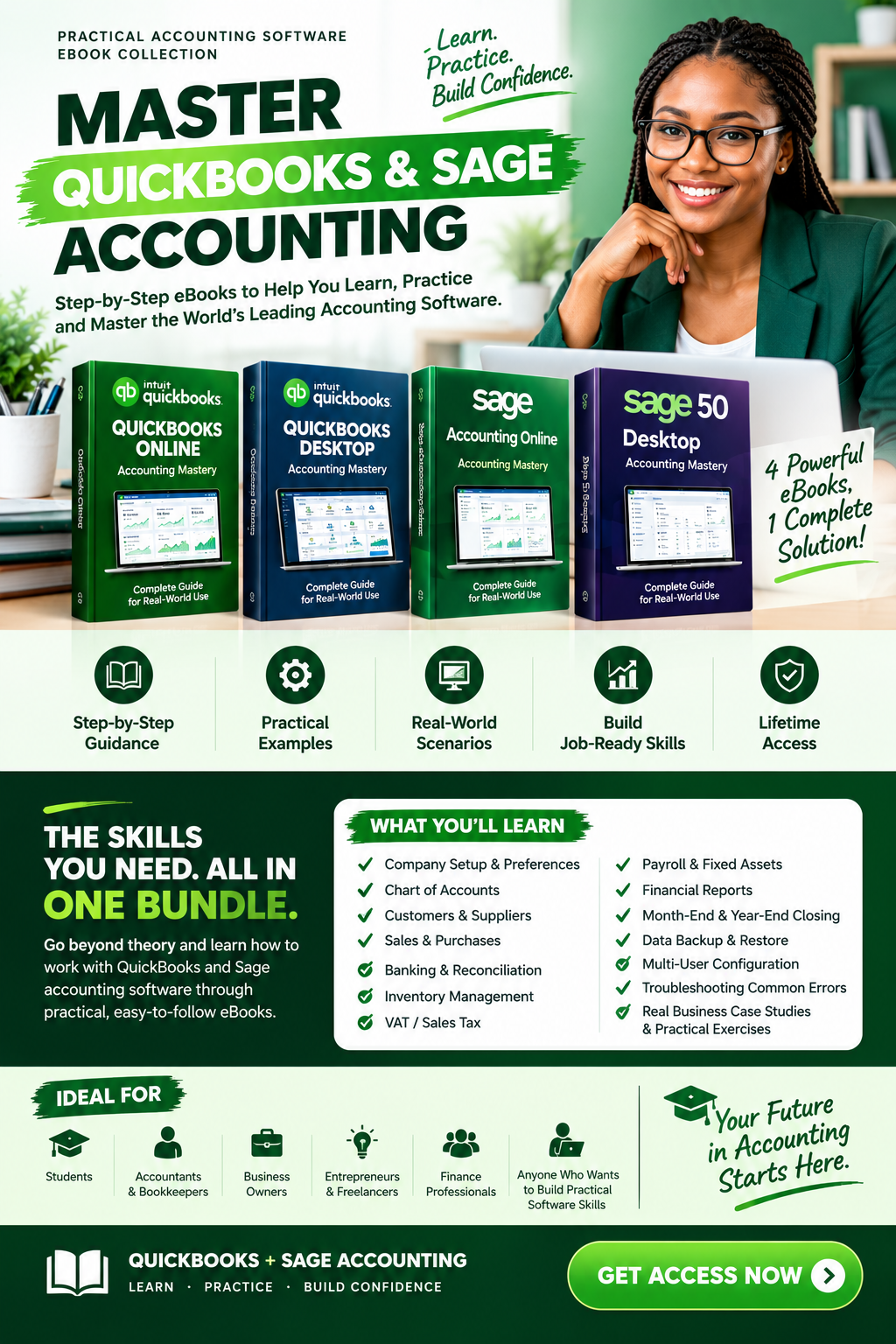
MASTER QUICKBOOKS & SAGE ACCOUNTING BUNDLE
Stop Knowing Accounting in Theory. Start Building Practical Software Skills.
A Complete Practical eBook Collection for Learning QuickBooks & Sage Accounting — Step by Step
Whether you're an accounting student, bookkeeper, accountant, business owner, freelancer, or finance professional, there's a big difference between understanding accounting and being able to confidently work inside accounting software.
This eBook collection was created to help you bridge that gap.
Learn. Practice. Build Confidence.
CAN YOU ACTUALLY USE ACCOUNTING SOFTWARE?
Imagine being asked:
"Have you used QuickBooks before?"
Or:
"Are you familiar with Sage?"
You may understand debits and credits.
You may understand financial statements.
You may even have an accounting degree.
But when you're sitting in front of the software...
Do you know exactly what to do?
That's where practical knowledge matters.
Many learners spend hours watching tutorials but still don't have a structured resource they can return to when they need to understand a process.
This collection gives you structured, practical accounting software guides you can study at your own pace and keep as a reference
YOUR COMPLETE QUICKBOOKS + SAGE eBOOK COLLECTION
Get practical guides covering the accounting platforms you need to understand.
📘 QUICKBOOKS ONLINE ACCOUNTING MASTERY
Learn QuickBooks Online from the fundamentals through practical accounting workflows.
You'll explore:
- Setting up a QuickBooks Online company
- Understanding the Chart of Accounts
- Customers and vendors
- Sales and invoices
- Purchases and expenses
- Products and services
- Inventory
- Bank connections
- Bank reconciliation
- VAT/Sales Tax
- Payroll
- Fixed assets
- Projects and job costing
- Budgeting and cash flow
- Profit & Loss
- Balance Sheet
- Cash Flow Statement
- Trial Balance
- General Ledger
- Month-end and year-end procedures
- Practical exercises and business case studies
The guide combines accounting principles with practical software workflows so you understand not only what to do, but why it matters.
📘 QUICKBOOKS DESKTOP ACCOUNTING MASTERY
A complete step-by-step guide to QuickBooks Desktop Enterprise.
You'll learn:
- Installing QuickBooks Desktop
- Creating a company file
- Company setup and preferences
- Chart of Accounts
- Customers and customer transactions
- Vendors and vendor bills
- Products and services
- Inventory
- Sales transactions
- Purchase transactions
- Banking
- Bank reconciliation
- Sales tax
- Payroll
- Fixed assets
- Financial reports
- Year-end procedures
- Practical company projects
The guide is designed around detailed instructions, practical exercises, real business case studies, and hands-on examples.
📘 SAGE ACCOUNTING ONLINE
Build your understanding of cloud-based accounting with a structured practical reference designed to help you become more comfortable working with Sage Accounting Online.
Learn the workflow. Understand the accounting. Practice the process.
📘 SAGE 50 DESKTOP ACCOUNTING MASTERY
Go beyond simply knowing the name of Sage 50.
Learn how to work through important accounting processes, including:
- Installing Sage 50 Desktop
- Creating company files
- Company preferences
- Chart of Accounts
- Customer management
- Supplier management
- Inventory
- Sales and purchases
- Banking
- Bank reconciliation
- VAT and tax
- Payroll
- Fixed assets
- Budgeting
- Cash flow planning
- Financial statements
- Data backup and restore
- Multi-user configuration
- Year-end closing
- Troubleshooting
- Complete practical company project
The guide follows a learn-by-doing approach, using step-by-step instructions, practical exercises, real-world scenarios, and professional accounting techniques.
THIS IS MORE THAN READING
These eBooks are designed to help you develop a more practical understanding of computerized accounting.
You can:
LEARN
Understand the software, accounting concepts, and workflows.
PRACTICE
Follow the examples and apply what you learn.
REVIEW
Return to specific topics whenever you need a refresher.
BUILD CONFIDENCE
Become more comfortable navigating accounting software and handling common accounting tasks.
WHAT YOU'LL BE ABLE TO UNDERSTAND
By working through the guides, you'll build knowledge around areas such as:
Company Setup
→ Create and configure accounting companies.
Chart of Accounts
→ Understand account structures and organize financial records.
Customers & Suppliers
→ Manage customer and vendor information.
Sales & Purchases
→ Understand invoices, bills, payments, receipts, credits, and related transactions.
Banking
→ Record banking activity and understand reconciliation.
Inventory
→ Understand products, services, stock movements, and inventory reporting.
Payroll & Fixed Assets
→ Explore important accounting processes beyond basic bookkeeping.
Taxes
→ Understand tax-related transactions and reports.
Financial Reporting
→ Work with reports such as Profit & Loss, Balance Sheet, Cash Flow, Trial Balance, and General Ledger.
Month-End & Year-End
→ Understand the procedures involved in reviewing and closing accounting periods.
WHO IS THIS FOR?
🎓 ACCOUNTING STUDENTS
Build practical software knowledge alongside your academic accounting education.
💼 ACCOUNTANTS & BOOKKEEPERS
Strengthen your familiarity with accounting software and use the guides as ongoing references.
📈 BUSINESS OWNERS
Gain a better understanding of how accounting software can organize your financial records.
🚀 ENTREPRENEURS & FREELANCERS
Develop practical knowledge for managing business finances and working with accounting records.
💻 FINANCE PROFESSIONALS
Add practical accounting software knowledge to your professional skill set.
🔰 BEGINNERS
Start from the fundamentals and progress through practical accounting workflows.
WHY THESE eBOOKS?
STEP-BY-STEP LEARNING
The material is organized progressively, helping you build knowledge instead of jumping randomly between topics.
PRACTICAL APPROACH
The guides focus on actual accounting processes rather than software features alone.
REAL-WORLD APPLICATION
Work through business scenarios and practical examples designed around common accounting activities.
KEEP IT AS A REFERENCE
Unlike a video you watch once and forget, an eBook can remain available as a reference whenever you need to revisit a topic.
BEGINNER-FRIENDLY
The guides are structured to support learners who are starting from the basics while also providing useful material for more experienced users.
THE REAL COST OF NOT LEARNING
You don't have to wait until:
❌ A job interview asks about QuickBooks.
❌ A client expects you to understand their accounting system.
❌ Your employer gives you access to software you've never used.
❌ You start a business and realize you don't understand your financial records.
❌ You need to prepare a report but don't know where to begin.
You can start building the knowledge before you need it.
Because when the opportunity arrives, you want to be preparing to use your skills—not starting from zero.
ONE PURCHASE. PRACTICAL ACCOUNTING KNOWLEDGE AT YOUR FINGERTIPS.
Instead of searching the internet every time you forget how something works, build your own accounting software reference library.
YOUR COLLECTION INCLUDES:
✅ QuickBooks Online Accounting Mastery
✅ QuickBooks Desktop Accounting Mastery
✅ Sage Accounting Online eBook
✅ Sage 50 Desktop Accounting Mastery
✅ Additional Sage/QuickBooks eBook resources included in the bundle, where applicable
Digital eBooks • Learn at Your Own Pace • Keep for Reference
ABOUT THE AUTHOR
Marvelous Maobugimachi Sunday
Accountant | Business Consultant | Financial Educator
Marvelous is the CEO of Marvelous Education and Consultancy Services and has trained students, entrepreneurs, accountants, bookkeepers, and business professionals in accounting software, bookkeeping, financial management, and related business skills.
His teaching approach focuses on simplifying accounting and software concepts into practical, step-by-step learning that can be applied to real-world situations.
His QuickBooks Desktop guide likewise emphasizes practical exercises, business case studies, and hands-on examples designed to bridge accounting theory and practical application.
THIS IS YOUR OPPORTUNITY TO BUILD A SKILL BEFORE YOU NEED IT.
You can continue searching through scattered tutorials.
You can keep saving videos to watch "later."
You can keep saying:
"I'll learn QuickBooks when I need it."
Or you can start building your knowledge now.
Learn the software.
Understand the accounting.
Practice the process.
Build your confidence.
DON'T WAIT UNTIL YOU NEED THE SKILL
Your next opportunity could require practical accounting software knowledge.
Start preparing now.
CLICK BELOW TO GET YOUR ACCOUNTING EBOOK COLLECTION
[ GET ACCESS NOW ]