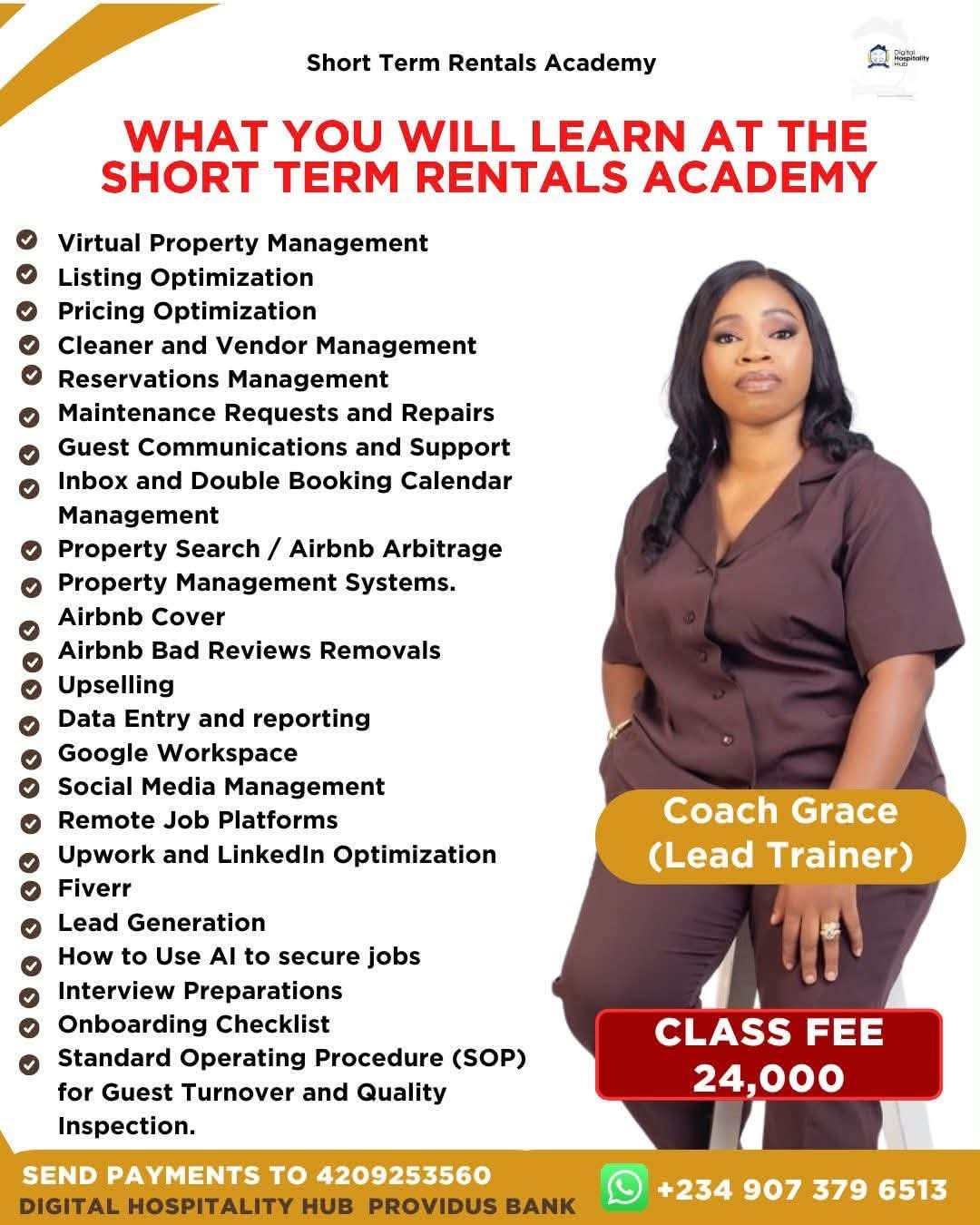
Become an Operations Manager | Virtual Property Manager and Lead Generation Specialist in 30 days.
Course Format: 4-week live class — weekly live sessions + recorded video lessons for self-paced review
Target Audience: Open to anyone — designed to serve both novice freelancers (new to VA work) and advanced freelancers (looking to add specialized skills and raise their rates)
Prerequisites: Phone or Laptop, Identity Card, reliable internet and Positive Self.
How each week works:
- 🎥 Live Class — interactive session with Q&A and live tool demos
- 📹 Recorded Videos — pre-recorded deep-dives students can watch anytime (core lessons + advanced bonus content)
- 📝 Assignment — due before the next week's live class
- 🔰 Novice Track note — where beginners should focus
- 🚀 Advanced Track note — bonus challenge for experienced freelancers
Course Description
This course trains virtual assistants to become high-value, multi-skilled operators capable of supporting property managers, real estate businesses, and small-to-medium companies. Students will learn to manage rental properties remotely, run day-to-day business operations, handle social media presence, generate qualified leads, work fluently across Google Workspace, automate and manage projects on platforms like Monday.com and Trello, and use Slack, Upwork, Fiverr, and Loom as core parts of a freelance operation — plus how to use AI tools to actually land clients and jobs.
Learning Outcomes
By the end of this course, students will be able to:
- Manage guest communication, maintenance coordination workflows remotely
- Set up and run standard operating procedures (SOPs) for a small business
- Plan, schedule, and manage social media content across major platforms
- Build and execute lead generation campaigns using free and low-cost tools
- Work confidently across Google Workspace (Sheets, Forms, Gmail, Calendar, Docs)
- Set up and run automations and project boards on Monday.com and Trello
- Use Slack for team communication, Upwork/Fiverr for finding freelance work, and Loom for async video communication
- Use AI tools to write proposals, optimize profiles, and land freelance jobs
- Package themselves as a specialized, hireable VA with a portfolio of real workflows
Week 1: Foundations of Virtual Assistance + Virtual Property Management
Objective: Establish baseline VA skills, then apply them to remote property management support.
🎥 Live Class: VA fundamentals walkthrough + live demo of a repair maintenance-request workflow 📹 Recorded Videos:
- 1.1 What Clients Actually Pay For (time, systems, reliability — not just tasks)
- 1.2 Core VA Toolkit Overview
- 1.3 Communication Standards: response times, tone, async updates
- 1.4 Confidentiality, NDAs, and Handling Client Data Responsibly
- 1.5 The Property Management Lifecycle: marketing, screening, leasing, maintenance, renewal, move-out
- 1.6 Tenant Communication SOPs (inquiries, complaints, notices)
- 1.7 Vendor Payment Follow-Up Workflows
- 1.8 Coordinating Maintenance Requests Remotely (intake → vendor dispatch → verification → closeout)
- 1.9 Property Management Software Overview (Hospitable, Guesty and Pricelab)
🔰 Novice focus: Setting up your home office workflow, folder structure, and basic communication standards before touching client-facing tasks.
🚀 Advanced challenge: Build a full maintenance ticket tracker and map a lease-renewal/move-out checklist.
Assignment: Build a personal "VA Operating System" (Drive folder structure + onboarding checklist) AND a maintenance-request SOP with a rent-collection follow-up email sequence.
Week 2: Operations Management + Google Workspace
Objective: Teach students to document and run the back-office of a small business, using Google Workspace as the operating toolkit.
🎥 Live Class: Live SOP-writing workshop + live build of a Sheets-based ops tracker 📹 Recorded Videos:
- 2.1 What Is Operations Management (for a VA's purposes)
- 2.2 Writing SOPs That Actually Get Followed
- 2.3 Calendar & Meeting Management for Executives
- 2.4 Vendor & Contractor Coordination
- 2.5 Basic Bookkeeping Support (invoice tracking, expense logs — not accounting/tax advice)
- 2.6 KPI & Reporting Basics: building a simple weekly ops report
- 2.7 Google Sheets for VAs: formulas that matter (Data Validation)
- 2.8 Google Forms → Sheets Workflows (intake forms, maintenance requests, lead capture)
- 2.9 Gmail Management: filters, canned responses, labels for triage
- 2.10 Google Calendar: appointment scheduling, shared calendars, reminders
- 2.11 Google Docs for SOPs, Reports, and Client Deliverables
🔰 Novice focus: Learn the SOP template and get comfortable with core Sheets formulas and Gmail filters.
🚀 Advanced challenge: Build a full weekly KPI report and a Form → Sheet intake workflow for a hypothetical client.
Assignment: Document 3 SOPs for a hypothetical small business and build a Google Sheets-based ops tracker.
Week 3: Social Media Management + Lead Generation
Objective: Enable students to manage a client's social presence and generate qualified leads for a sales pipeline.
🎥 Live Class: Live content calendar build + live prospecting demo (LinkedIn + Google Maps) 📹 Recorded Videos:
- 3.1 Understanding a Brand Voice & Content Pillars
- 3.2 Content Calendar Planning (monthly themes → weekly posts)
- 3.3 Platform Fundamentals: Instagram, Facebook, TikTok, LinkedIn — what each is actually for
- 3.4 Batch Content Creation with Canva
- 3.5 Community Management: comments, DMs, response SOPs
- 3.6 Manual Prospecting: LinkedIn, Google Maps, local directories
- 3.7 Cold Outreach Fundamentals: email and DM templates (non-spammy, compliant)
🔰 Novice focus: Master one platform's content basics and build one solid outreach template.
🚀 Advanced challenge: Build a full 30-day multi-platform calendar plus a 50-contact lead list with a 3-touch follow-up sequence.
Assignment: Build a 30-day content calendar AND a lead list with a follow-up sequence for a sample brand.
Week 4: Automation & Freelance Platforms — Monday.com, Trello, Slack, Upwork, Fiverr, Loom
Objective: Train students to run projects and automations on Monday.com and Trello, communicate on Slack, and operate professionally on Upwork and Fiverr using Loom for async communication.
🎥 Live Class: Live build of an automation on Monday.com + a mirrored board on Trello 📹 Recorded Videos:
- 4.1 Monday.com Fundamentals: boards, groups, columns, views
- 4.2 Building Automations on Monday.com (status triggers, notifications, auto-assignments)
- 4.3 Building the Same Workflow on Trello (boards, lists, cards)
- 4.4 Monday.com vs. Trello: choosing the right tool for a client
- 4.5 Slack for VAs: channels, threads, DMs, notification hygiene
- 4.6 Setting Up an Upwork Profile That Gets Noticed
- 4.7 Writing Winning Upwork Proposals
- 4.8 Setting Up a Fiverr Gig That Sells
- 4.9 Using Loom for Updates, Tutorials, and Client Reporting
🔰 Novice focus: Get comfortable navigating Monday.com and Trello, and build one working Upwork profile + one Loom video.
🚀 Advanced challenge: Build a full automation on Monday.com AND replicate it on Trello, plus a Fiverr gig with tiered pricing.
Assignment: Build one working automation (Monday.com or Trello), set up an Upwork profile or Fiverr gig, and record a Loom walkthrough of your automation.
Week 4b: How to Secure Jobs with AI + Capstone & Client-Readiness
Objective: Teach students to use AI tools to land freelance work, then combine every skill area into a portfolio-ready capstone.
🎥 Live Class: Live AI-assisted proposal writing workshop + capstone presentations/Q&A 📹 Recorded Videos:
- .1 Using AI to Optimize Your Upwork/Fiverr Profile
- .2 Using AI to Write Tailored Proposals Fast
- .3 Using AI to Prep for Client Interviews and Discovery Calls
- .4 Using AI to Identify High-Fit Job Postings
- .5 Building Your VA Service Packages (what to offer, how to price)
- .6 Creating a Portfolio from Your Course Assignments
- .7 Writing a Compelling VA Profile/Proposal (with AI as a drafting assistant, not a replacement for your voice)
🔰 Novice focus: Use AI to draft one strong proposal and one clean profile summary.
🚀 Advanced challenge: Build a repeatable AI-assisted proposal system and a tiered service package with pricing.
Final Capstone: Deliver a mini "Client Operations Package" containing:
- 1 property management SOP
- 1 social content calendar + lead generation list with outreach sequence
- 1 working automation (Monday.com or Trello) with a Loom walkthrough
- 1 AI-assisted Upwork/Fiverr profile and proposal
Certificate of Completion issued upon capstone submission and review.