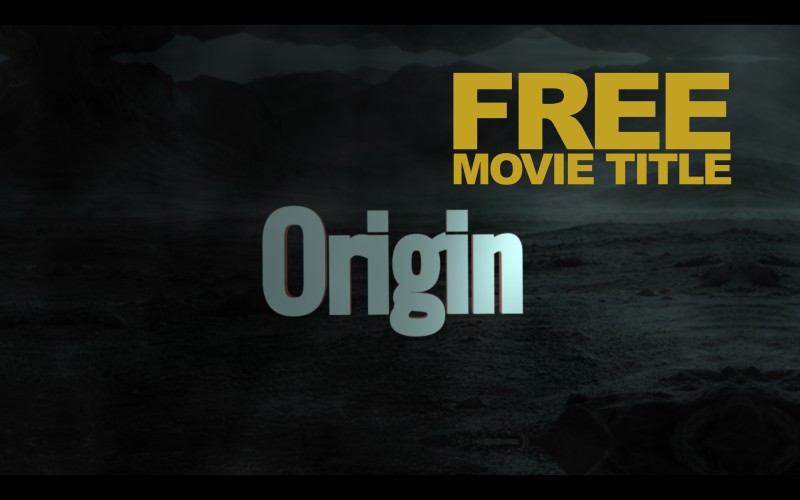
CINEMATIC MOVIE INTRO TITLE

🎬 Cinematic Movie Intro Title (DaVinci Resolve Macro)
Elevate your project's opening sequence with this high-end, studio-quality Cinematic Movie Intro Title. Designed specifically for creators who want that "Big Screen" feel without the hours of manual keyframing.
This macro is built for efficiency and impact, delivering sleek animations and professional typography directly within DaVinci Resolve.
✨ Key Features:
- Pro-Level Aesthetic: Perfect for short films, YouTube intros, trailers, and documentaries.
- Fusion Optimized: Built as a native macro for smooth performance.
- Fully Customizable: Take total control over the look and feel.
- Free Download: High-quality assets shouldn't always have a price tag.
🛠 How to Customize:
This macro is designed to be tweaked inside the Fusion Page, giving you deep access to the core design elements. You can easily adjust:
- Text & Fonts: Change the title to match your brand or film name.
- Colors & Shading: Match your project's color grade perfectly.
- Animation Timing: Use the Keyframes or Spline editor in Fusion to refine the motion.
- Effects: Toggle glow, motion blur, and grain to fit your vibe.
📥 Installation Instructions:
- Download the
.settingfile. - In DaVinci Resolve, navigate to the Fusion Page.
- Drag and drop the file into your Templates > Edit > Titles folder, or simply drag it directly into your Fusion Node graph.
- Enjoy your new cinematic look!
Grab it for free and level up your next edit! If you use it, I'd love to see your work—tag me or leave a rating on Selar!
MUST READ:
============================================================
🎬 CINEMATIC MOVIE INTRO TITLE - DR MACRO 🎬
============================================================
Thank you for downloading this Cinematic Intro Title! This
macro is designed to give your projects a professional
theatrical look with ease.
------------------------------------------------------------
[!] IMPORTANT: USAGE NOTE
------------------------------------------------------------
This macro is specifically built for the FUSION PAGE.
Unlike standard Edit Page titles, you will find the deep
customization controls by opening this effect inside the
Fusion tab of DaVinci Resolve.
------------------------------------------------------------
🛠 INSTALLATION & USAGE
------------------------------------------------------------
1. Open DaVinci Resolve.
2. Go to the "Fusion" page.
3. Open the "Effects" library (top left).
4. Navigate to: Templates > Edit > Titles.
5. Right-click the "Titles" folder and select "Show Folder".
6. Drag and drop the provided .setting file into that folder.
7. Restart DaVinci Resolve.
OR WATCH THE VIDEO ABOVE
------------------------------------------------------------
📜 LICENSE & SUPPORT
------------------------------------------------------------
This macro is provided FREE for personal and commercial use.
Credit is not required but always appreciated!
If you find this useful, feel free to head back to Selar
and leave a rating!
Happy Editing!
============================================================