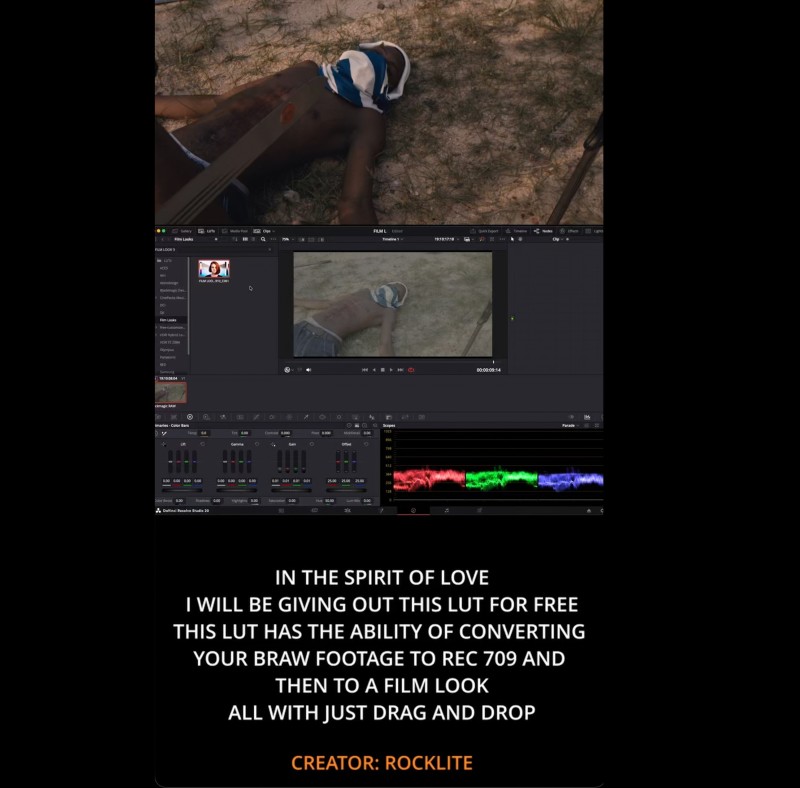
FILM LOOK 3
FILM LOOK 3 - BRAW to Cinematic Film Look LUT (DaVinci Resolve)
## Transform Your BRAW Footage into a Beautiful Film Look — Instantly
This LUT is designed specifically for **Blackmagic BRAW footage** and built in **DaVinci Resolve** to give you:
✔ Accurate Rec.709 conversion
✔ Natural skin tones
✔ Cinematic contrast
✔ Film-inspired color science
✔ Soft highlight roll-off
✔ Subtle filmic saturation
All in **one drag-and-drop LUT.**
No complicated node trees.
No manual color space setup.
No extra adjustments required.
---
## 🎥 What This LUT Does
This LUT:
1. Converts BRAW footage to Rec.709
2. Applies a cinematic film-grade look
3. Adds contrast and color depth
4. Preserves skin tones
5. Creates a polished, professional film finish
Perfect for:
* Music videos
* Short films
* Commercials
* YouTube content
* Weddings
* Documentary work
---
## 📦 What You Get
* 1x .CUBE LUT file
---
## ⚙️ Best Results Settings
For best results:
* Shoot in BRAW (Film Gen 5 recommended)
* White balance correctly in-camera
* Slightly overexpose by +0.3 to +0.7 stops for clean highlights
* Use Color Space: Blackmagic Design Film / Gen 5
---
# 🛠 How to Install (DaVinci Resolve)
### Method 1 – Import into LUT Folder
1. Open **DaVinci Resolve**
2. Go to **Project Settings**
3. Click on **Color Management**
4. Click **Open LUT Folder**
5. Copy and paste the .CUBE file into the folder
6. Go back to Resolve and click **Update Lists**
7. Your LUT will now appear in the LUT panel
---
### Method 2 – Apply Directly in a Node
1. Go to the **Color Page**
2. Add a new Serial Node
3. Right-click → 3D LUT → Select your LUT name
4. Done ✅
---
## 💡 Recommended Node Structure (Optional)
If you want maximum control:
Node 1 – Exposure & White Balance
Node 2 – Film Look LUT
Node 3 – Fine tuning (optional)
---
## 🚨 Important Notes
* Designed for BRAW footage only
* Not intended for already converted Rec.709 footage
* May require minor exposure adjustment depending on lighting
---
## 🎞 Why This LUT?
This is not a random “Instagram look.”
It’s carefully built in **DaVinci Resolve** using controlled contrast curves, highlight roll-off techniques, and film-inspired color science to give your footage a professional cinematic finish while keeping skin tones natural.