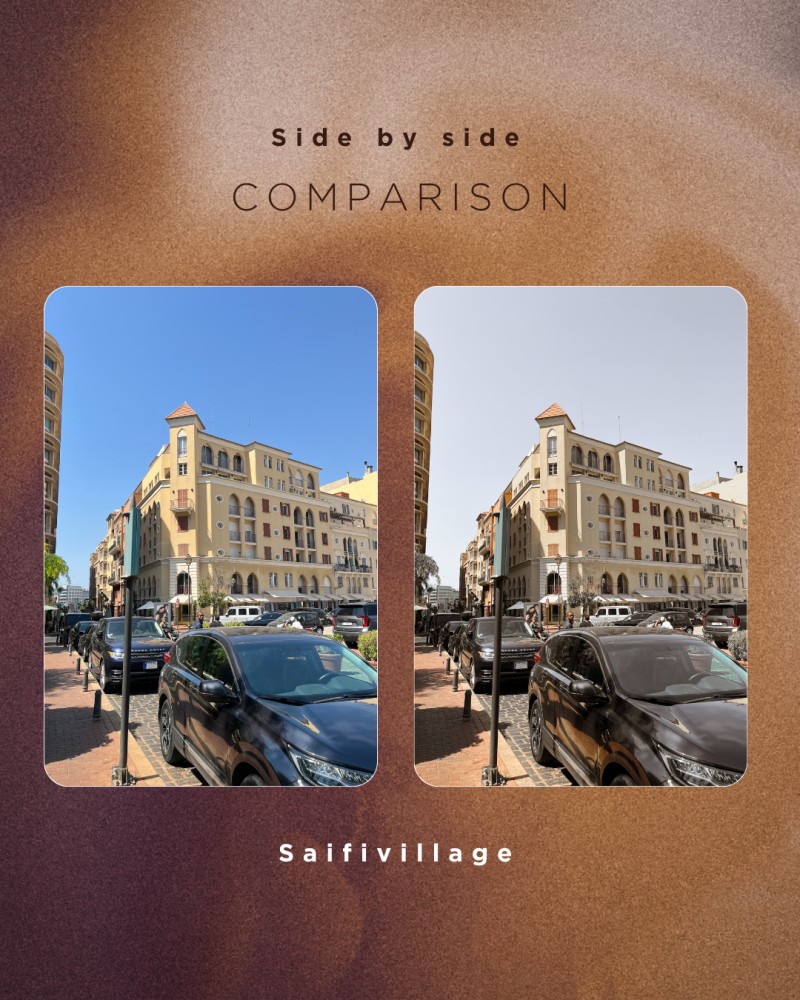
Soft & Snug Lightroom Preset

This preset is for anyone who appreciates clean edits and wants to take their photos up a notch.
No experience needed. Just copy, paste, done.
If you love warm & minimal tones then you will love The soft & snug preset.
Note that this is a Zip file and will require you unzip it to gain full access. So, once you download the file, double tap to unzip then follow the instructions
How to Use My Lightroom Preset (Mobile)
Accurate Lightroom Mobile DNG Preset Setup Guide (No Paid Plan Needed)
1. Download Adobe Lightroom Mobile (Free)
Available on both iOS and Android. No need for a paid plan to use DNG presets.
2. Sign Up or Log In
You need an Adobe account (free).
3. Import the DNG File
- Open Lightroom.
- Tap the "+" to add a photo.
- Select the DNG preset file (it may look like a blank photo - this is normal).
4. Open the DNG Preset File in Lightroom
- Tap the image.
- Tap the three-dot menu (top right).
- Select "Copy Settings."
5. Apply the Preset to Your Own Photo
- Import your own image.
- Open it.
- Tap the same three-dot menu.
- Choose "Paste Settings."
Optional (Advanced for Better Use):
How to Use My Lightroom Preset (Mobile)
You can also create a preset from the DNG file:
- After opening the DNG file, tap the three-dot menu.
- Tap "Create Preset."
- Name it, categorize it, and save.
- Next time, just apply it like a normal preset