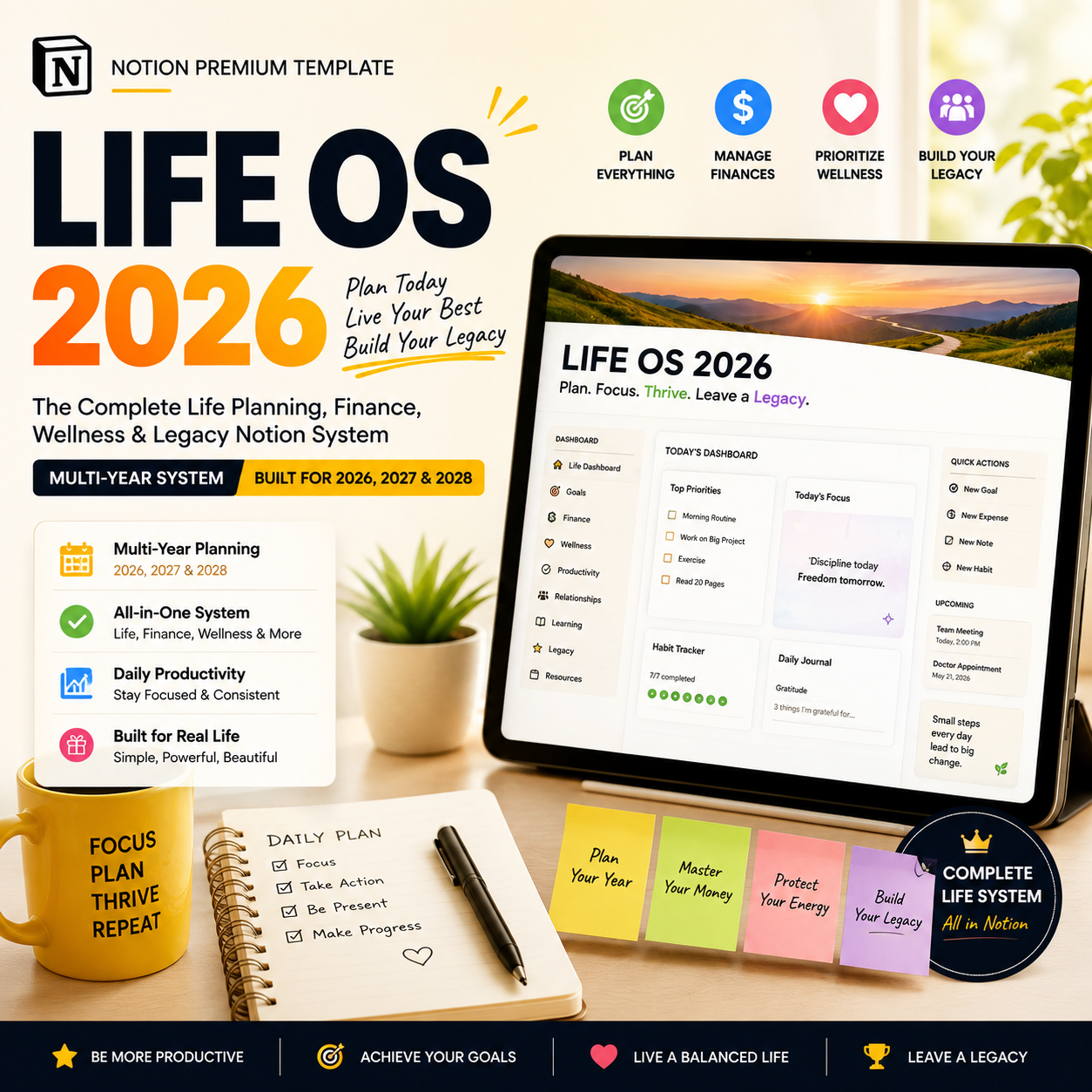
LIFE OS 2027 — The Complete Life Planning, Finance, Wellness & Legacy Notion System | Multi-Year, Built for 2026, 2027 & 2028

🏠 Most life planners die in February. This one is built to run through 2028.
You've bought planner templates before. They looked beautiful on launch day, and by week three you'd stopped opening them — because they only tracked one thing (tasks, or habits, or budget) and because every January meant starting over from a blank template, with none of last year's data to look back on.
LIFE OS 2026 is different on both counts. It's genuinely one connected system — your calendar, your budget, your workouts, your journal, your goals, and your life admin all talk to each other — and it's built with a real multi-year architecture, so 2027 and 2028 are a filtered view, not a rebuild.
CAPTURE → PLAN → ACT → SPEND/SAVE/PROTECT → NOURISH → LIVE
→ REFLECT → REVIEW → REALIGN → ARCHIVE + CARRY FORWARD → BETTER NEXT YEAR
That loop is the whole system. Every hub exists to serve one stage of it — and the final stage is what makes this a life operating system instead of a single-year planner you'll replace next January.
👤 WHO THIS SYSTEM IS FOR
- Working professionals juggling career and life admin
- Students balancing school, work, and routines
- Parents running a household
- Freelancers and solo entrepreneurs who need life and business structure in one place
- Budgeters and debt payoff planners
- Fitness- and nutrition-focused users
- Journalers, planners, and "second brain" note-takers
- Travelers and bucket-list chasers
- Homeowners and renters managing property, vehicles, and life admin
- Anyone currently running their life across 10+ separate apps who's ready to consolidate
Whether you're bringing one page of loose to-dos or you want a fully automated, cross-linked system covering finances, health, career, self-care, home, and legacy — this scales to meet you where you are
.
🏠 LIFE HQ — YOUR ENTIRE LIFE, ONE DASHBOARD
Opens on a personalized banner with clock, weather, and music widgets, then answers seven questions the moment you land on it:
- What's happening today? — today's schedule, top priorities, birthdays, weather
- What do I need to do? — master to-do list by priority, overdue tasks, this week's routine checklist
- How am I doing financially? — current balance, this month's income vs. expenses, upcoming renewals, savings progress, net worth trend
- How am I taking care of myself? — today's mood, hydration, sleep, skincare/self-care status
- What am I working toward? — active goals with progress bars, vision board preview, this week's affirmation
- What's coming up? — month calendar, 30-day event timeline, upcoming trips, upcoming document/insurance/warranty renewals
- What should I focus on next? — a "Today at a Glance" module pulling your single next action from tasks, calendar, and routines automatically
Plus a fully automated Notification Dashboard — a daily brief with your greeting, today's task and plan counts, birthday alerts, and this month's finances, all pulled live, and a Quick Action Center with one-tap logging for tasks, expenses, meals, water, mood, workouts, habits, goals, trips, groceries, brain dumps, documents, and gifts.
🧩 78 CONNECTED DATABASES ACROSS 9 LIFE HUBS
System — Life Profile, Contacts, Birthdays (the canonical records everything else connects to)
Planner Hub — Daily, Weekly, Monthly, and Yearly Planners, fully synced to each other, plus a 30-day Event Timeline
Finance Hub — Balance Tracker, Income, Expenses, Accounts, Budget Tracker, Subscription Tracker, Savings Challenge, Savings + Debt Tracker, Savings Goals, Wishlist — all rolling up into a live Finance Dashboard
Wellness Hub — Workout Planner, Workout Library, Fitness Challenge & Progress, Recipe Book, Meal Planner, Kitchen Inventory, and a Grocery List that auto-populates from your inventory and meal plan
Lifestyle Hub — TV & Films, Reading Journal & Challenge, Upcoming Adventures, Places Visited, Packing Lists, Bucket List
Productivity Hub — a full Learning Hub (class schedule, courses, notes, assignments, Pomodoro timer) and Work Hub (schedule, projects, tasks, timesheet, job applications), plus a Master To-Do List, Routine + Habit Tracker, Reset Routine, Brain Dump, Decision Journal, Cleaning Schedule, and Wardrobe Organiser
Future You Hub — Goals (short-term/long-term, by category), a gallery-view Vision Board, and a Manifestation Journal
Self-Care Hub — Skincare, Sleep, Mood, Hydration, Period, Medication, and Symptom Trackers, plus My Journal, Gratitude Journal, and Dream Journal — with a "Journal at a Glance" view across all three
Life Admin & Legacy Hub (the hub most planners skip entirely) — Password Vault, Important Documents Vault, Insurance Policies, Warranty Tracker, Home Maintenance Schedule, Home Inventory, Vehicle Maintenance Log, Pet Care Tracker, Family/Emergency Info Sheet, Gift Tracker, Holiday & Occasion Planner, Net Worth Tracker, Investment Portfolio, Achievements/Milestones Log, and Letters to Future Self (a time capsule)
🗄️ THE HUB MOST "LIFE PLANNER" TEMPLATES DON'T HAVE
Most Notion life planners stop at tasks, budget, and habits. Life Admin & Legacy is what actually separates a $19 planner from a system you run your whole life through:
- Track every document, insurance policy, and warranty with expiry dates that surface automatically into your Notification Dashboard 30/60/90 days out
- A real Net Worth Tracker — assets minus liabilities, recalculating automatically as your accounts, investments, and debt update
- Home maintenance, home inventory (for insurance purposes), and vehicle service logs so nothing gets forgotten between "it's fine" and "it's a problem"
- A Family/Emergency Info Sheet, because the people who'd need it shouldn't have to hunt for it
- Letters to Future Self — a genuine time capsule feature, written now, opened on a future date you choose
📅 A REAL MULTI-YEAR SYSTEM — NOT JUST "WORKS IN 2026 AND 2027" AS A MARKETING LINE
Most templates claim multi-year support and mean "add a Year filter." That quietly breaks two things you'd actually expect from a premium system: comparing years, and starting a new year without losing your history. LIFE OS 2026 builds this properly:
- Year Archive database — every planner entry, goal, finance record, and review relates back to one Year Archive record, turning "compare 2026 to 2027" into a one-click rollup instead of a manual recount
- Annual Rollover Checklist — a guided, run-once-a-year process that creates the new year, carries forward in-progress goals, resets habit streaks (history stays intact), and rolls forward subscription/insurance/warranty renewal dates
- Year-in-Review comparison dashboard — net worth, income vs. expenses, goals completed, habit consistency, and trips taken, charted year over year
- Life in Weeks widget — a 52-box-per-year visual grid filling in week by week, for long-term perspective beyond the daily to-do list
- 3-Year Vision Plan — a single page for where you want to be by end of 2028 across finances, career, health, and relationships, reviewed every quarter
This is the difference between a planner you repurchase every January and a system you actually keep.
🎨 FOUR FULL COLOUR THEMES — ALL INCLUDED
Neutral (relaxing, warm grey/taupe) · Rose (soft, dusty pink) · Mocha (cozy, brown/terracotta) · Sage (fresh, muted green) — every page, banner, tag colour, and icon set pre-built in all four, so switching your whole system's look is a one-click duplicate, not a manual re-theme.
⚙️ REAL AUTOMATION, NOT JUST PRETTY TABLES
- Tasks and calendar sync automatically — Daily ↔ Weekly ↔ Monthly ↔ Yearly
- Bank balances roll up automatically into your Finance Dashboard
- Grocery List auto-populates from Kitchen Inventory stock levels and your Meal Planner
- Habit and routine streaks calculated by formula — never manually tallied
- Net Worth recalculates automatically from Accounts + Investments − Debt on every entry
- Warranty, insurance, and document expiry dates trigger alerts 30/60/90 days out — automatically
- Year Archive rollups recalculate live as records get tagged with a year
📈 LIFE SCORECARD — SEE THE WHOLE PICTURE AT ONCE
One dashboard tracking your consistency across every hub: tasks completed and routine consistency, income/expenses/net savings and budget adherence, workouts and meal prep, journal entries and average mood and sleep, goals in progress vs. completed, and whether your documents, renewals, and home/vehicle maintenance are actually on schedule.
💼 WHY THIS IS A LIFE OPERATING SYSTEM — NOT JUST A PLANNER
✅ Genuinely connected — one Contacts database, one Goals database, one To-Do list; nothing duplicated across separate trackers
✅ Built to last years, not months — Year Archive, Annual Rollover, and Year-in-Review comparisons are fully built, not a marketing claim
✅ Covers what most planners skip — insurance, warranties, home/vehicle maintenance, net worth, and a real password/document vault
✅ Automation that actually works — grocery lists that build themselves, balances and net worth that recalculate on their own
✅ Scales with you — from one page of loose to-dos to a fully automated, cross-linked daily-to-decade system
✅ 78 databases, 9 hubs, 4 themes — all included in one purchase, not sold as separate add-ons
📦 WHAT'S INCLUDED
- The complete LIFE OS 2026 system — 78 interconnected databases across 9 life hubs
- Life HQ dashboard + fully automated Notification Dashboard + Quick Action Center
- Full Finance, Wellness, Lifestyle, Productivity, Future You, and Self-Care suites
- Life Admin & Legacy hub: password vault, documents, insurance, warranties, home, vehicle, pets, net worth, investments, time capsule letters
- Multi-Year Architecture: Year Archive, Annual Rollover Checklist, Year-in-Review dashboard, Life in Weeks widget, 3-Year Vision Plan
- All 4 colour themes (Neutral, Rose, Mocha, Sage), fully pre-built
- Life Scorecard across every hub
- Weekly, Monthly, Quarterly, and Yearly Review templates
- Pre-loaded, realistic demo data across every database so you see the finished system before you touch it
- 20 bonus resources included: 100 Journal Prompts · 50 Affirmations Library · 30 Habit Ideas by Category · Budgeting Starter Guide · Meal Prep Planning Checklist · Debt Payoff Strategy Sheet · Vision Board Image Pack · Travel Packing Checklists · Weekly Review Prompt Cards · Cleaning Schedule Template Pack · Skincare Routine Builder Guide · Goal-Setting Workbook · Decision Matrix Template · 30-Day Gratitude Challenge · Notion Setup Video Walkthrough · Home Inventory Checklist · Net Worth Calculator Guide · Annual Rollover Walkthrough Video · Time Capsule Letter Prompts · Life Admin Starter Checklist
- Instructions on every page + a "Let's Get Started" onboarding flow
- Lifetime access + free updates
❓ FAQ
Do I need a Notion paid plan? No — LIFE OS 2026 works fully on Notion's free plan for individual use.
Is the Password Vault actually secure? It's a convenience tracker, not an encrypted password manager — Notion itself isn't built for that. It's genuinely useful for low-sensitivity logins, but we're upfront that it shouldn't replace a dedicated password manager for anything highly sensitive.
Does this really work in 2027 and 2028, or do I need to rebuild it? It's built specifically not to need a rebuild. The Annual Rollover Checklist walks you through creating the new year, carrying forward what's in progress, and resetting streaks — while all of your history stays intact in the Year Archive for year-over-year comparison.
I just want a simple planner — is this overkill? The system scales down as easily as it scales up. Use the Planner and Productivity hubs on their own if that's all you need right now, and the Finance, Wellness, and Life Admin hubs are there whenever you're ready for them.
Does the Grocery List really build itself? Yes — it auto-populates based on your Kitchen Inventory stock levels and the recipes in your Meal Planner for the week.
Does it work on mobile? The system is optimised for desktop, and mobile navigation is fully functional for daily use — logging tasks, expenses, and habits on the go.
The test this system is built to pass:
Can you open one dashboard and see today's to-do list, this month's budget, your net worth trend, and next month's insurance renewal — and still have all of that history intact when 2028 rolls around?
LIFE OS 2026 says yes.
4. FEATURES
- 🏠 Life HQ dashboard: today's schedule, tasks, finances, wellness & goals in one view
- 🔔 Fully automated Notification Dashboard with live daily brief
- 💰 Full Finance suite: budget, accounts, subscriptions, savings, debt payoff
- 🥗 Wellness suite with self-populating Grocery List from meal plan + inventory
- 🧠 Productivity suite: Learning Hub, Work Hub, Habit Tracker, Decision Journal
- ✨ Future You hub: Goals, Vision Board, Manifestation Journal
- 🤍 Self-Care hub: mood, sleep, hydration, skincare & 3 journal types
- 🗄️ Life Admin & Legacy hub: documents, insurance, warranties, net worth, time capsule letters
- 📅 Real Multi-Year Architecture: Year Archive, Annual Rollover, Year-in-Review
- 📊 Life in Weeks widget + 3-Year Vision Plan
- 🎨 4 full colour themes included (Neutral, Rose, Mocha, Sage)
- ⚙️ Real automation: balances, net worth & streaks that calculate themselves
- 📈 Life Scorecard tracking consistency across every hub
- 🎁 20 bonus resources: guides, checklists, prompts & calculators
- 🧪 Fully populated demo data across every database
- 📱 Mobile-functional for daily logging on the go