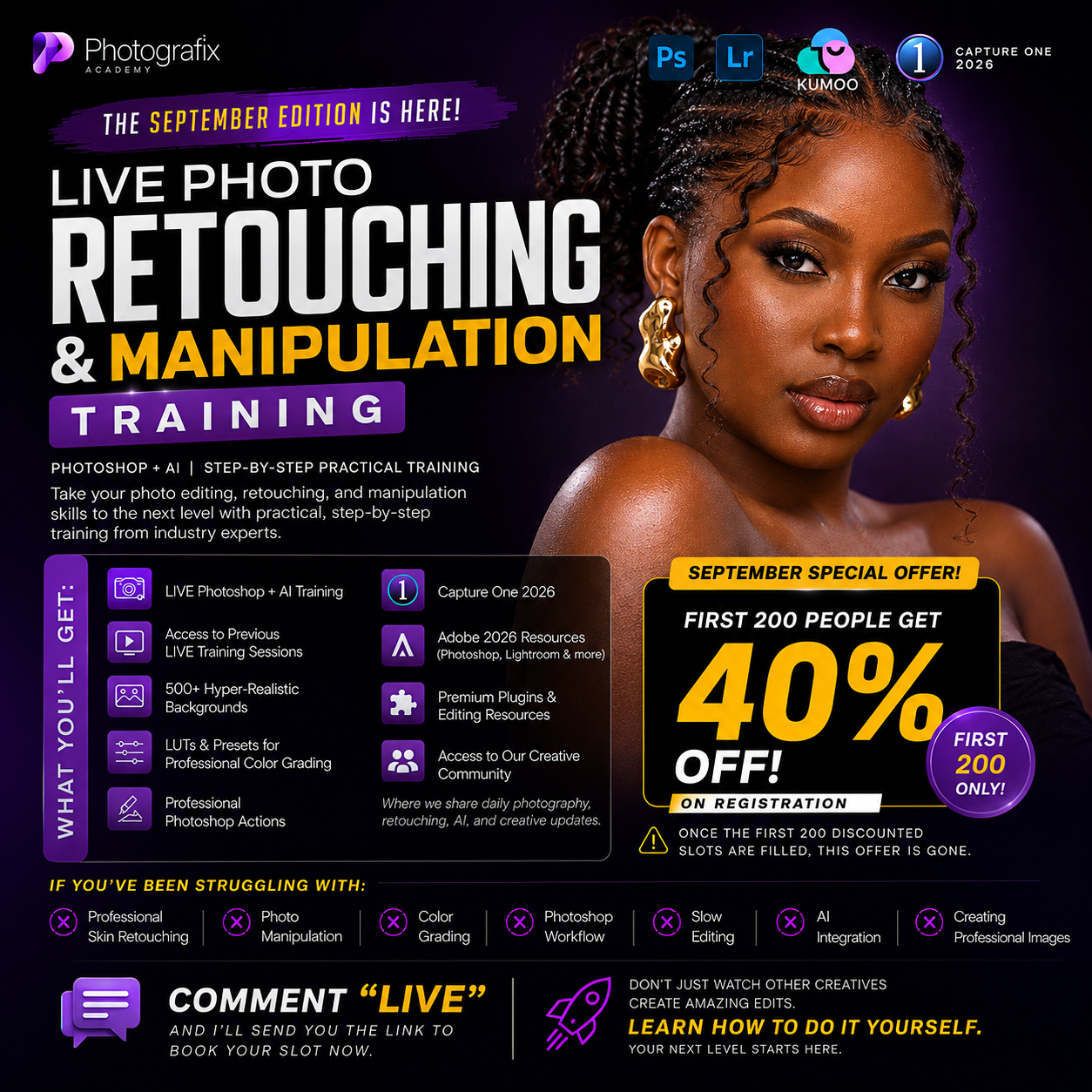
LIVE PHOTO RETOUCHING & MANIPULATION TRAINING — SEPTEMBER EDITION
🎨 MASTER PROFESSIONAL PHOTO EDITING WITH PHOTOSHOP + AI
Have you ever looked at a professionally retouched or manipulated image and wondered:
“How did they create this?”
Or maybe you already know Photoshop but still struggle with skin retouching, color grading, photo manipulation, workflow, or creating that professional high-end finish.
This training is designed to change that.
The September Edition of our Live Photo Retouching & Manipulation Training is a practical,
step-by-step experience designed to help photographers, retouchers, designers and creatives improve their editing skills and work more professionally.
To Get More details or to pay via transfer if you are in Nigeria
chat us up here: https://wa.link/2xl4rh
🚀 WHAT YOU'LL LEARN
Inside the training, you'll be exposed to practical techniques and workflows covering:
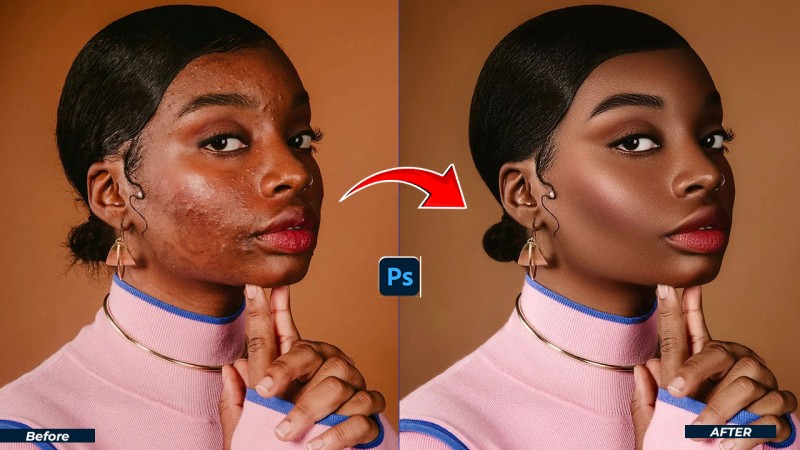
🔥 Professional Photo Retouching
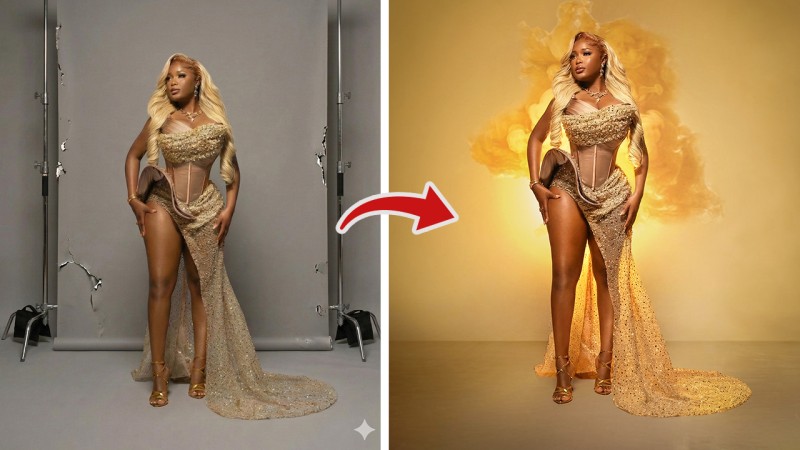
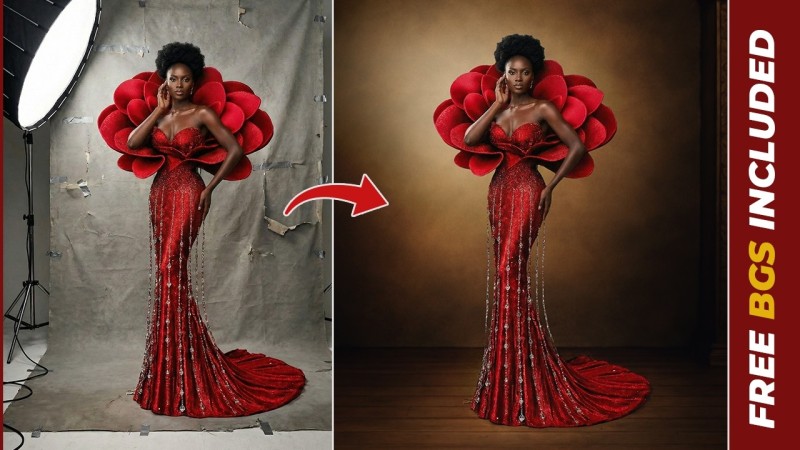
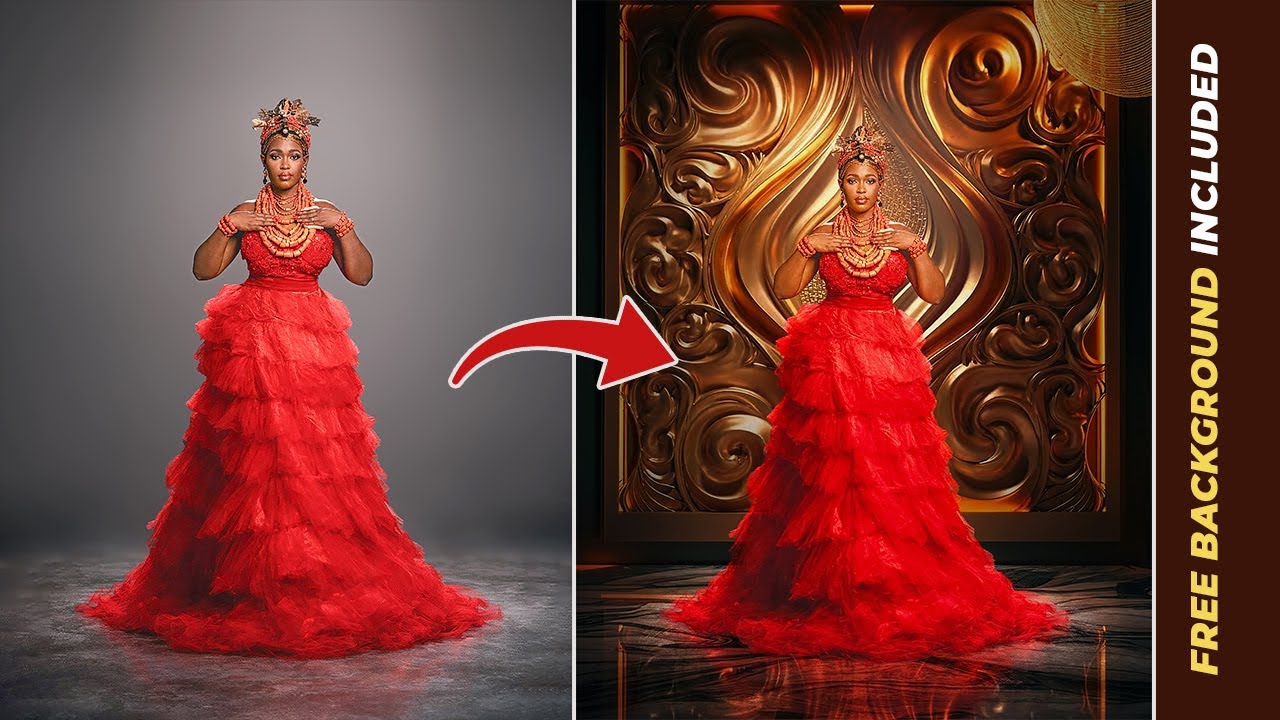
🎨 Photo Manipulation
💎 Professional Skin Retouching
🎬 Color Grading & Professional Finishing
⚡ Faster Photoshop Workflows
🤖 AI Integration for Creatives
🖥️ Photoshop Techniques & Workflows
📸 Creating Professional-Looking Images
The goal isn't just to watch someone edit.
The goal is to understand HOW and WHY the edit is being done — so you can recreate the results yourself.
🎁 WHAT YOU GET WHEN YOU REGISTER
Your registration gives you access to a complete collection of training, resources and creative tools.
🖥️ LIVE PHOTOSHOP + AI TRAINING
Join our live practical training sessions and follow the editing process step-by-step.
📚 PREVIOUS LIVE TRAININGS
Get access to previous LIVE training sessions so you can learn from additional editing demonstrations and techniques.
🎁 500+ HYPER-REALISTIC BACKGROUNDS
Build your manipulation and compositing library with 500+ professional hyper-realistic backgrounds.
🎨 LUTS & PRESETS
Get access to LUTs and presets designed to help you achieve professional color grading faster.
⚡ PROFESSIONAL PHOTOSHOP ACTIONS
Speed up repetitive editing tasks with professional Photoshop Actions.
💻 CAPTURE ONE 2026
Get access to Capture One 2026 resources to improve your RAW processing and photography workflow.
🖥️ ADOBE 2026 RESOURCES
Access resources covering Photoshop, Lightroom and other Adobe tools.
🛠️ PREMIUM PLUGINS & EDITING RESOURCES
Get access to useful plugins, resources and creative tools that can improve your editing workflow.
👥 CREATIVE COMMUNITY
Become part of our creative community where we share photography, retouching, AI and creative updates.
🔥 SEPTEMBER SPECIAL OFFER
FIRST 200 PEOPLE GET 40% OFF!
We're giving the FIRST 200 PEOPLE who register a massive 40% DISCOUNT on the September Edition.
⚠️ Only the first 200 registrations qualify.
Once those discounted slots are gone:
THE 40% DISCOUNT IS GONE.
So if you've been waiting for the right time to improve your editing skills...
This is your sign.
❌ IS THIS TRAINING FOR YOU?
This training is for you if you:
❌ Struggle with professional skin retouching
❌ Want to learn photo manipulation
❌ Struggle with color grading
❌ Have a slow Photoshop workflow
❌ Want to integrate AI into your editing
❌ Want to create more professional-looking images
❌ Want to improve your retouching skills
❌ Want to learn practical techniques instead of just watching random tutorials
🎯 WHO IS THIS TRAINING FOR?
📸 PHOTOGRAPHERS
Improve your post-production workflow and deliver better images to your clients.
🎨 PHOTO RETOUCHERS
Learn techniques that can help you produce cleaner, more professional retouching.
🖥️ GRAPHIC DESIGNERS
Improve your Photoshop manipulation and compositing skills.
🤖 AI CREATIVES
Learn how to combine traditional Photoshop workflows with modern AI tools.
🚀 BEGINNERS & INTERMEDIATE CREATIVES
Build a stronger foundation and learn professional workflows step-by-step.
💡 WHY THIS TRAINING?
There are thousands of Photoshop tutorials online.
But the problem isn't always access to tutorials.
The problem is knowing:
WHAT TO DO.
HOW TO DO IT.
WHY YOU'RE DOING IT.
And HOW TO RECREATE THE RESULT.
That's what this training focuses on.
You'll see practical workflows and techniques that you can apply to your own images.
🔥 STOP WATCHING. START CREATING.
You don't have to keep saving other people's edits and wondering how they were created.
You don't have to keep jumping from one random tutorial to another.
You don't have to spend years trying to figure everything out alone.
Learn the workflow.
Practice the techniques.
Build your skills.
Create better images.
🚀 This is your one-time chance for this live session upgrade your editing, work faster, and start attracting better clients.
To Get More details or to pay via transfer if you are in Nigeria
chat us up here: https://wa.link/2xl4rh
📌 FREQUENTLY ASKED QUESTIONS (FAQ)
Is this training live or recorded?
This is a LIVE training session.
After the live class, you will also get full access to the recorded session, so you can rewatch anytime.
What if I miss the live training?
No problem at all.
You will receive the full replay of the training plus exercise files so you can practice at your own pace.
Is this training beginner-friendly?
Yes.
The training is structured for beginners, intermediates, and professionals.
Everything is explained step-by-step, from basics to advanced techniques.
What software will be used during the training?
The training will be done using Adobe Photoshop.
All techniques shared can be applied to real-life client projects
Will I get materials to practice with?
Yes ✅
You will receive exercise files, backgrounds, actions, LUTs, and other tools so you can practice alongside the training.
How long is the live training?
The live session will run for several hours, with time for explanations, demonstrations, and Q&A.
Do I need a powerful laptop or system?
No.
As long as your system can run Photoshop smoothly, you’re good to go.
Will I get access to the bonuses even if I don’t attend live?
Yes.
All registered participants get full access to bonuses, recordings, and materials.
Is this a one-time payment?
Yes.
This is a one-time payment only — no subscriptions or hidden fees.
How much does the training cost?
💰 Normal price:35,000
🔥 Early access price: ₦10,500 (for first 200 people only) OPEN
Is there a refund if I change my mind?
Because this is a digital live training with downloadable materials, payments are non-refundable.
Who should attend this masterclass?
✔️ Photographers
✔️ Photo editors & retouchers
✔️ Graphic designers
✔️ Content creators
✔️ Anyone who wants premium-looking edits
Will I get support after the training?
Yes.
You’ll get access to a private community where you can ask questions and connect with other editors.
To Get More details or to pay via transfer if you are in Nigeria
chat us up here: https://wa.link/2xl4rh
HERE ARE SOME OF THE SAMPLES OF WHAT YOU WILL BE LEARNING