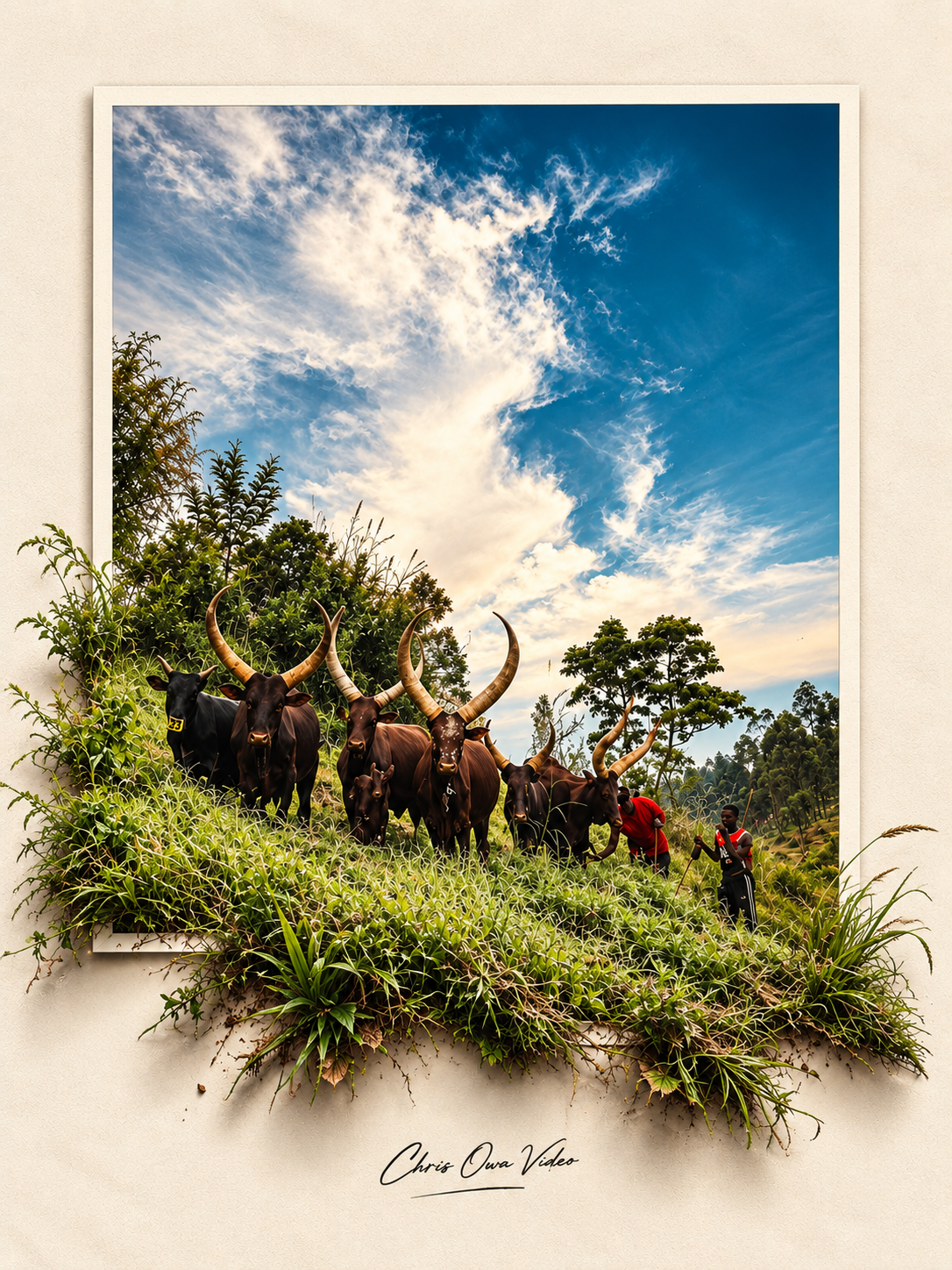
Shot On Phone - A Practical Guide to Mobile Photography, Lightroom Mobile & AI Creativity

You don’t need an expensive camera or a professional studio to create beautiful photographs. All you need is the phone in your pocket, an understanding of light, the right editing tools and some creativity.
Shot on Phone walks you through the same three-stage workflow I use to turn everyday phone photos into striking 3D pop-out artwork:
01 — SHOOT: Master your smartphone camera.
02 — EDIT: Transform your photos with Adobe Lightroom Mobile.
03 — CREATE: Bring them to life with ChatGPT.
What you’ll learn
- Know your camera: when to use ultra-wide, main, telephoto and portrait mode.
- Understand lighting: golden hour, open shade and side lighting, with simple diagrams.
- Composition: rule of thirds, leading lines, negative space, symmetry and foreground.
- Angles and intention: the five questions to ask before you press the shutter.
- A step-by-step Lightroom workflow: import, crop, light, colour, Colour Mix (HSL) and finishing touches.
- Presets: how to install DNG presets in Lightroom Mobile and use them properly.
- Export settings: for sharp, high-quality results.
- The 3D pop-out effect: how to make your subject look like it’s stepping out of the photo.
- Refining with AI: follow-up prompts for more depth, cleaner layouts, better shadows and accurate faces.
What's included
- A digital photography guide.
- Smartphone photography lessons and practical tips.
- A step-by-step Lightroom Mobile editing workflow.
- Lightroom Mobile presets.
- Instructions for installing DNG presets.
- A copy-and-paste ChatGPT master prompt.
- Creative refinement prompts.
- A complete capture-to-creation workflow.
- Quick-reference photography tips.
Who is this guide for?
- Beginner smartphone photographers.
- Content creators and social media creators.
- Entrepreneurs and small business owners.
- Digital creatives and visual storytellers.
- Anyone who wants to take better photographs using their phone.
What you need
- A smartphone with a camera.
- Adobe Lightroom Mobile.
- ChatGPT for the creative section.
- A willingness to experiment and create.
Your phone is more than a device for taking pictures. It is a creative tool.
Learn to see light differently, capture with intention, edit with confidence and turn ordinary photographs into extraordinary visual experiences.
Shoot. Edit. Create.
Created by Chris Owa Video
Creating beyond the ordinary.
Follow: @chrisowavideo