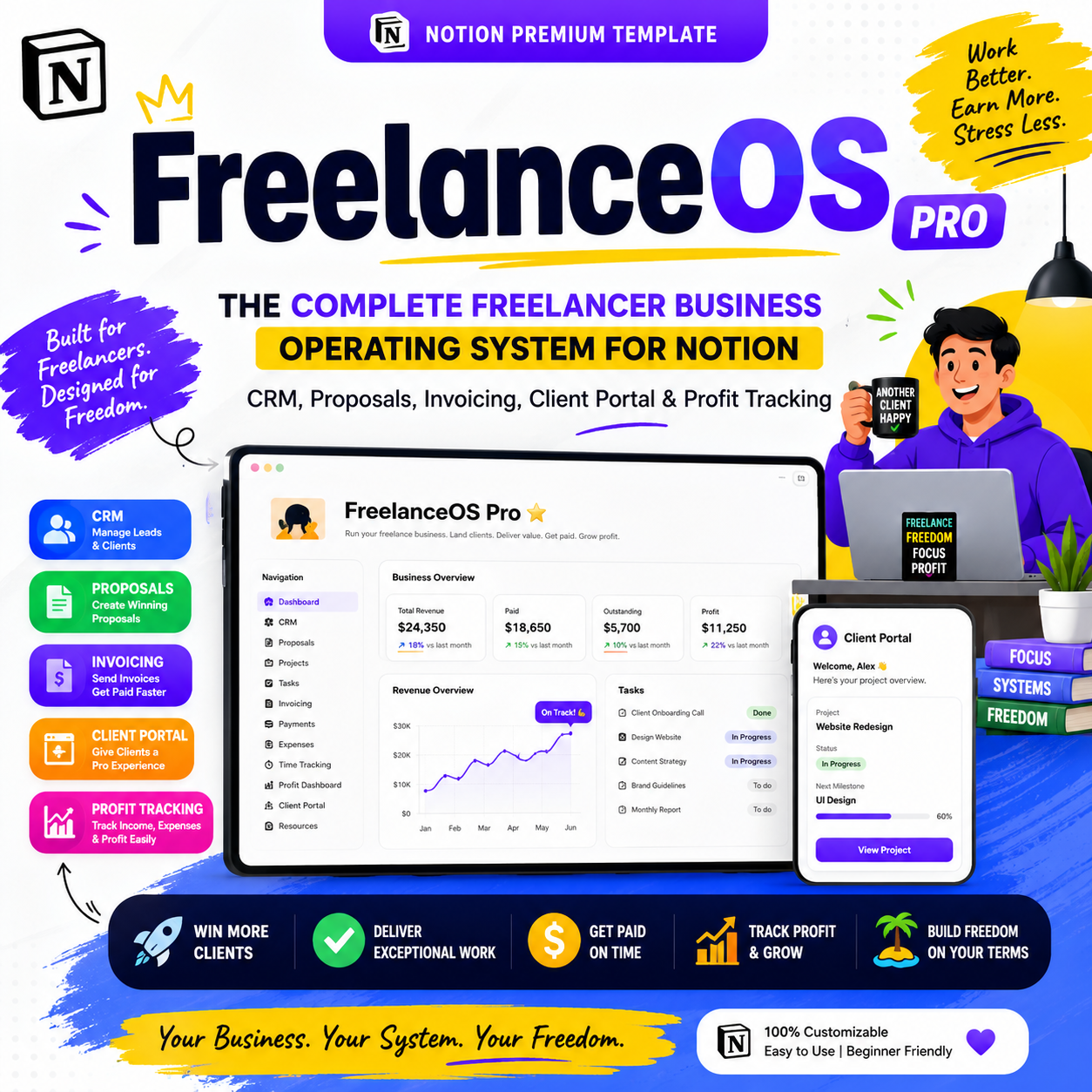
FreelanceOS Pro — The Complete Freelancer Business Operating System for Notion (CRM, Proposals, Invoicing, Client Portal & Profit Tracking)

This isn't a client tracker. It's the operating system for your freelance business.
Most "freelancer Notion templates" are a client list with a kanban board bolted on. They tell you what you're working on — not whether you're actually making money, which clients are worth keeping, which invoice is quietly overdue, or what to do next to grow.
FreelanceOS Pro is built differently. It's a full Freelance Business Operating System — 25 connected databases covering your entire client journey, from the moment a lead appears to the moment they refer you to someone else.
Capture leads. Win clients. Run projects. Get paid. Protect your profit. Build repeat business.
Who this is for
- 🎨 Designers & developers
- ✍️ Writers, copywriters & editors
- 📈 Marketers & consultants
- 📸 Photographers & video editors
- 🧑💻 Virtual assistants
- 🎓 Coaches
- 💼 Any service-based solopreneur running client work
The full client journey, connected
FreelanceOS Pro is built around one continuous business loop, not a stack of disconnected lists:
Lead → Discovery → Proposal → Contract → Onboarding → Project → Tasks → Delivery → Invoice → Payment → Testimonial → Portfolio → Referral → Repeat Business
Every database sits on this loop, so a client you land in January is still connected to the invoice you send in March and the referral they send you in June.
🚀 Freelance HQ — your command center
One dashboard that answers the five questions that actually run a freelance business every day: What do I need to do today? What money is coming in? What's happening with my clients? What projects need attention? How is my business performing? — plus a Quick Actions bar (New Lead, New Client, New Project, New Invoice, New Proposal, Log Meeting, Start Work Session, and more) built to minimize clicks.
👥 CRM — Contacts, Leads & Clients
- Contacts — every person connected to your business, tagged by relationship strength, with Follow-Up Needed and Recently Contacted views
- Leads & Opportunities — a real sales pipeline (New Lead → Contacted → Discovery Call → Qualified → Proposal Sent → Negotiation → Won/Lost), with a built-in Weighted Pipeline Value formula (Estimated Value × Probability) so you know what your pipeline is actually worth, not just what it might be worth
- Clients — lifetime revenue, active/total projects and average project value calculated automatically, plus a Client Health Score (🟢 Healthy / 🟡 Needs Attention / 🔴 At Risk) built from communication, payment reliability, satisfaction and responsiveness
💼 Sales — Proposals & Contracts
A Proposals database tracking win rate, average value, and revenue won vs. lost, and a dedicated Contracts database (type, status, value, signed date, renewal date, deposit required) — because a business tool, not a hobby tracker, needs contracts built in from day one.
🤝 Client Experience — Onboarding, Client Portal & Offboarding
- Onboarding — a 10-stage workflow from Contract Signed to Onboarding Complete, with a built-in checklist so nothing gets missed on a new client's first week
- Client Portal (flagship feature) — every active project gets a client-facing page showing project status, timeline, deliverables, a feedback area, files, upcoming meetings, and a clear "what we need from you next" — one of the biggest trust-builders you can hand a client
- Offboarding — a 13-point checklist ending in the three questions that actually grow a freelance business: Could this client need another service? Could they become a retainer? Could they refer someone?
📁 Delivery — Projects, Tasks, Time & Risk
A Projects database that's genuinely the operational core — agreed price, deposit, balance due, revenue, expenses, profit and profit margin calculated automatically, plus Progress %, Estimated vs. Actual Hours, and a Project Health flag (🟢🟡🔴). Paired with a real Task system (not a checklist), Time Tracking with effective hourly rate, a Deliverables database with client approval and version tracking, and a Risks & Issues log most freelance templates skip entirely — because clients respect a freelancer who flags a risk before it becomes a missed deadline.
💰 Finance — Invoices, Payments, Expenses & the "Money Leaks" Dashboard
Full invoicing (Draft → Sent → Partially Paid → Paid → Overdue) with days-outstanding tracking, a separate Payments database for deposits and installments, Expenses by category, and a Finance Center showing revenue, profit, profit margin and profitability by project and by client.
The standout: a dedicated 🔎 Money Leaks dashboard that surfaces overdue invoices, unbilled work, underpriced projects, projects running over estimated hours, unused retainer hours, high expenses, low-margin services, lost proposals, dormant clients and missed follow-ups — in one place. It doesn't just track your business. It tells you where it's quietly losing money.
📈 Growth — Testimonials, Referrals, Retainers & Revenue Opportunities
- Testimonials & Portfolio — turn finished projects into a case-study and portfolio engine, with permission tracking and a publish workflow
- Referrals — track who sends you business and what it's worth
- Retainers — monthly fee, hours included vs. used, renewal date, and an "Over-Serviced" view so you catch scope creep before it eats your margin
- Content & Marketing — a lightweight content calendar tied to leads generated, so marketing isn't disconnected from sales
- 💰 Revenue Opportunity Center — a dedicated page surfacing outstanding money, weighted pipeline, upsell candidates, retainer-ready clients, dormant clients worth re-engaging, referral opportunities and upcoming renewals — turning the template from admin software into a growth system
🧭 What Should I Do Next?
A Next Best Action dashboard that reads your business state and tells you the single highest-priority move — follow up on an overdue invoice, chase a stalled proposal, request a testimonial from a happy client, or re-engage someone gone quiet. This is what makes the system feel like a business assistant instead of a database.
🧠 Business Operating System — SOPs, Goals & CEO Reviews
An SOP Library across sales, onboarding, delivery, invoicing, offboarding and marketing so your process survives even on a bad week, a Goals database tied directly to projects and tasks, a Business Metrics dashboard (win rate, repeat client rate, effective hourly rate, referral revenue), and reusable Weekly and Monthly CEO Review templates that force a real look at revenue, delivery, clients, and what to start/stop/continue.
🧮 Smart Formulas Built In
Project Balance, Project Profit, Profit Margin, Days Until Deadline, Proposal Conversion Rate, Effective Hourly Rate, Retainer Utilization, Weighted Pipeline Value, and Client Lifetime Value — calculated automatically, not manually tracked in a side spreadsheet.
Comes pre-loaded, not empty
FreelanceOS Pro ships with realistic sample data — 5–8 clients, 8–12 projects, 8–10 leads, 10–15 invoices, 20+ tasks, 10 expenses, 5 proposals and 3 testimonials — so the system makes sense within 10 minutes of opening it, before you touch your own data.
🎁 16 premium bonus templates included
Freelance Proposal Template · Client Discovery Questionnaire · Client Onboarding Questionnaire · Client Welcome Packet · Project Brief · Scope of Work · Invoice Template · Client Offboarding Checklist · Testimonial Request · Referral Request · Project Completion Checklist · Freelance Pricing Calculator · Hourly Rate Calculator · Project Profitability Calculator · Monthly CEO Review · Annual Business Review
Which edition is this?
FreelanceOS ships in three tiers — this listing is for Pro, the full business system:
Lite Pro
(this product)
CRM, Projects, Tasks, Invoices ✅ ✅
Leads pipeline, Proposals, Contracts — ✅
Onboarding, Client Portal, Offboarding — ✅
Time Tracking, Deliverables, Risks & Issues — ✅
Testimonials, Referrals, Retainers, Revenue Opportunity Center — ✅
SOP Library, Goals, CEO Reviews, 16 bonus templates — ✅
Pro is the complete system — everything above is included in this product.
What you get
- ✅ Full FreelanceOS Pro Notion template (instant digital download)
- ✅ All 25 connected databases across CRM, Sales, Delivery, Client Experience, Finance, Growth and Business Operations
- ✅ Client Portal system and Money Leaks dashboard
- ✅ Pre-loaded, realistic sample data across every module
- ✅ 16 premium bonus templates
- ✅ Start Here onboarding page and Business Settings for full customization
Requirements: A free or paid Notion account (desktop, web, or mobile).
FAQ
I'm a one-person freelancer, not an agency — is this too much? No. Start with Freelance HQ, Clients, Projects and Invoices — the rest of the system (proposals, retainers, referrals) is there for when you need it, not required from day one.
Does it actually help me get paid, not just track invoices? Yes — the Money Leaks dashboard specifically surfaces overdue invoices, unbilled work and underpriced projects, and every invoice tracks days-outstanding automatically.
Can I use this for retainer clients, not just one-off projects? Yes — the Retainers database tracks hours included vs. used, renewal dates, and flags over-serviced retainers before they eat your margin.
Is this a one-time purchase? Yes. One payment, lifetime access to your duplicate, including future template updates.
Do I need the paid version of Notion? No — it runs on Notion's free plan for individual use.