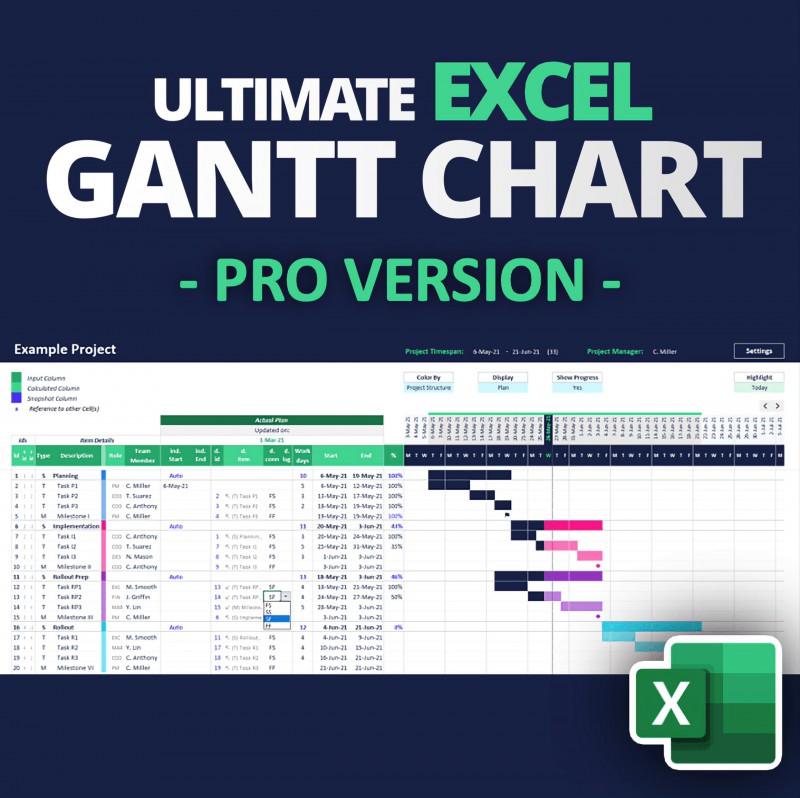
Ultimate Excel Gantt Chart for Project Management
The Ultimate Excel Gantt Chart
Take your project planning to the next level with the most feature-rich Excel Gantt Chart template on the market. This template is packed with advanced functionalities, including:
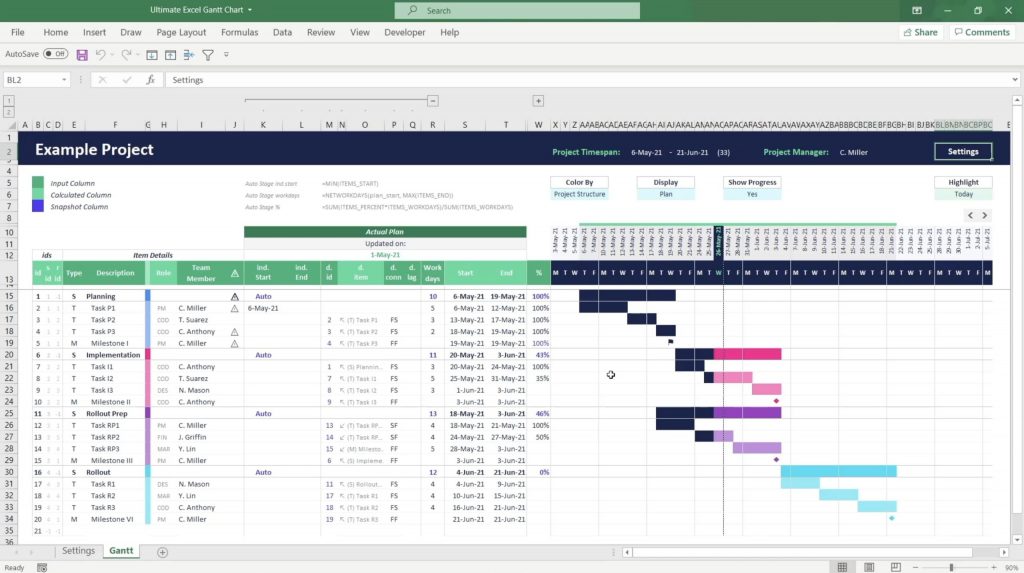
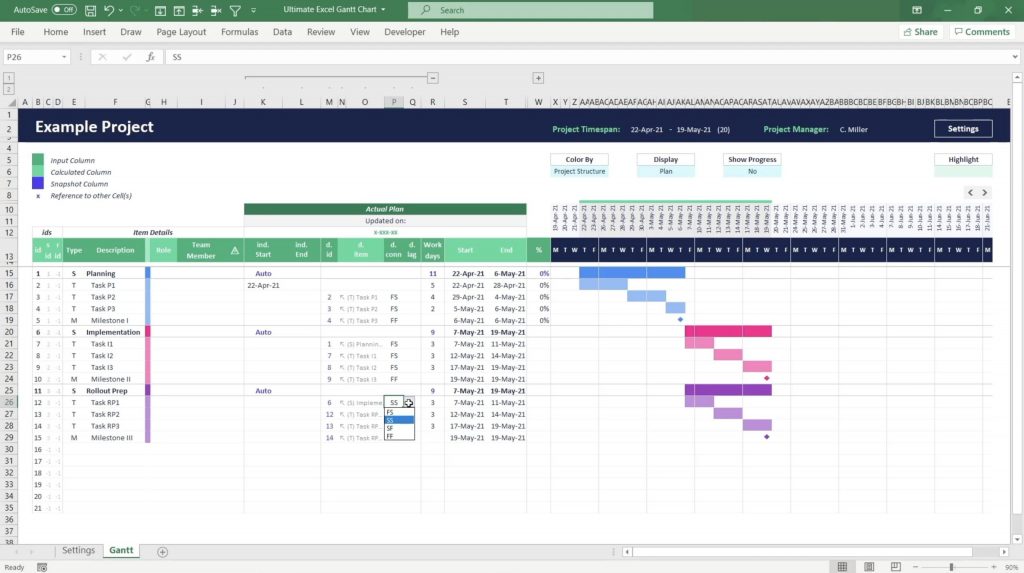
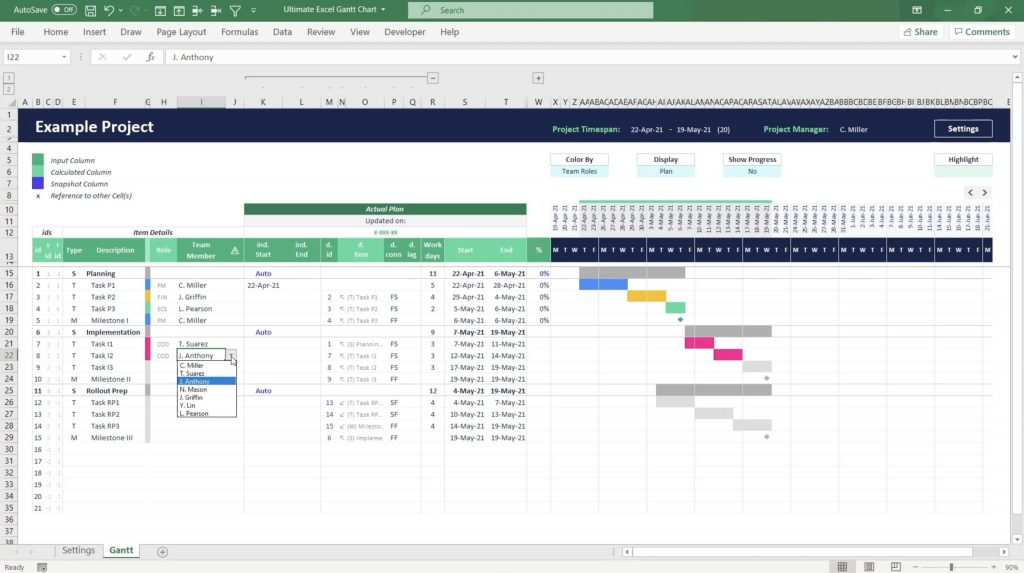
- Dynamic Task Dependencies: Four connection types (FS, SS, SF, FF) to handle complex project scheduling with ease.
- Advanced Auto-Coloring: Customize your charts with four color modes for instant clarity.
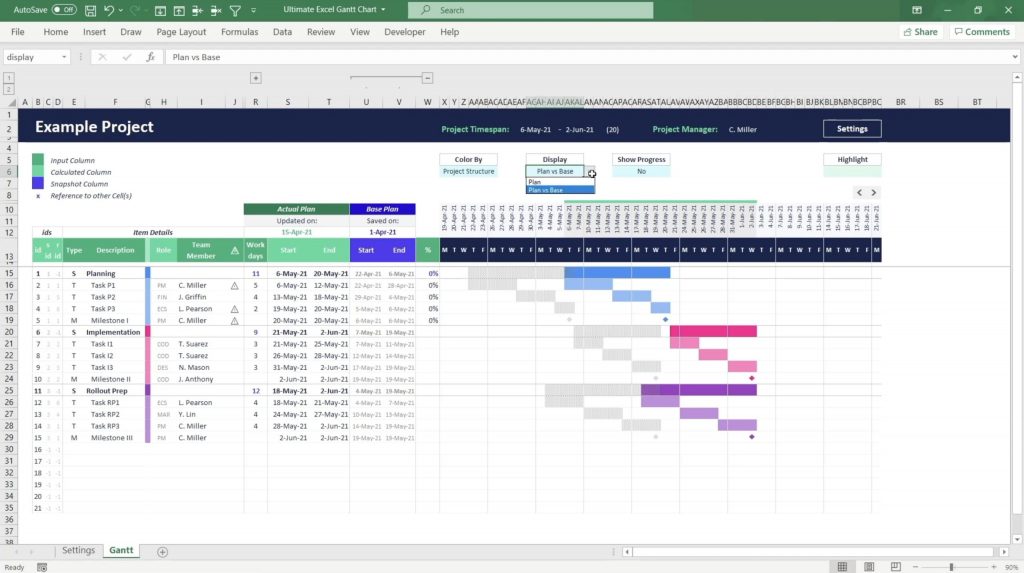
- Plan vs. Base Comparison: Keep your projects on track with a clear comparison of actual vs. planned progress.
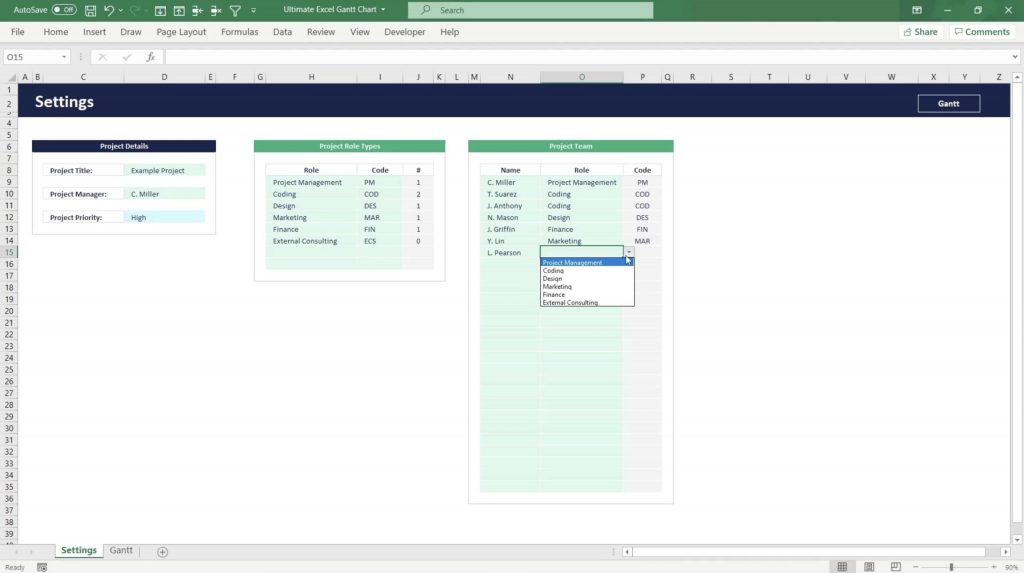
- Team & Role Management: Manage assignments and team responsibilities directly within the template.
- Progress Tracking: Visually monitor tasks and milestones for intuitive progress management.
The most advanced and feature-rich Excel Gantt Chart template on the market.
It allows you to create a complex project schedule with dynamic task dependencies, automatic coloring, actual vs base plan comparison, and many more features. Optimised for both old and new Excel versions.
This template introduces a novel and intuitive way of creating and managing fully dynamic project schedules in Excel with items depending on each other based on the four common dependency connection types: Finish-to-Start (FS), Start-to-Start (SS), Start-to-Finish (SF), or Finish-to-Finish (FF). Furthermore, the template includes a smart Project Role and Team Management system, a fully automated Colouring Engine with four different color modes, and many more amazing features.
No VBA Required: Built using pure Excel functions, this template is compatible with almost all Excel versions.
Why Choose B3?
- State-of-the-Art Design: Our templates are crafted with a clean, modern look, ensuring both functionality and aesthetic appeal.
- Powerful Features: Years of development and user feedback have resulted in a template that meets the demands of professional project planning.
- Comprehensive Documentation: Get instant access to step-by-step guides to help you maximize the template's potential from day one.
- Secure Transactions: All purchases are securely processed through Selar, ensuring your peace of mind during checkout.
Download now!
Gain lifetime access to this game-changing tool and revolutionize your project management.
✔ Lifetime License
✔ Instant Digital Download
✔ Secure Payment with Selar
Ready to elevate your workflow?
Click "Download/Buy Now" and take the first step toward effortless project management!
_________________________________________________
FAQs
The Ultimate Excel Gantt Chart is a comprehensive project management tool designed to streamline your planning and tracking processes. Below are some frequently asked questions to assist you in maximizing its features:
1. The Gantt bars are not visible, and the automatic coloring seems off. What can I do?
This issue may stem from your Excel version. The original template utilizes functions like SWITCH, which are unsupported in Excel 2016 and earlier versions. To resolve this, use the compatibility files provided in the "02 – Compatibility Files (Excel 2016 or older)" folder. These versions employ alternative formulas to ensure full functionality across all Excel versions.
2. Weekdays are not displaying in the timeline. How can I fix this?
The template uses the English date format symbol "ddd" to display weekdays. In some languages, this symbol differs. For instance, in German, "ttt" represents the day. Adjust the formula to match your language's date format symbols to display weekdays correctly.
3. Instead of milestone symbols, the Gantt Chart shows hash (#) symbols. What should I do?
This occurs when the cell content exceeds the available space, often due to monitor resolution or Excel's zoom level. To correct this, select the entire Gantt Chart range and gradually decrease the font size until the symbols become visible.
4. What distinguishes Stages (S) from Tasks (T) and Milestones (M) in scheduling?
Stages (S) are designed to group Tasks (T) and Milestones (M) into logical categories. It's recommended to use the Auto Stage formulas for Stages to summarize the timespan of their sub-items, rather than manually entering start dates, end dates, or workdays.
5. How can I apply a different color palette to the Auto-Coloring Engine?
You can switch to a native Microsoft Office color theme via the 'Page Layout' tab under the Colors menu. Alternatively, download a custom color palette. The download includes an installation guide detailing how to integrate new color themes into your Office applications.
6. How do I incorporate custom holidays into the Gantt Chart?
To include custom holidays:
- Define a list of holidays in the Settings worksheet.
- Create a named reference for that range, such as "holidays."
- Update the
WORKDAYfunction in the timeline formulas by adding your holiday list as the third argument. - In the Name Manager, update each named calculation containing the
WORKDAYfunction to include your holiday list as the third argument.
7. I cannot open the file on my computer. Can you help me?
If you're unable to open the file, please contact us at [email protected]. We're here to assist you.
8. Do you offer support for customizing the template?
Currently, we do not provide support for template customization due to capacity constraints. Support is available for issues related to opening or operating the template as downloaded.
9. Am I allowed to share or redistribute this template?
Your purchase grants you a license for personal and professional use. You may share the template within your work context as long as you're involved in its use. Redistribution, whether commercial or non-commercial, to other individuals or unrelated company projects is not permitted.
What are the 5 steps to building a Gantt chart?
 What are the steps to create a Gantt chart?
What is a Gantt chart in project management under 5?
What is the process of Gantt chart in project management?
What is the first step in creating a chart?
What are the four components of a Gantt chart?
Can ChatGPT create a Gantt chart?
Can ChatGPT produce a Gantt chart?
Can ChatGPT create charts?
Can ChatGPT create flowcharts?
Can ChatGPT create a timeline?
Which AI can generate a Gantt chart?
What are the limitations of ChatGPT?
What are the 7 important elements of a Gantt chart?
What are the key elements of a Gantt chart?
What are the three main tasks in a Gantt chart?
What is the main purpose of a Gantt chart?
What is the full form of Gantt?
What four items are shown on a Gantt chart?
https://selar.com/ultimate-gantt-chart
Where can I download the Gantt chart?
Can ChatGPT create a Gantt chart?
What are the 7 important elements of a Gantt chart?
What are the 5 steps to building a Gantt chart?