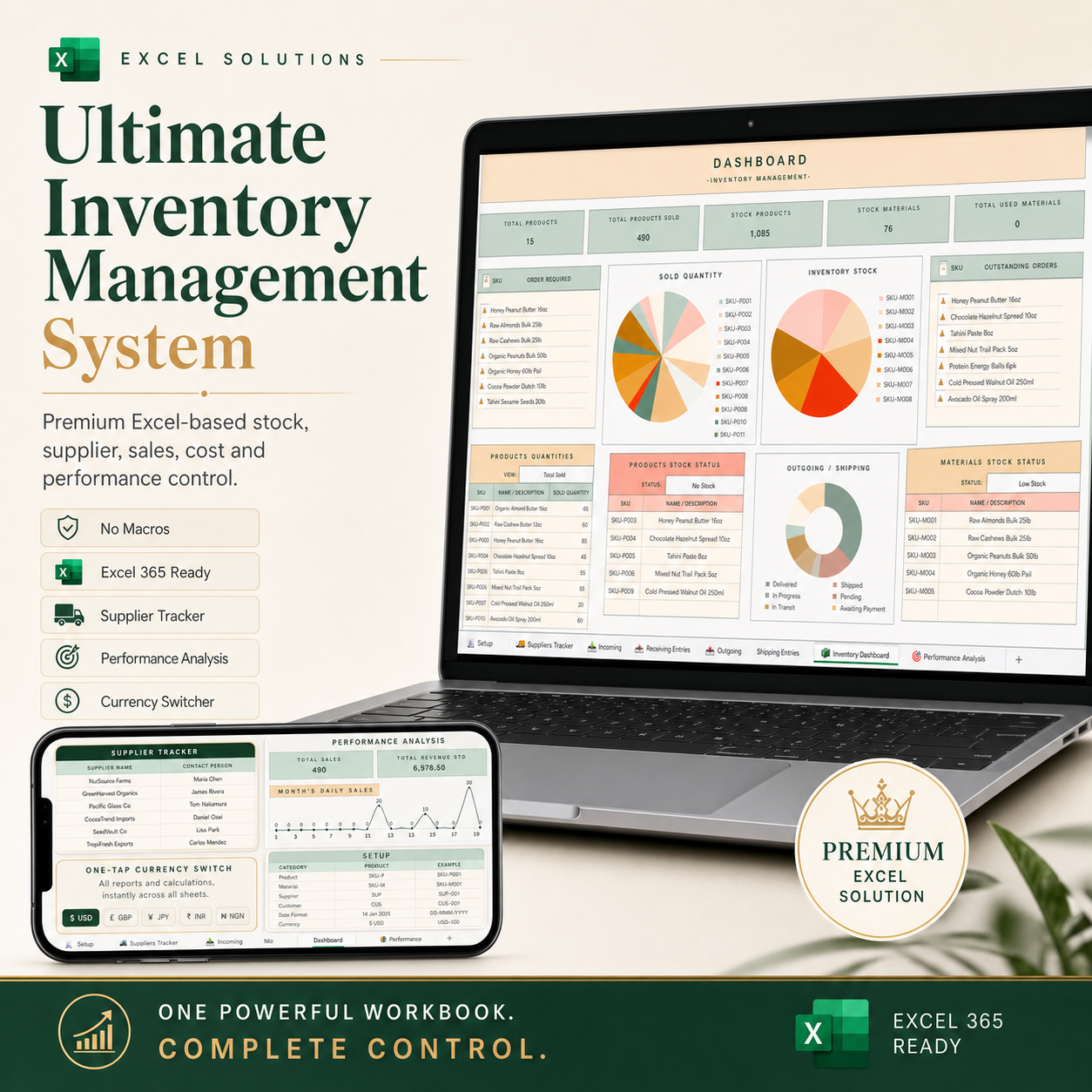
Ultimate Inventory Management System

Ultimate Inventory Management System for Excel
A premium Excel-based inventory control system for small businesses, product brands, sellers, operators, and teams that need better stock visibility without paying for complex software.
The Ultimate Inventory Management System helps you manage stock, suppliers, incoming orders, outgoing sales, costs, profit, reorder needs, and performance reporting from one connected Excel workbook.
It is built for businesses that have outgrown basic stock sheets but are not ready for expensive ERP, POS, or inventory software.
This is Excel, but built like an inventory command centre.
What you can do with it
Track your products, materials, suppliers, sales, stock movement, and performance from one place.
The workbook helps you manage:
- Product and material records
- Supplier details and contacts
- Incoming and receiving entries
- Outgoing sales and shipping entries
- Stock quantity and stock status
- Low-stock and reorder alerts
- Costs, revenue, and profit
- Dashboard summaries
- Performance analysis
- One-tap currency display switching
- Business-ready reporting
Key features
Inventory Dashboard
Get a clear view of your stock position, product quantities, material quantities, stock status, outgoing activity, and key inventory metrics.
Supplier Tracker
Keep supplier names, contacts, emails, phone numbers, addresses, order requirements, and supplier notes in one structured place.
Incoming / Receiving Entries
Record incoming stock, quantities, suppliers, ordered dates, received dates, costs, tax, invoice details, and receiving status.
Outgoing / Shipping Entries
Track sales, stock usage, shipping status, outgoing quantities, sale prices, costs, profit, and order movement.
Performance Analysis
Monitor sales, revenue, stock movement, costs, profit, and product performance through built-in analysis pages and visual summaries.
Setup and Controls
Configure product codes, material codes, supplier codes, customer codes, date formats, currency display, and key workbook settings from the setup page.
Currency Switcher
Switch your reporting currency display across key reports and dashboard areas
No Macros Required
The workbook is formula-driven and does not require VBA macros.
Excel 365 Ready
Designed for Microsoft Excel 365 for best performance and compatibility.
Why it is different
Most inventory templates are just lists.This workbook is designed as a connected inventory system.
It does not only record stock. It helps you understand what is happening across the business:
- what is available
- what is low
- what needs to be reordered
- what has been received
- what has been sold
- what is pending
- what has been shipped
- what suppliers are active
- what stock is costing you
- what products are performing
The logic underneath separates different stock states, so pending, shipped, delivered, returned, cancelled, and used items are not all treated the same.
That matters if you want your numbers to mean something.
Best for
This workbook is suitable for:
- Small business owners
- E-commerce sellers
- Product-based businesses
- Skincare and cosmetics brands
- Food product businesses
- Retailers and resellers
- Makers and creators
- Procurement teams
- Operations managers
- Inventory coordinators
- Consultants building systems for clients
What you get
You get a complete Excel workbook containing:
- Setup page
- Inventory dashboard
- Supplier tracker
- Incoming / receiving entries
- Outgoing / shipping entries
- Performance analysis page
- Built-in dropdowns and controls
- Stock and reorder logic
- Cost and profit tracking
- Currency display controls
- Visual summaries and dashboards
Requirements
- Microsoft Excel 365 recommended
- Works best on desktop Excel
- No macros required
- Not intended as a Google Sheets file unless separately converted and tested
Important note
This is an Excel-based inventory management workbook. It is not a replacement for a full ERP, accounting software, warehouse management system, or POS platform.
It is built for businesses that need a powerful, practical, and affordable inventory control system inside Excel.
Launch offer
The Ultimate Inventory Management System for Excel is now available.
If you are getting it during the launch period, you can access it at the reduced launch price.
One powerful workbook. Complete control.