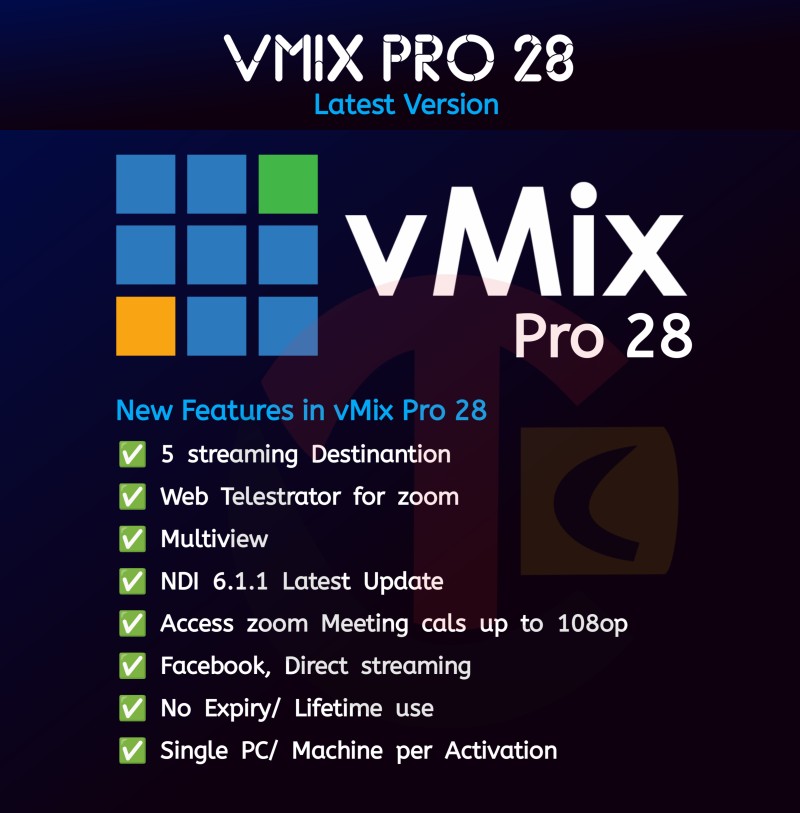
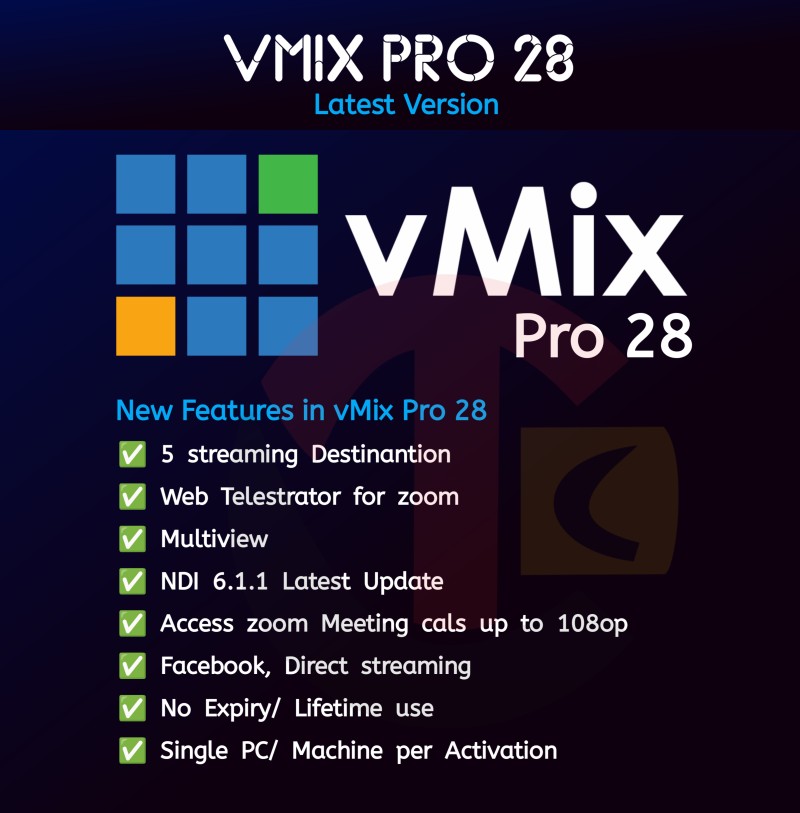
LOOK NOW AVAILABLE vMix Pro 28.0.0.42 Full Lifetime License with vMix Call and Zoom Plugins already!vMix Pro 28 features is here!5 Streaming DestinantionWeb Telestrator for ZoomMultiview EnhancementNDI 6.1.1 Latest UpdateAccess vMix Call 8 CallersAccess Zoom Meeting Calls up to 1080p Facebook Direct StreamingNo Expiry/ LifetimeSingle PC/ Machine per Activation
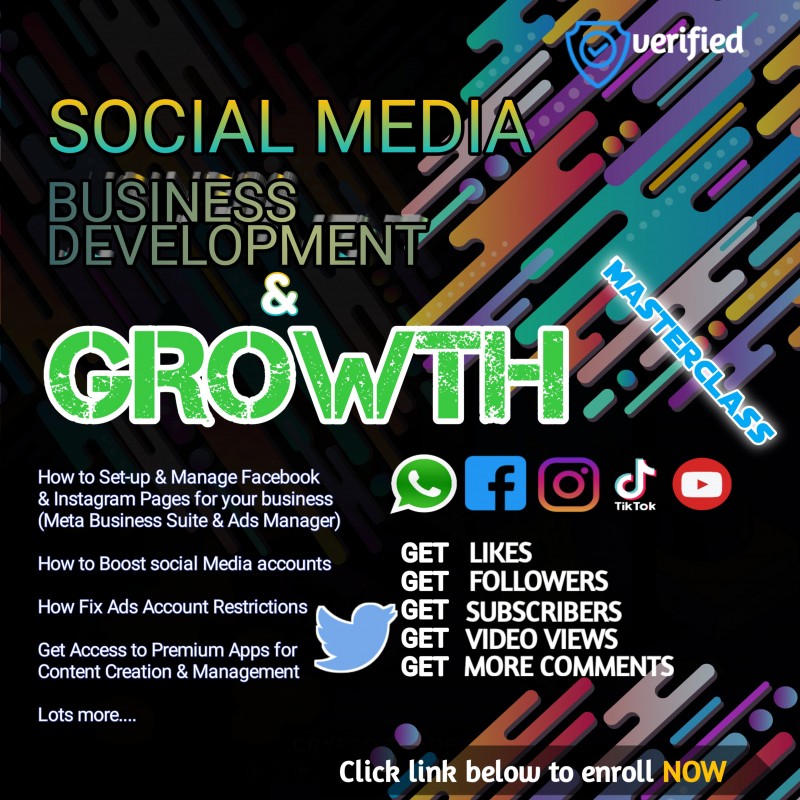
Social Media Business Development & Growth Management Masterclass
Hello Friends,Welcome, it feels great to have you here.On this space I'll be teaching and guiding you on essentials of Social Media Business Development & Growth Management. Here is a summary of what I have to offer in the Social Media Business Development & Growth ManagementWhat you will learn >Instagram👉How to open a Professional Instagram page for your business👉How to get instant Instagram followers and boost your page(Non drop)👉How to get Nigeria/Organic active Instagram followers👉How to get instagram post comments👉How to get instagram likes👉How to get instagram refill followersFacebook👉How to create and set up a Facebook Business Page👉How to get instant Facebook Followers and boost your page👉How to get instant Facebook likes👉How to get instant Facebook commentsYouTube👉How to open a YouTube channel👉How to customize your YouTube channel👉How to manage your YouTube channel👉How to boost and get YouTube subscribers👉How to get more watch time on YouTube👉How to get more likes and comments on your YouTube pageTikTok👉How to boost your tiktok videos👉How to get more followers on Tiktok👉How to get free Tiktok views without spending a dimeTelegram ServicesWhatsApp👉 How to get more viewers on your WhatsApp status👉 How to setup WhatsApp Ads🎯 Bonus✅How to Setup high converting Facebook/Instagram Ads✅ How to Fix disabled Ads Account✅ How to generate potential leads to your WhatsApp ✅How to protect and secure 🔐 your social accounts from being hacked (I teach exact methods I've been using to prevent my account and clients account from being hacked for over 12 years).✅Introduction to ChatGPT AI for Content Creation for your business
🔥 Introducing the Ultimate Windows Digital License Activator (Lifetime) 🔥Unlock the Full Potential of Your Windows Experience 🚀Are you tired of the hassle of renewing your Windows license every few months/years? Say goodbye to those nagging activation prompts!With our groundbreaking Windows Digital License Activator, you'll enjoy a lifetime of worry-free Windows activation, ensuring seamless updates and endless possibilities.🔑 Key Features That Set Us Apart:✅ Lifetime Activation: One-time purchase, perpetual benefits. Never worry about license expirations again! Activate your Windows version for life using the OEM Digital License.✅ Instant Activation: Say goodbye to waiting! Our lightning-fast activation process will have you up and running in seconds.✅ Genuine & Authentic: We guarantee genuine licenses, authorized by Microsoft. Enjoy all the features and security updates without compromise.✅ Hassle-free Updates: Our activator ensures a seamless update experience, so you're always equipped with the latest features and enhancements.✅ 24/7 Customer Support: Need assistance? Our dedicated support team is here to help you, round-the-clock, with any queries or concerns.✅ Universal Compatibility: Whether you're using Windows 10, 8.1, 8, or 7, our activator works like magic on all versions.🎁 Limited Time Offer: Claim Your Lifetime License Now and Get a Special Bonus Offers 🎁Don't miss this opportunity to liberate your Windows experience. Embrace the freedom of a lifetime digital license and enjoy all the benefits it brings.Upgrade your productivity, enhance your gaming, and maximize your creativity without any activation worries.🏆 Trusted by Thousands: Our satisfied customers can't stop raving about the simplicity and effectiveness of our Windows Digital License Activator.🌟 Join The Growing Community of Happy Users! Activate Now! 🌟🚫 Say NO to annoying license prompts.🚫 Say NO to recurring costs and renewals.🚀 Say YES to a lifetime of Windows activation bliss!🛒 Hurry! Limited Stock Available! 🛒Secure your lifetime Windows digital license now and take your computing experience to a whole new level! Click below to grab this exclusive offer before it's gone!Activate Now - Unlock Windows Forever!Remember, an activated Windows opens doors to endless opportunities. Choose the best for your Windows, and choose the Lifetime Windows Digital License Activator.📞 Have Questions? Chat with Our 24/7 Customer Support:https://bit.ly/iamseaAct fast before this exclusive offer expires!🎁 Bonus Offer: For a limited time, enjoy a special bonus when you order NOWBONUS OFFER: For a limited time, enjoy a special bonus when you order now!✅ Microsoft Office Suite (All Versions) 1-Year Activation License.✅ Smadav Antivirus Pro 1-Year License Registration Key.✅ 30-Days Money Back guarantee, if you're not satisfied with what you ordered,we process a full refund ASAP.✅ 24/7 Customer Support (6 - Months Access to our Remote IT Helpdesk): Our dedicated support team is here to help you, round-the-clock, with any queries or concerns and cater to your IT Service needs. ✅ Free Windows Upgrade (T&Cs Apply)Don't miss out on this incredible opportunity to elevate your computing experience!Get ready to transform your Windows experience today! 💻Note:If you encounter any payment error while trying to process payments on this product page, endeavor to contact our Support team Via WhatsApp Chat Now Button to create and process your order on WhatsApp.https://bit.ly/iamsea
Smadav Antivirus Pro License Key (All Versions 202x)
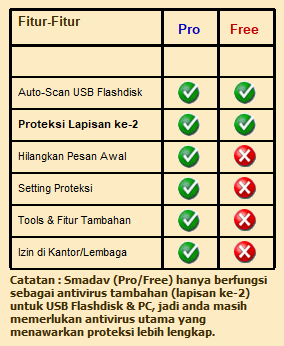
Smadav Antivirus is additional antivirus software that is designed to protect your Windows PC. Smadav Antivirus is a simple security-free program that provides real-time anti-virus protection, making sure that your Windows PC is safeguarded at all times.Smadav Anti-virus 2023 mainly functions as additional protection for your PC (especially its total protection for USB Flash Drive), so the software doesn't offer total protection. If you would be often browsing the internet or installing new apps, you are highly recommended to use other security products that offer total protection.Smadav 2023 14.9.1 Antivirus Latest FeaturesThe new theme for Smadav 2023Shortcut & Autorun Virus KillerMore than 700 new virus database addedDetect many new viruses with the latest Smadav-AIAbility to detect suspicious programsAbility to pick the AI detection level when scanningImprovements in the settings sectionImprovement on the scanning process performanceClean the viruses and repair registry problemsSuper fast scanning and detection just before the file executedProtect any external drive storage from unwanted programSmadav Pro Crack and Keygen included inside the fileFeatures and HighlightsAdditional Protection for your PC, compatible with other antivirus products!Almost all other antiviruses cannot be installed with another antivirus, it's because the antivirus designed for the main protection of your PC. It's not the case for the program, It is an antivirus that is designed as additional (second layer) protection, so it's compatible and could be installed and run together with another antivirus on your Win PC. The program uses their own technique (behavior, heuristic, and whitelisting) to detect and clean virus that improves the security of your Computer.Best USB Antivirus (Total Protection for USB Flashdisk)USB Flashdisk is one of the most used media for virus spread. The software uses its own technology to avoid virus spread and infection from USB Flashdisk. It can detect many new unknown viruses in USB even if the virus is not in the database. Not only for protection, but Smadav can also clean USB Flashdisk from viruses and restore hidden/infected files in the USB Flashdisk.Low resource AntivirusThe program only uses a small fraction of your Desktop resources. Most of the time only use very small memory (under 5 MB) and CPU usage (under 1%). With this very small resource usage, It will not slow your computer. And you can still install another antivirus that will together work with Antivirus to protect your Computer.Cleaner and tools to clean virusThe antivirus can clean some viruses that already infected your PC and also fix the registry change made by the virus. Many tools are included in the software to fight virus cleaning.Note: In the Free version, you have to manually download the new version of Smadav to update your latest version. Another difference is that Pro has some more features: Automatic Updates, Exception List, Maximize/Resize, Changing theme colors, Admin Password, and Profit/Commercial Use.What are the advantages of Smadav Pro?Smadav Pro does not display pro upgrade offers when the computer starts on. While the Free version of Smadav will continue to display an offer message to upgrade to Smadav Pro at the beginning of every computer turned on. The following are all the additional features in Smadav Pro: Eliminate Initial Message, Tools Feature in Application, Additional Settings (Protect) in Application, Exception List, Change Display Size/Color, Admin Password, and Use Permission in Institution/Organization/Company.Eliminate pro upgrade offers at the beginning of startup To get rid of the Smadav Free message at startup, you must purchase Smadav Pro, because Smadav Free will continue to display the message at the beginning of the computer (startup) and when the Smadav program is opened.Settings for Protection Smadav Pro has settings features for Anti-Ransomware and Protection in the "Protect" section of the Application. So, only the settings are not accessible in Smadav Free. For its protection features in Smadav Free and Pro still have the same ability in preventing viral infections."Change Theme ColorSmadav Pro has the ability to change the Smadav theme color that was originally green to the color of your choice. In the theme color settings section you can find your own preferred color to be the Smadav theme. Once you change the color theme, the colors of all Smadav looks will automatically change to the color of your choice.Smadav Pro ExceptionList has an Exception List feature that can be used to ignore scanning certain files, folders, or registry that you consider safe and should be ignored. Once a file, folder, or registry is added to the Exception List, it will be ignored and will no longer be detected by Smadav as a virus.Permission to Use in Institutions / Organizations / CompaniesThe Free version of Smadav is only allowed for personal use. Institutions/organizations/companies that want to use Smadav must use Smadav Pro by purchasing a license.AdminPassword If you are an Admin in an organization/company, you should limit the use of Smadav by adding a password to access the full Smadav features. Users can still scan and clean viruses but will not be able to access quarantine features, updates, tools, and settings on Smadav unless they have the Admin password that you have set.Is Smadav Pro detection better than Smadav Free?Smadav Pro and Smadav Free have the same detection capabilities. So if the virus that infects your computer cannot be cleaned by Smadav Free, it means that it cannot also be cleaned by Smadav Pro.Can Smadav Pro be the main antivirus or internet protection?You can't. Smadav (Pro/Free) only works for additional protection (second layer protection) for your USB and PC, so Smadav does not function as a complete protection / main protection and Smadav also does not have internet protection features, you still need the main antivirus that offers more complete protection. Smadav is very likely to be installed as a second layer of protection and as a primary antivirus companion.Each key is only valid for one computer (suppose 1 key has been used on 1 computer, can no longer be used on other computers)Key can be used for 1 year from the purchase of the key (365 days usage limit)3-day guarantee, you may request a 100% refund during the 3-day period after purchase if you are not satisfied with smadav or for other reasons.There is no promise that Smadav Pro will automatically update during the 1-year license period. There may be no updates during the 1-year license.For purchases of more than 6 keys, please contact us below 👇 for permission to use and find out the price.Contact Us: https://cubetechconsults.bcns.ai/ContactusVersion: Supports All LATESTVersions From 202xCurrent Official Version: Smadav Antivirus 2022 Rev 14.9 Requirements: Windows XP / Vista / Windows 7 / Windows 8 / Windows 10 / Windows11Author / Product: Zainuddin Nafarin / Smadav AntivirusHow to Install:Download and install Latest Version of Smadav from the Smadav Official Website.Purchase this retail License key.Run Smadav.Click on Settings.Paste key and Click on Register.DONE.
Easyworship v7.x.x.x (License with 5 Paid Bible Versions)
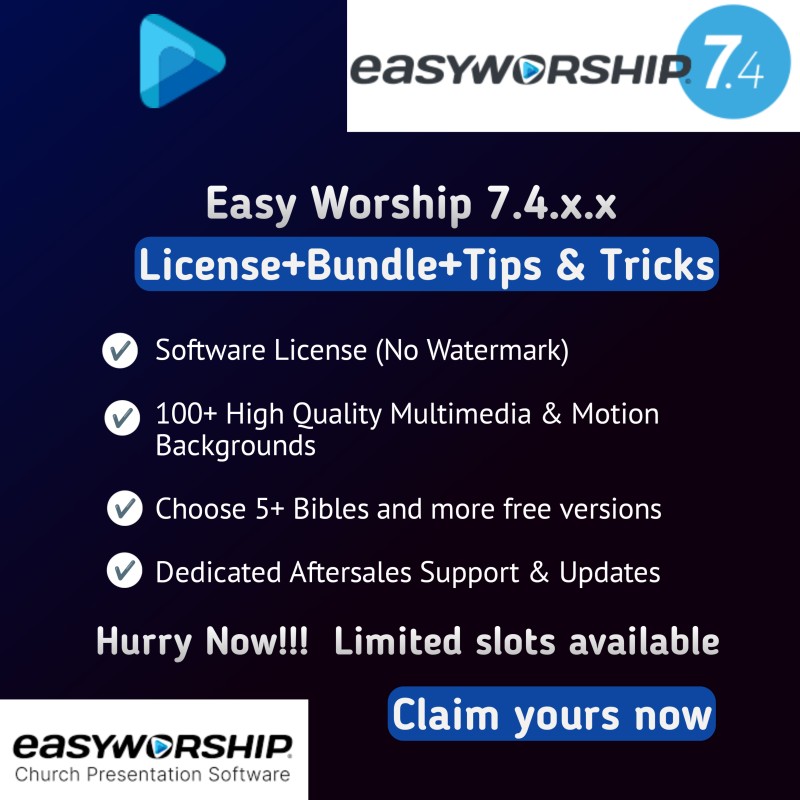
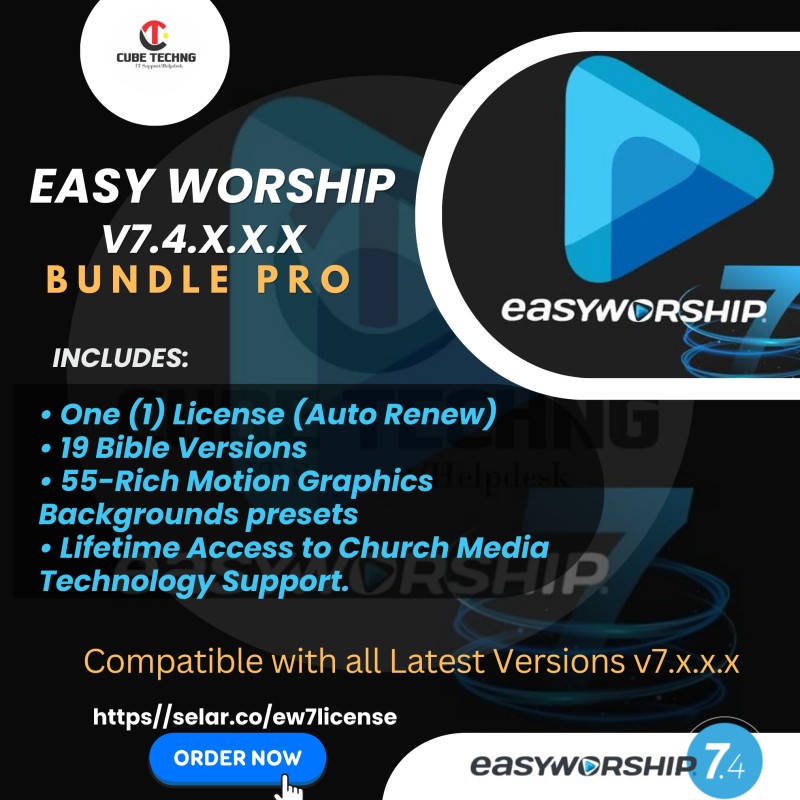
Easyworship v7.4.x.x License & 19 Bible Versions (Bonus Windows Permanent Activation Included)Powerful Simplicity Redefined.The most dependable and trusted church presentation software.Powerful presentation features that make worship easyEasyWorship is an easy-to-use, reliable church presentation software that meets the needs of churches, big and small, around the world. Build your entire worship service, from song lyrics to sermon slides, quickly and efficiently in one place.Available on this PackThis Package includes:Available on this Pack📢 50 High Quality Motion Graphics Worship (Ambience & Cinematic) Backgrounds 📢 License Activation File (Remove Watermark)📢 Bible Versions Available: You get to choose up to 5 translations for zero cost>>American Standard Version (ASV)Bible in Basic English (BBE)Common English Bible (CEB)Darby Translation (DARBY)Douay Rheims Version (DRV)Easy-to-Read Version (ERV)Good News Translation (GNT)Hausa KJV Version (HAU)Holman Christian Standard Bible (HCSB)King James Version (KJV)New King James Version (NKJV)New International Translation (NIV)New Living Translation (NLT)Nigerian Pidgin English Version (PIG)Noah Webster Bible 1833 (WB)Reina-Valera Antigua (French) {RSV}The Living Bible (TLV)The Message (MSG)The Passion Translation (TPT)Yoruba Version (YOR)Young's Literal Translation (YLT)License File Included (Remove Watermark)Streamlined interfaceEasyWorship's interface has always been designed with ease of use. This simple breakdown shows you just how intuitive it is.Contiguous Schedule in Preview and Live Combined shown here.Customizable user interfaceThree schedule layout options. Adjust any area to fit your workflow. Choose between dark or light theme. Contiguous Schedule now available in Preview and Live Combined.Supports multiple outputsThree output options. Each takes the same content, but with different themes, and presents it to your desired output. Use the newly added Alternate Output for livestreaming or for another in-house display option.If you'd like to see how EasyWorship can sync more than one schedule, look at MIDI Sync.Integrate your streamingEasyWorship seamlessly integrates with your streaming platform and broadcast setup. Connect wirelessly (NDI) or wired to support multiple cameras, or simply use your phone as a camera. Send alpha channel downstream to your video mixer for a pro streaming look.Play Atem IntegrationTools to make your presentation smoothNo matter what happens live, these tools can make it look as if it was planned that way.NEWGo Live from the webNeed to quickly send a full screen video or a webpage live? We can do that. No extra steps needed. Just select Go Live.Get their attentionUse a Message Alert to communicate with your speaker, church, or livestream. Send a Nursery Alert to your congregation to notify a parent.Make it look easyLogo. Black. Clear. Use these three buttons to create seamless transitions between service sections, whether it was part of the plan or not.Now with Auto-Reporting!Directly integrate with SongSelect by CCLISearch, import, and add any lyrics you need to your schedule directly within EasyWorship. With the newly added auto-reporting, we do the work of reporting your song activity directly to CCLI saving you time and energy.NEWCreate and edit slides with EditorOur Presentation and Theme Editor has the tools you need to create your whole service schedule. From basic text editing in the Inspector to the newly added Shape Engine, we give you the power to build and edit the slides you need.Resources for your creativityCreate your service efficiently and accurately with resources that work for you.The software you love + the media you wantGo beyond basic with EasyWorship PremiumOver 20,000 pieces of mediaDirectly integrate with EasyWorship softwareEverything you need to complete your service.NEWImport Premium Media even fasterPremium Media is now available to download directly in the Resource Area. Browse, filter, and add to your library with just a couple clicks.NEWSync schedules with MIDIWith MIDI Sync, you can sync and control multiple copies of EasyWorship on different computers using MIDI In & Out.Access your schedule remotelyUse View mode for an additional Foldback monitor. Use Full Control mode to control your schedule wirelessly. Completely free. Available for iOS & Android.Premium Subscription (Software + Media)Our creative subscription includes everything that comes with Basic, plus the design boost of our Premium media library.Campus LicenseRegular software updatesUnlimited free supportInstructor-led basic training sessionUnlimited access to over 20,000 pieces of Premium media, including backgrounds, countdowns, and title mediaColor PaletteOnline Media DesignerImport media directly within EasyWorship NEWCompatible with allEASY WORSHIP 7.X.X.X versionsInstallationRemote & Onsite Installations available Lifetime Customer Support available 24/7 via (WhatsApp & Telegram Channels)(Bonus >>> 50% off on our Windows Permanent Activation Included) T&CsAnd so much more.......
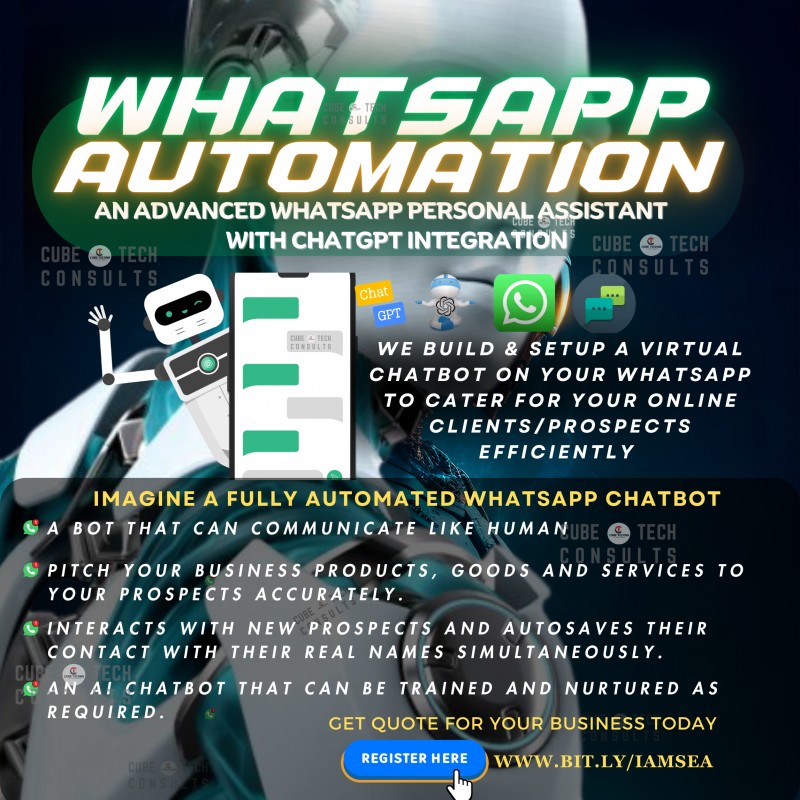
Autosave Contacts for WhatsApp AutoresponderSetup Contact Automation in 5 MinutesOn WhatsApp, the future of contact management is here! You can say goodbye to the tedious task of manually saving new contacts with Auto-Save Contacts.Our novel Auto-save Contacts feature seamlessly stores every new contact on your device and integrates with WhatsApp.Never again will you miss a crucial connection! Auto-Save Contacts will make your life easier and help you work more efficiently.Watch this demonstration video to find out more and change your WhatsApp experience today!👇👇👇https://youtu.be/lPKUso9dEsgReady to revolutionize your contact management on WhatsApp? Try Auto-Save Contacts today and unlock the power of automation: [Get Started Now]What you'll GET:✅ You get access to the Autosave Contacts for WhatsApp feature (download files, connect with WhatsApp, import and you're all set)✅ How to troubleshoot and fix common related errors.✅ Access to 24/7 support (non-update) via telegram and lifetime coaching discounts on future tech trends✅ Takes less than 5 minutes to setup!!!✅Just purchase, Install, connect to Whatsapp, import and get Automated !!!Order on FlutterwaveTAP HERE TO ORDER ON FLUTTERWAVEAutosave Feature for WhatsApp Training is N25k(Self-Paced Learning).Wanna learn more or you're experiencing payment issues here? Connect with me via WhatsAppAlternate Payment optionsWe also accept PayPal from all countries.Tap here to Pay via PayPal PayPal @ [email protected] also accept crypto payments without fees 💲Via usdt (trc20)TJrqZEdBkCJuDgSiSjTeixh5xiR7syda9uCheck out my Profile
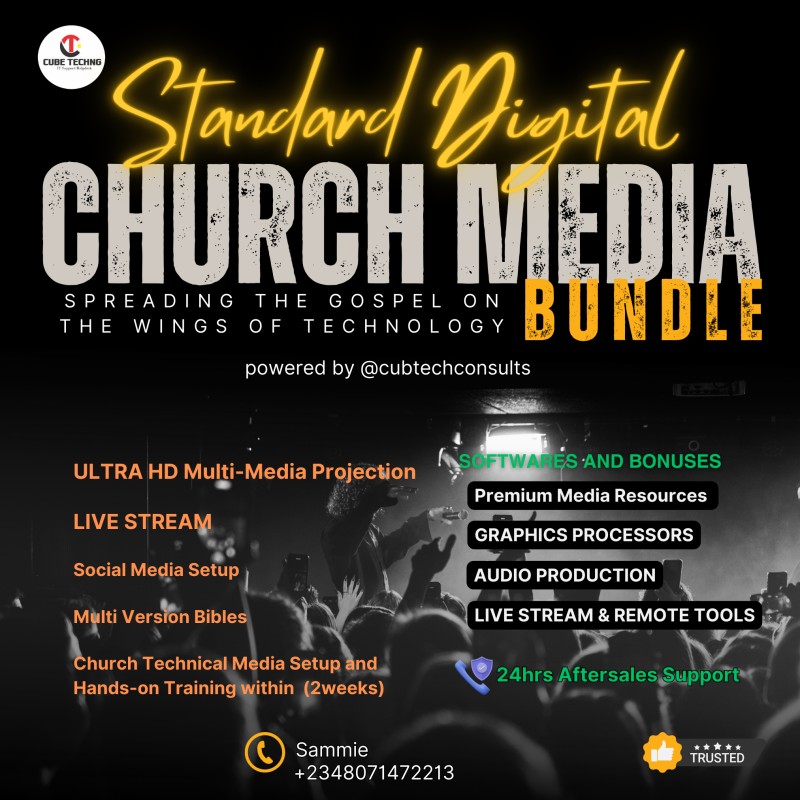
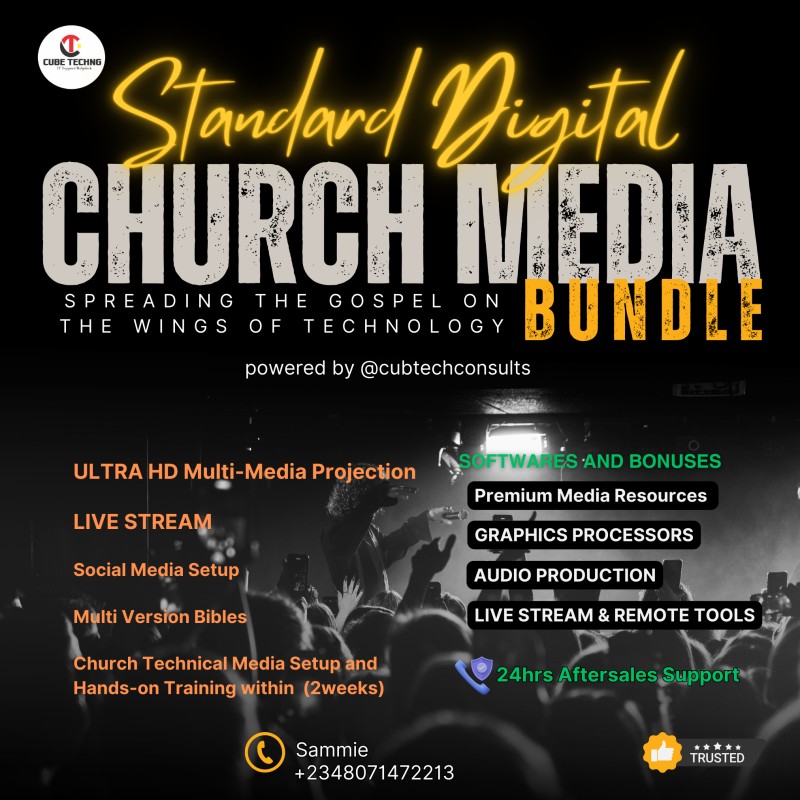
Get Practical Training, Resources & Tools in Church Media, Tech, and CommunicationsLet’s face it — serving in church media can be overwhelming. As a church media staff member or volunteer, you probably find yourself wearing a lot of different hats every week.Church Media Masterclass will give you the tools and training you need to be a better church media professional in under two weeks self-paced intensive hands-on training.You’ll learn:How to engage as a digital churchHow to Setup Screens for main and alternate outputsHow to configure and setup Projectors, Video WallsHow to properly configure your PC for effective performance as a media personnelKey ways take your livestream to the next levelPhotography and Video Camera guides for live shotsTips and tricks to master video editingHow to setup and record a high quality audio of services, sermons etc....Social media habits for church leadersWhy your church needs a podcast (and how to start or grow one)5 branding essentials your church must haveThe best ways to plan an effective creative seriesSteps you can take to create a dynamic volunteer cultureHow to master Vmix, EasyWorship, OBS, Bible Show and lots more premium software's.And much, much more!Bonus Church social media content creation tools:OBS Software & Featured Plugins (Live Streaming).Bible Shows Software (including TPT Bible version).Canva Pro Subscription Tool for designing publishing materials and other social media contents.Cap-Cut: Edit, crop and trim videos with this editor.Dropbox: Organize and store your content through this online storage app.Adobe After Effect.Adobe Photoshop.Premiere Pro: Create quality video using this app.Easy Worship Software (Premium License & 19 Bible Versions).Over 55 motion graphics background rich-media presets.Church Communications Ministry Is KeyAside from the staples: theology, doctrine, compassion, and etcetera communication is one of the most important aspects of a healthy congregation. The saying “Communication is Key” rings true for marriages and business, but in a community of believers, it’s not just true- it’s the catalyst. The means, methods, and efficiency of a church’s communication strategy can draw congregants to unity, can improve community outreach, and can effectively improve stewardship.What is the Role of Church Communications?A Church Communications ministry functions much like the human brain, sending messages to each member of the body and equipping it to do the tasks necessary. A communication team will vary in size, appearance, and responsibilities depending on the congregation size. Many times the church communication team will consist of people with a variety of skills capable of passing messages down many pipelines. These pipelines might include social media, a church bulletin, text messaging, email messaging, blog articles, media slides, announcements, and more. As technology changes, so does communication. A communication ministry’s role is to identify the most effective means of communicating to the congregation and community, and then craft media and messages to keep the recipients best informed. What Does a Church Media Team Do?A Church Media team assists in crafting the message to be communicated. Sometimes the Media Team and the Communications Team are one-in-the-same. Sometimes, they serve as teammates. Media Teams specifically craft and publish the message to be communicated in the clearest and most accessible way. Let’s take a look at a couple of specific examples. The Sunday MessageThe Pastor and church wants (and needs) to broadcast the sermon. From a Communications team perspective, this is a prepackaged message ready to push out, but for the Media Team, there are decisions and actions to be taken. Often times, the media team is responsible for capturing the message (digital recording, taking notes, etc.), editing as needed, and publishing it. An Upcoming Event The church has decided to host a event for the community. They will need to advertise it internally and within the community. The Communications team has put together the details, and they have passed it to the Media Team to publish. The media team crafts graphics for social media and the local paper, they develop a video to be shown on Sunday mornings, and they develop fliers to be given out on the day of the event. The Church Media Team is the publishing arm of the Communications Ministry. They make sure the congregation and community are able to receive the message that is being shared. What Does a Communications Director Do For A Church?The Communications Director position is typically one of management. The director oversees and equips the Communications Ministry in remaining effective. As a director, they will help provide the needed vision and promote and encourage the best practices to achieve that vision. Often, the director is responsible for more than just the people and volunteers, though. A director or ministry leader is often charged with the task of budgeting, tools, and resources to lead the ministry well. For example, the Communications Director might find themselves shopping for a new computer for the Front of House Audio/Video Team. They might be the contact for local advertising. This position can contain much diversity, but also a great responsibility. Church Communication StrategyAs mentioned above, the strategy in which a church communicates is crucial. If a church is reaching mostly senior adults and isn’t on a specific campaign to change that, Twitter and Instagram might not be the most effective strategy for outreach. Church communication strategy needs to be derived from the church’s ministry philosophy. How a church does ministry and who they primarily reach should be the most important factor in building and outlining a communications strategy. While a Communications Director helps instruct and influence this, it needs to be a team effort and involve key ministry leaders across the congregation. Strategies are also intentional. To intentionally communicate, the Communications ministry needs to know, understand, and be able to communicate quickly and effectively to the people that they are called to reach. ConclusionIn short, the Communications Ministry, though it may consist of one lone ranger, holds the responsibility of collecting all the information and things of interest and then deciding on the most effective way of sharing that information. In today’s ever-technological world, those means and methods of communication are transitioning and evolving.Communication and Creative LeadershipIf you want to learn more about Church Communications and how to use creativity to minister to others, you can get started today at Cube Tech Consults.Become A Better Church Media Professional In Just 2 Hours A Month.Learn from the best in church media and get practical training in church tech, media, and communications. All in 2 hours a month and without breaking the bank.The Church Media Team is the publishing arm of the Communications Ministry. They make sure the congregation and community are able to receive the message that is being shared.
Church Media Software Bundle by Cube Tech ConsultsElevate Your Church Media with the Ultimate Software Bundle – Everything You Need in One Package!Streamline Your Worship Presentations, Live Streaming, and Media Creation with Premium Tools Designed for Churches Are you looking to take your church’s media and presentations to the next level? Look no further! The Church Media Software Bundle by Cube Tech Consults is your all-in-one solution for professional live streaming, worship presentations, graphic design, and video editing. Packed with industry-leading software and resources, this bundle is tailored to meet the unique needs of churches and ministries.Why Choose This Bundle?- Save Time and Money: Get access to premium software and tools at an unbeatable price. - Professional Quality: Impress your congregation with high-quality visuals, videos, and presentations. - Easy to Use: Perfect for beginners and experts alike, with intuitive interfaces and resources. - All-in-One Solution: No need to purchase multiple tools – everything you need is included! What’s Included in the Bundle? OBS Studio + Plugins – Perfect for seamless live streaming (including Multi-Stream plugin and many more). Easy Worship Software – Premium license with 20 Bible Translations (10 paid and 10 free translations). Bible Shows Software – Includes the TPT Bible version for dynamic presentations. Canva Pro Subscription – Create stunning social media and publication designs. Cap-Cut Video Editor – Edit videos like a pro. Wondershare Filmora Video Editor -- Create cinematic videos with a huge resource library easily.Corel Draw 2024 – Advanced graphic design made easy. Adobe Creative Suite 2024 – Audition, After Effects, Photoshop + Camera Raw, and Premiere Pro for professional-grade media creation. 200+ Still Images & Motion Graphics, – Ready-to-use friendly presets for Church Media . Over 5000+ High-Quality Graphic Resources (Overlays, Gradients, Backgrounds, Vectors, Flares, lenses) – Boost creativity and efficiency. Who Is This Bundle For? - Church Media Teams- Worship Leaders- Content Creators- Ministries and Nonprofits - Anyone Looking to Enhance Their Media Presence. Don’t miss this incredible opportunity to transform your church’s media capabilities! Get the Church Media Software Bundle Today!This software bundle is curated and distributed by Cube Tech Consults. For inquiries, support, or custom solutions, contact us: - Email: [email protected] - Phone: +234 (807) 147-2213- Website: www.cubetechconsults.com.ng/about-usFAQs: Q: Is this bundle suitable for beginners?A: Absolutely! The bundle includes user-friendly tools and resources for all skill levels. Q: Can I use these tools for commercial purposes? A: This bundle is licensed for personal and church use only. For a guide on commercial licensing, please contact Cube Tech Consults.Q: What if I need technical support?A: Cube Tech Consults offers dedicated remote helpdesk support for all customers. Reach out via email or WhatsApp for assistance. Ready to elevate your church’s media game? Download the Church Media Software Bundle Now!Transform your worship services, live streams, and media content with the ultimate toolkit for churches.
Microsoft Office and Google Workspace Masterclass + Google Tricks and Tips - 22nd Edition 2025
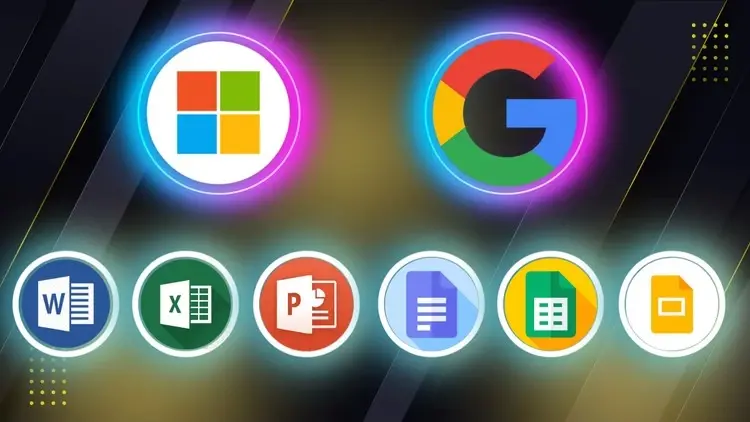
Microsoft Word, Excel, PowerPoint, and Google Docs, Sheets, and Slides ideal for Beginners, Professionals, Students and Job SeekersMP4 | Video: h264, 1280x720 | Audio: AAC, 44.1 KHz, 2 ChLanguage: English | Duration: 7h 50mWhat you'll learnHow to use Microsoft Word and Google Docs to create and format professional documentsHow to organize data, use formulas, and create charts in Excel and Google SheetsHow to build clean, engaging presentations in PowerPoint and Google SlidesBest practices for formatting, layout, templates, and sharing filesKey differences and similarities between Microsoft Office and Google Workspace toolsHow to collaborate in real time using cloud-based featuresHow to work efficiently whether you're online, offline, or on the goRequirementsMicrosoft Word, Excel, PowerPointGoogle AccountDescriptionMicrosoft Word, Excel, PowerPoint and Google Docs, Sheets, Slides — master the essential digital tools used in modern workplaces, schools, and remote environments with this all-in-one course designed for beginners, professionals, students, and job seekers.In today’s competitive world, being proficient in both Microsoft Office and Google Workspace is more than a helpful skill — it’s a necessity. This course gives you practical, hands-on training in creating professional documents, organized spreadsheets, and engaging presentations using both platforms.Whether you're starting from scratch or looking to improve your existing skills, this course will help you become confident and efficient in handling everyday office tasks.What You’ll LearnHow to create, format, and edit documents in Microsoft Word and Google DocsHow to use spreadsheets, formulas, and charts in Microsoft Excel and Google SheetsHow to design professional presentations in Microsoft PowerPoint and Google SlidesKey similarities and differences between Microsoft Office and Google WorkspaceHow to collaborate in real-time using Google’s cloud-based toolsTips for boosting productivity, organizing your work, and sharing files securelyWho This Course Is ForAnyone who wants to work smarter and more efficiently using today’s top office tools.Tools Covered: Microsoft Word, Excel, PowerPoint, Google Docs, Sheets, Slides. No Prior Experience Needed. This course is beginner-friendly and guides you through each tool with clear explanations, real-world examples, and downloadable practice files. You’ll gain practical skills that you can apply immediately in school, the workplace, or your personal projects. By the end of the course, you’ll be confident using both Microsoft Office and Google Workspace — and ready to handle any office task with ease.Who this course is forAnyone who wants to gain confidence using both Microsoft and Google platformsBonus Included:English | 64 pages | PDFGoogle Tricks and Tips - 22nd Edition 2025